Photoshop Brushes from PHLEARN: Stars, Rain, Snow & Fog
Photoshop brushes by Aaron Nace for weather and atmosphere: a night sky full of stars, falling rain, falling snow, and smoke and fog. Four PRO brushes, each with a sample image and a PDF install guide.
What’s in Each Pack
Four Photoshop brushes for weather and atmosphere, each made to add a natural-looking effect to a real photo.
- Stars. Stars that vary in size, brightness and spacing, for night skies that look real.
- Rain. Falling rain you can paint into any outdoor scene.
- Snow. Falling snow for winter portraits and landscapes.
- Smoke & Fog. Smoke, fog and haze for depth and mood.
- In every download. The .abr brush file, a sample image and a PDF install guide.
Where to Start
Read How to Install Photoshop Brushes, then try Stars or Smoke & Fog on one of your own photos. To make brushes of your own, watch How to Create a Custom Brush in Photoshop and How to Create a Fog Brush in Photoshop.
Included with PRO
The brushes are PRO downloads, included with a PHLEARN PRO membership along with every Lightroom preset, LUT and Photoshop action, and every PRO tutorial on the site. The free tutorials on custom brushes show you how to build your own.
Frequently Asked Questions
How do I install a brush in Photoshop?
Double-click the .abr file, drag it onto the Photoshop window, or choose Import Brushes from the Brushes panel menu. The new brush appears at the bottom of the Brushes panel.
Do I need a drawing tablet?
No. Every brush works with a mouse: paint the effect on a new layer, then lower the layer’s opacity or erase where it is too strong. A pen tablet gives you more control over size and opacity as you paint.
Which version of Photoshop do I need?
Stars, Rain and Snow work in Photoshop CS6 and newer. Smoke & Fog needs Photoshop CC 2018 or newer.
Where to Go Next
Brushes do their best work in Photo Effects and Compositing, where you add weather and atmosphere to a scene. For the rest of the toolkit, see Photoshop Actions, Lightroom Presets and LUTs.
Install in a Minute
Three ways to load an .abr brush, where brushes live on Mac and Windows, and what to do if one does not show up.
On This Page
PHLEARN PRO
Every Photoshop brush here, plus every preset, LUT, action and PRO tutorial.
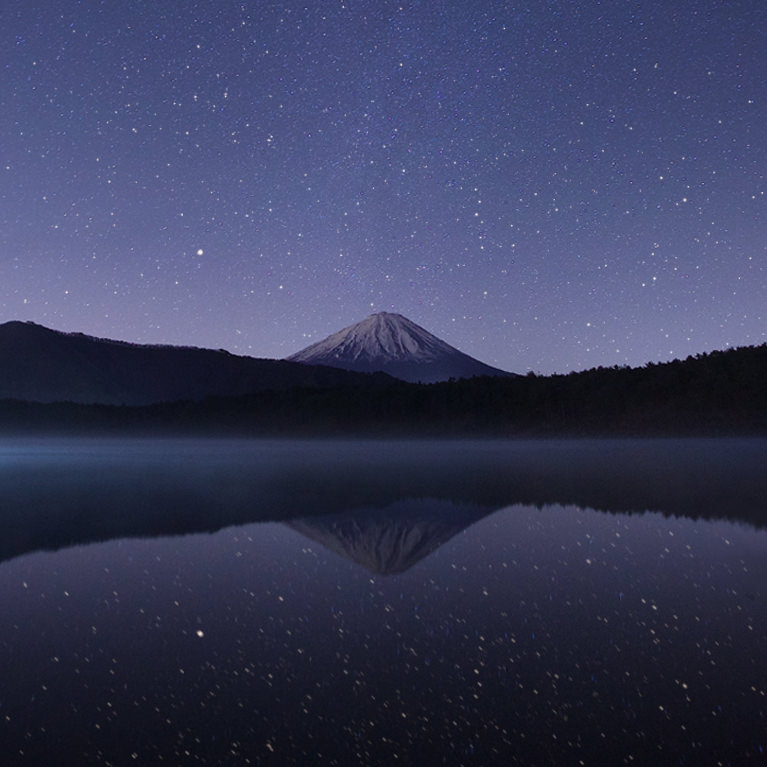
With its realistic and varied star patterns, this custom Photoshop brush is the perfect way to bring a touch of wonder to your digital nightscapes.
Photoshop | PRO Photoshop Brushes | Easy | 15 mins
1 Photoshop Brush | 1 PDF Install Guide

Nothing adds drama and atmosphere quite like rain! Add it to any image with this custom Photoshop brush!
Photoshop | PRO Photoshop Brushes | Easy | 15 mins
1 Photoshop Brush | 1 Sample Image | 1 PDF Install Guide

If there’s one thing we know about living in Chicago, it’s snow. Add realistic snow to any winter scene in seconds!
Photoshop | PRO Photoshop Brushes | Easy | 15 mins
1 Photoshop Brush | 1 Sample Image | 1 PDF Install Guide

From mountain mist to a blazing fire, add authentic-looking smoke and fog with this exclusive Photoshop Brush!
Photoshop | PRO Photoshop Brushes | Easy | 15 mins
1 Photoshop Brush | 1 Sample Image | 1 PDF Install Guide