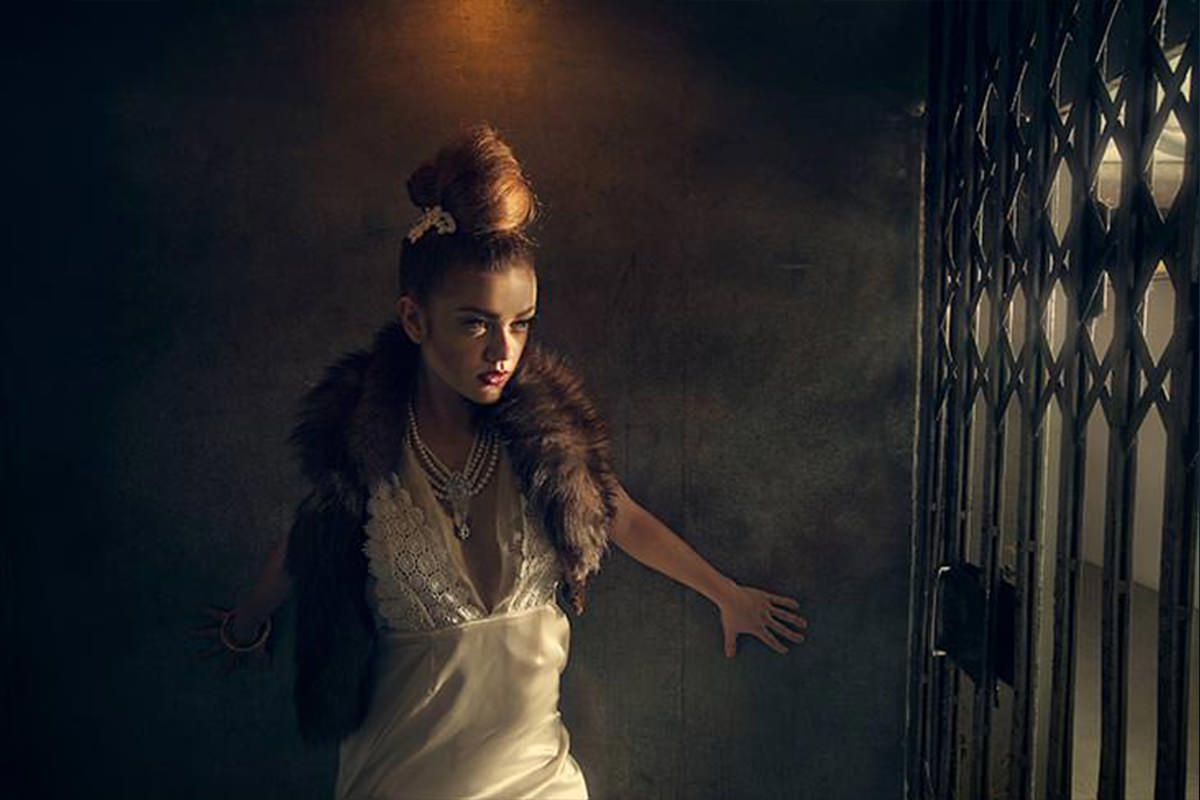

Six locations, three models and fourteen hours, and almost none of the light in the final frames was there to begin with. Go behind the scenes on a Film Noir series: turning a daytime bar into night, hiding a real strobe beside a practical lamp, manufacturing headlight beams with fog and gels, booming lights three stories up a fire escape, and the color grade that ties it all together.
We publish a new free tutorial every week, each one with sample images and PSDs you can download and follow along with. Sign up and they land straight in your inbox, along with early word on sales, events and subscriber-only offers.
Behind the Scenes: Film Noir
A single striking photo can grab attention, but a full series gives viewers multiple reference points that connect into a larger story. This behind-the-scenes look at a 14-hour, six-location Film Noir series covers the lighting problems solved at each stop, from a bar and a lounge to a graveyard, a vintage car, and a three-story fire escape, along with the color-toning approach that tied the whole series together in post.
Why a Series of Images Connects More Than a Single Shot
Before getting into any individual location, it is worth understanding why a connected series tends to perform better than one standalone image.
-
Plan Multiple Related Images Rather Than One
Build a shoot around several images that reference and relate to one another rather than a single standalone shot. Multiple connected images give viewers more points of reference, making the whole story feel more complete and comfortable to engage with.
Lighting a Bar to Look Like Nighttime During the Day
Shooting inside a bar during daylight hours meant the space’s actual lighting, designed to look good only at night, was not usable as it stood.
-
Add a Soft Box Simulating Outside Light
Position a soft box coming in from outside the bar to imitate the feel of late-day light spilling through a window or doorway.
-
Add Parabolic Reflectors for Ambient Fill
Add a couple of parabolic reflectors to bring up the overall ambient brightness throughout the bar space.
-
Add a CTO-Gelled Spotlight for a Rim
Place a spotlight gelled with CTO in the back-left corner of the frame to add a warm rim and an extra pop of color interest.
Faking a Lamp’s Light in the Lounge
The bar’s downstairs lounge became the location for a more intimate shot, where the lighting needed to look like it came from a practical lamp already in the room.
-
Place a CTO-Gelled Light Beside the Lamp
Position an actual light source off camera right near the visible lamp, gelled with CTO, so it reads as though the lamp itself is providing the light even though the practical lamp is not doing the real work.
-
Add Warm Parabolics Behind the Subjects
Add a couple of parabolic reflectors behind the models, gelled slightly warm, to fill in additional light from behind.
Why Fake the Lamp Instead of Lighting With It Directly
A real practical lamp usually is not powerful enough on its own to properly expose a scene. Placing a separate, controllable light near the lamp and matching its color temperature creates the illusion that the lamp is the actual light source, while giving far more control over exposure and direction than the lamp alone could provide.
Directing Models to Act Rather Than Pose
Capturing this scene relied on movement and action rather than a held pose.
-
Ask Models to Act Out a Scene
Rather than instructing models to hold a specific pose, ask them to act out a simple scenario, such as walking through a door and settling onto a couch, and photograph the natural movement as it happens.

Why Acted Movement Looks More Natural Than a Held Pose
A model holding a static pose can easily look stiff or artificial. Photographing genuine movement as a small scenario plays out tends to produce more natural body language and expression than directing a single frozen position ever will.
Using Fog and Gelled Light to Sell a Graveyard Night Scene
Shooting a graveyard scene featuring a vintage car, a 1964 Thunderbird, required manufacturing both atmosphere and the illusion of the car’s own headlights lighting the subjects.
-
Run a Fog Machine Continuously
Run a fog machine and generator throughout the entire shot, even on a completely clear day, to generate enough fog to make visible light beams from the car.
-
Gel Lights to Match the Car’s Headlights
Position lights off camera left, gelled to match the car’s own headlight color, so it appears the car’s lights are illuminating the subjects.
-
Add an Ungelled Parabolic for Ambient Night Light
Add a parabolic reflector off camera right without a gel, cooler in temperature, to imitate the ambient environmental light of a late evening.

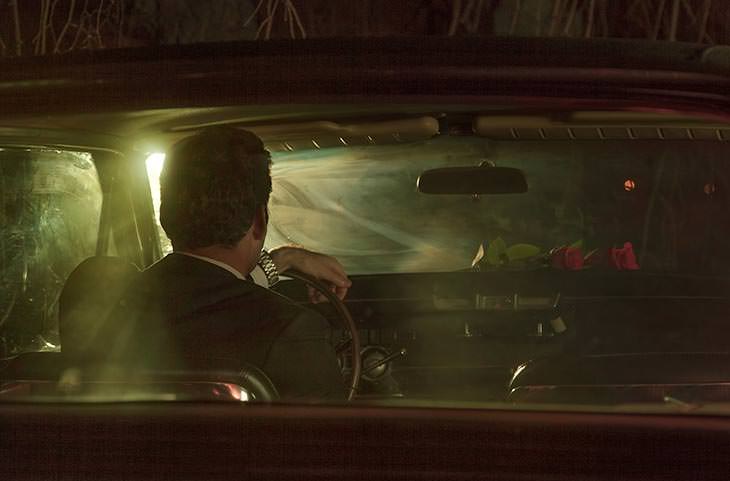
Lighting Subjects Inside the Vintage Car
A separate setup lit subjects photographed sitting inside the car itself, continuing the same headlight and taillight illusion.
-
Add a CTO-Gelled Light for Headlight Bounce
Position a light gelled with a quarter CTO off camera right to imitate light bouncing off something from the car’s headlights.
-
Add a Red-Gelled Strobe for Taillights
Add a red-gelled strobe off camera left to suggest the glow of the car’s taillights.
-
Place an Out-of-Focus Light in the Background
Use an additional light in the background (here, the crew’s rental van), kept out of focus, to imply the presence of a second vehicle behind the main car.
Lighting a Subject Three Stories Up on a Fire Escape
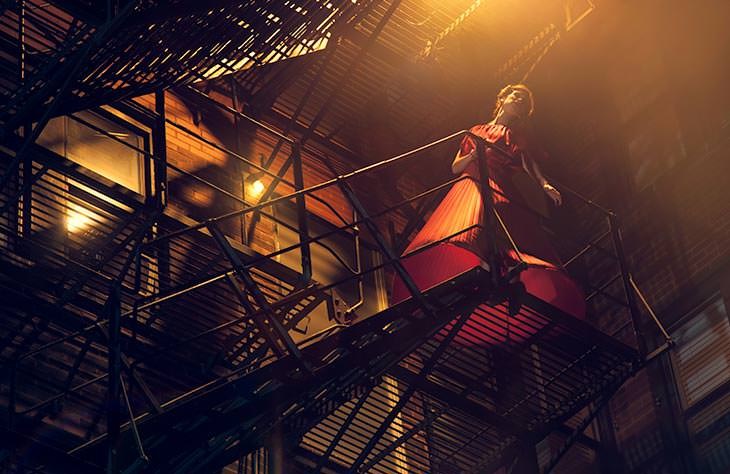
Photographing a subject high on an outdoor fire escape at night, in freezing wind, was the most logistically demanding setup of the entire series, and every bit of light in the resulting frame is entirely artificial.
-
Add a CTO-Gelled Strobe Directly Above
Position the main light on a grate directly above the subject, gelled CTO, as the primary light source for the shot.
-
Boom a Second CTO-Gelled Light From the Side
Boom a second light up roughly 18 feet on camera left, also gelled CTO, to help carve detail into the subject’s face.
-
Add an Ungelled Light Behind the Camera
Place an additional, ungelled light behind the camera on camera right to imitate a different-colored street light in the environment.
-
Send Fog Up From the Ground
Generate fog at ground level, positioned to spiral upward through the frame as it rises past the subject three stories above.

Why It Is Worth Attempting a Genuinely Difficult Shot
A shot this logistically demanding, with freezing temperatures, real heights, and lighting that has to be boomed up multiple stories, carries real risk of not working out. Being willing to attempt an ambitious idea despite that risk is often what produces the images that end up being the most memorable from an entire shoot.
Creating Shadow Patterns With a Cookaloris
A final location made creative use of an architectural feature already on site to add texture through light and shadow.
-
Use an Accordion-Style Door as a Cookaloris
Position a light so it shines through the gaps in an old accordion-style elevator door, using the door itself as a cookaloris, which is an object placed between a light and the background to cast patterned shadows.
-
Add a Warm Light Inside the Elevator
Add a warmer light inside the elevator itself, combining with the cooler light from outside for added contrast and drama.
Tying the Series Together With Consistent Color Toning
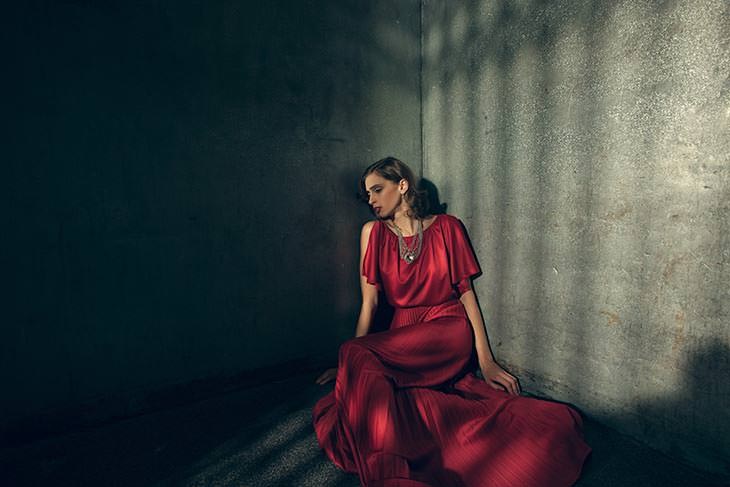
With six very different locations photographed, consistent post-production color work was what made the images read as a single cohesive series rather than six unrelated shoots.
-
Push Shadows Toward Blues and Greens
Color tone every image in the series with a consistent shift, pushing shadow areas toward blues and greens.
-
Push Highlights Toward Yellows and Reds
Push highlight areas in the opposite direction, toward yellows and reds, matching the classic Film Noir color palette across every image in the series.
Why This Approach Works
Every location in this series solved its own specific lighting problem. A daytime bar needed to look like night, a lamp-lit lounge needed a hidden real light source, a graveyard scene needed manufactured car-headlight illusions, and a fire escape shot needed to be built entirely from artificial light while appearing to rely on ambient street lighting. What unified all of it into a single coherent series was not any one lighting trick but the consistent color-toning pass applied afterward, pushing every image toward the same blue-and-gold Film Noir palette regardless of how differently each scene was actually lit on set.
Final Thoughts
A production this ambitious, 14 hours across six locations with three models and a full crew, only comes together with real planning and a team you trust. But the underlying lighting lessons scale down easily to a much smaller shoot: fake a practical light source with a gelled strobe when the real fixture is not strong enough, use fog and colored gels to imply light sources that are not actually there, and let a consistent color grade in post do the work of tying otherwise unrelated locations into a single visual story.
Quick Reference: Settings and Tips
- Bar by daySoft box from outside, two parabolics for ambient, CTO-gelled spotlight back left for a rim
- Fake a lampCTO-gelled light beside the lamp; warm-gelled parabolics behind the models
- GraveyardFog machine and generator running all shot; lights camera left gelled like the headlights; ungelled parabolic camera right
- In the carQuarter CTO camera right, red-gelled strobe camera left, out-of-focus van lights behind
- Fire escapeCTO strobe above her, CTO light boomed 18 feet camera left, ungelled light behind the camera, fog from the ground
- Shadow patternAccordion elevator door as a cookaloris, warmer light inside the elevator
- Tie the seriesColor tone every image: blues and greens in the shadows, yellows and reds in the highlights
Film Noir Photo Series: Common Questions
Why shoot a series instead of one photo?
A series gives viewers several reference points. Each image relates to the others, which pulls people into the story and makes it feel more complete than a standalone shot.
How big was the Film Noir shoot?
14 hours at six locations, with three models, a hair stylist, a wardrobe stylist, a makeup artist, two behind-the-scenes shooters and a first assistant. The van, fog machine and generator were rented.
How do you light a bar during the day?
Bars are built to look good at night, so the light was made from scratch: a soft box coming in from outside, a couple of parabolic reflectors for ambient light, and a CTO-gelled spotlight in the back left corner for a warm rim.
How do you make a lamp look like it lights the scene?
Put a CTO-gelled light beside the lamp, shining back at the subjects. It looks like the lamp is doing the work when the other light is. Warm-gelled parabolics behind the models fill in.
How do you get natural movement from models?
Ask them to act out a scene rather than hold a pose. In the lounge they came through the door and onto the couch while being photographed the whole way.
How was the fog in the graveyard made?
It was a completely clear day. A fog machine and generator off camera left ran the whole shot, and the fog caught the beams of the car’s lights.
How were the car lights faked inside the Thunderbird?
A quarter-CTO light on camera right stood in for the headlights and a red-gelled strobe on camera left for the taillights. The out-of-focus light behind was the rental van, made to look like a second car.
How was the fire escape shot lit?
Every bit of light was added: a CTO-gelled strobe right above her, a CTO-gelled light boomed 18 feet up on camera left, and an ungelled light behind the camera on the right like a street light. Fog from the ground spiraled up into the frame.
What is a cookaloris?
Anything placed between a light and the background to cast shadows and patterns. Here an old accordion-style elevator door did the job, with a warmer light inside the elevator.
Master Photoshop, Lightroom and Photography
Join PHLEARN PRO for $12.99 a month or $99.99 a year. Cancel anytime, with a 100% money-back guarantee.





