Special Effects Learning Path
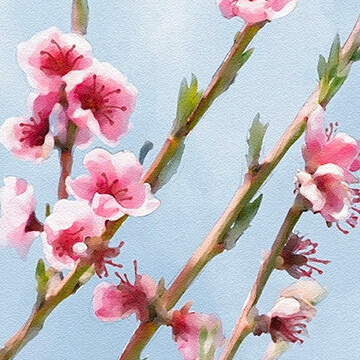
Turn any photo into a realistic watercolor painting in Photoshop. Hand-paint in color and detail using the included custom Photoshop Brushes and then apply realistic paper textures made from scratch.
Photoshop | Advanced | 5 hours
5 Sample Images | 1 Sample PSD | 3 Photoshop Brushes | 1 Photoshop Action | 1 PDF Help Guide
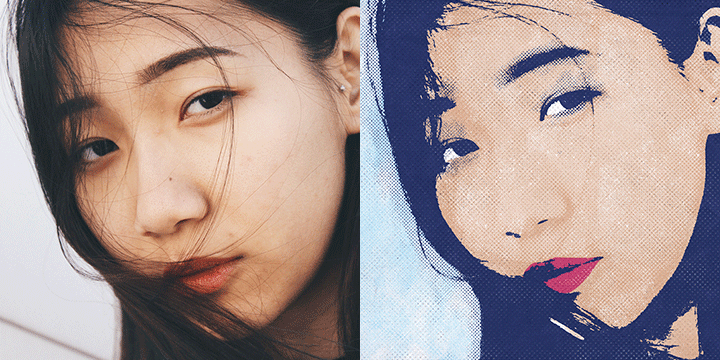
Tap into your inner Warhol by creating pop art in Photoshop! Learn how to transform any photo with bright and vibrant colors and comic book halftone effects to create your own stunning works of art.
6 Sample Images | 14 Custom Textures | 15 Photoshop Brushes | 1 Photoshop Action | 1 Photoshop Pattern

Follow along as we show you how to transform any photo into a realistic pencil sketch in Photoshop! Learn how to recreate the natural highlights and shadows in a photo using our custom pencil stroke brushes and real paper textures.
Photoshop | Medium | 3.25 hours
8 Sample Images | 2 Photoshop Actions | 22 Photoshop Brushes | 13 Custom Textures

Learn how to create stunning text effects in Photoshop! From dramatic drop-shadows, to realistic textures, to bold 3D, we cover all the bases to help your letters, words, and phrases pop.
3 Sample Images | 8 Sample PSDs | 4 Textures | 1 Photoshop Brush
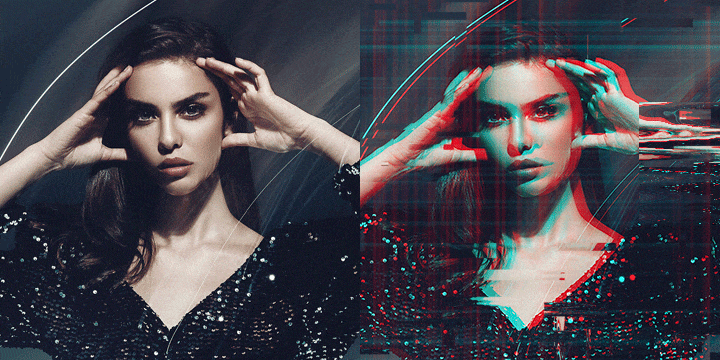
Digital distortion. VHS vibes. Learn how to create your own custom glitch effects in Photoshop with the included brushes, textures, and action!
8 Sample Images | 15 Photoshop Brushes | 1 Photoshop Action | 7 Custom Textures
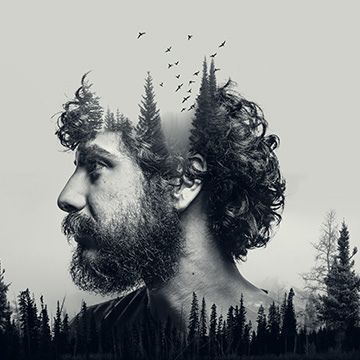
Learn how to use Blending Modes, Smart Objects, Layer Masks, and Adjustment Layers to seamlessly blend multiple exposures. Work through six different examples, combining two, three, and four exposures together.
Photoshop | Medium | 1.5 hours
21 Sample Images

Learn how to create a realistic dispersion effect in Photoshop! Follow along with the sample image and included Photoshop Brushes to make your own amazing effects from scratch.
Photoshop | Medium | 2.5 hours
1 Sample Image | 1 Sample PSD | 7 Photoshop Brushes
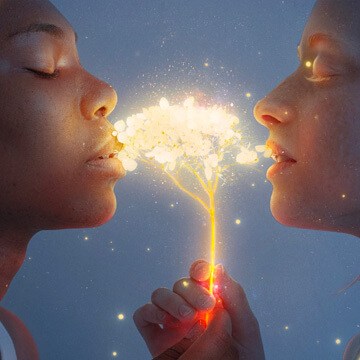
Help your photos shimmer, sparkle, glimmer, and glow! Learn how to make any object in a photo glow in Photoshop.
Photoshop | Medium | 2.25 hours
4 Sample Images | 1 Sample PSD | 1 Photoshop Brush

