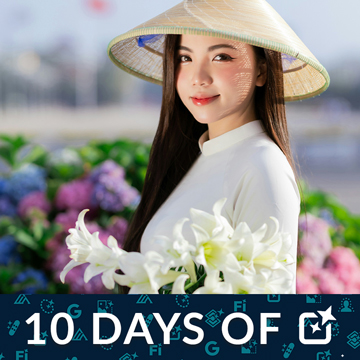
10 Days of AI in Photoshop & Lightroom

Welcome to 10 Days of AI in Photoshop & Lightroom! This first episode dives into Photoshop’s top AI tool, Generative Fill. Learn to seamlessly remove distractions, add new elements, and instantly transform your scenes.
Photoshop | Workflow | Medium | 15 mins | 1 video
4 Sample Images | 4 Sample PSDs

It’s day 2 of our series! Today we’ll show you how to use new AI Generative Expand tool to expand your images in Photoshop.
Photoshop | Photo Editing | Medium | 15 mins | 1 video
3 Sample Images | 3 Sample PSDs

It’s day 3 of our series! In this tutorial, we’ll teach you about essential file formats, including how to save your layered work and export for web or print.
Photoshop | Photo Editing | Medium | 15 mins | 1 video
4 Sample Images | 4 Sample PSDs

On day 4 we’ll explore Masking in Adobe Camera RAW! In this tutorial we’ll teach you how to combine selections, refine highlights, and add glows for stunning effects.
Photoshop | Photo Editing | Advanced | 15 mins | 1 video
2 Sample Images | 2 Sample PSDs

Discover the Select Subject Tool! We’ll show you how it expertly isolates intricate details in tough images, outperforming the traditional method for unbelievably precise and time-saving selections.
Photoshop | Photo Editing | Advanced | 15 mins | 1 video
4 Sample Images | 4 Sample PSDs

On day 6 of our series we’ll show you how to use the Harmonize tool to instantly blend subjects into backgrounds, matching light and color. Plus, use Generative Upscale to enlarge photos with new, stunning detail.
Photoshop | Photo Editing | Medium | 15 mins | 1 video
5 Sample Images | 3 Sample PSDs
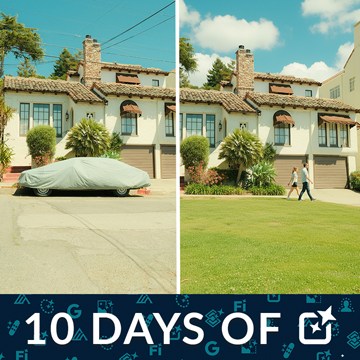
Discover how AI partners like Nano Banana instantly apply advanced artistic and technical changes from one simple text prompt.
Photoshop | Photo Editing | Medium | 15 mins | 1 video
4 Sample Images | 4 Sample PSDs

On day 8 we take things to the next level with Advanced Masking! Combine selections, refine highlights, and add glows for stunning effects.
Lightroom | Photo Editing | Medium | 15 mins | 1 video
4 Sample Images

It’s Day 9! Learn how to use Lens Blur to make your subject pop, and zap away grain with the Denoise tool in Lightroom for super clean, professional pictures.
Lightroom | Photo Editing | Medium | 15 mins | 1 video
1 Sample Image (RAW File) | 2 Sample Images (JPEG File)