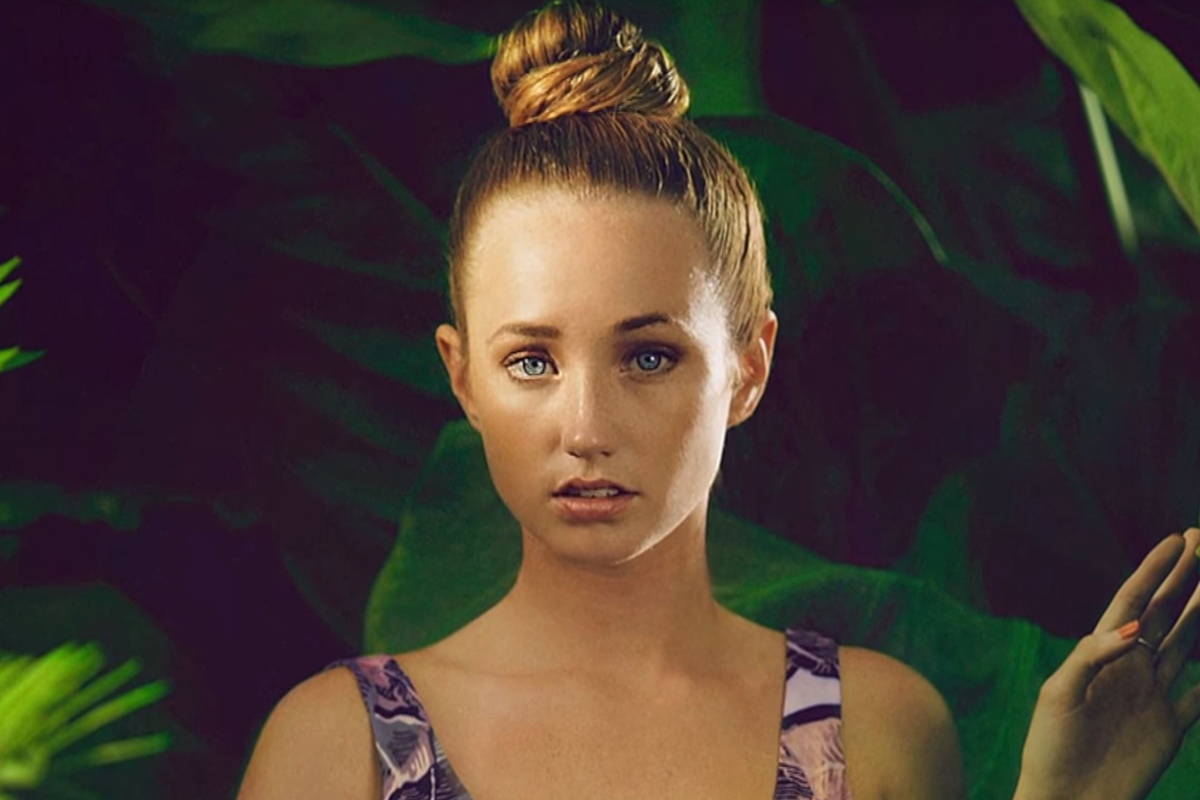


Use a Wide Aperture to Eliminate Distractions
When shooting on location, there are often unwanted Background elements that you can’t do anything about but try your best to shoot around them. A good way to do this is use a wide aperture such as f/1.4 or f/2.8 for a shallow depth of field. If you don’t have a lens that opens that wide, you can get as close as possible to your subject and have your subject as far away from the Background as possible. This will increase the amount of blur on your Background.









Enjoying This Free Tutorial? Go Further with PRO.
Unlock Full Sample Files, PSDs, and Hundreds of Masterclasses!

Download full project assets, original PSDs, and RAW images for every lesson
Unlimited access to our complete library of PRO Photoshop & Lightroom courses
Instant 4K Ultra HD streaming on all devices, anytime, anywhere
Full access to our entire library of Photoshop Actions, Presets, and LUTs
Flexible monthly and annual membership plans
Cancel anytime with zero hassle or commitments