

Tutorial Description
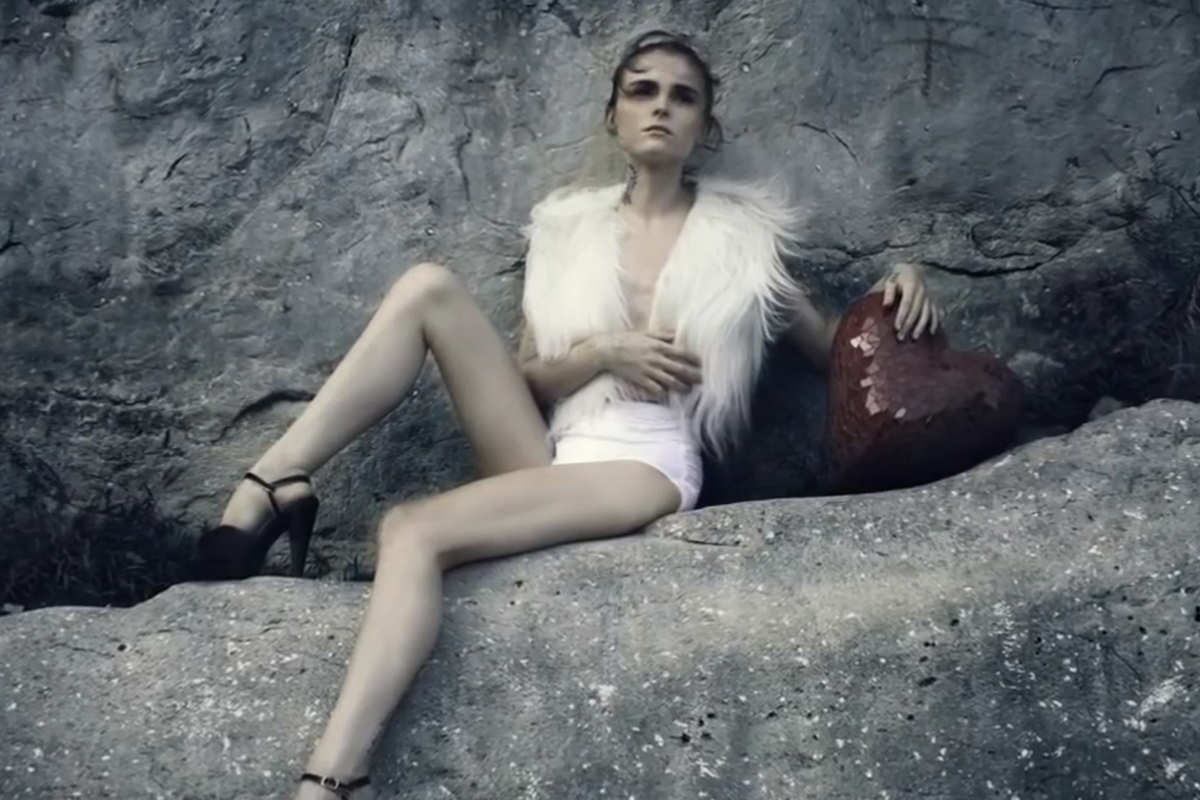
Photos straight out of the camera can be boring at times and it can be hard to know what may make them more interesting.
Today we are going over some great techniques that can be applied to most images to make them a bit more interesting. By adding Color and Contrast to the image as a whole you can make your subject stand out a bit better in a few easy steps.
What About Skin?
If you are going to be Coloring your images, the Skin of your subjects will most likely get colored as well. Sometimes you want this effect but others you would prefer the Skin to have more of a natural tone. In this episode we Color the Background and then make a copy of the original layer and apply it over the entire image. We then use a Layer Mask to have this layer only show up over the subject. You can also lower your Opacity to bring back some of the original coloring.
Finding the balance between Coloring and skin tone can be difficult, but if you use the techniques in this episode you will be able to change the Opacity of each layer to find the balance that works for you!









Enjoying This Free Tutorial? Go Further with PRO.
Unlock Full Sample Files, PSDs, and Hundreds of Masterclasses!

Download full project assets, original PSDs, and RAW images for every lesson
Unlimited access to our complete library of PRO Photoshop & Lightroom courses
Instant 4K Ultra HD streaming on all devices, anytime, anywhere
Full access to our entire library of Photoshop Actions, Presets, and LUTs
Flexible monthly and annual membership plans
Cancel anytime with zero hassle or commitments