


Download Assets
This tutorial includes 1 PDF guide. Downloads are free with a PHLEARN account.
- Download the sample files from every free tutorial on PHLEARN
- New free tutorials published every week
- One free account: sign up once, then download anything
Free PDF Guide · 3 Pages
This Tutorial as a Step-by-Step PDF
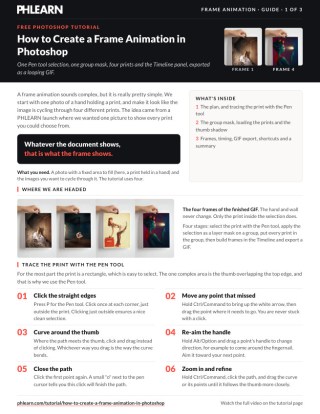
This guide walks through making a looping GIF where one print cycles through four images: tracing the print with the Pen tool, Make Selection with a feather, a mask on a group, File > Scripts > Load Files into Stack, a soft shadow layer, then Window > Timeline and Create Frame Animation. Keep it next to your keyboard.
description
Swapping several images through one fixed area takes a single good selection and the Timeline panel. This tutorial traces a print and the thumb holding it with the Pen tool, applies that selection once as a shared group mask, loads every print into the group, then builds a looping frame animation from layer visibility and exports it as a GIF.
Enjoying This Free Tutorial?
We publish a new free tutorial every week, each one with sample images and PSDs you can download and follow along with. Sign up and they land straight in your inbox, along with early word on sales, events and subscriber-only offers.
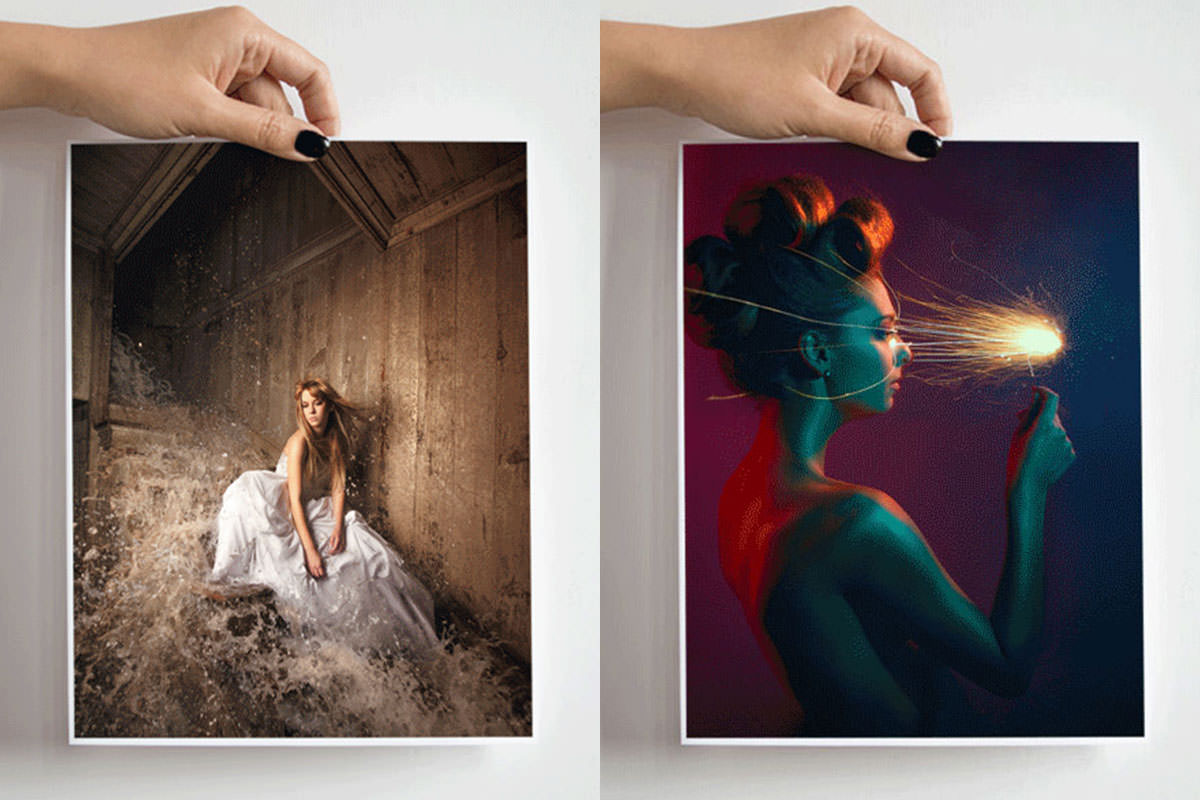
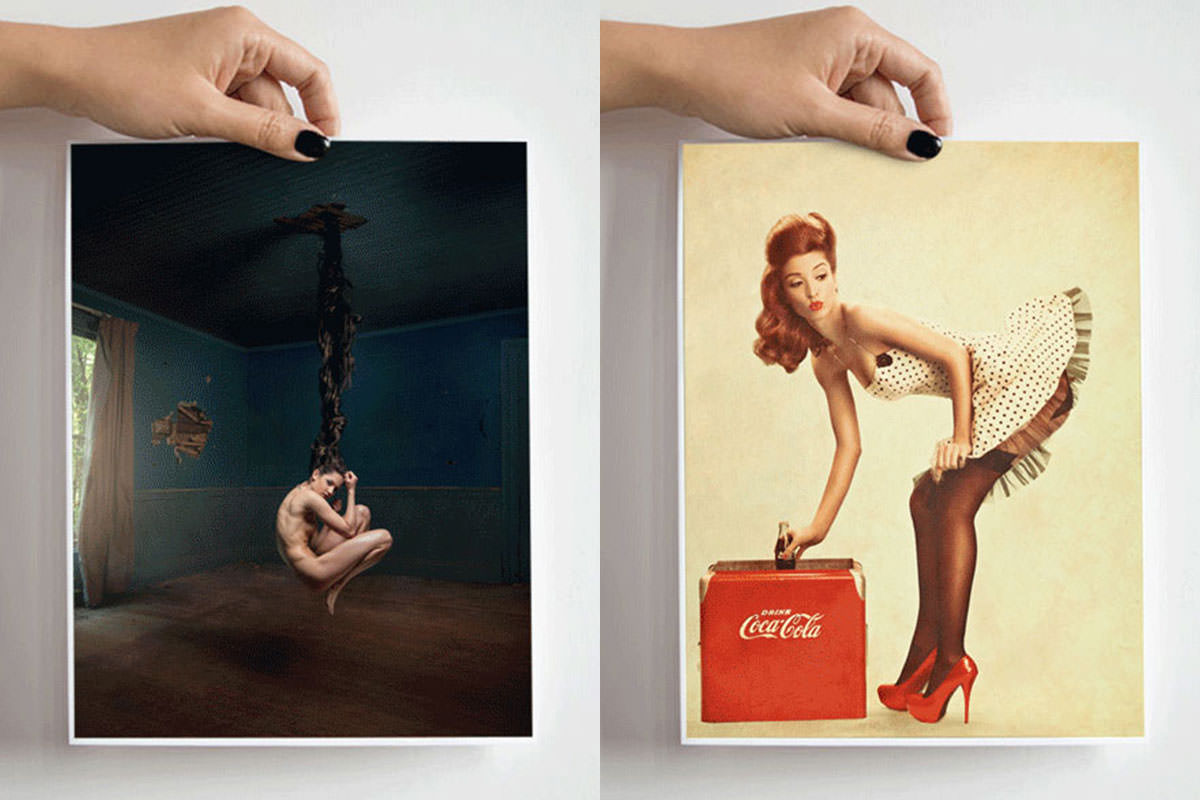
Cycling through several different images inside the same fixed area, like a hand holding different art prints, only needs one carefully made selection and Photoshop’s frame animation tools. This tutorial builds a precise pen tool selection around a tricky area, loads several images into a shared group mask, sets up a looping frame animation from them, and exports the finished result as an animated GIF for the web.
Tracing a Precise Selection Around the Print With the Pen Tool
Most of a print’s outline is a simple rectangle, but a curved area like a thumb holding it needs the more precise control the Pen tool offers over straight edges and curves.
-
Click Points Around the Straight Edges
Press P for the Pen tool and click just outside the print’s straight edges to build a clean rectangular path.
-
Reposition Any Misplaced Points
Hold Cmd/Ctrl and click a point to move it if it wasn’t placed exactly where intended.
-
Click and Drag to Create Curves Around the Thumb
Click and drag to create curved path segments that follow the shape of the thumb and fingernail holding the print.
-
Adjust Curve Handles With Alt/Option
Hold Alt/Option and drag a point’s handle to adjust the curve’s direction before continuing the path.
-
Close the Path to Finish It
Click back on the starting point, indicated by a small circle next to the pen cursor, to close the path.
Turning the Path Into a Feathered Selection
A small amount of feathering keeps the edge of the eventual selection from looking too sharp and artificial once it becomes a mask.
-
Right-Click Inside the Path
With the Pen tool still active, right-click inside the completed path.
-
Choose Make Selection With a Feather Radius
Choose Make Selection and set a feather radius of around 3 pixels to soften the selection’s edge slightly.
Applying the Selection as a Shared Group Mask
Grouping a new layer with itself and applying the selection as that group’s mask means every future layer added inside the group automatically shares the same restricted visible area.
-
Create a New Layer
Add a new layer to hold the first print image.
-
Group the Layer With Itself
Press Cmd/Ctrl+G to group the new layer with itself.
-
Apply the Selection as the Group’s Layer Mask
With the selection still active, click the layer mask button on the group to apply it as a mask restricting visibility to just the print’s shape.
Why a Group Mask Beats Masking Each Layer Individually
Applying a separate layer mask to each of several print images would mean recreating the exact same pen tool selection multiple times over. Masking the shared group just once instead means every layer placed inside it automatically inherits that same restricted visible area, with no repeated masking work required.
Loading Multiple Print Images Into the Group
Loading several images as a stack and dragging them all into the masked group at once brings every print into the document already confined to the correct shape.
-
Load Multiple Files Into a Stack
Go to File > Scripts > Load Files Into Stack and browse to select several print images at once.
-
Drag All the Images Into the Masked Group
Select the Move tool, shift-click each loaded layer, and drag them all into the document, landing inside the masked group.
-
Scale Each Print to Match the Print Area
With all four print layers still selected, press Cmd/Ctrl+T once, click the chain link to lock proportions, and scale them together so every print fits the same area.
Adding a Soft Shadow Beneath the Thumb
A softly painted shadow layer, confined to the same group, makes each swapped-in print look like it’s genuinely being held rather than pasted flat on top of the photo.
-
Create a New Layer Inside the Group
Add a new layer within the same masked group to hold the shadow.
-
Set a Low-Flow, Zero-Hardness Brush
Choose the Brush tool, set flow to around 20%, and right-click to set hardness to 0 for a soft edge.
-
Paint a Small Black Shadow Near the Thumb
Paint black with the soft brush directly beside the thumb to create a subtle shadow where the print meets the hand.
Why Frames Mirror Whatever the Document Currently Shows
Building each animation frame from a separate exported image would mean managing several disconnected files just to create one simple loop. Because each frame in the Timeline panel simply captures whatever layers are currently visible in the document, switching between prints is as easy as toggling layer visibility on and off for each frame.
Creating Individual Frames in the Timeline Panel
Photoshop’s Timeline panel, set to frame animation mode, builds each frame from whatever layers happen to be visible in the document at the time.
-
Open the Timeline Panel
Go to Window > Timeline to open the panel at the bottom of the screen.
-
Choose Create Frame Animation
Click the dropdown arrow and choose Create Frame Animation rather than a video timeline.
-
Add a New Frame for Each Print
Click the New Frame button repeatedly to create one frame for each print image, in this case four total.
-
Toggle Layer Visibility for Each Frame
Click each frame in turn and toggle the print layers’ visibility so each frame displays a different print image.
Setting Frame Duration and Looping Forever
Setting a consistent delay for every frame and switching the loop count to Forever turns a set of static frames into a continuously cycling animation.
-
Select All Frames and Set Duration
Shift-click to select every frame, click the delay dropdown showing 0 seconds, and choose a duration such as 1 second.
-
Change Looping From a Set Number to Forever
Click the looping dropdown, currently set to a fixed number like Once, and change it to Forever.
-
Preview the Animation
Click Play in the Timeline panel to confirm the frames cycle continuously through each print.
Why Previewing in a Browser Matters Before Uploading
Photoshop’s own preview inside Save for Web doesn’t always guarantee the exported file will behave identically once it’s actually loaded on a real web page. Opening the exported GIF in an actual browser first confirms the animation truly loops and displays correctly, catching any issue before the file gets uploaded anywhere public.
Exporting the Animation as a GIF and Previewing It
Save for Web’s format setting must be switched to GIF specifically, since neither JPEG nor PNG supports animation, and a built-in browser preview confirms the exported file works correctly before it goes online.
-
Open Save for Web
Go to File > Export > Save for Web, or File > Save for Web in older versions of Photoshop.
-
Set the File Format to GIF
Change the file format dropdown to GIF, since only GIF supports the animation.
-
Choose Perceptual, Diffusion, and Transparency Settings
Set the color reduction to Perceptual with Diffusion dithering and enable transparency to keep the file size reasonably small.
-
Preview in a Browser Before Saving
Click the Preview button to open the animation in a default web browser and confirm it cycles correctly, then save the finished GIF file.
Why This Approach Works
Tracing a single careful pen tool selection and applying it as a shared group mask is what allows any number of images to be swapped in and out while always staying confined to exactly the right shape. Building the animation from simple layer visibility toggles, rather than separate documents for each frame, keeps the entire process contained within one file that’s easy to adjust later. Exporting specifically as a GIF, and previewing it in a browser before uploading, is what confirms the final file will actually animate correctly once it’s live on the web.
Final Thoughts
A frame animation like this turns a single static photo into a way of showcasing several different options at once, all without needing separate photos for each one. The same group-mask-and-timeline approach works for cycling through any set of images confined to a fixed shape, not just prints held in a hand.
Quick Reference: Keys, Menus and Settings
- Trace the printP for the Pen tool; hold Cmd/Ctrl to move a point, Alt/Option to turn a handle
- Path to selectionRight-click inside the path > Make Selection, with a small feather
- Group maskNew layer, Cmd/Ctrl + G, then the layer mask button
- Load the printsFile > Scripts > Load Files into Stack; Cmd/Ctrl + T with the chain link on
- Thumb shadowSoft black brush, Flow 20%, Hardness 0, on a new layer in the group
- FramesWindow > Timeline > Create Frame Animation; New Frame for each print; delay 1 sec; looping Forever
- ExportFile > Export > Save for Web: GIF, Perceptual, Diffusion, Transparency; Preview in the browser
Free Downloads
Take the Guide With You
Get the PDF guide to the whole animation: the Pen tool path, the group mask, the prints loaded into a stack, the Timeline frames and the GIF export. Free with a PHLEARN account.
Frame Animation in Photoshop: Common Questions
Where do I make a frame animation in Photoshop?
Go to Window > Timeline. Click the arrow on the button in the middle of the panel and choose Create Frame Animation instead of Create Video Timeline.
How do I change what each frame shows?
A frame shows whatever is visible in the document. Click a frame, then turn layers on or off in the Layers panel; the frame takes on that look.
Why mask a group instead of each layer?
One mask on the group limits every layer inside it to the print’s shape. You make the selection once, and any print you drag into the group fits without another mask.
How do I turn a Pen tool path into a selection?
With the Pen tool still active, right-click inside the closed path and choose Make Selection. Add a small feather so the edge isn’t too sharp.
How do I bring several images into Photoshop at once?
Go to File > Scripts > Load Files into Stack, click Browse and pick the images. They open as layers in one document, ready to drag into your file with the Move tool.
Why does my animation flash by and stop?
New frames have a 0 second delay and loop once. Shift-click all frames, set the delay to 1 second, and change the looping option from Once to Forever.
Why doesn’t my exported file move?
It was probably saved as a JPEG or PNG, which don’t support animation. In File > Export > Save for Web, set the format to GIF.
What GIF settings keep the file small?
Perceptual, Diffusion and Transparency, which most of the time gives the lowest file size. You can also set a smaller width there, such as 500 pixels.
How do I check the GIF before I upload it?
Click Preview at the bottom left of Save for Web to play it in your default browser. After saving, open the GIF file itself in the browser to be sure it loops.
Is there a free download?
Yes, with a free PHLEARN account. You get 1 PDF guide with the selection, group mask, Timeline frames and GIF export laid out step by step.
From the Magazine View all
Stories, interviews and guides for photographers, new every week.
 BusinessHow to Compete With AI: Give Your Clients MoreEveryone has the same tools now, and your clients know it. The way to compete is to give them more.
 EditingLightCraft vs Lightroom: Is the Free Clone Any Good?The free clone on the same RAW files: what matches, what breaks and who should switch.
 EditingHow to Tell If a Photo Is AI, and Prove Yours Is RealThe tells that still work in 2026, why detectors disagree, and how to prove your own photos.
Master Photoshop, Lightroom and Photography
Join PHLEARN PRO for $12.99 a month, or $99.99 a year (save 36%). Cancel anytime, with a 100% money-back guarantee.





