Getting Started in Photoshop
The classic PHLEARN course track: Photoshop 101, 201 and 301, taken in order, plus the Beginner’s Guide to start and a master collection covering every tool in the program. Numbered courses, a fixed order, and a clear finish line.
What You’ll Learn
Getting Started in Photoshop is the numbered course track — the closest thing PHLEARN has to a classroom sequence. Where the tutorial library lets you pick topics in any order, this collection is meant to be taken front to back: 101, then 201, then 301, each one assuming you finished the one before.
- The Beginner’s Guide to Photoshop A gentle on-ramp before the numbered courses: the interface, layers, and the handful of tools you will touch every session.
- Photoshop 101 The foundation course. Opening and saving files, layers, selections, adjustment layers and the core editing loop, taught as one coherent workflow rather than isolated tips.
- Photoshop 201 Workflow and photo editing. Taking a RAW photo through a complete edit — exposure, color, cleanup and output — using the tools 101 introduced.
- Photoshop 301 Advanced tools and techniques: the selection, masking and compositing skills that separate someone who can edit a photo from someone who can build one.
- How to Use Every Tool in Photoshop The master collection — a reference course that walks the entire toolbar, for filling any gap the numbered courses leave.
Who This Track Is For
People who learn best with structure. If an open library of hundreds of tutorials feels like a wall rather than a resource, this is the version of learning Photoshop that comes with an order, a syllabus and a finish line.
It also suits returners — people who used Photoshop years ago and want to rebuild their foundation properly instead of patching old habits one video at a time.
If you would rather learn through today’s flagship sequence with the newest tools and AI features, the Photoshop Learning Path is the more current route; this track is the classic curriculum.
What You Need
- Photoshop Any recent version. The fundamentals taught here — layers, selections, masks, adjustment layers — have been stable for a decade.
- Sample files Included with the courses, so you can follow along on the same images.
- No prior experience The Beginner’s Guide and 101 assume you have never opened the program.
No camera required — every lesson works from the provided files.
How Long It Takes
Three numbered courses plus the two companion collections. Taken in order at a few sessions a week, most people complete 101 through 301 in about a month, with the Every Tool collection kept as a reference afterward.
The order is the point of this track. Skipping 101 to get to the advanced material is how most self-taught gaps happen in the first place.
Frequently Asked Questions
Do I need a PHLEARN PRO membership?
Yes. This is a PRO course track, so all the courses and their sample files are included with a membership.
How is this different from the Photoshop Learning Path?
The Learning Path is the current flagship sequence, built around today’s tutorials including the AI tools. This track is the classic numbered curriculum — smaller, stricter in order, and focused on fundamentals that do not change between versions.
Is this too basic if I already use Photoshop?
Start with 201. If it feels comfortable, move to 301; if not, 101 will fill the gaps quickly. Self-taught users usually find more holes in their foundation than they expect.
Do I have to take the courses in order?
Yes — that is the design. Each numbered course assumes the previous one. The two companion collections can be dipped into at any time.
What comes after 301?
The Retouching or Everyday Compositing Learning Paths, depending on whether people or scenes interest you more.
Where to Go Next
Start the Track
Begin with the Beginner’s Guide, then move straight into Photoshop 101.
On This Page
PHLEARN PRO
Every course in this track, with sample files, plus the full PRO library.

This is our most comprehensive Photoshop tutorial, and the perfect place to start learning. Improve your photos, help people look their best, and share your ideas with the world.
Photoshop | Photo Editing | Easy | 13.5 hours
50 Sample Images | 4 Sample PSDs | Beginner’s Guide PDF | 2 Photoshop Actions

Learn every major tool in Photoshop, from Healing Brush Tool to the Clone Stamp Tool and Erasers to Masks. We take you through a professional workflow and introduce you to all the techniques you’ll need to unlock your creativity.
Photoshop | Workflow | Easy | 7.5 hours
8 Sample Images | 2 RAW Images

Prepare to dive in head first and tackle some of Photoshop’s most powerful tools. Never look at layers and their endless amount of adjustments the same way again. Take your knowledge to an intermediate level in Photoshop with this tutorial.
Photoshop | Workflow | Medium | 8 hours
7 Sample Images | 3 RAW Images | 1 Photoshop Action

Learn the most advanced tools and techniques Photoshop has to Offer. Master 3D and learn how to work and control a 3D environment. Get a complete understanding of the Pen Tool, Paths, Vector Paths, Smart Objects, and much more!
Photoshop | Workflow | Advanced | 5.25 hours
7 Sample Images | 2 RAW Images | 2 Graphics
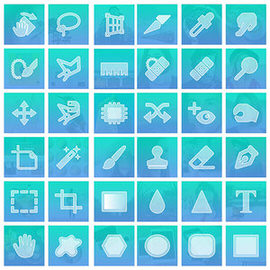
We all need to start somewhere. Photoshop is an immense program with a tool, tab, or technique to accomplish any creative task. We break down the fundamentals of over 60 tools from the Brush Tool, to the Pen Tool, to Channels and more!
Photoshop | Photo Editing | Easy | 10 hours
60 Sample Images