Photoshop Actions for Retouching, Coloring & Sharpening
Photoshop actions built by Aaron Nace: frequency separation, dodge and burn, eyes and sharpening for retouching, black and white and duotone color, and light rays, sun flare and vignettes. Nine PRO packs that build editable layers in one click, each with sample images and a PDF guide.
What’s in Each Pack
A Photoshop action plays back a set of steps for you. These nine packs set up professional retouching, color and light effects as editable layers, so the action does the setup and you make the decisions.
- Retouching. Frequency Separation (4 actions), Smart Dodge & Burn (23 tools with masks ready to paint), Amazing Eyes (4 eye colors) and Smart Sharpen (10 sharpening actions).
- Color. Black & White (11 looks plus grain and vignette) and Duotone (15 subtle two-color grades on one Gradient Map layer).
- Light effects. Light Rays (13 actions built from your photo’s own highlights), Sun Flare (16 light effects) and Smart Vignette (8 vignettes).
- In every download. The .atn action file, 3 to 5 sample images to practice on, and a PDF guide with the full action list.
Where to Start
Read How to Install Photoshop Actions (it takes about a minute), then try Smart Dodge & Burn or Frequency Separation on a portrait. To see how actions work and record your own, watch How to Create and Play Back Actions in Photoshop.
Included with PRO
The action packs are PRO downloads, included with a PHLEARN PRO membership along with every Lightroom preset, LUT and brush, and every PRO tutorial on the site. The free tutorials in Retouching and Color & Tone teach the same techniques by hand.
Frequently Asked Questions
What is the difference between a Photoshop action and a Lightroom preset?
An action runs in Photoshop and can build layers, masks and filters; a preset lives in Lightroom and changes a photo’s develop settings. Actions suit layered techniques like frequency separation; presets suit color and tone across a whole shoot.
Will the actions work in my version of Photoshop?
Yes, if it is Photoshop CS6 or newer, on Mac or Windows. Every pack is tested in Photoshop 2026.
Can I change the result after running an action?
Yes. The actions build adjustment layers, masks and smart filters instead of changing your pixels, so you can lower the opacity, paint on a mask or change the settings afterward.
Where to Go Next
The techniques inside these actions are taught step by step in Retouching, Color & Tone and Photo Effects. For one-click color in Lightroom, see Lightroom Presets; for color that works on photos and video, LUTs; and for painted effects like stars and fog, Photoshop Brushes.
Install in a Minute
How to load an .atn file, play an action, give it a shortcut and run it on a whole folder.
On This Page
PHLEARN PRO
Every Photoshop action pack here, plus every preset, LUT, brush and PRO tutorial.
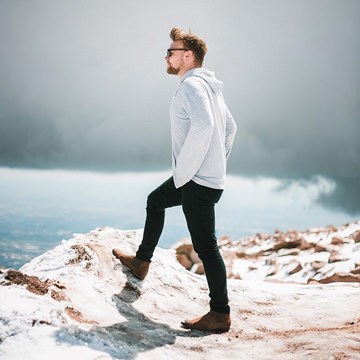
Draw more attention to your subjects with our easy-to-use Smart Vignette Photoshop Actions. Just download, install, and click play!
Photoshop | PRO Photoshop Actions | Easy
4 Sample Images | 8 Photoshop Actions | 1 PDF Guide
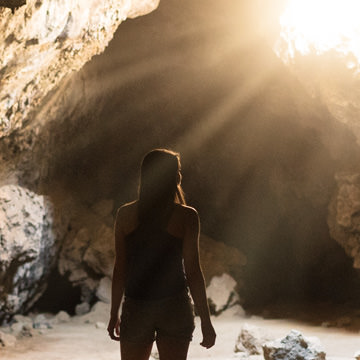
Add realistic light rays to any backlit photo with our easy-to-use Photoshop Actions. Learn how to install the Actions and apply them to your images!
Photoshop | PRO Photoshop Actions | Easy
5 Sample Images | 13 Photoshop Actions | 1 PDF Guide

Add style, contrast, and that vintage film look in just a few clicks! Transform your photos into instant classics with 16 black & white Photoshop Actions.
Photoshop | PRO Photoshop Actions | Easy
5 Sample Images | 16 Photoshop Actions | 1 PDF Guide

Give any photo a subtle two-color grade in one click. 15 duotone color pairs tint your shadows and highlights while skin tones stay natural.
Photoshop | PRO Photoshop Actions | Easy
3 Sample Images | 15 Photoshop Actions | 1 PDF Install Guide

Frequency Separation is one of the most powerful and most difficult techniques to master in the art of retouching. Using our exclusive set of Photoshop actions, you can create beautiful, realistic skin in a fraction of the time.
Photoshop | PRO Photoshop Actions | Easy
5 Sample Images | 4 Photoshop Actions | 1 PDF Guide
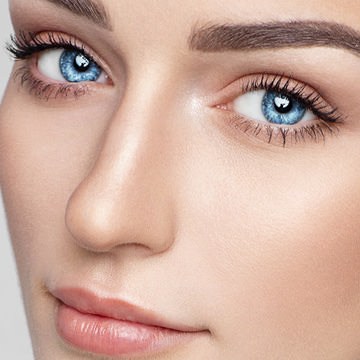
Instantly enhance the eyes in any portrait with these easy Photoshop Actions. Create more intense colors, bring out details, and add sharpening in a click!
Photoshop | PRO Photoshop Actions | Easy
5 Sample Images | 4 Photoshop Actions | 1 PDF Guide
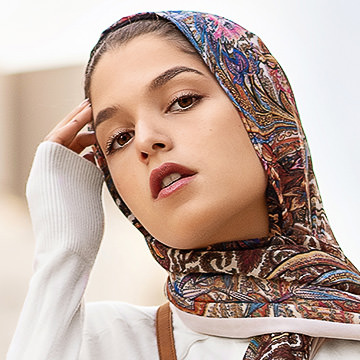
Bring your photos into focus with sharpening in Photoshop! You can instantly sharpen an entire image or help bring more attention to a subject. Pro-level sharpening has never been easier.
Photoshop | PRO Photoshop Actions | Easy
5 Sample Images | 10 Photoshop Actions | 1 PDF Guide

Give your images a sun-kissed look by adding beautiful flares and glows! This action pack is ideal for backlit photos and will make a perfect addition to wedding, lifestyle, event, and landscape images.
Photoshop | PRO Photoshop Actions | Easy
5 Sample Images | 16 Photoshop Actions | 1 PDF Guide
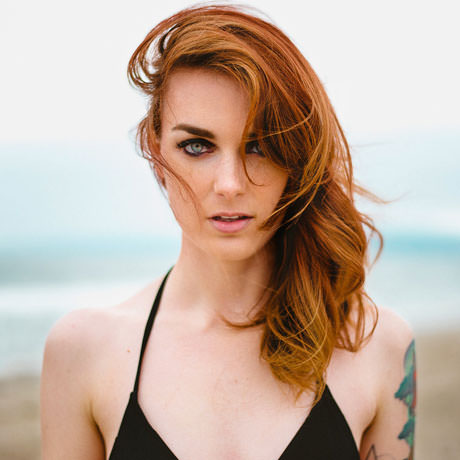
Dodging and Burning is an extremely powerful technique that can sculpt, contour, and enhance the details of your subject. Our Actions are designed to speed up workflow for retouchers of all skill levels while helping beginners understand the method.
Photoshop | PRO Photoshop Actions | Easy
5 Sample Images | 23 Photoshop Actions | 1 PDF Guide