
THIS COURSE INCLUDES
- 1 Lessonfollow-along
- 2h 20mof captioned HD video
- Intermediatesome Photoshop basics
- 2 Sample Images+ a brush
Join PHLEARN PRO for instant access to this course and every tutorial on PHLEARN.
- Stream in up to 4K on any device
- Closed captions and chapters on every course
- Download all sample images and PSDs
- New PRO tutorials every month
- Cancel anytime
DESCRIPTION
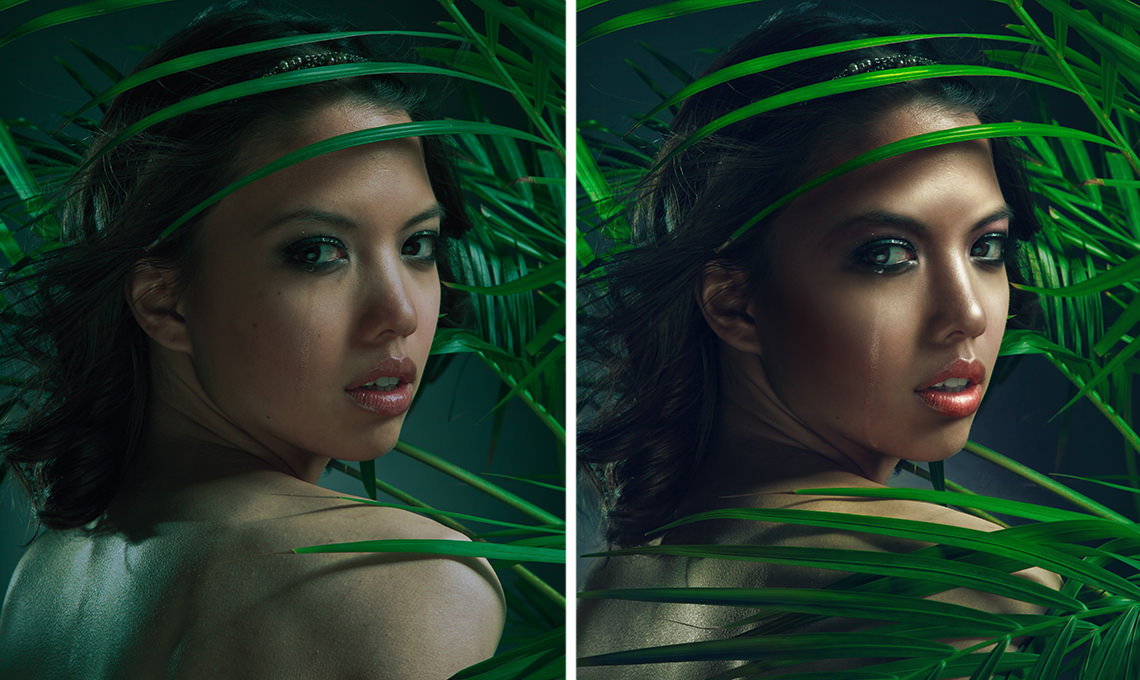
In this Phlearn PRO Tutorial, you will learn how light falls on a face and 5 different glamour portrait retouching methods to enhance it. Learn expert methods of dodging, burning, skin coloring, advanced sharpening, adding realistic makeup and more.
If you are looking to master the art of retouching, you should check out Retouching 101-301 as well!
What You’ll Learn
- Retouch skin and makeup for an editorial glamour look
- Add depth to hair and eyes so they pop
- Dodge, burn, and tone color for polished light
Course Downloads
Beautiful Skin Retouching in Photoshop.


Retouch Makeup for a Glamour Portrait
Learn an amazing glamour portrait retouching method for makeup as well as skin. Our visual approach makes it easy to see what you are doing and doesn’t involve the clone stamp or healing brush tool.
Retouch Hair and Eyes
Add the perfect amount of depth and detail to hair and eyes to make them pop. Learn multiple techniques for enhancing color and clarity. Your glamour portrait retouching subjects will look better than ever.
Glamorous Skin
Learn how to retouch skin in a way that will add life as well as match different skin tones. Make skin glow from within by paying special attention to certain colors and understanding how light passes through the skin.
Tone Your Color
Learn how to color tone a glamour portrait to create a more cohesive, artistic feel. We show you how to color small areas of the photo, like this rose, drawing attention and adding style.
Glamour Portrait Retouching
This tutorial is perfect for anyone looking to produce editorial style portraits.
Color Correction
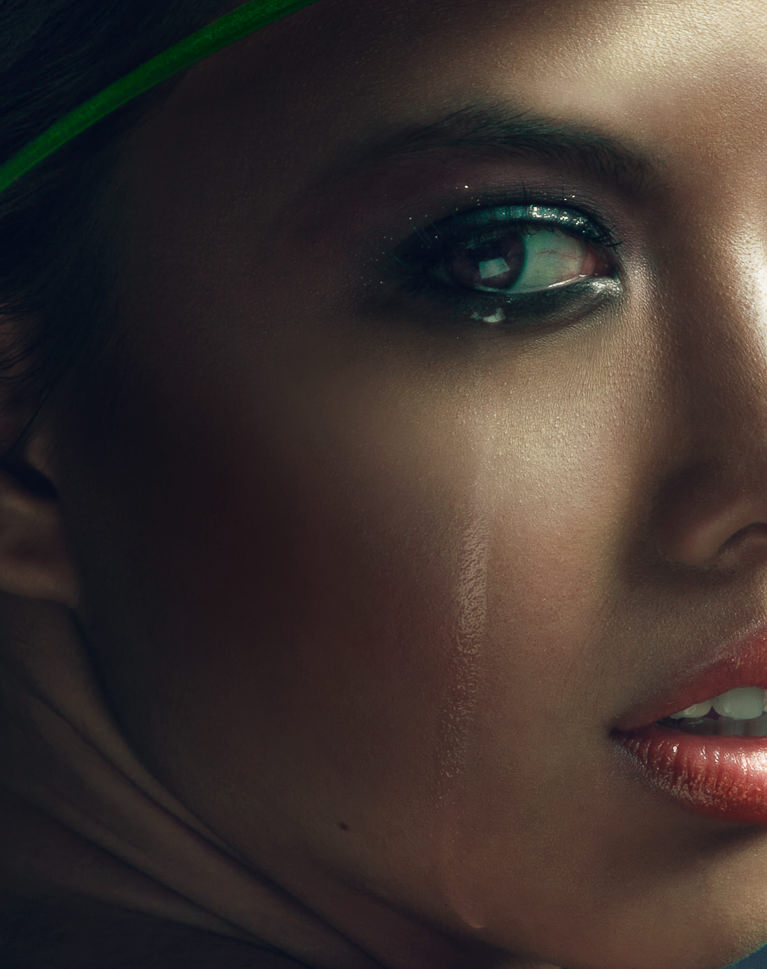
Remove the complexities from correcting colors in shadows, mid-tones and highlights. At times, highlights are too warm or too saturated and need to be treated separately from other areas of an image. Learn how to correct color in glamour portrait retouching and restrict your changes to specific areas.
Dodge and Burn in Glamour Portrait Retouching
Learn how to expertly dodge and burn to draw attention to your subject using multiple layers. Alter the highlights and shadows to create extra details in specific areas. Use what you learn to add style and interest to any image.
Custom Photoshop Brushes
Create your own Photoshop brushes so you’ll always have the right brush for the job. Custom brushes are excellent for glamour portrait retouching and adding special effects to your images.
What Sets Glamour Portrait Retouching Apart
Glamour portrait retouching goes a step past a natural clean-up. The goal is editorial polish: skin that glows, eyes and hair with extra depth, makeup that reads clearly on camera, and color that feels styled rather than corrected. This tutorial works on one portrait from start to finish so you can see how each of the five lighting methods stacks on the last, and how far to push the look before it stops looking like the person in front of the lens.

Class Instructor
Aaron Nace
PHLEARN Founder & Lead Instructor
Aaron Nace is a photographer, digital artist, and the founder of PHLEARN. He has been teaching Photoshop, Lightroom, and photography since 2011, and has taught at Adobe MAX for more than eight years.
Aaron publishes a free tutorial every week and a new in-depth PRO course every month.
- 2M+YouTube subscribers
- 160M+video views
- 1,000+tutorials published
- 15years teaching Photoshop
Reviews


Unlock This Course & Every PRO Tutorial.
200+ courses. 1,000+ practice files. One membership.

Unlimited access to every PRO course
New PRO courses every month
Layered PSDs and RAW files to follow along
100+ Lightroom Presets, LUTs, Actions and Brushes
Stream in up to 4K, with captions and chapters
Watch on any device: desktop, tablet or phone
4.93 average from 3,900+ reviews · 2M+ students
Aaron is one of the best digital artists of our time! That is proven. Last days I had more free time to spend and decided to watch this tutorial. Old version of photoshop tutorial, old version of Aaron as educator. Congratulations for the growth, Aaron! You have improved yourself quite a bit during the last years. This is not only technical aprovement. You are more more confident with your speech today. Superb work at all ! “You know…” 😉 Best regards!
youre always cool
Probably the best video if you truly want to dodge and burn with more control than ever!!!
8 hours in PS, back me my monday Aaron 😀 Big thanks for your work!