


Download Assets
This tutorial includes 3 sample images and 1 PDF guide. Downloads are free with a PHLEARN account.
- Download the sample files from every free tutorial on PHLEARN
- New free tutorials published every week
- One free account: sign up once, then download anything
Free PDF Guide · 3 Pages
This Tutorial as a Step-by-Step PDF
The guide walks through Select > Select and Mask and the Object Selection Tool (W) on three images: a Rectangle on a plain wall, a loose Lasso on a pelican with a Pen tool edge feathered about 0.4 px, and a busy scene with Shift to add and Alt/Option to subtract. Keep it next to your keyboard.
description
The Object Selection Tool lets you draw a rough rectangle or lasso around a subject and have Photoshop work out the precise edges for you, powered by Adobe Sensei. Three real test images — people against a plain wall, a group of pelicans with nearly identical edges, and a woman in a busy, similarly-colored scene — show where the tool genuinely excels and where it still needs manual refinement in Select and Mask.
Enjoying This Free Tutorial?
We publish a new free tutorial every week, each one with sample images and PSDs you can download and follow along with. Sign up and they land straight in your inbox, along with early word on sales, events and subscriber-only offers.
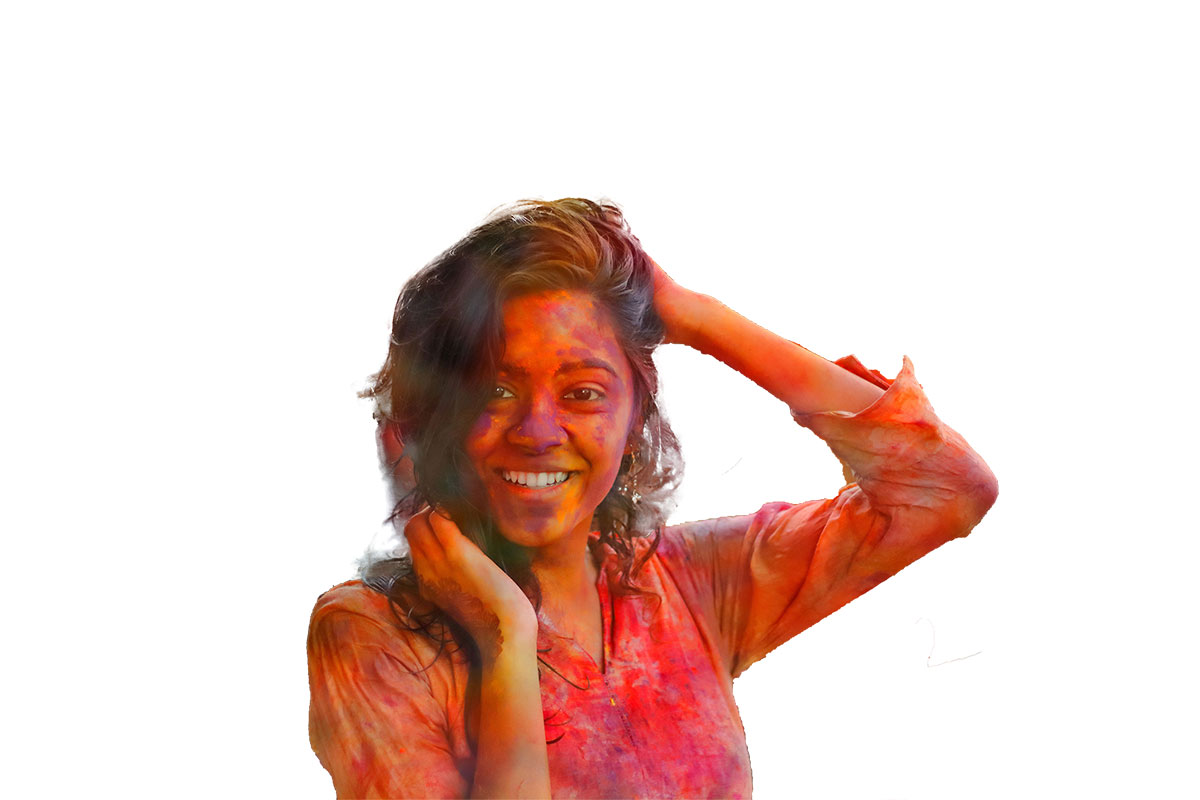
Testing the Object Selection Tool in Photoshop 2020
The Object Selection Tool lets you draw a rough rectangle or lasso around a subject and have Photoshop figure out the precise edges automatically, powered by Adobe Sensei. Three real test images — people against a plain wall, a group of pelicans with nearly identical edges, and a woman in a busy, similarly-colored background — show exactly where this tool excels and where it still needs manual help.
Getting Started with the Object Selection Tool
The tool lives inside the same dialog as several other selection tools, and switching between drawing modes is quick.
-
Open Select and Mask
Go to Select > Select and Mask, then press W to switch to the Object Selection Tool. Choose either the rectangle or lasso mode — both work about the same, they just differ in how you draw the rough area around your subject.
Example One: A Subject Against a Plain Wall
The first test is close to ideal conditions — a subject standing against a plain white wall, with other people nearby who need to stay untouched.
-
Draw a Rough Rectangle Around the Subject
With Object Subtract enabled, drag a rectangle loosely around the subject, even if it catches part of another person nearby. The tool is smart enough to isolate just the intended subject from that rough area.
-
Refine with Alt/Option to Subtract Detail
Hold Alt/Option and draw over any small areas the tool incorrectly included, like a stray bit of background, to subtract them from the selection.
Where This Selection Still Needed Manual Cleanup
Output to a layer mask and the result held up well overall, but the edge around detail similar in color to skin — like part of a dress — needed manual correction. Painting black onto the layer mask to remove an area, then switching to white to paint the correct edge back in, closed most of these small gaps quickly. Even so, with a chunk missing from her leg, Aaron would not put the whole figure on a new background; using only the top half of the subject makes this cutout totally usable.
Example Two: Overlapping Subjects with Nearly Identical Edges
The second test is intentionally harder — a group of pelicans with almost no color difference between one bird and the next, making it difficult to tell where one subject ends and another begins.
-
Lasso Loosely Around the Subject
Switch to lasso mode and draw loosely around the pelican you want to select, adding more detail with additional lasso strokes and holding Alt/Option to exclude background wherever the tool needs help.
Getting a Cleaner Edge with the Pen Tool
For a quick mockup, the automatic result is genuinely usable. For professional or portfolio work, the edge came out slightly jagged. To get a cleaner one, click the layer mask, go to Window > Properties and bring Density down a little so you can see behind the mask. Trace a clean outline around a detail like the bird’s beak with the Pen tool, right-click, choose Make Selection and feather it by about 0.4 pixels, then bring Density back up. Go to Select > Inverse so the selection covers the part to hide, and press Shift + Delete to fill it with black on the mask. That produced a noticeably cleaner edge than the automatic tool alone.
Example Three: A Subject in a Complex, Similarly-Colored Scene
The third test pushes the tool further still — a subject where the surrounding colors are close enough to her own that separating the two is genuinely difficult.
-
Draw a Rectangle and Refine with Lasso
Start with a rough rectangle around the subject, then switch to lasso mode and hold Alt/Option to subtract unwanted elements, like another person’s hand caught in the selection. Hold Shift to add missed areas, like a bit of shirt fabric the rectangle didn’t fully capture. Part of the hand would not subtract, which is fine: after outputting to a layer mask, circle what is left with the regular Lasso Tool and press Shift + Delete to fill it with black on the mask.
Where the Refine Edge Brush Struggles Most
The Refine Edge brush inside the Select and Mask dialog is built for exactly this kind of detail work, and it does try to separate hair strands from a busy background — but on genuinely difficult hair-and-background combinations, it visibly struggles to get a clean separation, which is where a manual approach with tools like precise, channel-driven object masking still outperforms the automatic tools.
When to Rely on the Object Selection Tool vs. Manual Refinement
Across all three examples, the pattern held steady: the plainer and more contrasty the background, the better the automatic result, and the busier or more similar in color the background gets, the more manual cleanup is worth the extra time. For quick mockups or testing whether a composite idea works at all, the Object Selection Tool alone is often enough. For client work or portfolio pieces, pairing it with the Pen tool or a dedicated hair-cutting technique still produces a noticeably cleaner result, and it fits naturally into a broader background changing and removing workflow once the subject is fully isolated.
Why This Approach Works
The Object Selection Tool uses Adobe Sensei, Adobe’s artificial intelligence, to work out the edges inside a rough boundary you draw, so it only has to refine an area you’ve already pointed it toward. In all three tests it did best where the subject stood out clearly from the background, which is why edges made of similarly-colored detail, like hair against a textured background, remain the hardest case for any automatic tool to solve well. For a closer look at how the companion Select Subject tool handles that same trade-off, this look at cloud-processing improvements to Select Subject is a useful comparison.
Final Thoughts
The takeaway across all three tests is consistent: this tool genuinely speeds up the rough cutout stage, but the final edge quality still depends on how much contrast exists between subject and background. Plain backgrounds get you most of the way there in seconds; busy or similarly-colored ones still benefit from a manual pass before the result is ready for client or portfolio use. Treating the Object Selection Tool as a fast first draft, not a finished cutout, is what makes it genuinely useful rather than a shortcut that creates more cleanup work later.
Quick Reference: Keys, Menus and Settings
- Open the toolSelect > Select and Mask, then W
- Set it upMode: Rectangle or Lasso; Object Subtract on
- SubtractAlt/Option + drag over what doesn’t belong
- Check the edgeOutput To: Layer Mask, then Shift-click the mask
- Cleaner edgeWindow > Properties, lower Density; Pen tool path, right-click > Make Selection, feather about 0.4 px
- Fill the mask blackShift + Delete (Shift + Backspace)
- Add to the selectionShift + drag around what was missed

Free Downloads
Follow Along on the Same Photos
Get the three photos from the video and the 3-page PDF guide to the Object Selection Tool, from the first rough rectangle to a clean Pen tool edge. Free with a PHLEARN account.
The Object Selection Tool: Common Questions
Where is the Object Selection Tool?
In this tutorial Aaron uses it inside the Select and Mask workspace: go to Select > Select and Mask and press W. Traditionally you would reach for the Quick Selection Tool or the Refine Edge Brush there; now there is a third choice.
Should I use Rectangle or Lasso mode?
They both work about the same; the only difference is how you draw the rough area around your subject. Aaron uses Rectangle on the plain wall and the busy scene, and Lasso on the pelican.
Should Object Subtract be on?
Aaron makes sure Object Subtract is checked before he draws anything.
What if my rectangle catches the people next to my subject?
That’s fine. On the plain-wall image the box catches part of the neighbors, and the tool is smart enough to select just the subject.
How do I add or remove areas from the selection?
Hold Shift and draw around what was missed to add it, or hold Alt/Option and draw over what doesn’t belong to subtract it. If a pass or two doesn’t work, leave it and fix it on the mask later.
How do I check the edge after clicking OK?
Output To offers Selection, Layer Mask, New Layer with Layer Mask and more; Aaron outputs to a Layer Mask. Shift-click the mask to switch it off and on and compare.
How do I fix spots it got wrong?
Click the layer mask and paint black to remove an area, then white to paint the correct edge back in. For a piece that wouldn’t subtract, circle it with the regular Lasso Tool and press Shift + Delete to fill it with black.
Is the edge good enough for client work?
For a quick mockup, yes. For portfolio or client work Aaron finds the edge a little jagged, so he lowers the mask Density in Window > Properties, traces the edge with the Pen tool, makes a selection feathered by about 0.4 pixels and fills the mask with black.
Can it cut out hair?
The Refine Edge Brush Tool in the same workspace tries to include more hair and leave out the background, but against a busy background it struggled. Hair has its own refining techniques.
Are the sample files free?
Yes, with a free PHLEARN account. You get 3 sample images and 1 PDF guide: the three photos from the video and a 3-page walkthrough of all three examples, the Pen tool edge fix and the shortcuts.
Master Photoshop, Lightroom and Photography
Join PHLEARN PRO for $12.99 a month, or $99.99 a year (save 36%). Cancel anytime, with a 100% money-back guarantee.





