

Download Assets
This tutorial includes 1 PDF guide. Downloads are free with a PHLEARN account.
- Download the sample files from every free tutorial on PHLEARN
- New free tutorials published every week
- One free account: sign up once, then download anything
Free PDF Guide · 3 Pages
This Tutorial as a Step-by-Step PDF
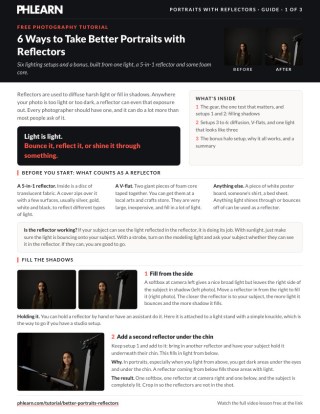
The 3-page guide covers all six setups with one light: side fill, a second reflector under the chin, diffusion for hard light or sun, a V-flat wrap, firing a strobe into a V-flat, rim plus fill from a single light, and the bonus halo. It also has the modeling-light test. Take it to your next shoot.
description
A reflector does far more than bounce a little fill onto a shadowed face. Six setups here, built from a 5-in-1 reflector and two pieces of foam core, show how one light can be made to look like three: fill from the side and under the chin, a diffusion panel to soften a bare strobe, a V-flat used as both bounce and background, a strobe fired into that V-flat for a 4×8-foot soft source, and a backlit halo glow.
Enjoying This Free Tutorial?
We publish a new free tutorial every week, each one with sample images and PSDs you can download and follow along with. Sign up and they land straight in your inbox, along with early word on sales, events and subscriber-only offers.
6 Ways to Take Better Portraits with Reflectors
A reflector looks like one of the simplest tools in a photographer’s kit, but there’s a lot more you can do with one than just bouncing a bit of fill light onto a shadowed face. This walkthrough covers six different lighting setups, plus a bonus halo setup, built around a basic 5-in-1 Reflector and a couple of pieces of inexpensive foam core, showing just how much creative range a reflector actually has before you ever need to buy additional lighting gear.
What a 5-in-1 Reflector Actually Is
A typical 5-in-1 reflector is built around a translucent fabric disc with a removable cover offering a few different surfaces — usually silver, gold, white, and black — each reflecting or absorbing light differently. But a reflector doesn’t have to be a purpose-built product at all: a large piece of white poster board, a bedsheet, or even someone’s white shirt can all bounce or diffuse light in the same basic way. Anything light can bounce off of or shine through is fair game for this kind of creative lighting.
Filling Shadows from the Side
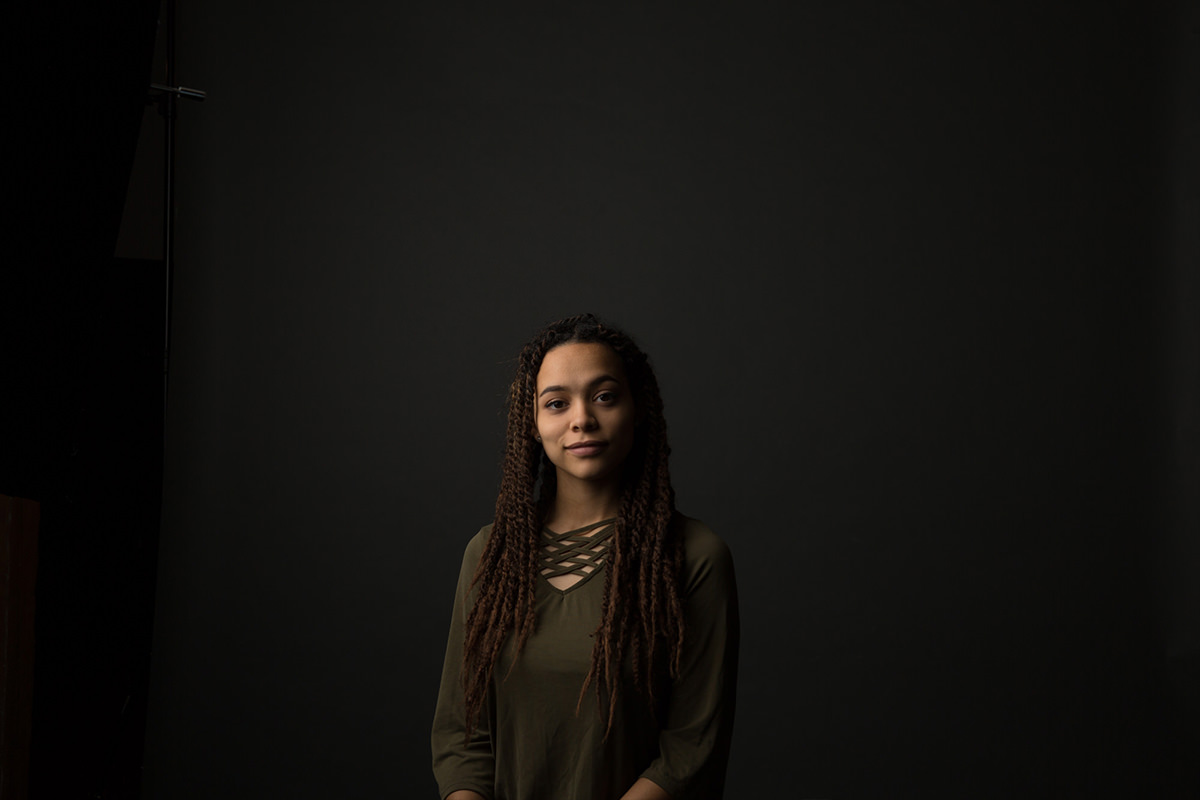
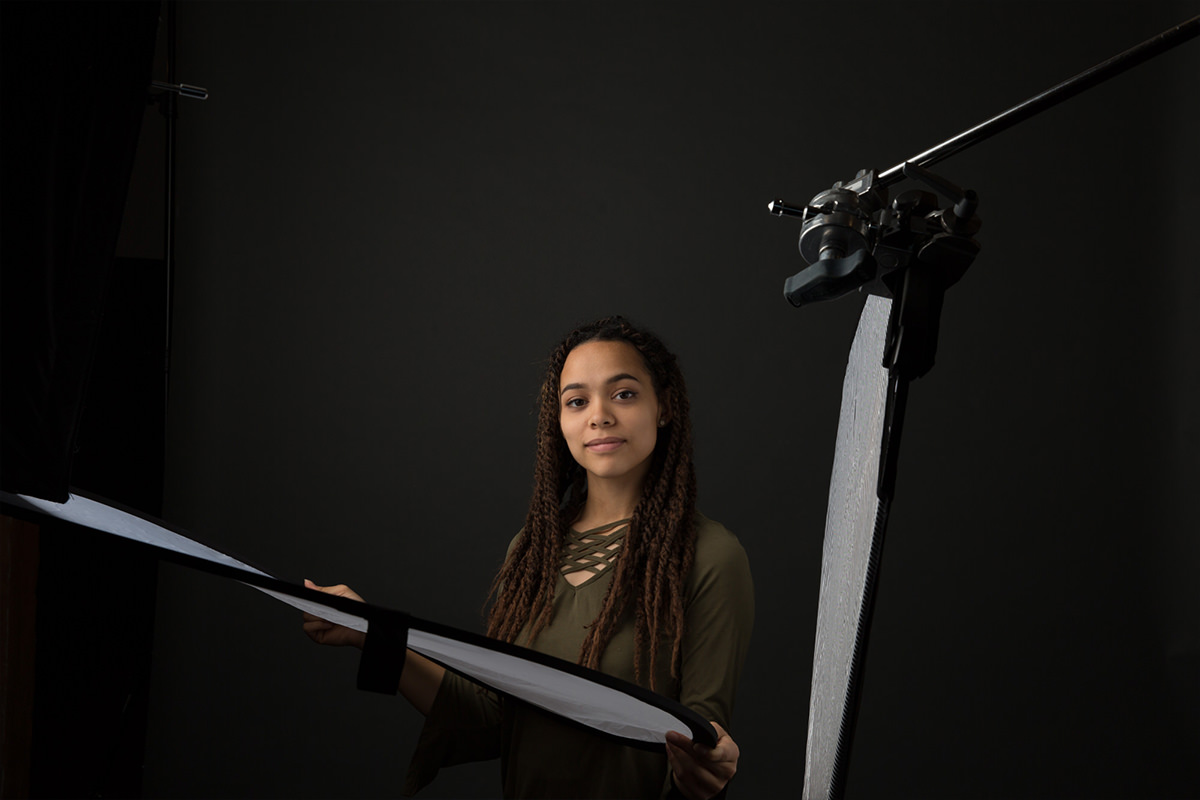
With a softbox positioned to one side of the subject as the main light source, the opposite side of the face is often left in shadow. Moving a reflector in from that shadowed side bounces some of the main light back into those darker areas, evening out the overall exposure across the face. The closer the reflector sits to the subject, the more light it bounces back and the more effectively it fills in shadow — a reflector attached to a light stand with a simple knuckle works just as well as one held by hand or by an assistant.
How to Tell If Your Reflector Is Actually Working
A simple way to confirm a reflector is doing its job is to check whether your subject can actually see light reflected in it. With natural sunlight, this is straightforward to judge visually. When working with a studio strobe, turning on its modeling light and asking the subject whether they can see that light bouncing off the reflector confirms the angle and position are correct before you ever take a shot.
Adding a Second Reflector Below the Chin
Portraits lit primarily from above tend to leave dark shadows under the eyes and chin. Adding a second reflector held just below the subject’s chin bounces light upward into exactly those shadowed areas. Combined with a main softbox and a side-fill reflector, this creates a fully lit face from three directions using just one actual light source — the only extra step needed is cropping the frame tightly enough that the reflectors themselves stay out of the shot.
Softening Hard Light with the Diffusion Panel
A bare strobe with no softbox attached produces a hard, contrasty light. Rather than adding a full softbox, placing just the diffusion panel from a 5-in-1 reflector between the light and the subject softens that same hard light significantly. As with the reflective side of a 5-in-1, distance matters here too — the closer the diffusion fabric sits to the subject, the softer the resulting light becomes. This same trick works identically with harsh, direct sunlight: hold diffusion material between the sun and your subject to soften it the same way.
Wrapping Your Subject in Light with a V-Flat
A V-flat — two large pieces of foam core taped together into a wide, angled shape — makes an inexpensive but highly effective large-scale reflector, available at most arts and crafts stores. Positioning a V-flat behind and to one side of a subject can double as both a background and a way to wrap soft, reflected light around them.
Combining Diffusion and a V-Flat Together
These setups can stack together for even more control. With a main light shining through a diffusion panel on one side and a V-flat positioned on the opposite side, a subject ends up lit by both the diffused direct light and the large, soft bounce coming off the V-flat, wrapping them in light from two different directions using still just one actual light source.
Bouncing Light Into a V-Flat for a Larger Light Source
Rather than shining a light directly onto a subject and using a reflector only to fill shadows, you can point the light source into the V-flat itself and let the bounced light do all the actual illuminating. Firing a strobe directly into the interior of a V-flat causes the light to scatter and emerge from the opening as a much larger, softer light source — comparable in effect to a large 4-by-8-foot softbox, despite using nothing but a small strobe and two pieces of foam core.
Creating Rim and Fill Light from a Single Light Source
A setup that looks like it uses three separate lights can actually be built from just one. Positioning a single hard light source behind and to one side of the subject, then softening it with a diffusion panel, creates a strong rim light along the edge of the subject. A V-flat wrapped around the left side and front of the subject, the same side as the light, catches and bounces some of that same light back onto the front of the subject as fill, while an additional reflector on the right-hand side picks up even more of the spill as a secondary fill source. The result reads as a complex, multi-light setup even though only one actual light is in use.
Zooming In to Hide the Reflectors in Frame
Wide shots used to demonstrate a lighting setup like this will show every reflector and V-flat in the frame, but in practice, zooming in or moving the camera closer for the actual shot keeps all of that equipment safely out of view, leaving only the lighting effect itself visible in the final image.
The Angel or Halo Glow Effect
As a bonus setup, for a more stylized, creative look, position a 5-in-1 reflector’s diffusion panel directly behind the subject and shine a light into it from behind. Allowing the exposure to run slightly hot lets that backlit glow wrap softly around the subject’s edges, producing a bright, halo-like effect. This isn’t a look suited to every portrait, but it’s a striking demonstration of just how far a simple reflector and a little creative placement can be pushed.
Why These Setups Work
Every technique here comes down to the same basic principle: light behaves predictably whether it’s coming straight from a source or bouncing off something else first, and understanding that lets a single light do the work of several. A reflector used for fill simply redirects existing light into shadow; a diffusion panel softens light by spreading it out before it reaches the subject; and a V-flat, used either as a bounce surface or as something to fire a light directly into, can turn a small, harsh light source into something resembling a much larger, softer one. Layering these effects together — diffusion plus a side reflector, or a bounced rim light plus a fill reflector — is how a single strobe or even sunlight can produce lighting that looks far more complex than the actual gear involved.
Final Thoughts
A reflector is one of the most versatile and least expensive tools in photography, and these six setups only scratch the surface of what’s possible with one light and a bit of foam core. Before investing in additional strobes or modifiers, it’s worth experimenting with how far reflection, diffusion, and bounce alone can take a single light source — the results can look far more elaborate than the setup actually is.
Quick Reference: Settings and Tips
- Test a reflectorThe subject should see the light, or the strobe’s modeling light, in it
- Side fillSoftbox at camera left, reflector in from the right; closer means more fill
- Fill from belowSecond reflector held under the chin for eye and chin shadows
- Soften hard light5-in-1 diffusion panel between the strobe or sun and the subject; closer means softer
- Big soft lightFire the strobe into a foam core V-flat, similar to a 4 ft by 8 ft softbox
- Rim plus fillLight behind at camera left through diffusion, V-flat around the left and front, reflector on the right
- Halo glowDiffusion panel directly behind the subject, light into it, overexpose a little
Zoom in or step closer for the final shot so no reflectors are in frame.
Free Downloads
Take the Guide With You
Get the 3-page PDF guide with all six reflector setups, the bonus halo setup and the quick test that tells you a reflector is working. Free with a PHLEARN account.
Portraits With Reflectors: Common Questions
What does a reflector do in portrait photography?
Reflectors diffuse harsh light or fill in shadows. Anywhere your photo is too light or too dark, a reflector can even the exposure out.
What is a 5-in-1 reflector?
A disc of translucent fabric with a zip-on cover in a few surfaces, usually silver, gold, white and black. Unzip the cover and the fabric inside works as a diffusion panel.
Can I use something other than a store-bought reflector?
Yes. White poster board, someone’s shirt or a bed sheet all work. Anything light shines through or bounces off of can be used as a reflector.
How do I know my reflector is in the right spot?
If your subject can see the light reflected in it, it is doing its job. With a strobe, turn on the modeling light and ask your subject whether they can see it in the reflector.
How close should the reflector be?
The closer the reflector is to your subject, the more light it bounces and the more shadow it fills. With diffusion, the closer the fabric is to your subject, the softer the light.
How do I get rid of shadows under the eyes and chin?
Have your subject hold a second reflector underneath their chin. It fills in light from below, which helps most when you light from above.
How do I soften harsh sunlight on a portrait?
Put diffusion, like the panel inside a 5-in-1 reflector, between the sun and your subject. It works exactly like softening a bare strobe in the studio.
What is a V-flat and how do I use one?
Two giant pieces of foam core taped together, from an arts and crafts store. Use it behind and to the side as a background and fill, or fire a strobe into it for light similar to a 4 ft by 8 ft softbox.
Can one light look like three?
Yes. Put the light behind the subject at camera left through diffusion, wrap a V-flat around the left side and front, and add a reflector on the right. The same light becomes rim and fill.
Is there a free download?
Yes, with a free PHLEARN account. You get 1 PDF guide: 3 pages on the six reflector setups, the bonus halo setup and the reflector test.
From the Magazine View all
Stories, interviews and guides for photographers, new every week.
 BusinessHow to Compete With AI: Give Your Clients MoreEveryone has the same tools now, and your clients know it. The way to compete is to give them more.
 EditingLightCraft vs Lightroom: Is the Free Clone Any Good?The free clone on the same RAW files: what matches, what breaks and who should switch.
 EditingHow to Tell If a Photo Is AI, and Prove Yours Is RealThe tells that still work in 2026, why detectors disagree, and how to prove your own photos.
Master Photoshop, Lightroom and Photography
Join PHLEARN PRO for $12.99 a month, or $99.99 a year (save 36%). Cancel anytime, with a 100% money-back guarantee.





