

description
Rather than building a background banner completely from scratch, downloading a ready-made vector template and laying text over it is a faster route to a professional-looking result. This tutorial covers preparing a downloaded banner template in Photoshop, then working through three examples of increasing complexity, from a simple aligned block of text to a fully warped banner fitted to a curved and flag-shaped template, before placing the finished banners onto a photo.
Enjoying This Free Tutorial?
We publish a new free tutorial every week, each one with sample images and PSDs you can download and follow along with. Sign up and they land straight in your inbox, along with early word on sales, events and subscriber-only offers.
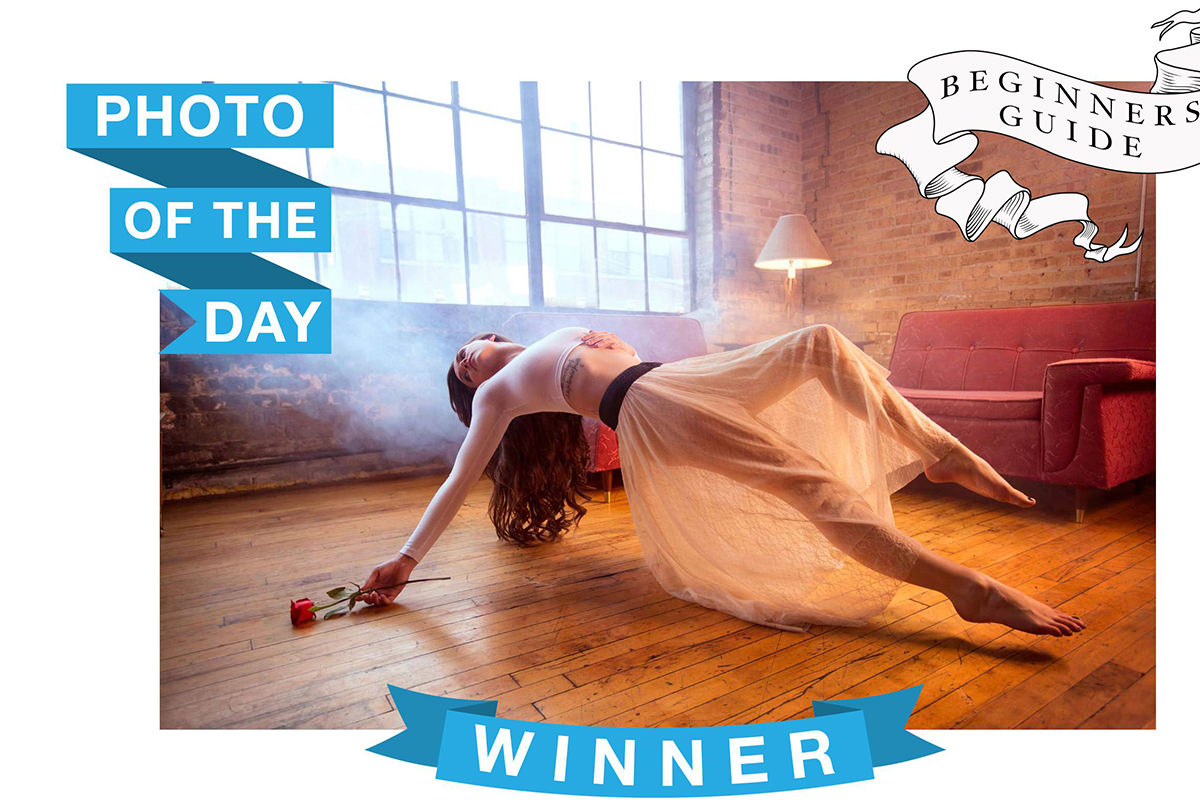
Rather than building a background banner completely from scratch, downloading a ready-made template and laying text over it is a faster route to a professional-looking result. This tutorial covers preparing a downloaded banner template in Photoshop, then working through three examples of increasing complexity, from a simple aligned block of text to a fully warped banner fitted to a curved and flag-shaped template, before placing the finished banners onto an actual photo.
Choosing a Banner Template Instead of Building From Scratch
Downloading a pre-made banner template, rather than drawing one from scratch, saves time and gives access to a whole matching set of banner shapes and styles.
-
Search a Stock Graphics Site for Banners
Search a stock site such as fotolia.com for “banner” to browse packs of banner graphics that share a consistent style.
-
Choose the Vector File Format
When a vector option is available, download that format rather than a JPEG, since a vector file can be resized without any loss of quality.
Why Downloading the Vector Format Matters
A JPEG banner graphic loses quality and workability the further it gets scaled up or down from its original size. A vector file has no fixed resolution at all, so it can be rasterized at whatever size the project actually needs, from small to extremely large, without any loss in sharpness.
Rasterizing and Sizing the Vector File in Photoshop
Opening a vector EPS file in Photoshop prompts a rasterize dialog where the exact pixel dimensions get set before the file is even opened.
-
Open the Downloaded EPS File
Press Cmd/Ctrl+O and open the downloaded vector EPS file.
-
Set a Large Pixel Size in the Rasterize Dialog
When prompted to rasterize the EPS, set the width and height to a large size such as 5000 by 5000 pixels, with the mode set to RGB Color.
-
Confirm the Size in Image Size
Go to Image > Image Size to confirm the document opened at the intended large dimensions.
Removing the White Background With the Magic Wand
Deleting the flat white background behind the banner graphics leaves each banner shape isolated on its own transparent background, ready to be placed over any photo.
-
Select the Background With the Magic Wand Tool
Press W for the Magic Wand tool and click on the white background area to select it.
-
Shift-Click to Add Any Remaining White Areas
Hold Shift and click any additional white areas, such as inside a ribbon shape or a small icon, to add them to the selection.
-
Delete the Selected Background
Press Delete to remove the selected white background, leaving each banner graphic on a transparent background.
Aligning Text Inside a Simple Banner Shape
The alignment tools, combined with a marquee selection of the banner’s own shape, place each word exactly centered inside its section of the banner rather than relying on guesswork.
-
Duplicate the Chosen Banner Shape Onto Its Own Layer
Make a marquee selection around the banner shape to use and press Cmd/Ctrl+J to place it on its own layer.
-
Type Each Word on a Separate Type Layer
Press T for the Type tool and type each word, such as “photo” and “day,” on its own layer.
-
Select the Banner Area to Align Within
Use the Marquee tool to draw a selection around the specific area of the banner a given word should sit inside.
-
Align the Text Vertically and Horizontally
With the text layer and the selection both active, switch to the Move tool and click the vertical and horizontal align buttons to center the text precisely inside that selection.
-
Adjust Font Size as Needed
Reduce the font size of any word that doesn’t fit its area (the video takes the middle words down to about 160), then repeat the selection and alignment steps to re-center it.
Grouping the Finished Text Layers
Grouping every layer that makes up a finished banner keeps it movable as one unit rather than as several separate pieces.
-
Select All Layers for the Finished Banner
Shift-click every layer that belongs to the finished text banner.
-
Group the Layers Together
Press Cmd/Ctrl+G to group the selected layers into a single group that can be moved as one unit.
Adjusting Letter Spacing and Warping Text to Follow a Curved Banner
A curved banner needs its text both spaced out to fill the available width and bent to follow the banner’s own curve, which the Character panel’s tracking control and the Warp tool handle separately.
-
Type the Word Onto the Curved Banner Layer
Duplicate the curved banner shape onto its own layer, then type the word to place on it.
-
Increase Tracking to Space Out the Letters
In the Character panel, raise the tracking value (the video goes to 300), rather than the horizontal scale, which stays at 100%, to add space between the letters.
-
Switch to Warp Mode in Free Transform
Press Cmd/Ctrl+T, then click the warp toggle button in the options bar to switch from Free Transform into Warp mode.
-
Choose the Arc Warp Style
Choose the Arc style from the warp style menu, since its shape matches the curve of this banner.
-
Drag the Warp Point to Fine-Tune the Curve
Click and drag the warp’s control point up or down, adjusting the bend amount and direction until the text follows the banner’s curve.
-
Re-Center the Warped Text
Use the Marquee tool and the alignment buttons again to make sure the warped text sits centered across the banner.
Why Adjusting Tracking Beats Stretching the Letters Themselves
Changing a text layer’s horizontal scale to make it wider distorts the individual letterforms, stretching them in a way that looks obviously wrong. Increasing tracking instead adds space between the letters without touching their shape, which is the correct way to make a line of text fill more width.
Warping Text in Two Steps for a Complex Banner Shape
A more irregular banner shape, like a flag, sometimes needs the warp applied in two separate passes to get every part of the text following the shape correctly.
-
Scale the Text to Roughly Fit the Space
Use Free Transform to scale and reposition the typed text so it roughly fits the available banner area before warping.
-
Apply the Flag Warp Style
Switch to Warp mode and choose the Flag style, adjusting its direction if it doesn’t default to the correct orientation.
-
Confirm the First Warp Pass
Once the first section of the text follows the banner’s shape well enough, confirm that warp even if another area still needs adjustment.
-
Apply a Second Warp Pass to the Remaining Area
Press Cmd/Ctrl+T again, hold Cmd/Ctrl, and click and drag an individual corner point to warp the remaining section of text into place.
Placing and Scaling the Finished Banners Onto a Photo
With all three example banners built at a large working size, dragging them onto a photo and scaling them down keeps every banner sharp no matter how small it ends up.
-
Drag a Finished Banner Group Onto the Photo
Use the Move tool to click and drag a finished banner group from its own document directly onto the target photo.
-
Lock Proportions and Scale the Banner Down
Press Cmd/Ctrl+T, click the chain link icon to lock the width and height together, and scale the banner down to a usable size.
-
Position Each Banner on the Photo
Move each scaled banner to a position on the photo that makes visual sense, such as a top corner or the bottom center.
Why Building Banners Large Then Scaling Down Beats Scaling Up
A banner built small and later scaled up loses sharpness and resolution exactly when it needs to look its best. Building every banner at a large working size from the start, then scaling each one down only when it’s placed on a photo, keeps the final result sharp regardless of how small it ultimately needs to be.
Cropping to Let Banners Extend Past the Image Edge
Expanding the canvas with the Crop tool creates room for a banner to visually extend past the original photo’s edge, which reads as a more polished, intentional design choice.
-
Expand the Canvas With the Crop Tool
Select the Crop tool and drag its edge outward beyond the original photo boundary to create extra canvas space.
-
Position the Banner to Extend Off the Edge
Move the banner so part of it sits within the expanded canvas area, extending visually past where the original photo ends.
-
Crop Back In for a Single Banner
If only one banner is needed instead of all three, crop back in from the appropriate sides to frame just that banner with the photo.
Why This Approach Works
Starting from a downloaded vector template, rather than building a banner shape from scratch, gets straight to the actual design work of placing and warping text. Using a marquee selection with the alignment tools, instead of eyeballing text placement, is what keeps every word precisely centered inside its section of the banner regardless of shape. Warping in two separate passes on a more complex banner is what makes it possible to fit text convincingly to an irregular shape that a single warp adjustment can’t fully match.
Final Thoughts
None of the three banner examples here need to be recreated exactly as shown, since the real value is in the underlying process: find a template, prepare it, align and warp text to fit its shape, then scale it onto a photo. The same approach works for a contest announcement, a special promotion, or a party invitation, using whatever banner templates and wording actually fit the project at hand.
Quick Reference: Keys, Menus and Settings
- Open the templateCmd/Ctrl + O, rasterize the EPS at 5000 x 5000 px, RGB Color; check Image > Image Size
- Remove the whiteW, click the white, Shift-click to add more, Delete
- One banner per layerMarquee around it, Cmd/Ctrl + J
- Center a wordMarquee around its area, select the text layer, Move tool, align vertical and horizontal centers
- Space the lettersCharacter panel tracking (300 in the video); horizontal scale stays at 100%
- Warp the textCmd/Ctrl + T, warp button, Arc or Flag; Cmd/Ctrl-drag a corner for a second pass
- Place itCmd/Ctrl + G to group, drag to the photo, Cmd/Ctrl + T with the chain link; Crop tool outward for room
Text Banners in Photoshop: Common Questions
Do I have to draw the banner myself?
No. The video downloads a pack of matching banner graphics from a stock site (Fotolia at the time) and puts text on them. You can build one from scratch, but a template is faster.
Why download the vector version of a banner?
A vector file has no fixed size. When you open the EPS, Photoshop asks you to rasterize it, and the video sets 5000 by 5000 pixels in RGB Color so there is plenty of resolution to scale down later.
How do I remove the white background around the banners?
Press W for the Magic Wand and click the white. Shift-click any white inside ribbons or small shapes to add it, then press Delete.
How do I center a word inside its part of the banner?
Draw a Marquee selection around that part of the banner, select the text layer, switch to the Move tool and click the vertical and horizontal center align buttons.
How do I spread out letters without stretching them?
Raise the tracking in the Character panel (the video goes to 300). Leave the horizontal scale at 100%; changing it distorts the letters.
How do I bend text to follow a curved banner?
Press Cmd/Ctrl + T, click the warp button in the options bar and pick the style closest to the banner, here Arc. Drag the control point or change Bend until the text follows the curve.
What if one warp doesn’t fit the banner shape?
Do it in two passes. Apply the Flag warp until part of the text fits, confirm it, then press Cmd/Ctrl + T again and Cmd/Ctrl-drag single corner points to fit the rest.
Will scaling the banner down onto a photo make it blurry?
No. Building it large and scaling down keeps it sharp. Drag the group onto the photo with the Move tool, press Cmd/Ctrl + T and click the chain link to keep its proportions.
How do I make a banner hang off the edge of the photo?
Drag the Crop tool’s edge outward to add canvas, then move the banner so part of it sits past the photo. Crop back in when you only keep one banner.
From the Magazine View all
Stories, interviews and guides for photographers, new every week.
 EditingLightCraft vs Lightroom: I Edited the Same RAW Files in BothThe free clone on the same RAW files: what matches, what breaks and who should switch.
 InspirationRare Historical Photos: 13 of the Rarest Pictures Ever TakenFrom the earliest surviving picture of a person to the last passenger pigeon: who took each one and why it survives.
 EditingArtCraft: Photoshop Cloned by AI in Two Weeks. Is It Legal?ArtCraft cloned Photoshop and Lightroom with AI and gave them away. Any good? Legal? Safe?
Master Photoshop, Lightroom and Photography
Join PHLEARN PRO for $12.99 a month, or $99.99 a year (save 36%). Cancel anytime, with a 100% money-back guarantee.





