Compositing Intro
Learn Photoshop compositing through five complete beginner-friendly projects: a liquid portrait, levitation photography, fine art and surreal composites with guest artists, and a commercial product composite.
What You’ll Learn
Compositing is the art of combining photos into an image that never existed — and the best way to learn compositing for beginners is to build real projects. Each tutorial here is a complete composite from raw photos to final image, and together they cover every foundational skill.
- Cut out, blend and color match The Liquid Portrait project teaches the three skills every composite depends on, in a single striking image.
- Shoot for the composite The Beginner’s Guide to Levitation covers the half of compositing that happens in camera: planning shots so the pieces fit together later.
- Think like a fine artist Rob Woodcox walks through his fine art process — concept, staging, and assembling multiple frames into one story.
- Go surreal Natalia Seth builds one of her signature surreal portraits, showing how a bold idea survives contact with the actual editing.
- Composite commercially Product retouching and compositing — the paid version of these skills, where clean edges and believable light are the whole job.
Who This Playlist Is For
This is compositing for beginners in the best sense: photographers and creatives making their first composites. You need basic Photoshop comfort — opening files, working with layers — but every project explains its techniques as it uses them.
It is also a fit if you have done technical Photoshop work but never a creative project from scratch. The guest artist tutorials are as much about process and ideas as about tools.
What You Need
- Photoshop Any recent version covers every technique here.
- Sample files Included, so you can build each project alongside the instructor.
- A camera for the shooting lessons Optional — the levitation and fine art tutorials include photography, but you can follow the editing with the provided files.
How Long It Takes
Each project is a substantial single session — plan an afternoon per composite if you build along. Five weekends, five finished images, and a genuinely different skill set at the end of it.
Frequently Asked Questions
Do I need a PHLEARN PRO membership?
Yes. All five projects and their sample files are included with PRO.
Is this really for beginners?
Beginners at compositing, yes. You should know your way around Photoshop’s basic interface, but no compositing experience is assumed — that is what the playlist teaches.
What comes after this playlist?
Compositing Advanced — large-scale scene building from stock images and epic cinematic projects that assume the skills you build here.
Do I need to take my own photos?
No. Sample files are included with every project. The shooting portions are there for when you are ready to create your own source material.
Should I do the projects in order?
The Liquid Portrait first — it teaches the core skills the others use. After that, follow whichever project excites you most.
Where to Go Next
Start a Project
The Liquid Portrait teaches cutouts, blending and color matching in one image.
On This Page
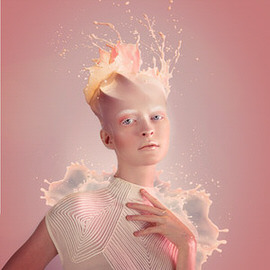
In this tutorial, you’ll learn how to do the photography and retouching necessary to add an amazing liquid splash effect to any portrait. Learn compositing, coloring, retouching, cutting subjects out, painting details, and dodging and burning.
Photoshop | Compositing | Advanced | 3.25 hours
10 Sample Images | 1 Photoshop Brush | 1 Photoshop Action
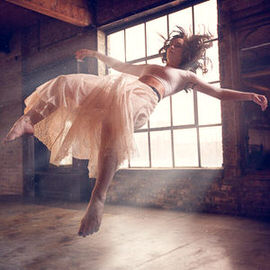
Follow along as we demonstrate how to pull off a levitation effect in stunning fashion. Learn pre-production best practices, compositing, environmental retouching, adding atmosphere, and amazing effects with light.
Photoshop | Visual Effects | Easy | 5.5 hours
13 Sample Images | 3 Photoshop Brushes
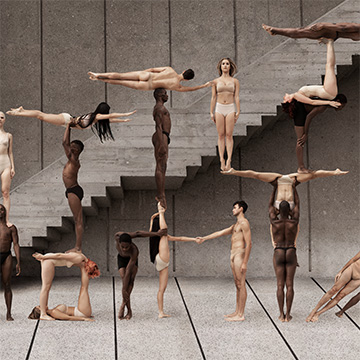
Learn portrait retouching, background retouching, and creative compositing from fine art and fashion photographer, Rob Woodcox! And along the way, Rob gives valuable insight into his process and how to run a successful creative business!
Photoshop | Compositing | Medium | 6 hours
66 Sample Images

Natalia Seth is a creative force of nature. Follow along as she guides through creating four extraordinary self-portraits, teaching compositing, retouching, and stylistic coloring.
Photoshop | Compositing | Medium | 4.25 hours
21 Sample Images | 14 Photoshop LUTs | 2 Lightroom Presets | 1 Photoshop Action

Join Ross Floyd and Aaron Nace as they walk you through 10 product photo edits from start to finish. Learn to cut out objects, remove blemishes, reshape products, and master advanced techniques like frequency separation and dodging & burning.
Photoshop | Retouching | Medium | 13.25 hours
31 Sample Images | 2 Photoshop Actions