Photoshop Compositing Collection
A two-part Photoshop compositing course: first the essential tools and techniques of combining images, then the masking and cutout skills that make a composite hold up at full size.
What You’ll Learn
This collection is the systematic route into Photoshop compositing — not a single project, but the underlying skill set taught in order. Two in-depth courses cover the two halves of every composite: combining images convincingly, and separating subjects cleanly.
- Part 1: Essential Tools & Techniques How composites actually work — layers, blending, transforms, matching light, color and perspective, and the workflow that keeps a multi-image document manageable.
- Part 2: Masking and Cutting Out Subjects The craft that makes or breaks a composite: precise selections, layer masks, hair and soft edges, and cutouts that survive scrutiny at any size.
- A repeatable workflow Both parts build the same document structure, so every composite you make afterward follows a process instead of improvisation.
- Judgment, not just tools Why an image reads as fake — mismatched light, wrong edge quality, impossible perspective — and how to diagnose and fix each one.
Who This Playlist Is For
Anyone who wants compositing as a real skill rather than a trick that worked once. If you prefer learning the system before the showpiece project, start here; if you prefer learning through projects, the Compositing for Beginners playlist teaches the same ideas project-first, and the two approaches reinforce each other.
What You Need
- Photoshop Any recent version. Selections and masking have only improved since these courses were built.
- Sample files Included, so you practice every technique on the same images as the instructor.
- Basic Photoshop familiarity Opening files and navigating the interface is enough — Part 1 builds the rest.
How Long It Takes
Two full courses, each several hours. Plan a week or two per part if you follow along and do the exercises. It is the slowest route into compositing and also the one that sticks — the masking skills in Part 2 alone upgrade every other kind of Photoshop work you do. Treat the exercises as the course — watching without building teaches a fraction of what following along does, and the sample files exist precisely so you can build every technique yourself.
Frequently Asked Questions
Do I need a PHLEARN PRO membership?
Yes. Both courses and their sample files are included with PRO.
Should I take the parts in order?
Yes. Part 2 assumes the document structure and blending concepts from Part 1.
How does this differ from Compositing for Beginners and Advanced Compositing in Photoshop?
Those playlists teach through complete projects. This collection teaches the skill itself, systematically. The strongest path is this collection or Compositing for Beginners first, then Advanced Compositing in Photoshop.
Will this help with AI-generated elements?
Very much — blending AI output into a photo is compositing. Matching light, color and edges is exactly what these courses train.
Is the masking course useful outside compositing?
Yes. Clean selections and masks are the backbone of retouching, product work and design — Part 2 is arguably the most transferable course in the library.
Where to Go Next
Start the Course
Part 1 builds the complete compositing workflow from the first layer.
On This Page
PHLEARN PRO
Both compositing courses with sample files, plus the full PRO library.
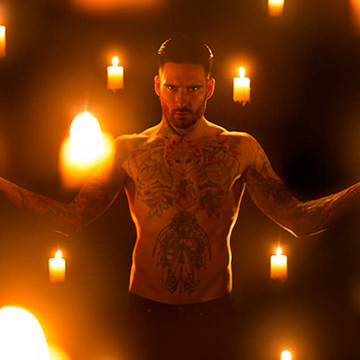
Master the fundamentals needed to create beautiful composite images in Photoshop while we provide tips for both the photoshoot and for post-processing. Learn to match perspective, lighting, luminosity, and work with frame and element composites.
Photoshop | Compositing | Medium | 7.25 hours
22 Sample Images | 1 Photoshop Brush | 1 Photoshop Action

One of the keys to great compositing is making clean, accurate selections and masks. Learn to cut out a variety of objects, from people and pets to products and logos. Master the Pen Tool, Lasso Tool, Channels, and more.
Photoshop | Selections & Masking | Medium | 6.25 hours
18 Sample Images | 4 Photoshop Brushes