Advanced Compositing in Photoshop
Full-scale Photoshop compositing projects: building entire scenes from stock images, matching light and color across a dozen sources, and finishing epic, cinematic images — plus one lesson in creating composites entirely on your phone.
What You’ll Learn
Advanced compositing is scene-building: instead of adjusting a photo that exists, you construct one that never did. These five projects each build a complete image from start to finish, and the skills stack from one to the next.
- Composite from stock images Two full projects on building scenes from stock — finding usable source images, extracting subjects, and combining pieces shot in completely different conditions.
- Match light and color The skill that separates convincing composites from obvious ones: unifying direction of light, color temperature and contrast across every element in the scene.
- Build epic, cinematic images A Dark Force walks through a large-scale dramatic composite — atmosphere, effects, painted light and the finishing that gives an image scale.
- Start with a guided project The Flood is the on-ramp: a complete composite built at a beginner-friendly pace, so the advanced projects have a foundation to stand on.
- Composite anywhere Elise Swopes builds a composite entirely on a phone — a different toolset and a reminder that the thinking matters more than the software.
Who This Playlist Is For
Photographers and digital artists who want to make images that cannot be photographed. If you are comfortable with layers, masks and selections and want to put them to work on complete creative projects, this is the playlist that stretches those skills furthest.
New to compositing entirely? Start with the Compositing for Beginners playlist first — these projects assume you can already make clean selections and manage a layered document.
What You Need
- Photoshop Any recent version. The techniques are timeless; the tools have only gotten faster.
- Sample files Included with the PRO tutorials, so you can build the same scenes as the instructor.
- Comfort with layers and masks These are project tutorials, not tool introductions.
How Long It Takes
These are the longest tutorials PHLEARN makes — each project is several hours of real editing. Plan on one project per week if you follow along and build the images yourself, which is where the learning actually happens.
Frequently Asked Questions
Do I need a PHLEARN PRO membership?
Yes, for the full projects and their sample files. PRO also unlocks the rest of the compositing library.
Is this too advanced for me?
If you can cut out a subject cleanly and work with adjustment layers, you are ready. If not, do the Compositing for Beginners playlist first — it exists for exactly this reason.
Can I use my own images instead of stock?
Absolutely. The stock-image projects teach the same matching and blending skills you would use with your own photography — stock just makes the source material repeatable.
Do I need to buy stock images to follow along?
No. Sample files are included with the tutorials, so you work with the same images as the instructor.
Should I do these projects in order?
Start with The Flood if you are newer to compositing, then the stock image projects, then A Dark Force. The phone tutorial stands alone — watch it whenever.
Where to Go Next
Start a Project
Advanced Compositing with Stock Images is the definitive scene-building project.
On This Page
PHLEARN PRO
Every compositing project with sample files, plus the full PRO library.
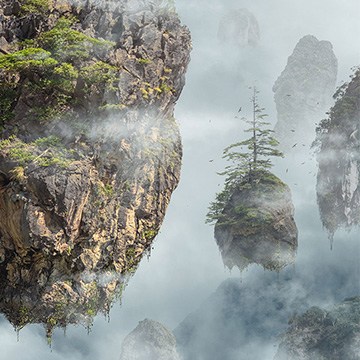
Learn advanced compositing techniques as Photoshop as we show you to transform free stock photos into an epic fantasy landscape!
Photoshop | Compositing | Advanced | 5 hours
19 Sample Images | 1 Sample PSD | 4 Photoshop Brushes
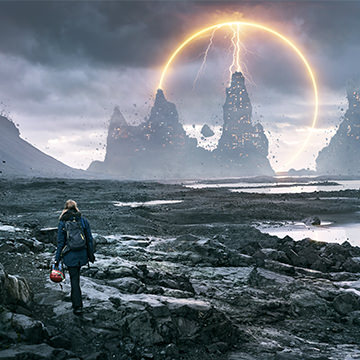
Follow along and create an epic fantasy scene using free stock image assets and some Photoshop savvy! Learn how to cut out and place objects in a new background, create lighting and disintegration effects, create fog and atmosphere, and much more!
Photoshop | Compositing | Advanced | 2.75 hours
8 Sample Images | 1 Sample PSD | 2 Photoshop Brushes
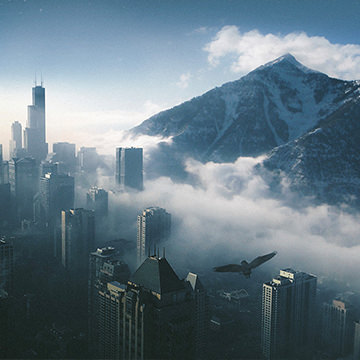
Learn to create stunning composite images using just your phone. Join mobile artist Elise Swopes as she guides you through multiple apps, shares her creative vision, and discusses building her online business.
Lightroom | Compositing | Medium | 3 hours
13 Sample Images | 1 PDF Guide
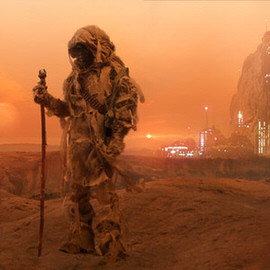
Create a sci-fi themed composite from start to finish. Learn how to photograph with a composite in mind. Then jump into Photoshop to build a background, create elements from scratch, and integrate subjects into the environment.
Photoshop | Compositing | Advanced | 4.25 hours
24 Sample Images | 1 Photoshop Action | 7 Photoshop Brushes
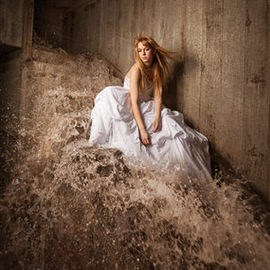
In this tutorial, we show you how to add and balance lighting in any situation to capture all of the images needed to make a perfect composite. Then we put it all together in Photoshop.
Lightroom, Photoshop | Compositing | Easy | 1.75 hours
18 Sample Images | 1 Photoshop Brush