


Tutorial Description
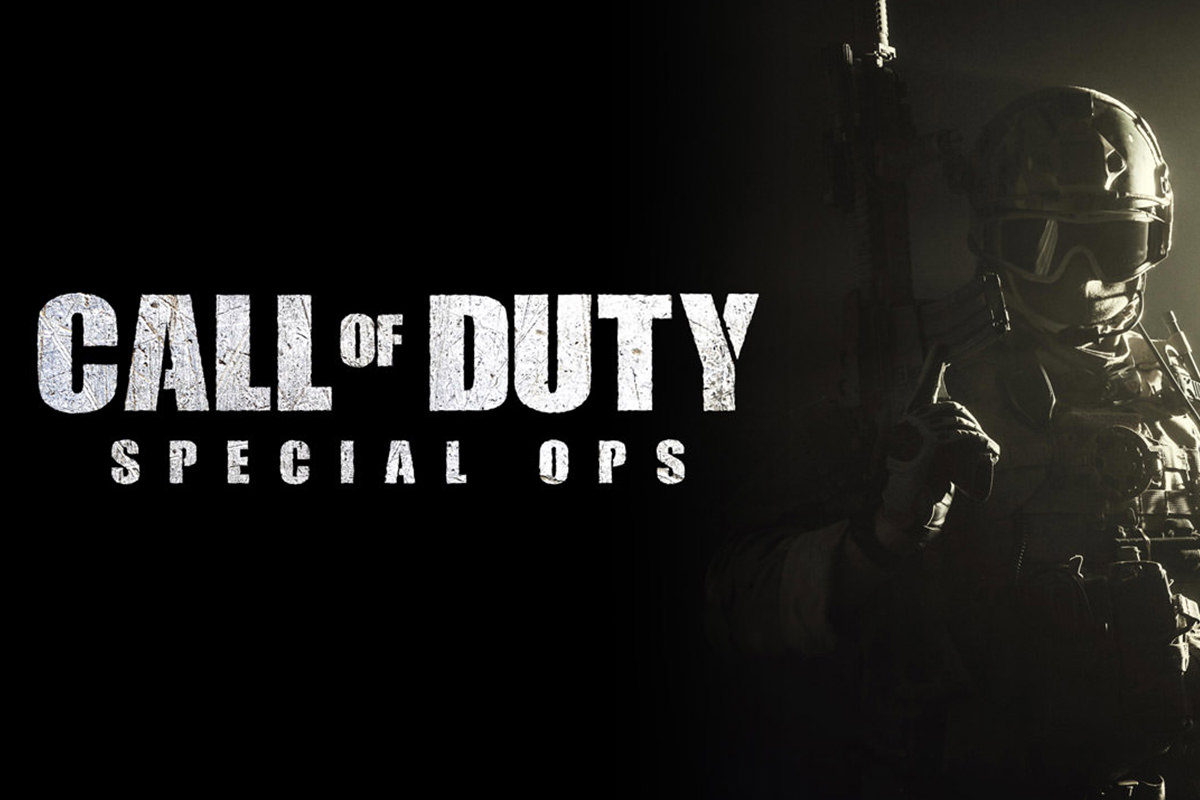
Video Game lovers, rejoice! In today’s episode, learn How to Make a Call of Duty Title Screen in Photoshop, and take away some versatile font techniques too!
Preparing the background
Begin by dragging your Texture onto the image of the subject. You can group the layers and turn them off for now. Crop the image to your liking, and be sure that ‘Delete Cropped Pixels’ is unchecked!
If you find that you need to add a solid Color layer beneath your image, like we did in this episode because of the Cropping, we suggest creating a Color Fill Adjustment Layer. This will interact with the Crop Tool so that there is always color on the Background.
Rough and Rugged
For this image we simply downloaded a free Call of Duty font from dafont.com.
The character panel is where you will find all of your Text options for things like Color, tracking, and point Size (if you don’t see this, go to Window – Character). There are also Tools at the top bar of Photoshop that will help with aligning more than 1 line of Text together.
To get the rough and rugged texture we added previously to show up on just the font, right click on the texture layer and select “create Clipping Mask.” This will make the Texture show up ONLY where those letters are, so you don’t have to worry about masking or anything.
For some added detail, go to Filter – Filter Gallery – Spatter. Play with this Filter to increase the grunginess of the Texture, and customize the edges of the font (be sure to be doing so on a Stamp Visible Layer).











Enjoying This Free Tutorial? Go Further with PRO.
Unlock Full Sample Files, PSDs, and Hundreds of Masterclasses!

Download full project assets, original PSDs, and RAW images for every lesson
Unlimited access to our complete library of PRO Photoshop & Lightroom courses
Instant 4K Ultra HD streaming on all devices, anytime, anywhere
Full access to our entire library of Photoshop Actions, Presets, and LUTs
Flexible monthly and annual membership plans
Cancel anytime with zero hassle or commitments