

THIS COURSE INCLUDES
- 3 Lessonsfollow-along
- 2h 12mof 4K video
- Intermediatesome Photoshop basics
- 14 Sample Imagesto follow along
- 13 Layered PSDsto follow along
- Captionsand chapters on every lesson
Part of a Learning Path
Join PHLEARN PRO for instant access to this course and every tutorial on PHLEARN.
- Stream in up to 4K on any device
- Closed captions and chapters on every course
- Download all sample images and PSDs
- New PRO tutorials every month
- Cancel anytime
Description
Color theory and composition in Photoshop are the two skills that separate a snapshot from an image people stop and look at, and this course teaches both from camera to post-production. Across three sections you will learn the classic frameworks (Rule of Thirds, Golden Ratio and Spiral, triangles, symmetry, negative space, leading lines) and the color relationships behind every professional edit, then apply them to real photos so the ideas stick.
In Photoshop you will recompose with crop overlays, rebuild edges with Generative Expand, clear distractions with the Remove Tool, recolor wardrobe and environments with Generative Fill, and shape color with Hue/Saturation and Camera Raw. The final section uses Camera Raw’s new Depth Range masks to relight a scene around your subject. Fourteen sample images, thirteen layered PSDs, and a custom color wheel are included.
What You’ll Learn
- Master classic composition frameworks Rule of Thirds and more
- Understand color relationships that create mood and impact
- Recompose images with crop overlays and Generative Expand
Course Downloads
Building Better Images


Color Theory and Composition in Photoshop: The Blueprint
Composition has one job: get the viewer’s eyes to your subject and lead them through the frame. Color sets the mood and tells them how to feel when they arrive. This course treats the two as one system, so every crop, overlay, and color decision you make has a reason behind it, whether you are behind the lens or behind the screen.
Rule of Thirds & Straight Horizons
Starting with a beach shoot and an orange kayak, you will place the subject on the intersections of the Rule of Thirds, drop the horizon onto a third, and straighten it with the Crop Tool. You will also learn why saturated, bright objects pull the eye, how footprints become leading lines, and why removing a distraction with the Remove Tool is a composition decision too.
Triangles, Symmetry & the Golden Spiral
Across five photos you will put color theory and composition in Photoshop to work, cycling through the crop overlays with the O key, flip them with Shift+O, and learn which one fits each image: a triangle for two paddlers, a centered guide for a peak framed by symmetry, and the Golden Spiral opening toward where the subject is looking. The rule is simple: find the overlay that fits, never force the photo into one.
Depth in a Two-Dimensional Frame
A photograph is flat, but a great one feels like you could step into it. You will learn to build foreground, midground, and background, let dark foreground elements act as a natural vignette, paint fog to push the background away, and finish with a radial exposure boost, grain, and a vignette in Camera Raw so the eye travels exactly where you want it. This is where color theory and composition in Photoshop start working together.
Clean Up & Rebuild the Frame
When the best crop needs more room, Generative Expand rebuilds the boundaries, and when a rock or a passerby breaks the composition, the Remove Tool clears it on a new layer. You will also add a 50% guide for symmetrical shots, straighten with the Straighten Tool, and see why a touch of grain at the end keeps AI-generated areas looking like a photograph.
Complementary Colors
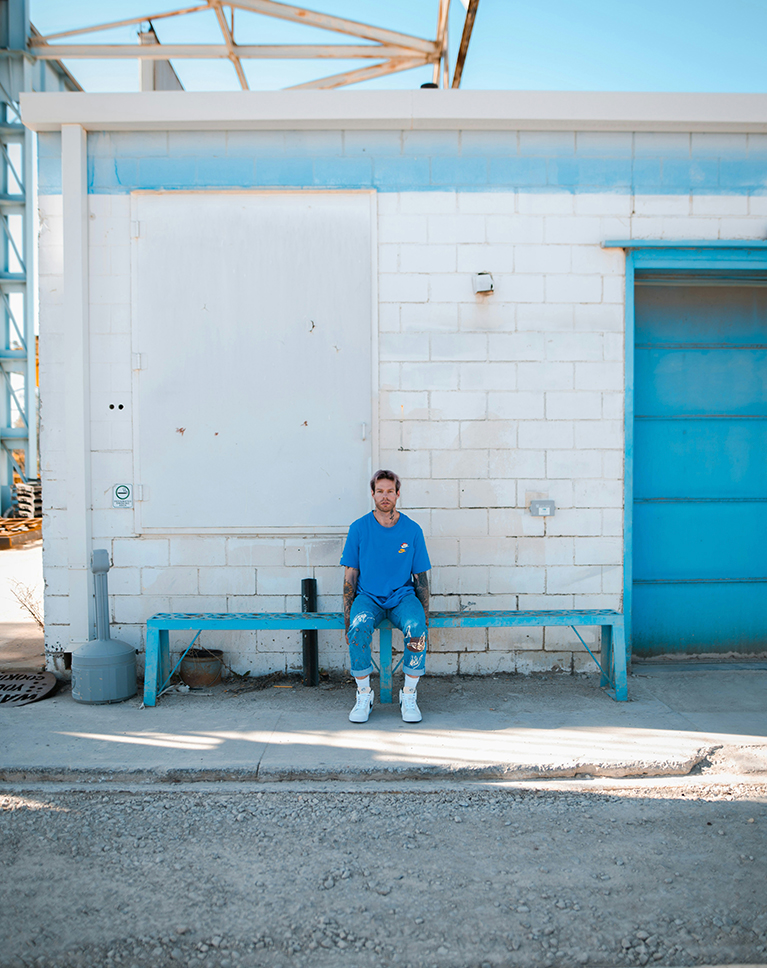
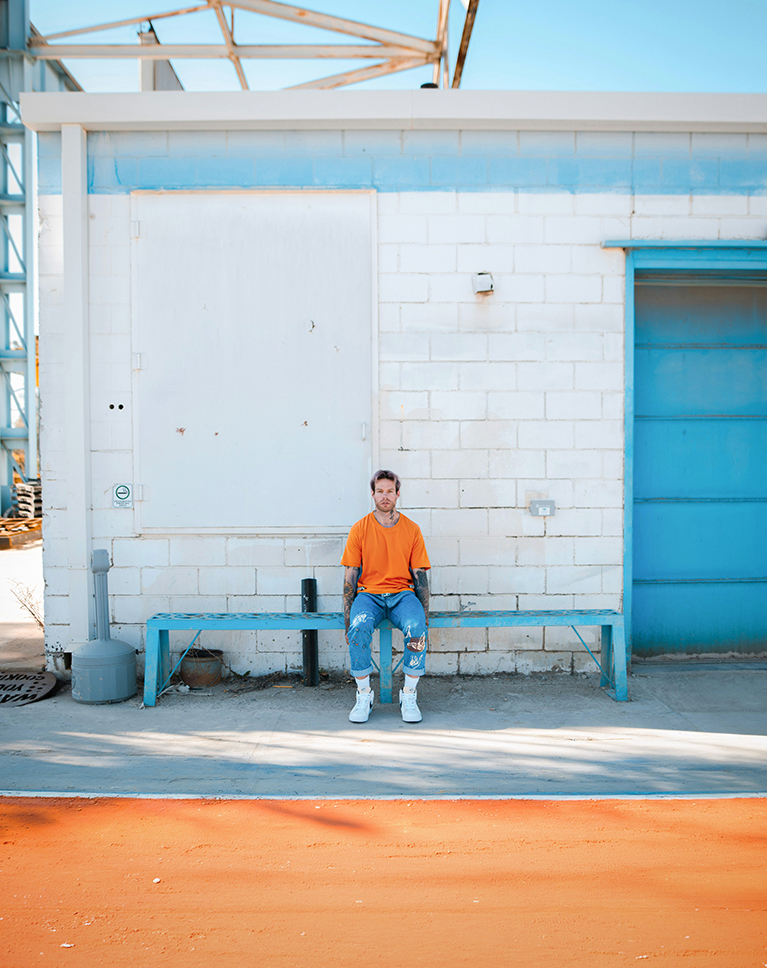
Section 2 opens with the included color wheel and the most powerful relationship on it: complementary colors sit directly opposite each other and create the highest contrast. Using a man in blue on a blue bench, you will recolor his shirt to orange with Generative Fill and watch the image snap into focus, then learn when that much contrast helps and when it pulls the eye the wrong way.
Refined Proportions
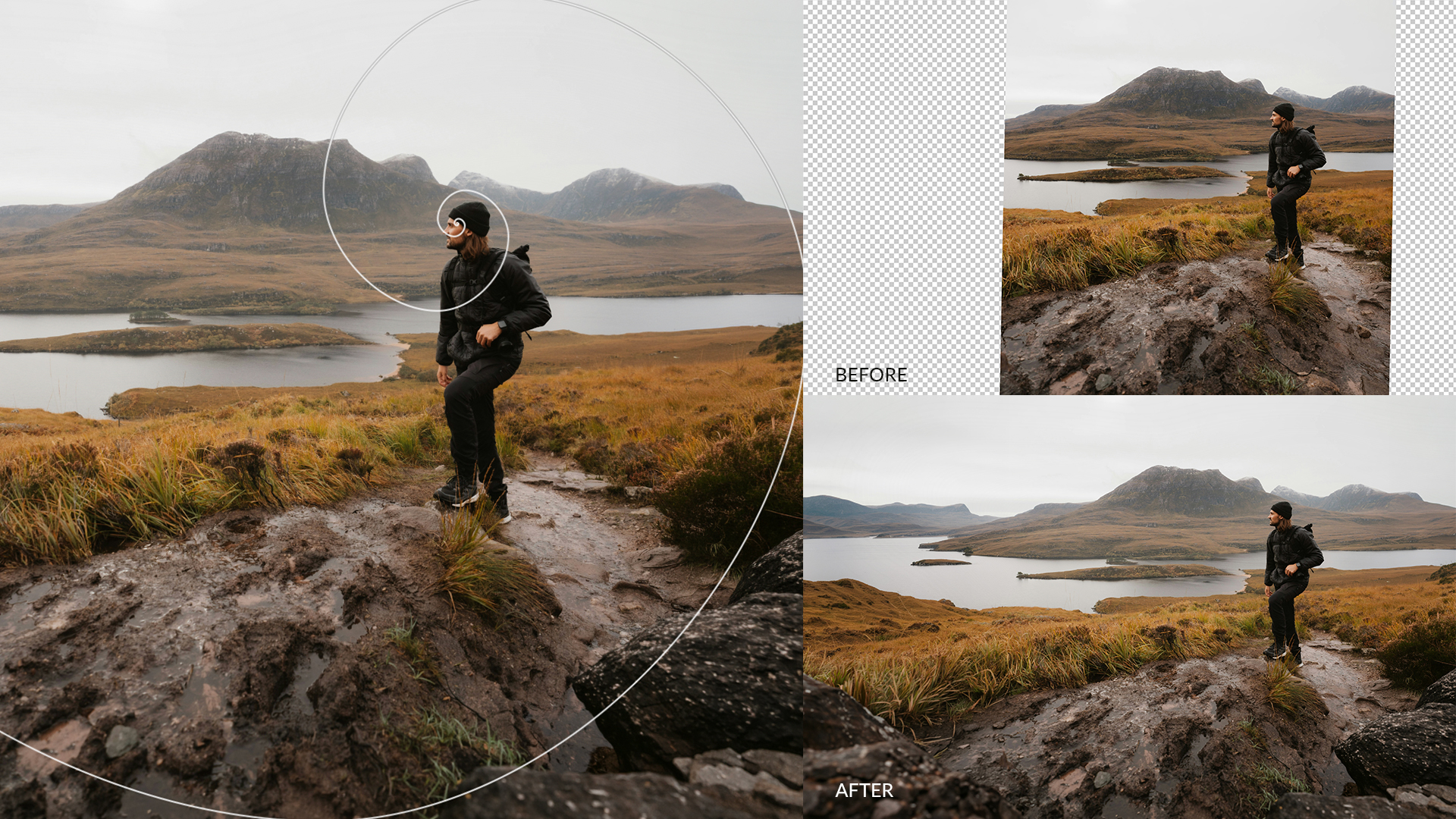
The Golden Ratio is built on the same mathematics found in shells and pine cones, and it gives an image a more organic balance than a simple grid. In this scenario a hiker on a Scottish ridge sits too close to the edge of the frame, so you will extend the canvas with Generative Expand, place the Golden Spiral so it opens toward where he is looking, and trim the excess sky. The result reads as one photograph with room to breathe, and the same color theory and composition in Photoshop workflow applies whenever the shot you captured is a little tighter than the composition you saw.

Primary, Secondary & Analogous Schemes
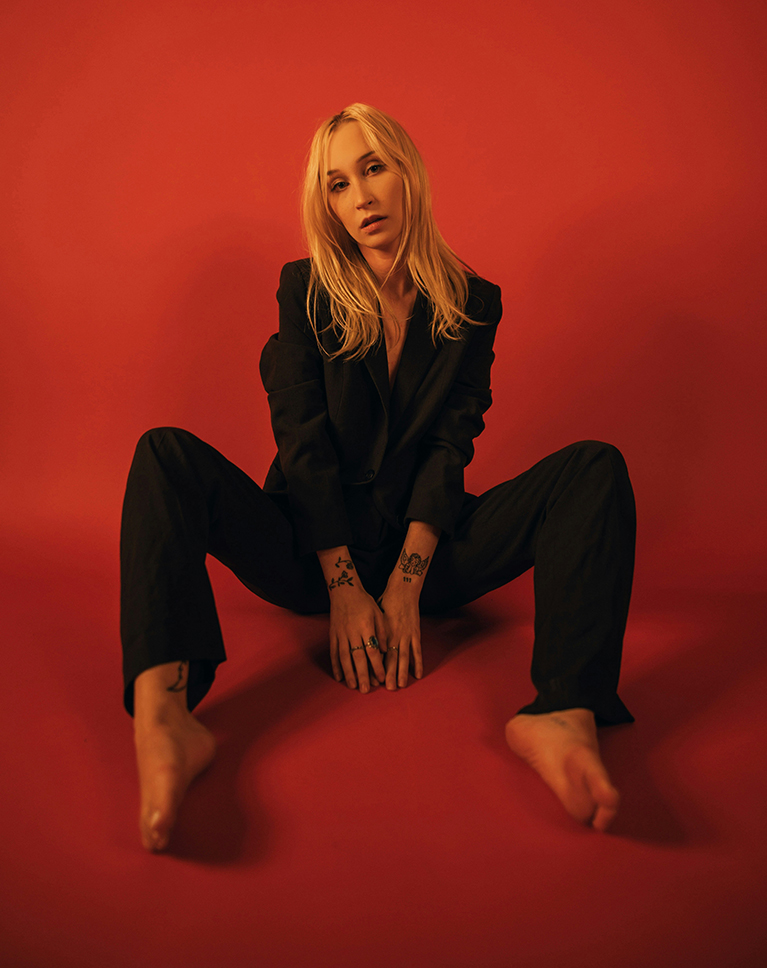
With the color wheel beside each image, you will build the three schemes that anchor color theory and composition in Photoshop: a primary triangle of red, yellow, and blue for a vibrant, balanced feel; secondary colors (green, violet, orange) with skin tones treated as a soft orange; and analogous neighbors like yellow, yellow-orange, and green for calm, harmonious frames. Along the way you will color shadows and highlights separately so recolored elements still look real.
Recolor with Generative Fill
Most of the color changes in this color theory and composition in Photoshop course happen with Generative Fill: a road, a floor, a dress, boots, a suit, a hat. You will select with the Object Selection and Selection Brush tools, write prompts that describe the new color and material, compare Firefly with Nano Banana Pro, and learn where each one shines and where it falls apart on large areas or complex objects like bicycles.
Shape Color with Hue/Saturation & Blend If
For everything AI should not touch, color theory and composition in Photoshop come back to masked Hue/Saturation layers: isolate the subject with Select Subject, target a color range with the eyedropper, and use Blend If to confine an adjustment to the highlights. Then Apply Image, convert for smart filters, and finish in Camera Raw with a sky temperature shift, gradients, saturation, vignette, and grain.
Relight with Depth Range Masks
Section 3 brings color theory and composition in Photoshop together with light, introducing Camera Raw’s Depth Range mask, which builds a selection from the three-dimensional space of your photo with a single click. You will brighten a subject standing in shadow while protecting the highlights, darken and saturate the background with a second depth mask, and balance the two with the Amount slider for a relit scene that still looks natural.
Light as Color
Light has a color, and when it agrees with the palette, color theory and composition in Photoshop finally feel like one image. Using a scene lit by orange curtains, you will place a radial gradient on the existing light source, raise its exposure, and warm the temperature toward yellow with a touch of magenta so the glow is analogous to the rest of the frame. A vignette and grain finish the look.
Included Files & Next Steps
This color theory and composition in Photoshop course includes 14 sample images, 13 layered PSDs, and the custom color wheel used in every color example. To keep the habits you build here, continue with The Ultimate Guide to Non-Destructive Editing in Photoshop, so every crop, recolor, and relight stays editable.

Class Instructor
Aaron Nace
PHLEARN Founder & Lead Instructor
Aaron Nace is a photographer, digital artist, and the founder of PHLEARN. Since 2011 he has taught millions of people to edit with confidence in Photoshop and Lightroom, on YouTube and in PHLEARN PRO, and he has been a featured speaker at Adobe MAX for more than eight years.
Every PRO course comes with the sample images and PSDs to follow along step by step, and Aaron adds new courses and free tutorials all year.
- 2M+YouTube subscribers
- 160M+video views
- 1,000+tutorials published
- 15years teaching Photoshop
The photographs in this course are stock images; the color wheel, sample images, and all 13 layered PSDs are included in your download.
Reviews
Master Photoshop, Lightroom and Photography
Join PHLEARN PRO for $12.99 a month or $99.99 a year. Cancel anytime, with a 100% money-back guarantee.






For a PRO-labeled course on color theory, would have expected using more fundamental tools instead of blasting (almost) everything with generative fill. Regarding composition, would have also been nice to mention for example the significance of empty space, instead filling the frame with generated rocks, as an example.
Fair points, and I appreciate you laying them out so clearly. The core color theory and composition principles hold up regardless of the tool used to demonstrate them, but I hear you on wanting more emphasis on fundamentals over generative fill, and empty space is absolutely worth its own deeper dive. I’ll keep this in mind for future updates to the course.
Really enjoying these fundamentals, always good getting these refreshers especially shooting for 15 years now.😅🫶🏾
Fifteen years in and still sharpening the fundamentals—that’s exactly the mindset that keeps work fresh. Really glad this one hit the spot as a refresher, thanks for taking the time to leave a review.
A great tutorial. I now realize how powerful the use of AI is in PS 2026. Especially when correcting light and color. And the Depth Map makes masking so much easier in many pictures. Thank you, Aron!
Thrilled this one clicked for you, Espen! The Depth Map feature really does change the game for masking, and pairing it with the AI color correction tools makes for a way smoother workflow. Glad you’re seeing the power of it firsthand.
Wow! What a great set of classes! I have watched HUNDREDS of Aaron’s courses and they have always brought my PS skills up to the next level. I am SO glad that he’s keeping up with all the new tools in PS and Camera RAW – game changer! Thanks a ton and keep up the great work! R!
Nice discussion of basic composition (including AI to improve composition) and masking to enhance light and colo
This was a great tutorial on colour theory, exactly what I was looking for. I just edited a cute photo of my niece and wow! What a difference. She had on a tie dye turquoise blue top against a white background and I changed the background to orange. I added a radial gradient to brighten her up and now the image looks way nicer. Thanks for the different examples too.
Loved the course. It was a great review and helped me better understand the new capabilities of Photoshop 2026.
Great tutorial. I appreciate how Mr Nace breaks the whole job into smaller, manageable tasks.
Thank you for another wonderful tutorial, especially the use of depth range!
Excellent tutorial. Ties photography into post production. More like this in the future.
Great training, yes, it’s all about the color and light!
Very good tutorial.
Great tutorial; however Depth Range is grayed-out when I try to use it.
Hi Marquis! Our team has reached out to you via email to further assist you.
Such a helpful tutorial! I love working with color and light and there is always more to learn. A short story about orange and blue. I stopped by a friend’s house last week, and she was watching a Hallmark mystery movie. I had to look up the name because it is such a great example of using those complementary colors. It is the 3rd movie in the young Aurora Teagarden mysteries (these 3 movies were made after the original Aurora actress left Hallmark for a competitor). The name is ‘Aurora Teagarden Mysteries: Death at the Diner’ (2024). Whether or not you are interested in the actual story, it will be well worth your time to see all the ways orange and blue was used 🙂
Great tutorial again. Thank you for sharing your knowledge. I am learning so much.
Very helpful. Thank you and go on.
Once again, Aaron has hit it out of the park! I’ve been taking photos for over 55 years and still struggle with composition. Learned a TON from this tutorial. Can’t wait until the next one. Thanks Aaron.
Fantastic info…thank you. I especially like adding elements (dark rocks!) to help direct the viewer, but my favorite is AI sharpen! Wow. Gracias!
Thank you for taking the time to cover composition and color theory. I find that many tutorials and instructional materials often overlook these foundational concepts, despite how important they are. I appreciate the added focus on these topics, as well as your exploration of more advanced and less commonly discussed artistic theories. Please keep up the great work.
i over all liked this, more please. The only gripe i have is its very AI heavy at points which isn’t great for those of us on the basic PS plan. But its a good tutorial and gave me some goo ideas.
I really enjoyed these sessions on composition, color and light. They hit at the heart of what, why, and where you should can make adjustments. In particular, I have struggled with light and color and these two sessions really cleared this up for me. Excellent job.
Fantastic! I loved the in-depth analysis with compositions! AI has been a game-changer but there is so much creativity and experience that goes into mastering the art. Thank you for years of amazing tutorials Aaron. I’m looking forward to more!
Again a great class, loved the coloring section
Love your work and this is the tutorial I have been waiting for. More why than how. However, when I tried to reproduce your generative expand, Photoshop 26 (updated just before I started to use it) gave me a generative expand which was like a patch of lawn. Twice on two different images. I also cannot find the Generative expand tool bar that shows up automatically on your program. Brian
Hi Brian!
Our CS team will reach out to you to see if they can assist you.
great job
A great tutorial (as always!) .. a lot of the information is so useful when shooting as well as in post production. Plus the Depth Map is a great new addition to ACR / Lightroom that I wouldn’t have known about without Aaron showing how to use it.
Amazing! The time Aaron takes to stop and explain why something works is incredible. Would love to see more lengthy fantasy compositing in the future using old and new tools.
Awesome! Loved it! Keep up the amazing work! 🙂