Magical Compositing Learning Path
Seven tutorials on fantasy and conceptual compositing in Photoshop, in order. Start with blending modes, build scenes from stock photos, learn from a guest fine-art photographer and finish with the 2026 edition of A Dark Force.
What You’ll Learn
The Magical Compositing Learning Path is seven tutorials on images that could not exist: floating figures, underwater worlds, alien cities. Each one builds a complete scene, and each step is bigger than the last. It starts with composites made almost entirely with blending modes, moves to full scenes from stock photos, and ends with an epic built from dozens of images.
- 1. Composite with blending modes Seven conceptual portraits built with double exposures, star overlays and sky composites, mostly from blend modes.
- 2. Match light and color across stock A fantasy scene from stock: integrating a subject, reflections, edge fringing and unified light and color.
- 3. Build a surreal nature scene A giant-deer composite: planning with the golden ratio, refined edges, custom hair brushes and matched light.
- 4. Learn a fine-art process Guest artist Rob Woodcox breaks down how he plans, shoots and composites surreal fine-art images.
- 5. Composite by hand Four composites (fairy wings, a light dove, frozen levitation, a winter scene) with traditional techniques.
- 6. Build and animate a scene An underwater world from fifteen stock images, matched through the scene, then brought to life with animation.
- 7. Create an epic composite The 2026 edition of A Dark Force: dozens of photos combined into one sci-fi epic, almost entirely by hand.
Who This Path Is For
Artists and photographers who want to create fantasy, surreal and conceptual images, and anyone who has finished the Everyday Compositing Learning Path and wants bigger projects.
You should be comfortable with layers, masks and basic selections.
What You Need
- Photoshop Any recent version. The techniques here are mostly manual.
- Sample and stock images Included for every project.
- A graphics tablet Recommended. Painting light and hair is much easier with pressure sensitivity.
- Patience These are long projects. The last one is over six hours.
Animation in step six uses After Effects; the composite itself is done in Photoshop.
How Long It Takes
Seven tutorials and 61 lessons, about 27 hours of video. A Dark Force (2026) is the longest. At a few hours a week, plan on five to seven weeks.
Try one composite of your own between tutorials; that is where planning and photo choice start to make sense.
Frequently Asked Questions
Do I need a PHLEARN PRO membership?
Yes. This is a PRO Learning Path, so all seven tutorials and their sample files are included with a membership.
Is this for beginners?
Not quite. Start with the Everyday Compositing Learning Path if you have not composited before.
Do these use AI?
Very little. The later tutorials are deliberately manual so you learn the light and color decisions AI cannot make for you.
Do I have to follow the order?
It is built to be followed in order, with each project larger than the last.
Do I need After Effects?
Only for the animation in step six. Everything else is Photoshop.
Where to Go Next
Start the Path
Start with blending-mode composites, the quickest way to make something magical.
On This Page
PHLEARN PRO
Every tutorial in this path, with all sample files, plus the full PRO library.
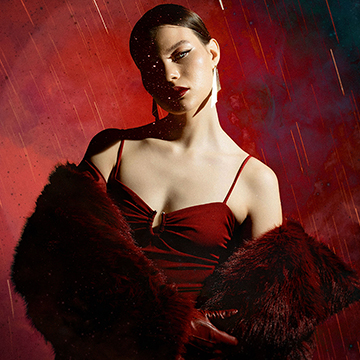
Explore Photoshop Blending Modes to easily create conceptual portraits in Photoshop! We’ll show you how to add texture and light, craft double exposures, and build captivating composites in no time. We’re even including a handy Blending Modes PDF guide to help you get started!.
Photoshop | Compositing | Medium | 2.25 hours
22 Sample Images | 7 Sample PSDs | 1 Blending Modes PDF Guide

Learn how to create a breathtaking Northern Lights composite in Photoshop by blending different images, matching colors and light, and using essential tools like Levels, Clipping Masks, Smart Objects, and Custom Photoshop Brushes.
Photoshop | Compositing | Advanced | 3.25 hours
7 Sample Images | 1 Sample PSD | 1 Photoshop Brush
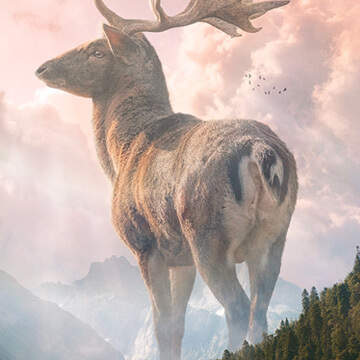
Learn how to create stunning nature composite using only free stock image assets and some Photoshop savvy.
Photoshop | Compositing | Advanced | 2.75 hours
6 Sample Images | 1 Sample PSD | 2 Photoshop Brushes
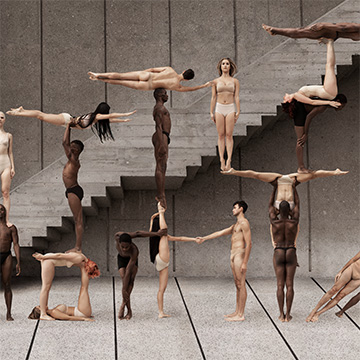
Learn portrait retouching, background retouching, and creative compositing from fine art and fashion photographer, Rob Woodcox! And along the way, Rob gives valuable insight into his process and how to run a successful creative business!
Photoshop | Compositing | Medium | 6 hours
66 Sample Images
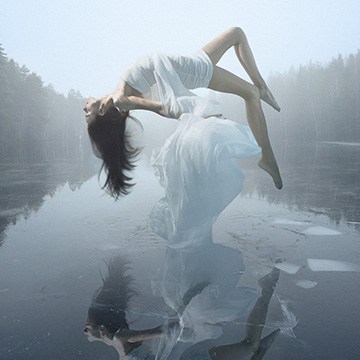
Discover the world of advanced compositing! Master manual lighting, masking, and color matching across four projects. This tutorial includes sample images, and even two exclusive brushes, so you can follow along!.
Photoshop | Compositing | Advanced | 3.25 hours
13 Sample Images | 2 Photoshop Brushes
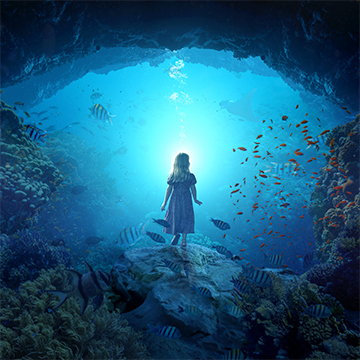
Ready to dive into the world of creating conceptual artwork in Photoshop? Our tutorial covers everything you need to know, from mastering subject cutouts and harmonizing color and lighting in multiple images to even crafting a captivating parallax animation in After Effects.
Photoshop, After Effects | Compositing | Advanced | 4.5 hours
15 Sample Images | 1 Sample PSD | 1 Sample AE Project File
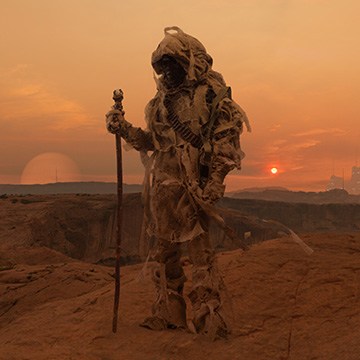
Combine over 18 images to build a vivid new world! Master advanced compositing in Photoshop 2026 with this updated PHLEARN classic, featuring sample images, an exclusive brush, and a PDF guide.
Photoshop | Compositing | Advanced | 6.5 hours
18 Sample Images | 1 Sample PSD | 1 Photoshop Brush | 1 PDF Guide