


Learning Perspective
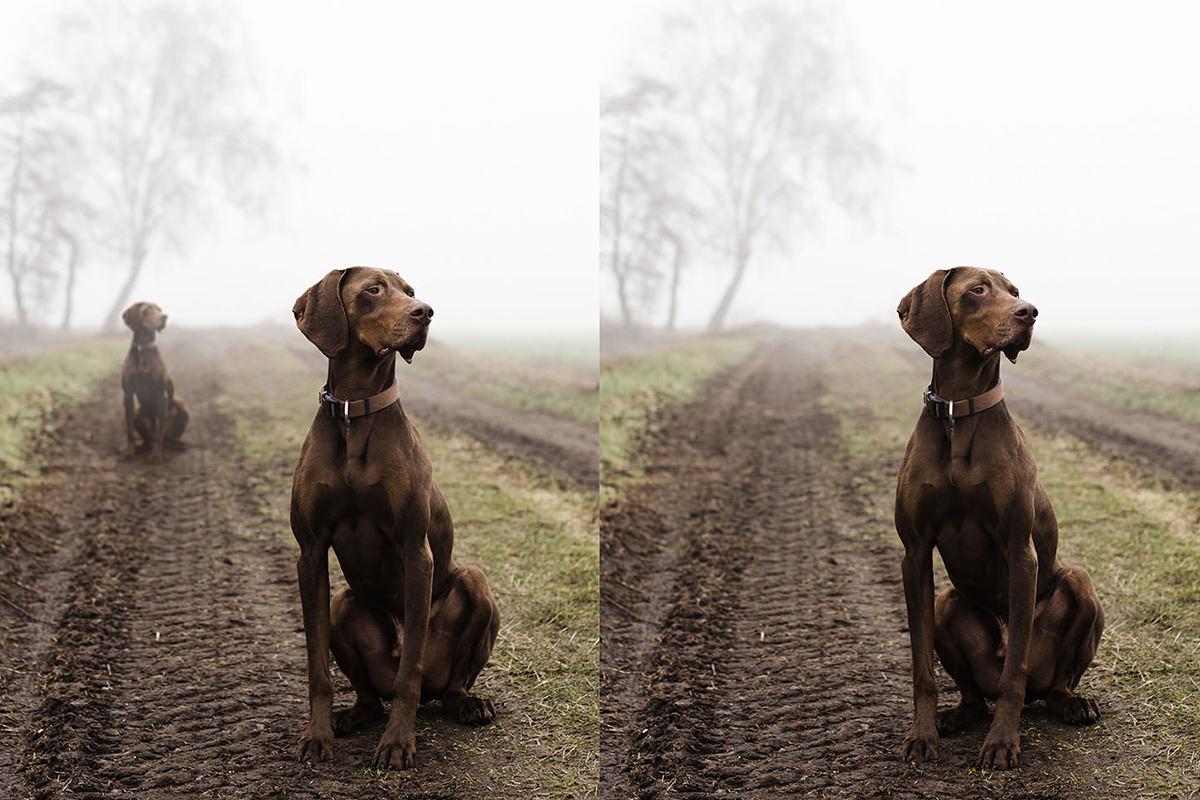
A photo is a two dimensional representation of a three dimensional world. That is one of the things that makes Compositing images together difficult, you have to calculate for interpreted perspective. If you intend to move things around in your images, you are also going to have to move them around in the perspective of the image as well.
To move an object around in the “perspective” of an image, the easiest thing to do is find the Vanishing Point and Transform around it. The vanishing point is where all lines meet. You can use the horizon as a Guide for Vanishing Point.
In this tutorial you will learn how to Transform an object to make it appear as though it is following the rules of perspective.









Enjoying This Free Tutorial? Go Further with PRO.
Unlock Full Sample Files, PSDs, and Hundreds of Masterclasses!

Download full project assets, original PSDs, and RAW images for every lesson
Unlimited access to our complete library of PRO Photoshop & Lightroom courses
Instant 4K Ultra HD streaming on all devices, anytime, anywhere
Full access to our entire library of Photoshop Actions, Presets, and LUTs
Flexible monthly and annual membership plans
Cancel anytime with zero hassle or commitments