Film Vibes Lightroom Presets for Classic & Mobile
-

-
Add to
favorites
-
Software
-
CompatibilityLightroom Classic & Mobile
-
Lightroom presets10 Film Vibes Presets
-
Works in every Lightroom.xmp for Classic, Desktop & Mobile
-
Backup for older app versions.dng for Lightroom Mobile
-
In the download4 Sample Images + PDF Guide
Install Guide
How to Install Your Presets
A short PDF that walks you through installing this pack in Lightroom Classic, Lightroom desktop and Lightroom on your phone, plus three tips for better results.
DESCRIPTION
Recreate the timeless look of aged film with this set of 10 PHLEARN Lightroom Presets! Give your photos that analog look in just a few clicks.
Every preset pulls back bright highlights, lowers saturation and darkens the frame’s edges, and most warm the photo too, so snapshots start to feel like prints from an old roll. After you apply one, set Temperature or Tint to suit your light.
One zip holds the 10 presets as .xmp files, which work in Lightroom Classic, Lightroom on your computer and Lightroom on your phone, plus .dng versions for older releases of the mobile app, each in its own labeled folder, with 4 sample images to practice on and the PDF install guide.
TRY THEM FOR FREE
Want to try our Presets before you buy? Check out our FREE Lightroom Presets Sample Pack with 10 of our favorite looks for Lightroom Classic and Mobile.


PHLEARN PRO · Lightroom Presets
Film Vibes Lightroom Presets
10 presets4 sample imagesLightroom Classic & Mobile
Film Vibes Lightroom Presets · 10 Looks
Faded Blacks, Soft Color and Fine Grain
Ten presets named for classic film stocks that fade the blacks, quiet the color and add fine grain. They work in Lightroom Classic and in Lightroom on desktop and mobile.


One Film Look for the Whole Feed
All ten presets share a film base, so photos from different shoots sit together like one roll. Each one lifts the black point in the tone curve, pulls the highlights down, lowers overall saturation and adds fine grain with a light vignette,.
Ten Stocks, Different Temperatures
Nine presets warm the image, from a light nudge in Pro 400 to a strong shift in Portra 160 and Ultra Max 400. Provia 100 cools instead and takes nearly all the color out of blues.
Contrast You Can Choose
Superia 1600 and Portra 160 add contrast, Ultra Max 400 adds a little, and Gold 200, Velvia 50 and Vista 400 keep it low. Pro 400, Portra 160 and Velvia 50 add a soft split tone as well.
Best on: lifestyle and travel feeds, couples and friends outdoors, and street portraits you want to feel like film.


Ektar 100
Ektar 100 gives a bright, sunny photo a soft, faded snapshot feel. The blue sky turns a paler, dusty tone, the white tank top and wall lose their glare, and both women’s skin looks lighter and warmer. A gentle warm shift keeps the whole frame on the sunny side.
Highlights Pulled Way Down
Highlights drop by 87 and whites by 45, while the shadows open up by 25, the blacks lift by 68 and the tone curve raises the black point. Bright summer light keeps its detail and the shadows turn matte.
Brighter Skin, Shifted Yellows
Oranges get brighter, which lifts skin, while yellows lean toward orange and greens toward yellow. Overall saturation drops by 27, reds and oranges lose a little more, and fine grain with a soft vignette finishes the look.
Best on: sunny lifestyle photos with friends, skate parks and beach days, and bright outdoor portraits.


Superia 1600
Superia 1600 opens up deep shadows and pulls much of the color out. His black jeans and the motorcycle turn a soft charcoal, the brown jacket mutes down and the concrete wall goes a flat gray, the way fast film flattens a scene shot in dull light.
Shadows Lifted on the Curve
The tone curve raises the dark tones a lot and blacks get +40, so nothing stays inky. Contrast is up 25 and whites up 23, but highlights come down by 45, which keeps bright spots under control.
A Quiet, Faded Palette
Vibrance and saturation both drop by about 20, a slight green tint comes in, and yellows and greens go darker, so warm tones lose their punch. The grain stays light, so the texture reads as film without turning gritty.
Best on: moody street portraits, motorcycles and urban scenes, and dark photos that need a vintage mood.


Portra 160
Portra 160 darkens the scene a little and softens its color. Her orange outfit settles into a quieter tone, the wood wall behind the chair goes deeper and the white cushion takes on a creamy warmth. It is one of the two warmest presets in the pack.
Darker Exposure, Lifted Blacks
Exposure drops by a third of a stop and contrast rises by 30, while highlights and whites are pulled well down and the blacks lift by 48. The result is rich but never harsh.
Every Color Toned Down
Saturation comes down in every color range, by about a third for reds and oranges and far more for blues and purples, with a blue split tone added to the shadows. Vibrance drops by 21, and a light grain keeps the surface from looking too clean.
Best on: relaxed outdoor portraits, patio and backyard photos, and warm scenes that feel a little too saturated.
What’s in the Download
One zip, desktop and mobile
One zip with both versions in labeled folders: .xmp presets for Lightroom Classic, desktop and mobile, and .dng backups for older releases of the mobile app, plus 4 sample images to practice on. In Lightroom they show up under User Presets.
- ZIPPHLEARN Film Vibes Lightroom Presets 2026.zipDesktop and mobile presets in one download, 7.7 MB
- XMPLightroom Classic, Desktop & Mobile (.xmp)10 presets for every Lightroom app
- DNGLightroom Mobile Backup (.dng)The same 10 for older releases of the mobile app
- JPG4 Sample ImagesFree-to-use practice photos
- PDFPHLEARN Lightroom Presets - Install Guide (2026).pdfClassic, desktop and mobile install steps
- PHLEARN-Film Vibes-ColorPlus 200
- PHLEARN-Film Vibes-Ektar 100
- PHLEARN-Film Vibes-Gold 200
- PHLEARN-Film Vibes-Portra 160
- PHLEARN-Film Vibes-Pro 400
- PHLEARN-Film Vibes-Provia 100
- PHLEARN-Film Vibes-Superia 1600
- PHLEARN-Film Vibes-Ultra Max 400
- PHLEARN-Film Vibes-Velvia 50
- PHLEARN-Film Vibes-Vista 400
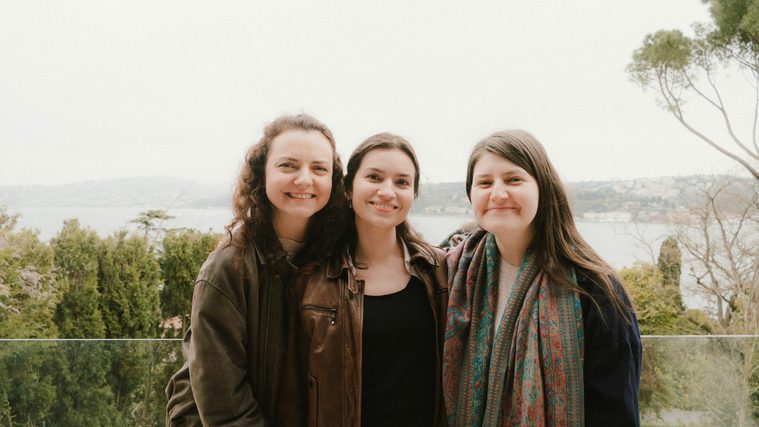
The 4 sample images


Lightroom Preset Questions, Answered
What’s included in the Film Vibes Lightroom Presets?
The pack has 10 presets: Ektar 100, Gold 200, Vista 400, ColorPlus 200, Superia 1600, Portra 160, Pro 400, Ultra Max 400, Provia 100 and Velvia 50. They come as .XMP presets for Lightroom Classic, Lightroom desktop and Lightroom on your phone, plus .DNG versions for older versions of the mobile app.
What kind of photos are the Film Vibes Lightroom Presets made for?
They are made to recreate the timeless look of aged film on digital photos. Expect muted colors and soft fades with a cinematic, analog feel. They are designed to work on any photo, from portraits to landscapes you want to look timeless.
Can I adjust the grain and color in the Film Vibes presets?
Yes. Each preset is fully customizable once it is installed. You can turn up the grain and dial in the colors to make the look your own. Ektar 100, Portra 160 and Superia 1600 are the presets shown in the before and afters on this page.
Are Lightroom Presets included in my PHLEARN PRO subscription?
Yes. A PHLEARN PRO membership includes every Lightroom Preset pack, plus PRO Tutorials, LUTs, Photoshop Actions and Photoshop Brushes.
Which version of Lightroom do I need?
The .XMP presets work in Lightroom Classic 7.3 and newer, in Lightroom on your computer and in Lightroom on your phone. For older versions of the mobile app, use the .DNG files in the download. We recommend the latest version.
How do I install Lightroom Presets?
In Lightroom Classic, open the Develop module, click the + in the Presets panel, choose Import Presets and select the .XMP files. The PDF install guide in your download covers Lightroom on your computer and your phone too, and every method is on our Lightroom Presets install guide.
I imported the pack, but I can’t see it.
The new group arrives collapsed and sits in alphabetical order. Scroll the Presets panel, find the group named after the pack and click its arrow.
Do I have to install the presets on my phone separately?
Not if you import them into Lightroom on your computer: within a few minutes they show up in Lightroom on any device signed in to the same Adobe account. If you use Lightroom Classic, import the .XMP files in the mobile app: open a photo, tap Presets, then Yours, then the three-dot menu and Import Presets.
Do the presets work on RAW and JPEG photos?
Yes. Every preset is built to work on both RAW and JPEG files, and each one can be adjusted after you apply it.
The preset looks too strong. What do I do?
Lower the Amount slider at the top of the Presets panel, then adjust White Balance and Exposure for that photo. Every photo starts from different light.
Do you offer refunds?
Because these are downloadable products, all sales are final and we are not able to offer refunds.
Terms of Use
These Presets are licensed for personal and professional use by the individual who purchased or downloaded them. The license does not extend to companies or partnerships, and the files may not be resold, loaned, gifted, shared, copied or redistributed. All PHLEARN Presets are copyright protected.
Master Photoshop, Lightroom and Photography
Join PHLEARN PRO for $12.99 a month, or $99.99 a year (save 36%). Cancel anytime, with a 100% money-back guarantee.