

description
A viewer request for a noir-comic style portrait turned into a behind-the-scenes look at three things that make a stylized composite portrait work: lighting, props and styling, and shooting specifically for a composite. It covers rim lights behind the subject, a deliberately hard off-center front light, flags to kill lens flare, why the green background was chosen, and the camera settings that have to be locked in on set.
Enjoying This Free Tutorial?
We publish a new free tutorial every week, each one with sample images and PSDs you can download and follow along with. Sign up and they land straight in your inbox, along with early word on sales, events and subscriber-only offers.
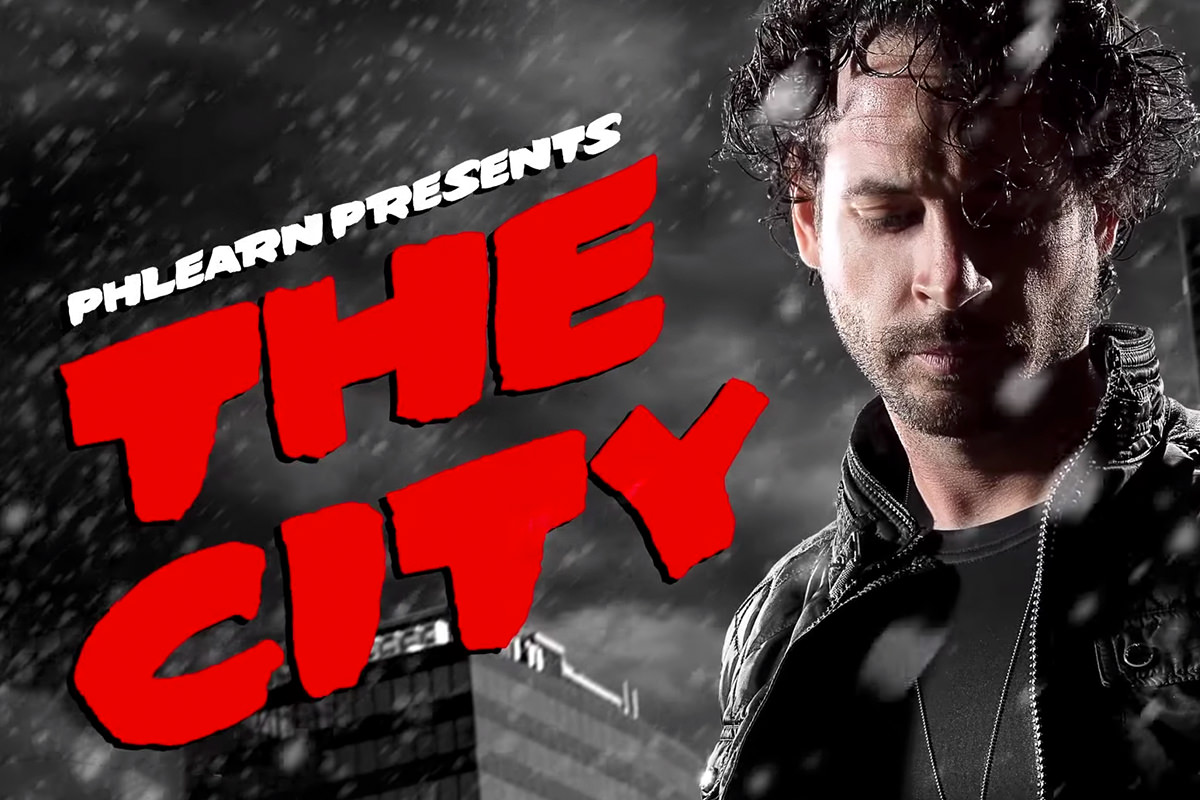
Sin City Inspired Photoshoot (Behind the Scenes)
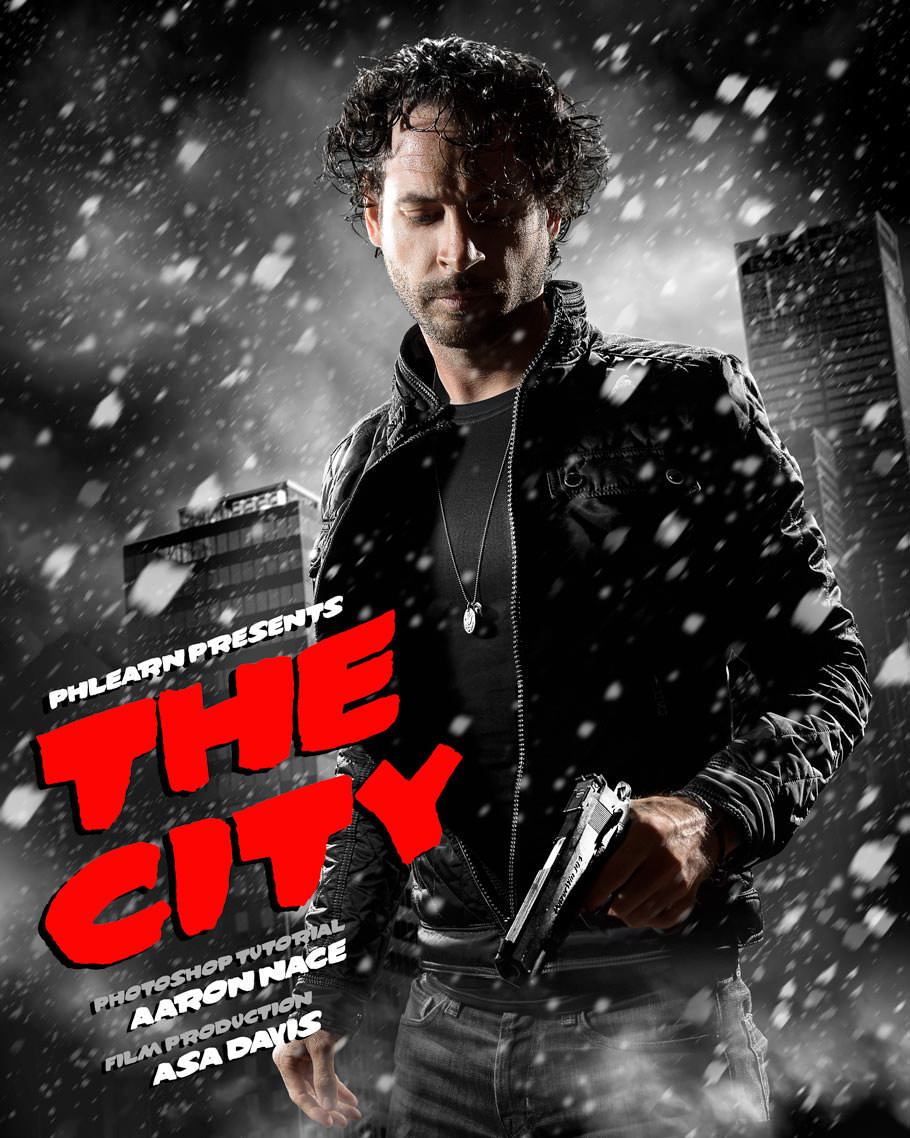
A viewer request for a Sin City style portrait turned into a behind-the-scenes look at three things that make a stylized composite portrait work: lighting, props and styling, and shooting specifically for a composite. This is a heavily stylized, cinematic look, not something suited to a standard senior or executive portrait, and every choice on set was made with a green screen composite in mind.
Setting Up Rim Lights for a Glow Around the Subject
The rim light effect that gives this portrait its signature look comes from placing light sources behind the subject rather than in front.
-
Place Lights Behind the Subject on Both Sides
Set up bare bulb lights or lights in a 7-inch reflector, optionally with a grid, or a strip box, positioned behind the subject on either side.
-
Add an Overhead Light for Hair
Add a light above the subject to light up the hair and create an even glow all the way around.
-
Check for the Rim Effect
Cover the light with a hand to see the rim of light disappear from the edge of the face, confirming the rim lights are working as intended.
Adding a Hard Front Light to Preserve Shadow
With the rim lights placed behind the subject, the front of the subject is left completely dark and needs its own light, deliberately kept hard and off-center rather than soft and even.
-
Choose a Small, Hard Light Source
Use a light fitted with a 7-inch reflector to create a small, hard light source rather than a soft box or beauty dish.
-
Position the Light Off to One Side
Place the light off to the side of the subject rather than directly in front, so one side catches light while the other stays in shadow.
Why a Hard, Off-Center Front Light Was Chosen Over a Soft Box
A beauty dish or soft box would typically give a large, even, flattering light across the whole face, which is the usual choice for a portrait. For this stylized look, keeping part of the face in darkness was actually the goal, so a small hard light placed off to one side was used instead of the more typical soft, even option.
Lighting the Green Screen Background
Shooting in a dark studio meant the green screen itself needed its own lights so it would key out cleanly during compositing.
-
Add Lights Aimed at the Background
Set up lights, such as bare bulbs, aimed at the green screen itself so it reads as an even green rather than a dark, uneven surface.
-
Skip This Step in a Naturally Lit Space
Rely on ambient light instead when shooting in a bright studio or outdoors, where the green screen may already be evenly lit without extra lights.
Blocking Lens Flare With Flags
Lights placed behind the subject and pointed toward the camera can shine directly into the lens and wash out the image with flare unless something blocks them first.
-
Position a Flag Between the Rear Lights and the Camera
Use a flag, a piece of black cloth or proper photography flag, to block the rear lights from shining directly into the camera.
-
Check the Difference With and Without the Flag
Move the flag out of the way briefly to see the resulting flare, then put it back to confirm it’s blocking the light causing the flare.
Styling and Prop Details for a Stylized Look
A handful of small, deliberate details in hair, wardrobe, and props are what sell the stylized story of the image, and some of them only need to work well enough to be finished later in Photoshop.
-
Wet the Hair and Blow It With a Leaf Blower
Wet the hair down in front of the face and use a leaf blower to move it around, simulating rain or snow outdoors.
-
Keep Wardrobe Simple but Deliberate
Choose simple, dark wardrobe pieces, such as a dark jacket, dark shirt, and a small necklace, that will read correctly once lit and styled for the effect.
-
Position the Prop to Catch Light
Hold the prop in a position where the front light reflects down its length instead of leaving it a flat black shape.
Why the Prop’s Position Took Trial and Error
A prop held in the wrong position simply reads as a dark, featureless blob with no highlight running along its length. Finding a position where the existing front light reflects along it took some trial and error on set, but once that spot was found, the subject could move naturally while just keeping the prop in that same relative position.
Choosing a Background Color That Contrasts With the Subject
A background color that has little in common with the subject makes it far easier to select and remove cleanly in Photoshop.
-
Pick a Background Tone Unlike the Subject
Choose a background color or tone, like green, that has little to no presence in the subject’s skin or wardrobe, making it easy to isolate as its own color range.
-
Substitute a Different Color if Needed
Use a light background such as white or light gray instead of green when the subject is wearing dark clothing, since the same contrast principle applies regardless of the specific color used.
Why Green Was the Right Choice for This Particular Shoot
A green background works well specifically because most subjects have very little green in their skin tone or wardrobe, making it simple to select and remove as its own distinct color range. The same logic applies to any contrasting color, so the choice isn’t really about green itself, it’s about picking whatever color the subject has the least of.
Using Compositing Freedom to Simplify Lighting on Set
Knowing the background will be replaced entirely changes what’s allowed to be visible just outside the frame of the final image.
-
Place Lights and Flags Close to the Subject
Bring lights, flags, and other equipment in close to the subject’s head and body, since anything not touching the subject will be removed along with the background.
-
Keep the Subject in a Consistent Position
Stay in roughly the same spot and pose relative to the lighting setup, so everything else around the subject can safely be replaced later.
Camera Placement, Angle, and Settings for a Composite-Ready Shot
Unlike the background, the subject’s own camera angle and sharpness are locked in during the shoot and can’t be changed afterward in Photoshop.
-
Shoot From a Low Angle for a Powerful Look
Position the camera down around waist height, pointing up, with the lens at about 30mm, to make the subject look more powerful than a higher, more neutral angle would.
-
Freeze Motion With a Fast Shutter Speed
Shoot at 1/160th of a second when working with strobes in the studio to avoid any motion blur.
-
Keep the Subject Fully in Focus With a Closed-Down Aperture
Shoot at an aperture between f/8 and f/11 so the entire subject stays sharp, avoiding a mismatch with a background that will be added later.
Why This Approach Works
Placing rim lights behind the subject, rather than relying on a single front light, is what gives this stylized portrait its signature glow, while a small, hard, off-center front light preserves the shadow needed for the look instead of flattening it out. Choosing a background color that has almost nothing in common with the subject is what makes an otherwise difficult selection simple, and shooting with equipment placed close to the subject only works because everything except the subject is going to be removed anyway. None of this comes together without locking in camera angle, shutter speed, and aperture correctly on set, since those specific choices can’t be fixed later in Photoshop the way color and background can.
Final Thoughts
Getting a stylized composite portrait like this right comes down to planning for the composite from the very first light placed on set, not just capturing a good-looking photo in isolation. The same principles of rim lighting, contrasting backgrounds, and locking in camera settings apply to any composite shoot, well beyond this particular look.
Quick Reference: Settings and Tips
- Rim lightsTwo behind the subject, one each side, plus one overhead; bare bulb, 7-inch reflector or strip box
- Front lightOne small, hard light in a 7-inch reflector, off to one side
- Green screenTwo bare bulb lights on the background in a dark studio
- Stop flareA flag or black fabric between each rear light and the lens
- StylingWet hair and a leaf blower; dark jacket and shirt; prop angled to catch the front light
- CameraWaist height pointing up, about 30mm; 1/160 sec with strobes; f/8 to f/11
Noir Comic Photo Shoot: Common Questions
What lighting gives a noir comic portrait its look?
Rim light. Two lights behind the subject, one on each side, plus one above for the hair, make a glow around the edges. Bare bulbs, 7-inch reflectors with or without a grid, or a strip box all work.
Why use a hard front light instead of a soft box?
The style needs dark areas on the face. A small, hard light in a 7-inch reflector, placed off to one side, lights one side and leaves the other mostly in shadow.
Do I need studio strobes for this?
No. The shoot used Einstein lights, but any small, hard light sources work: speed lights, or even household bulbs and a couple of lamps placed around the subject.
Do I have to light the green screen?
In a dark studio, yes. Two bare bulb lights were aimed at the green screen so it stays an even green. In a bright studio or outdoors, ambient light may be enough.
How do I stop lens flare from lights behind the subject?
Put a flag between each rear light and the camera. A proper photography flag or a piece of black fabric both work.
Does the background have to be green?
No. Pick a color or tone the subject has the least of. With a dark jacket, white or light gray works too; a light subject can go on a dark background.
How were the wet hair and props done?
The hair was wet and blown around with a leaf blower to look like rain or snow. The prop gun has an orange tip that is removed in Photoshop, and it was held where the front light runs down the barrel.
Can lights be in the frame when shooting for a composite?
Yes, as long as they don’t touch the subject. Everything around the subject is cut away in Photoshop, so lights and flags can sit inches from the head.
What camera settings were used?
1/160 of a second with strobes, and f/8 to f/11 so the whole subject is sharp. The camera sat low at waist height, pointing up at about 30mm, for a more powerful look.
Master Photoshop, Lightroom and Photography
Join PHLEARN PRO for $12.99 a month or $99.99 a year. Cancel anytime, with a 100% money-back guarantee.





