Landscape & Travel Editing Learning Path
Six tutorials on editing landscape and travel photos, in order. Learn to see composition and light, the core Lightroom and Camera Raw edit, a whole trip from HDR merges to a consistent set, masking skies and foregrounds, hand-blended exposures, and six raw landscapes finished start to finish.
Free tutorials
Keep practicing, free
Four short free tutorials with more ways to edit landscapes and clean up travel photos. Watch them any time, no membership needed.
Edit Landscapes in Lightroom Classic
Free tutorial · 14 min
Remove People from Landscape Photos
Free tutorial · 5 min
Free tutorial · 24 min
Remove Haze in Lightroom and Photoshop
Free tutorial · 9 min
What You’ll Learn
Landscapes are edited differently from people: the light is the subject, the dynamic range is brutal and nobody minds if the sky is helped along. The Landscape & Travel Editing Learning Path is six tutorials that start with how to see a scene, teach the Lightroom and Camera Raw edit most landscape photos need, then go further: masks for skies and foregrounds, blending bracketed exposures by hand, and complete edits of six raw landscapes with the new AI landscape masks.
- 1. See composition and light Rule of thirds, the golden ratio, balance and the direction of light, taught on landscapes in Photoshop.
- 2. Edit a landscape in Lightroom and Camera Raw The core edit: exposure and color, graduated and radial adjustments, detail and finishing for travel and landscape photos.
- 3. Edit a whole trip Bracketed shots merged into HDRs, skies and shadows recovered, cleanup, and one consistent look across a travel set.
- 4. Mask skies, foregrounds and color Every Lightroom mask type, combined with add, subtract and intersect, and selective color on scenes.
- 5. Blend exposures by hand Luminosity masks as a precise, natural alternative to automatic HDR for skies, shadows and reflections.
- 6. Finish six raw landscapes Start to finish in Photoshop and Camera Raw with the AI sky, mountain, vegetation and water masks, plus sky replacement and exposure recovery.
Who This Path Is For
Landscape, travel and outdoor photographers, and anyone who comes home from a trip with hundreds of raw files and no plan for them.
No Lightroom experience is assumed for the first three steps. The last two use Photoshop layers and masks.
What You Need
- Lightroom Classic For the core edit, the trip and the masking tutorials.
- Photoshop With Camera Raw, for luminosity masks and the advanced landscape edits.
- Raw files Sample raws are included; your own bracketed shots are even better.
- Composition first Step one needs no software at all; it is about seeing the scene.
Shoot brackets on your next trip. Steps three and five both use them.
How Long It Takes
Six tutorials and 46 lessons, about 18 hours of video. The advanced landscape course and the masking course are the longest. At a few hours a week, plan on three to four weeks.
Edit a set from one trip alongside the path rather than single hero shots. Consistency across a set is the real skill.
Frequently Asked Questions
Do I need a PHLEARN PRO membership?
Yes. This is a PRO Learning Path, so all six tutorials and their sample files are included with a membership.
Lightroom or Photoshop for landscapes?
Lightroom and Camera Raw for most of the edit; Photoshop for exposure blending, sky replacement and anything a mask alone cannot do. The path moves from one to the other.
Is this HDR?
Step three merges brackets in Lightroom. Step five does it by hand with luminosity masks, which looks more natural. You learn both.
Do I have to follow the order?
It is built to be followed in order, from seeing to the core edit to the advanced techniques.
Does it cover shooting landscapes?
Composition and light, yes. Camera settings and gear are in the Photography & Photo Editing Learning Path.
Where to Go Next
Start the Path
Start with composition and light. Knowing what the photo is about makes every edit after it simpler.
PHLEARN PRO
Every tutorial in this path, with sample files, plus the full PRO library.
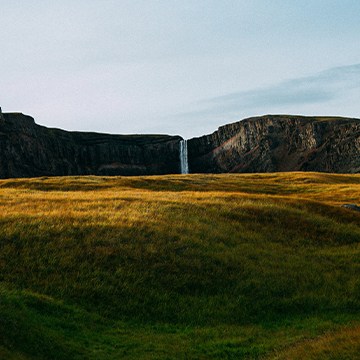
Master the fundamentals of Lighting and Composition! In this tutorial, we’ll use Photoshop and Camera Raw across nine scenarios to master highlight sculpting, dynamic framing, border cleanup, and much more!.
Photoshop | Photo Editing | Medium | 3 hours
8 Sample Images (JPEG Files) | 1 Sample Image (RAW File) | 9 Sample PSDs
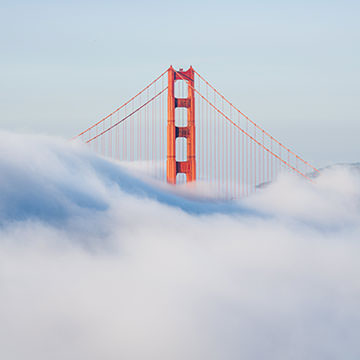
Create epic landscape photos using Lightroom and Photoshop! Learn how to replace a sky, fix exposure, create HDR and panorama images, and more!
Lightroom, Photoshop | Photo Editing | Medium | 3 hours
22 Sample Images | 1 Photoshop Action

Master the art of landscape editing! In this tutorial we’ll show you how to leverage Lightroom and Photoshop, to create stunning images. Learn how to adjust exposure, craft HDR images, and more!
Photoshop, Lightroom | Photo Editing | Medium | 1.75 hours
87 RAW Files | 3 Sample TIFFs
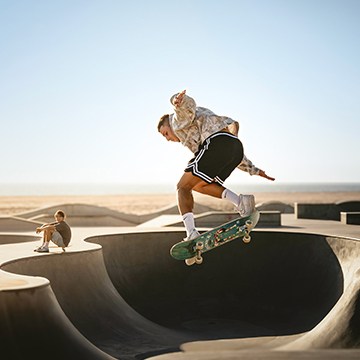
Master advanced masking and coloring across all Lightroom apps! This course covers mask logic, light balancing, and professional color grading, with Photoshop techniques included for those who need ultimate creative control.
Lightroom | Selections & Masking | Medium | 3.75 hours
9 Sample Images
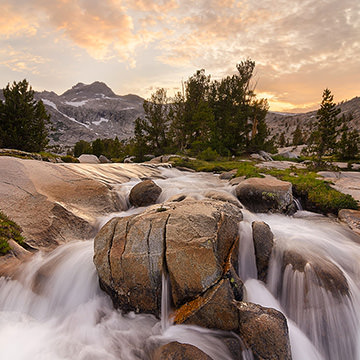
In this tutorial, we walk you through how to manually blend exposures using the power and flexibility of Luminosity Masks. You will learn to create selections based on light levels and then use those selections to paint detail back into your photos.
Photoshop | Photo Editing | Advanced | 3.5 hours
11 Sample Images | 2 Photoshop Actions
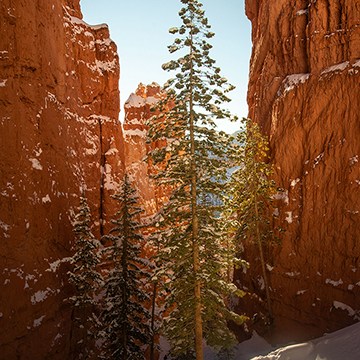
Master advanced landscape editing in Photoshop and Adobe Camera RAW. Learn Aaron’s must-do adjustments, advanced Sky Replacement, color grading, and more! This tutorial includes RAW files so you can follow along.
Photoshop | Photo Editing | Advanced | 3.75 hours
6 Sample Images (RAW Files) | 6 Sample Images (JPEG Files) | 5 Sample PSDs