Photoshop Effects: Sketch, Glitch, Glow & More
Turn photos into art with five Photoshop effect tutorials: sketch, watercolor, glitch, glow, and custom text effects. Each one builds a reusable, non-destructive effect you can drop onto any image.
What You’ll Learn
These are artistic Photoshop effects done the right way: built from filters, blending modes and smart objects rather than one-click presets, so every effect stays editable and works on your next photo too. Each tutorial creates a complete look and explains why it works.
- Sketch effect Turn a photo into a convincing pencil drawing — line work, shading and paper texture, all driven by the original image.
- Watercolor effect Layered filters and textures that mimic pigment and wet paper, with the control to dial the painting from subtle to fully stylized.
- Glitch effect Channel shifts, displacement and scan lines for the digital-distortion look that shows up everywhere from album art to social graphics.
- Text effects Custom type treatments that integrate with photos — the foundation of poster and social media design in Photoshop.
- Glow effect Neon and light glow that reads as real light: layered, colored and blended so it interacts with the subject.
Who This Playlist Is For
Photographers and designers who want their images to do something beyond looking accurate — album covers, posters, social content, personal art projects. If your camera roll is full of good photos that feel ordinary, an effect is often the difference.
It is also a painless way to learn some of Photoshop’s deepest features — smart objects, filters and blending modes — because each one is doing visible, satisfying work.
What You Need
- Photoshop Any recent version. The effects rely on core features that have been stable for years.
- Sample files Included, so you can build each effect on the same image as the instructor.
- No drawing skills Every artistic look here is generated from the photo itself.
How Long It Takes
Each effect is a single sitting — an evening per look. Because they are built non-destructively, the second time you use any of them takes minutes: swap the smart object, and the whole effect re-renders on the new image.
Frequently Asked Questions
Do I need a PHLEARN PRO membership?
Yes. All five tutorials and their sample files are included with PRO.
Will these effects work on any photo?
Yes — that is the point of building them non-destructively. Each tutorial also covers which kinds of images suit the effect best.
Are these one-click actions?
No. You build each effect yourself and understand every layer, which means you can customize it, fix it and reuse it — things an action can never teach.
Do I need to know Photoshop well first?
Basic comfort helps, but each tutorial explains its tools as it goes. Effects are a fun way to learn features you would otherwise never touch.
What is the difference between this and the Special Effects Learning Path?
Special Effects covers photorealistic effects — light, weather, atmosphere added to photos. Art & Style turns photos into artwork: sketch, paint, glitch and type.
Where to Go Next
Start Creating
The sketch effect is the classic — and the best introduction to photo-driven artwork.
On This Page
PHLEARN PRO
All five effect tutorials with sample files, plus the full PRO library.

Follow along as we show you how to transform any photo into a realistic pencil sketch in Photoshop! Learn how to recreate the natural highlights and shadows in a photo using our custom pencil stroke brushes and real paper textures.
Photoshop | Photo Effects | Medium | 3.25 hours
8 Sample Images | 2 Photoshop Actions | 22 Photoshop Brushes | 13 Custom Textures
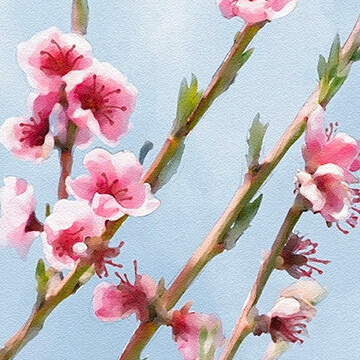
Turn any photo into a realistic watercolor painting in Photoshop. Hand-paint in color and detail using the included custom Photoshop Brushes and then apply realistic paper textures made from scratch.
Photoshop | Photo Effects | Advanced | 5 hours
5 Sample Images | 1 Sample PSD | 3 Photoshop Brushes | 1 Photoshop Action | 1 PDF Help Guide
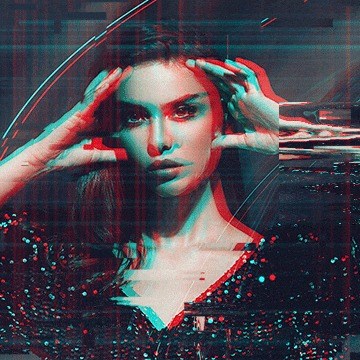
Digital distortion. VHS vibes. Learn how to create your own custom glitch effects in Photoshop with the included brushes, textures, and action!
Photoshop | Photo Effects | Medium | 2 hours
8 Sample Images | 15 Photoshop Brushes | 1 Photoshop Action | 7 Custom Textures

Learn how to create stunning text effects in Photoshop! From dramatic drop-shadows, to realistic textures, to bold 3D, we cover all the bases to help your letters, words, and phrases pop.
Photoshop | Text & Graphic Design | Easy | 2.75 hours
3 Sample Images | 8 Sample PSDs | 4 Textures | 1 Photoshop Brush
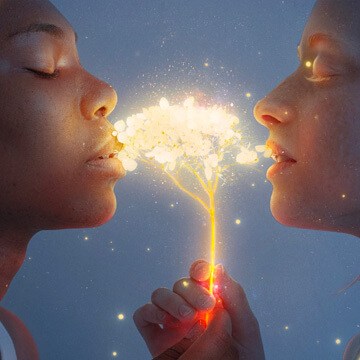
Help your photos shimmer, sparkle, glimmer, and glow! Learn how to make any object in a photo glow in Photoshop.
Photoshop | Photo Effects | Medium | 2.25 hours
4 Sample Images | 1 Sample PSD | 1 Photoshop Brush