
LUT Downloads
Install Guide
How to Install Your LUTs
A short PDF that walks you through loading this pack in Photoshop, Premiere Pro, DaVinci Resolve and Final Cut Pro, plus two tips for better results.
DESCRIPTION
Deep shadows. Sharp contrast. Add drama to your photos with rich blacks, warm highlights, and stunning style.
All five keep true blacks and clean whites and deepen the shadows: Crisp Soot has the darkest shadows and adds saturation, Domino Grey and Light Graphite warm the midtones a touch and add color to skin, and Warm Onyx darkens and mutes greens and yellows. After you apply one, lower the layer opacity in Photoshop or the LUT intensity in your video app if the look is too strong.
One zip holds the 5 LUTs as .CUBE files for Photoshop’s Color Lookup, the same 5 in .3DL, .CSP, .CUBE and .ICC for video and other apps, plus 4 sample images to practice on and the PDF install guide.
TRY THEM FOR FREE
Want to try our LUTs before you buy? Check out our FREE Premium LUTs Sample Pack that includes some our favorite Warm Tone, Cool Tone, Film Tone, and Moody Vibe looks.
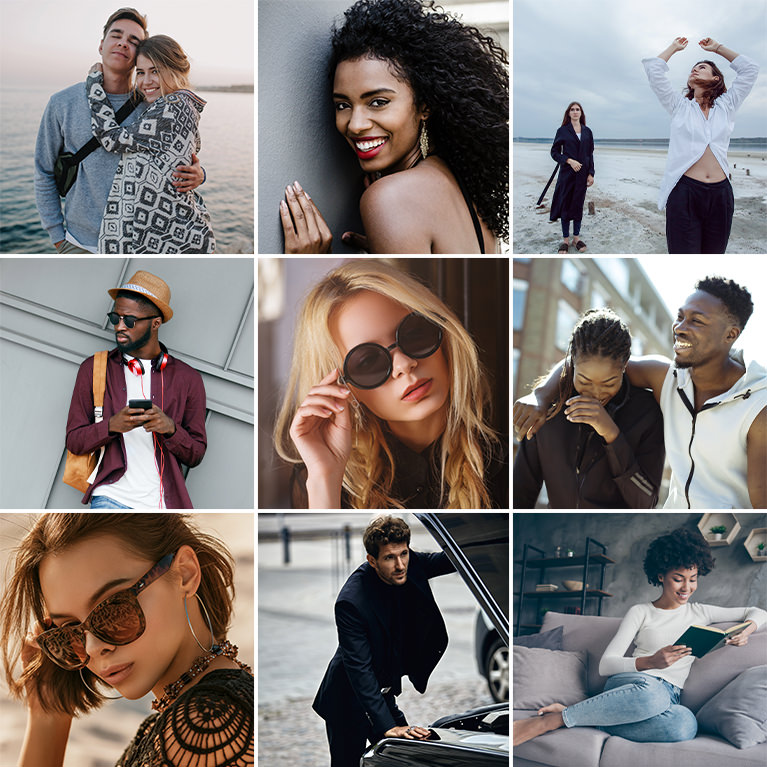
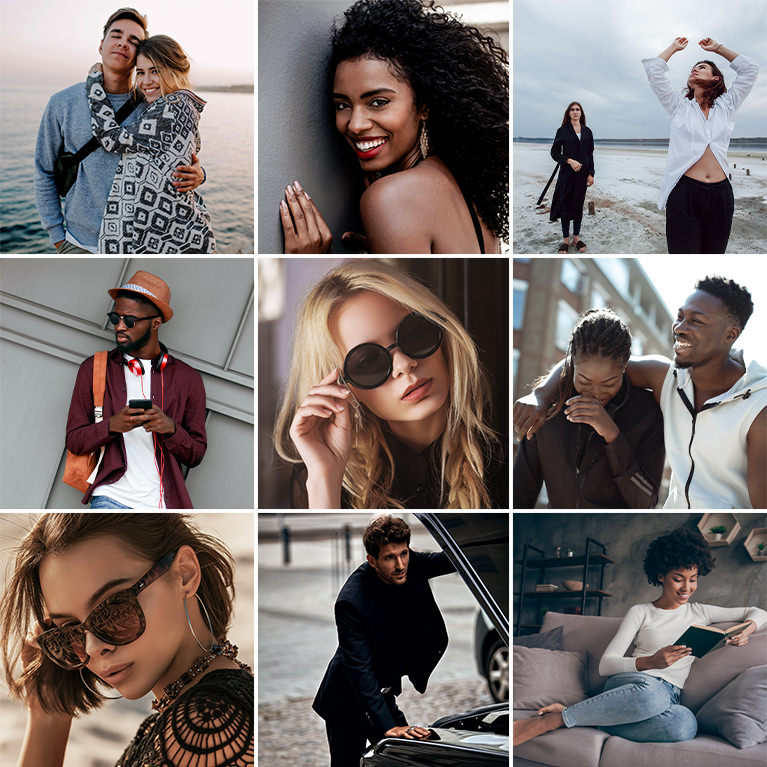
PHLEARN PRO · LUTs
Deep Black LUTs
5 LUTs4 sample imagesPhoto & video apps
Deep Black LUTs · 5 Looks
Rich Blacks With Warm, Natural Skin
Five LUTs that deepen shadows and add contrast while keeping skin natural. Use them on photos and video in Photoshop, Premiere, Final Cut, DaVinci Resolve and other apps that read LUTs.

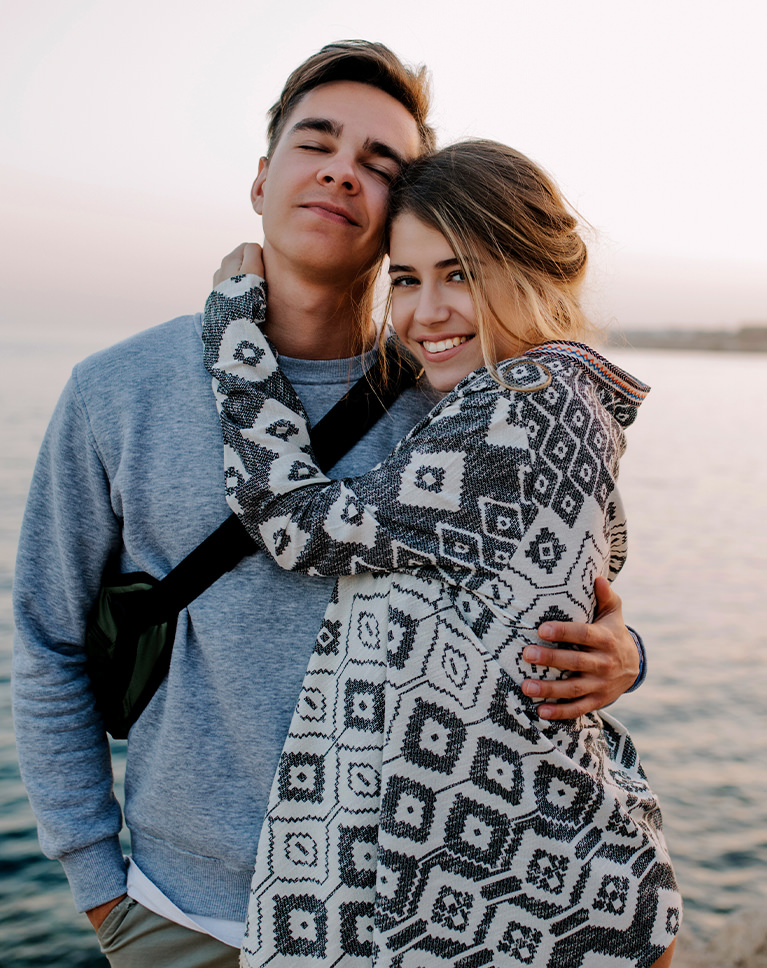
Crisp Soot
Crisp Soot adds contrast at both ends of the tones. In this couple’s photo the black and white knit pattern gets bolder, his blue sweater deepens and the hazy sky over the water turns brighter and cleaner. It adds the most contrast in the pack.
True Blacks, Bright Whites
The darkest shadows drop to pure black and the deep tones fall a good step, from 25% to 17%, while the brightest tones go all the way to white. Midtones stay close to where they were, so the photo doesn’t get darker overall.
A Touch More Color
Every color gains saturation, about a fifth on average, with oranges gaining the most, and no color gets lighter or darker. It is the only LUT in the pack that adds color across the board. Skin turns slightly warmer and noticeably richer.
Best on: couples and lifestyle photos, soft hazy daylight by the water, and clothing with bold patterns.
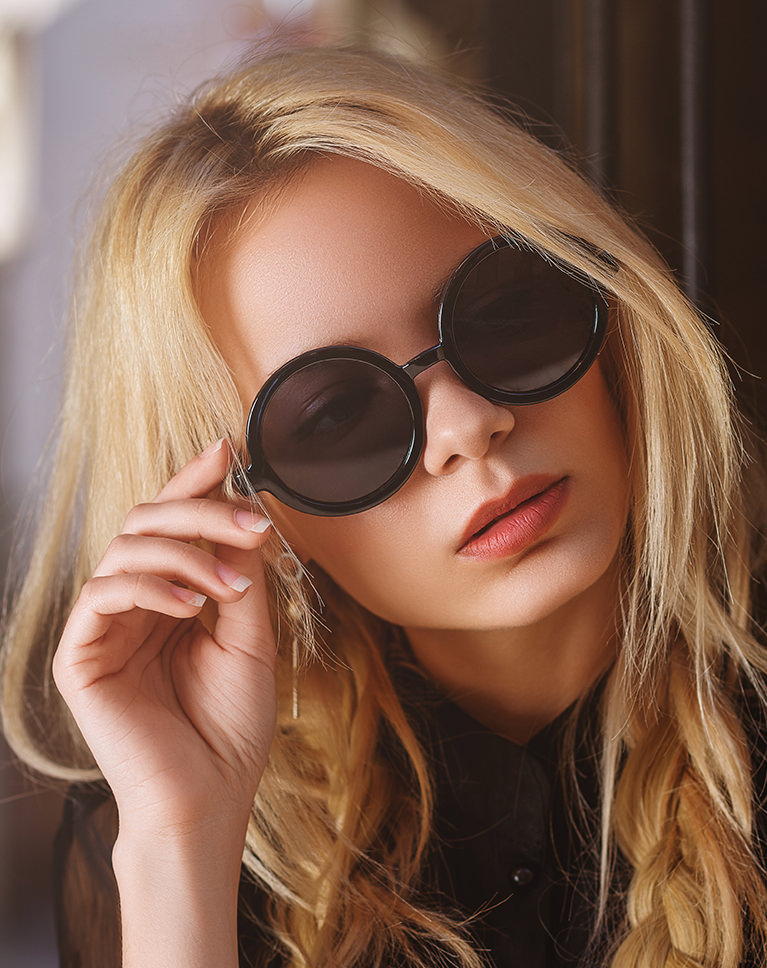
Almost Blacks
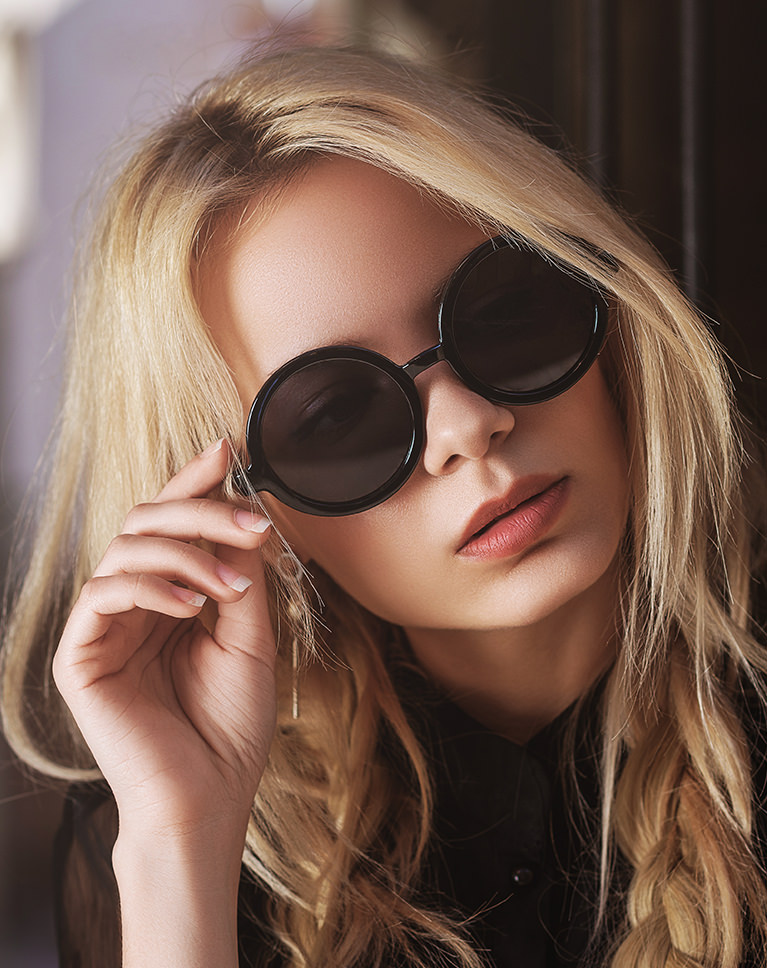
Almost Blacks darkens the shadows and calms warm colors. The dark background behind her gets deeper, and the golden hair settles from brassy orange to a softer, more natural blond. Midtone contrast rises by about a tenth, so the darker tones gain depth.
Darker Midtones, Same Highlights
Shadows and midtones come down, with a middle gray ending around 44 percent and a 25 percent gray at 20, while the brightest tones stay put. Every gray stays neutral. Reds, oranges and yellows lose roughly 20 percent of their color, and greens and blues gain a little.
Softer, Paler Skin
Light skin gets less saturated and slightly cooler, so faces look soft rather than sunburned, and shadows around the sunglasses and jacket get richer. Deep skin loses a similar amount of color and turns a little darker.
Best on: close-up portraits, indoor shots with dark backgrounds, and warm window light that runs too orange.
Domino Grey
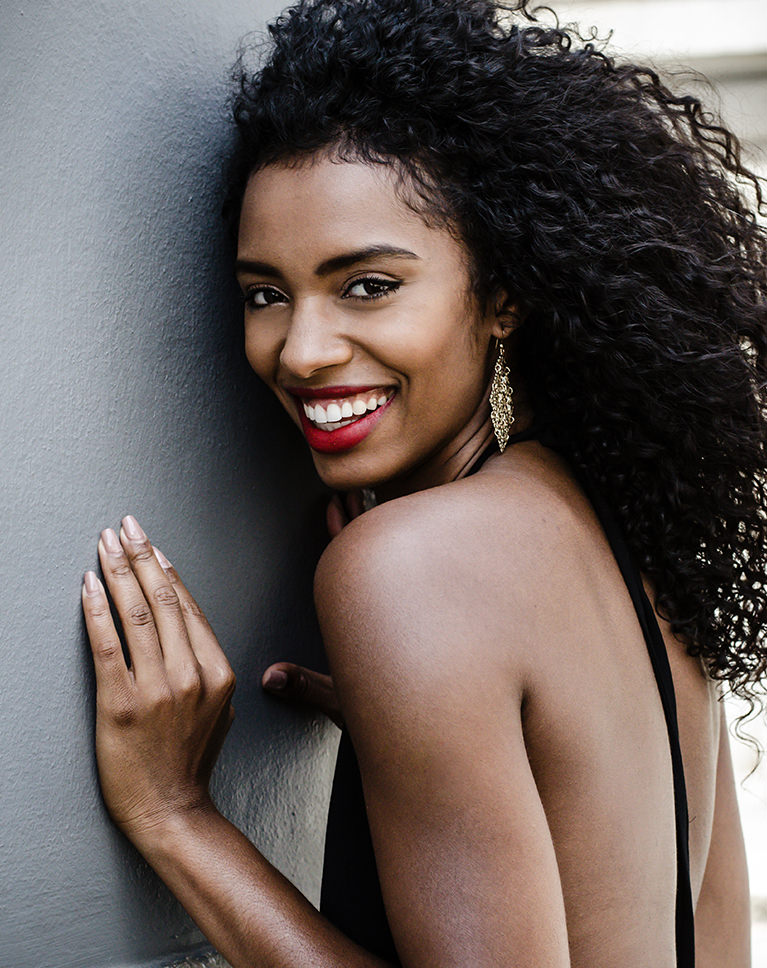
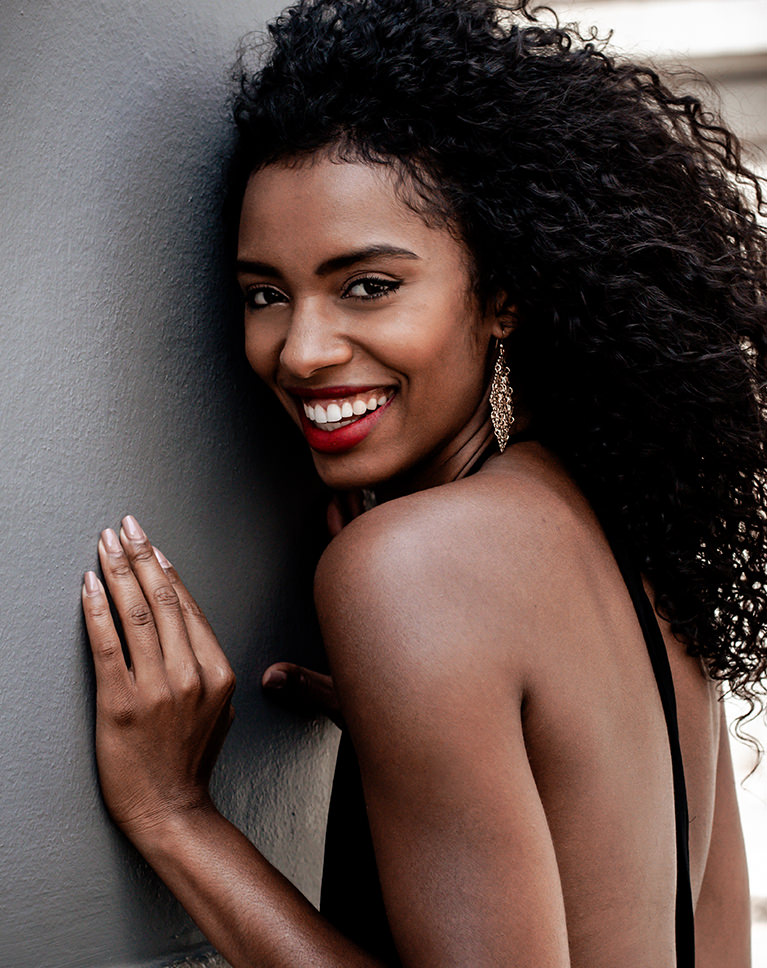
Domino Grey pulls the whole frame darker for a dramatic look. Her curly hair and black top go deep black, the gray wall darkens around her and her skin turns richer and warmer. Contrast stays close to the original.
The Darkest Midtones in the Pack
A middle gray drops to about 39 percent and the upper midtones fall too, with pure black at the bottom, while the brightest whites barely change. A faint orange cast sits in the midtones, while the shadows and highlights stay neutral.
Reds Deepen in Skin
Oranges shift toward red and yellows toward orange, so skin gets a deeper, redder warmth and her red lipstick stands out against the darker wall. Yellows also darken the most and lose about a quarter of their color. Every color gets darker, and light skin gains a lot of richness.
Best on: dramatic portraits, deeper skin tones, and subjects against a plain wall.
Light Graphite
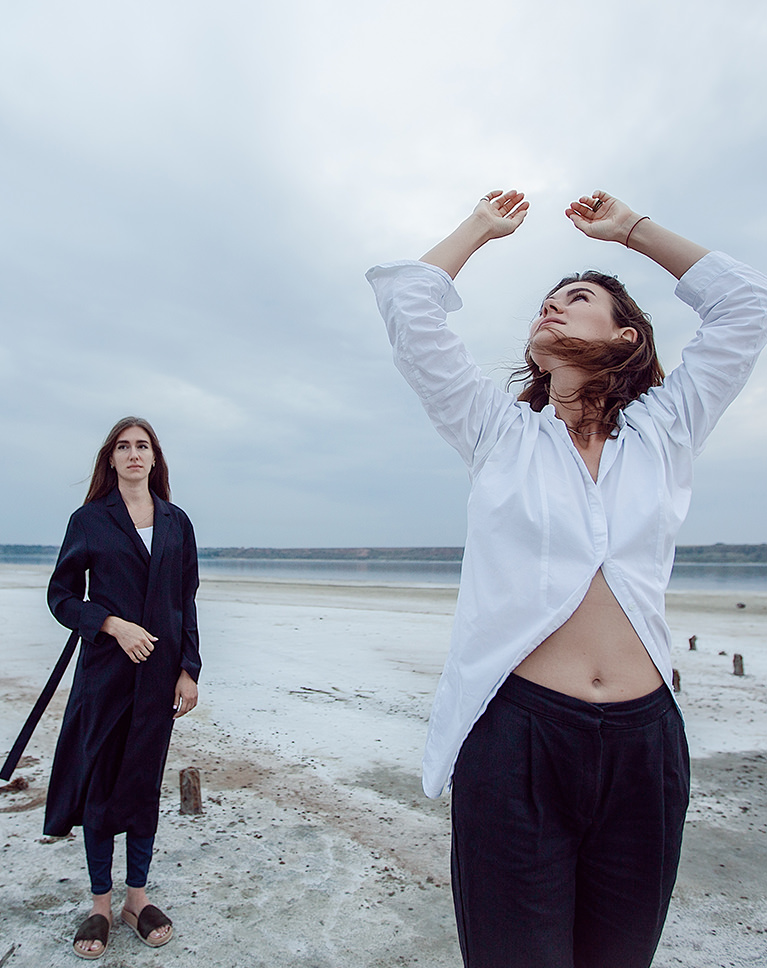
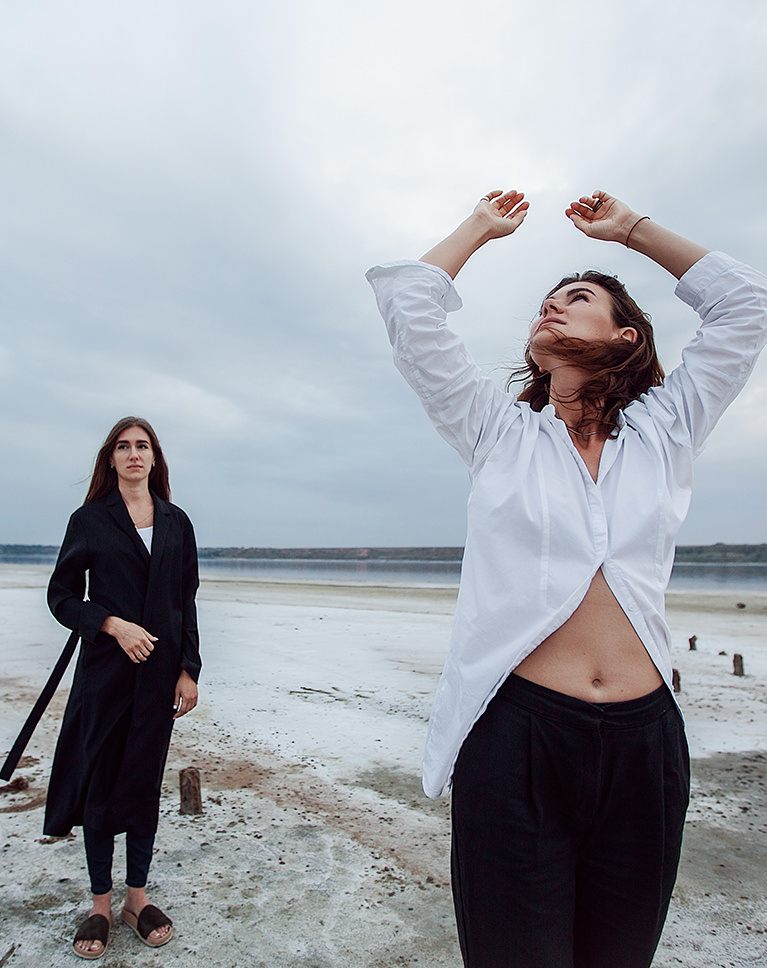
Light Graphite deepens the darks and leaves the bright parts of the frame alone. The black coat and trousers turn a richer black, while the white shirt, pale sand and cloudy sky stay light and open. Midtone contrast rises by a little over a tenth.
Darker Blues, Steady Whites
Shadows and midtones come down, with a middle gray around 43 percent and a faint orange cast, while whites hold. Blues get noticeably darker and lose about a fifth of their color, which deepens water and blue clothing. Purples darken and quiet down too.
Warmer Accents
Reds and oranges gain about 20 percent more color, while yellows keep theirs. Oranges lean toward red and yellows toward orange, so skin picks up a little warmth without looking orange. Light and deep skin both turn richer, and deep skin comes out a little darker.
Best on: beach and outdoor fashion shoots, overcast days, and outfits with strong black and white pieces.
Warm Onyx
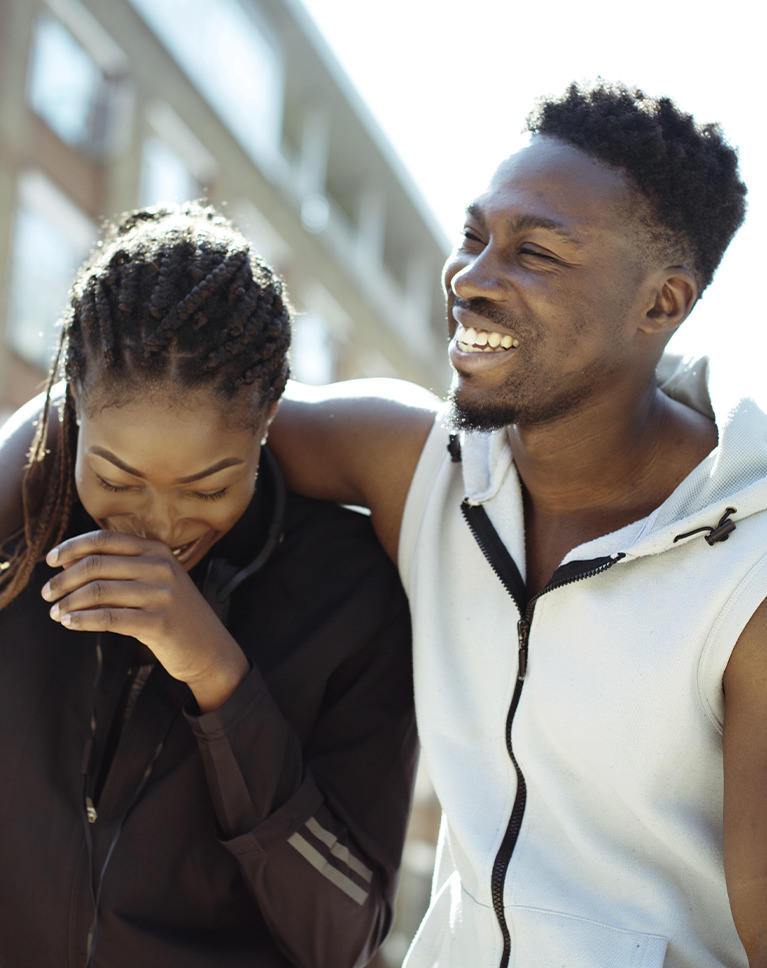
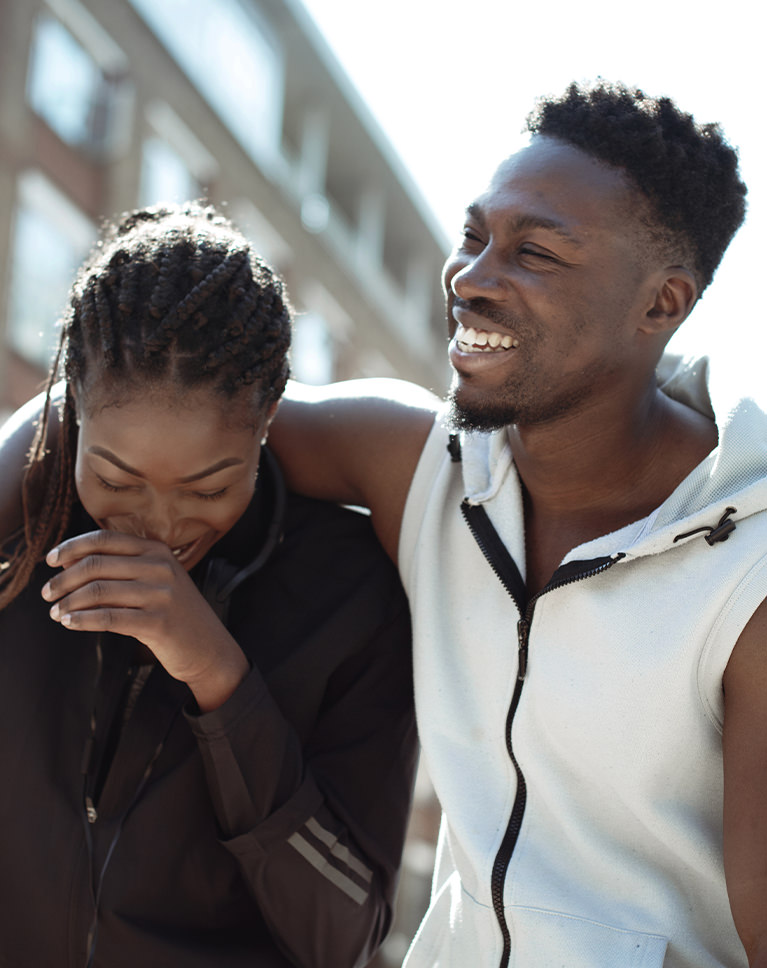
Warm Onyx darkens the frame evenly and keeps the focus on the people. The black jacket goes deeper, the bright building behind them settles down and the white hoodie stays clean. It removes the most color of the five, mostly from greens and yellows.
Greens and Yellows Pulled Back
Greens lose about half of their color and get much darker, and yellows are muted and darkened too, so foliage and busy backgrounds recede. Midtones and upper tones drop a step with no color cast, with middle gray at 43 percent.
Deeper, Redder Skin
Oranges shift toward red and darken, so both faces turn a little deeper and richer while keeping their warmth in the bright sun. Reds, blues and purples keep nearly all of their color, which helps warm accents and clothing hold their own against the quieter background.
Best on: friends and couples in sunlight, city portraits, and outfits that mix black and white.
What’s in the Download
5 LUTs, every format
One zip with the 5 LUTs as .CUBE files for Photoshop, plus each one in .3DL, .CSP, .CUBE and .ICC for video and other apps, and 4 sample images to practice on. In Photoshop they load through a Color Lookup adjustment layer.
- ZIPPHLEARN Deep Black LUTs 2026.zipEvery LUT in every format, one download, 7.5 MB
- CUBEPhotoshop Quick Install (.CUBE)The 5 LUTs ready for a Color Lookup layer
- 3DLAll Formats (.3DL, .CSP, .CUBE, .ICC)The same 5 for Premiere Pro, After Effects, Resolve, Final Cut and Capture One
- JPG4 Sample ImagesFree-to-use practice photos
- PDFPHLEARN LUTs - Install Guide (2026).pdfInstall steps for Photoshop and video apps, plus two tips
- PHLEARN-Deep Blacks-Almost Blacks.CUBE
- PHLEARN-Deep Blacks-Crisp Soot.CUBE
- PHLEARN-Deep Blacks-Domino Grey.CUBE
- PHLEARN-Deep Blacks-Light Graphite.CUBE
- PHLEARN-Deep Blacks-Warm Onyx.CUBE
The 4 sample images


Photos by Ben Tofan, Caroline Badran, Jahanzeb Ahsan and Toa Heftiba on Unsplash
LUT Questions, Answered
What’s included in the Deep Black LUTs?
The pack includes 5 LUTs: Crisp Soot, Domino Grey, Light Graphite, Warm Onyx and Almost Blacks. Each LUT comes as .CUBE, .3DL, .CSP and .ICC files, so it works in Photoshop, Premiere Pro, DaVinci Resolve, Final Cut Pro and most other editors.
What kind of look do the Deep Black LUTs give?
They are built for drama: deep shadows, sharp contrast, rich blacks and warm highlights. The LUTs give shadows a strong, sharp feel and add subtle coloring, which suits photos and videos where bold shadows set the style. The featured look on the page is Domino Grey.
How do the Deep Black LUTs treat skin tones?
While they push the shadows deep and dark, these LUTs are designed to protect warm skin tones, and the highlights lean warm too. That lets you add strong shadows and subtle color to a scene while the people in it keep their warmth.
Are LUTs included in my PHLEARN PRO subscription?
Yes. A PHLEARN PRO membership includes every LUT pack, plus PRO Tutorials, Lightroom Presets, Photoshop Actions and Photoshop Brushes.
Which programs do the LUTs work in?
Photoshop, Premiere Pro, DaVinci Resolve, Final Cut Pro, After Effects, Lightroom Classic and most other photo and video editors. Use the .CUBE file unless your software asks for .3DL, .CSP or .ICC.
How do I use a LUT in Photoshop?
Choose Layer > New Adjustment Layer > Color Lookup, open the 3DLUT File menu in the Properties panel, choose Load 3D LUT and pick a .CUBE file from the Photoshop Quick Install folder. Set the strength with the layer’s Opacity.
How do I install LUTs in Premiere Pro, DaVinci Resolve or Final Cut Pro?
The PDF install guide in your download has a page for each one, and every step for every program is on our How to Install LUTs page.
The LUT looks too strong. What do I do?
Turn it down: lower the layer Opacity in Photoshop, the Intensity slider in Premiere Pro or the Mix slider in Final Cut Pro. In DaVinci Resolve, reduce Key Output Gain for that node.
Should I correct my photo before adding a LUT?
Yes. Set exposure and white balance first, then add the LUT on top. A LUT grades color; it does not correct it.
My LUTs don’t show up in DaVinci Resolve.
Skipping Update Lists is the usual reason. Open Project Settings > Color Management, click Update Lists, then Save.
Do you offer refunds?
Because these are downloadable products, all sales are final and we are not able to offer refunds.
Terms of Use
These LUTs are licensed for personal and professional use by the individual who purchased or downloaded them. The license does not extend to companies or partnerships, and the files may not be resold, loaned, gifted, shared, copied or redistributed. All PHLEARN LUTs are copyright protected.
Master Photoshop, Lightroom and Photography
Join PHLEARN PRO for $12.99 a month, or $99.99 a year (save 36%). Cancel anytime, with a 100% money-back guarantee.





