
LUT Downloads
Install Guide
How to Install Your LUTs
A short PDF that walks you through loading this pack in Photoshop, Premiere Pro, DaVinci Resolve and Final Cut Pro, plus two tips for better results.
DESCRIPTION
Wheat fields, wooded forests, soil, sand, and stone. Tap into nature and give your images a rich and earthy feel with our Earth Tones LUTs.
All five warm the shadows and midtones, shift greens well toward yellow and mute blues a little: Burnt Oats, Fall Oak and Sweet Mahogany lift the blacks slightly, Fall Oak and Sweet Mahogany mute greens the most, and Ochre Shine keeps true blacks. After you apply one, lower the layer opacity in Photoshop or the LUT intensity in your video app if the look is too strong.
One zip holds the 5 LUTs as .CUBE files for Photoshop’s Color Lookup, the same 5 in .3DL, .CSP, .CUBE and .ICC for video and other apps, plus 4 sample images to practice on and the PDF install guide.
TRY THEM FOR FREE
Want to try our LUTs before you buy? Check out our FREE Premium LUTs Sample Pack that includes some our favorite Warm Tone, Cool Tone, Film Tone, and Moody Vibe looks.
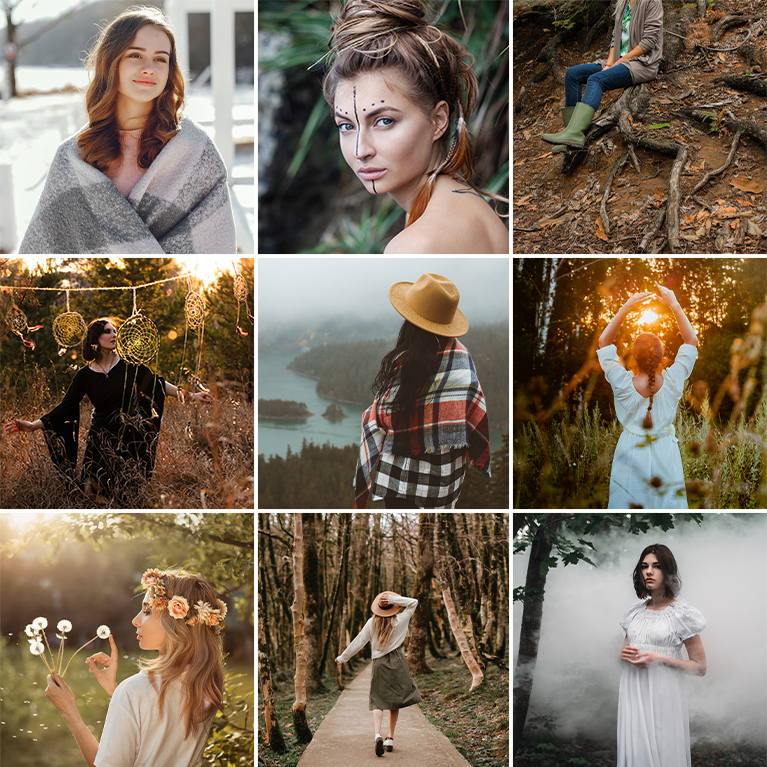
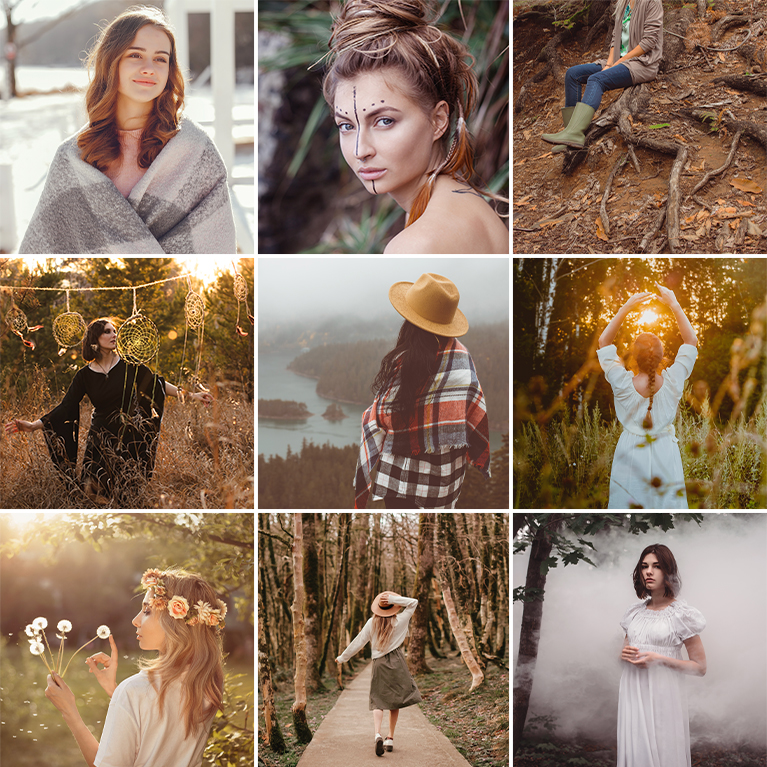
PHLEARN PRO · LUTs
Earthy Tones LUTs
5 LUTs4 sample imagesPhoto & video apps
Earthy Tones LUTs · 5 Looks
Warm Browns, Ochres and Olive Greens
Five LUTs that warm the midtones and turn greens toward olive and gold for an earthy, outdoor feel. They work on photos and video in Premiere, Final Cut, DaVinci Resolve and Photoshop.
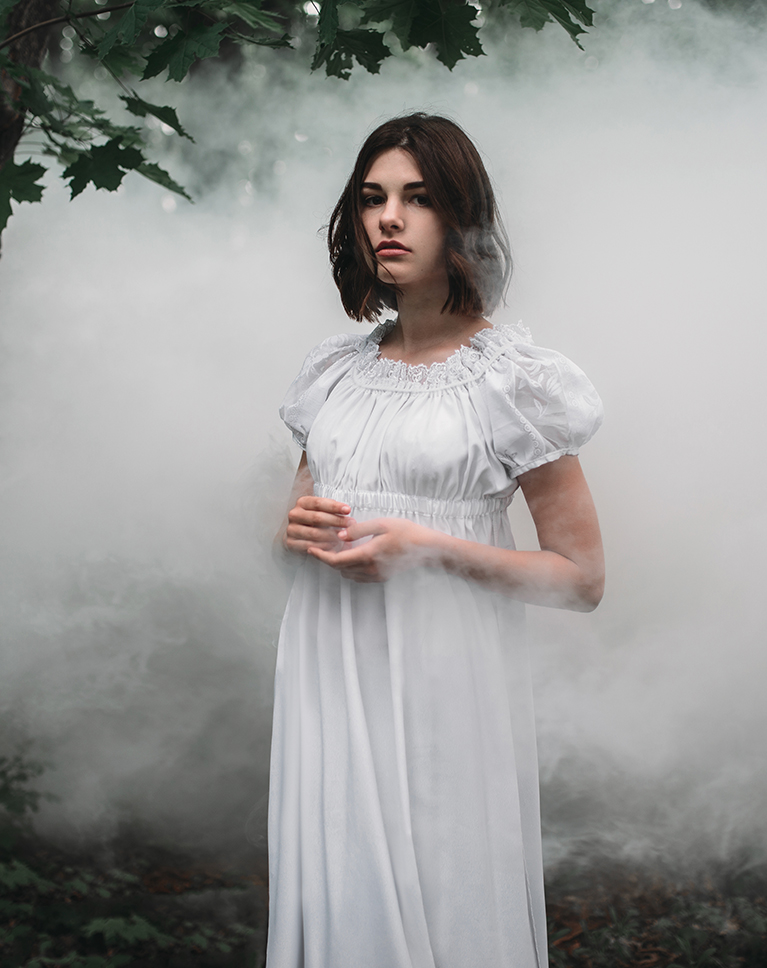
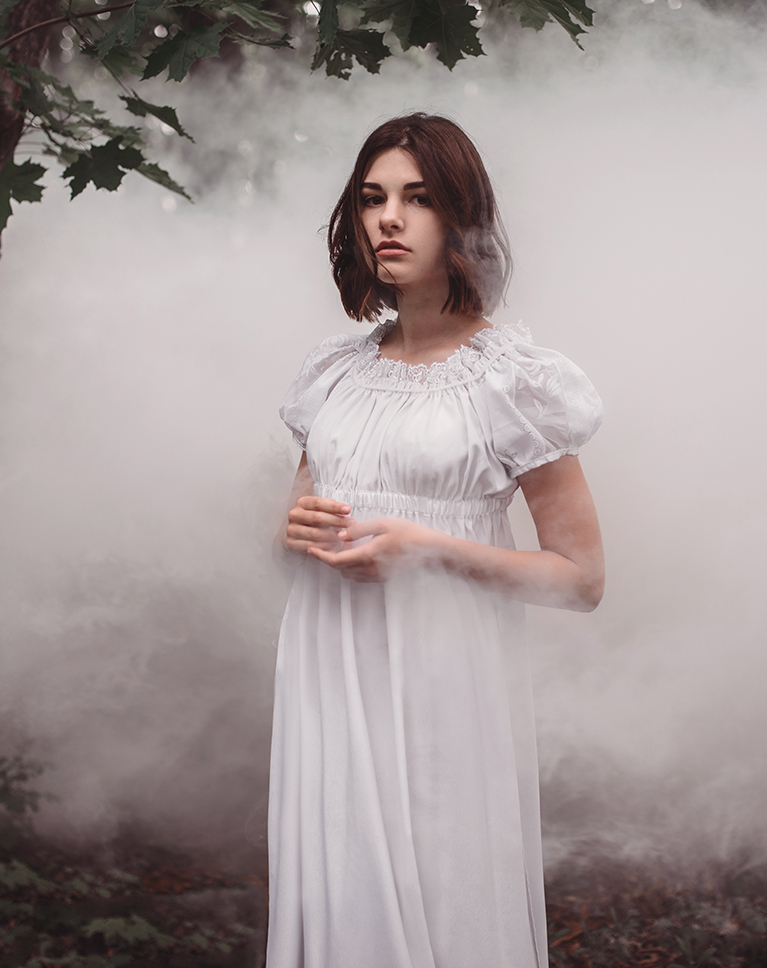
Pale Mocha
Pale Mocha tints the white fog a soft mocha-rose and keeps the shadows in the trees dark. The white dress holds its detail, and her skin and dark hair pick up a little warmth. Of the five looks in this pack, it changes brightness the least.
A Red Cast Through the Midtones
Blacks stay nearly black at about 2 percent, while grays from the shadows to the upper midtones take on a light red tint. That warm cast is what turns gray fog into a dusty rose. Middle gray rises only to 52 percent, white eases to 98 percent and contrast softens slightly.
Cool Colors Step Back
Greens and aquas lose roughly a fifth of their saturation and blues a little, so leaves and cool tones quiet down. Skin barely changes, which makes this a gentle look for faces.
Best on: foggy or overcast portraits, forest scenes, light clothing and moody outdoor sessions.
Ochre Shine
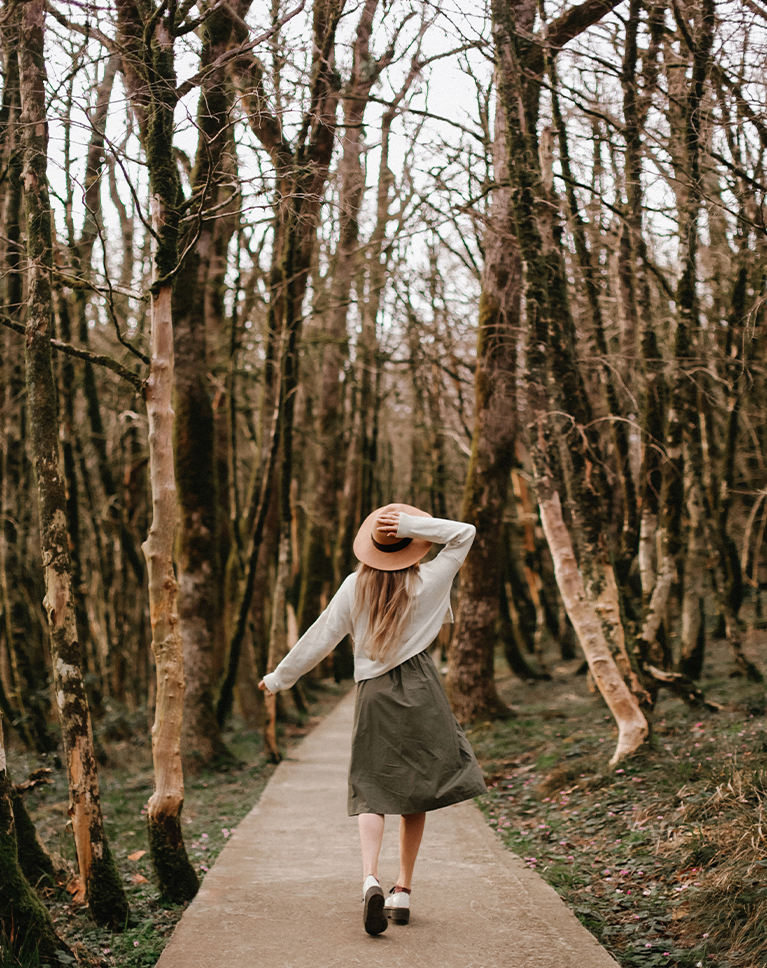
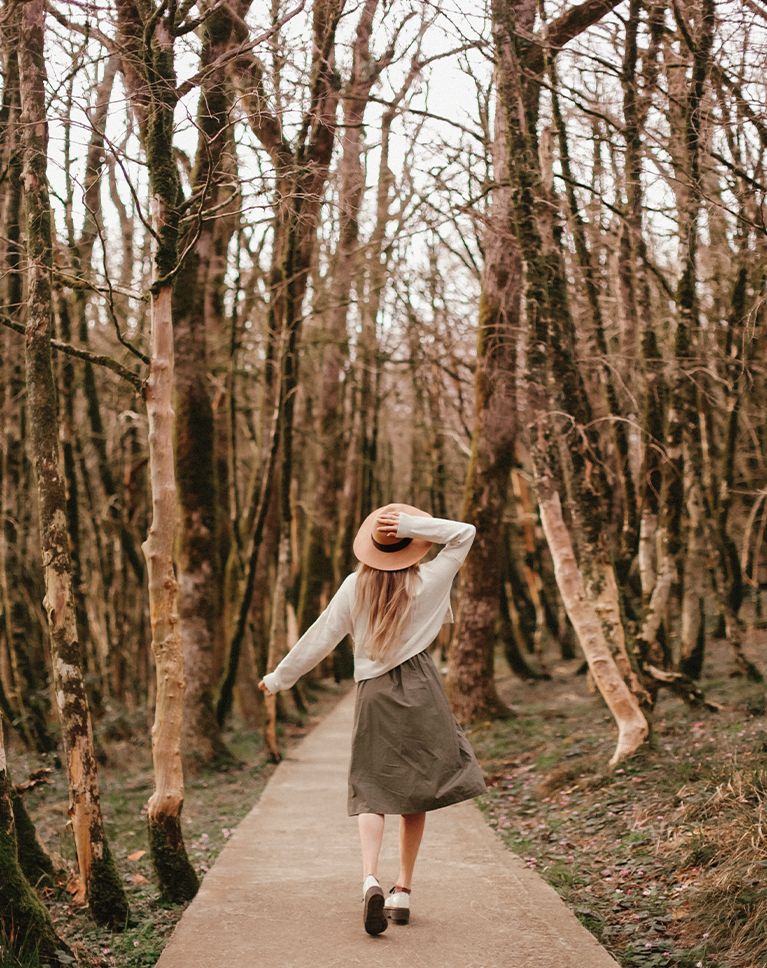
Ochre Shine gives the bare trunks a warmer ochre-brown color and warms the path under her feet. Her white sweater and olive skirt keep their tone, and the woods feel like a dry autumn walk. Contrast softens slightly.
Deep Blacks, Warm Middles
Black stays at 0 percent, the only true black in this pack, so the darkest bark keeps its depth, and middle gray rises from 50 to 55 percent. Shadows and midtones get a light red cast and the upper tones lean orange, while white stays neutral.
Warm Tones Hold, Blues Ease Off
Reds, oranges and yellows keep their saturation and get a little lighter, and blues and purples lose a little. Greens hold their color but lean slightly toward yellow. Skin turns a touch richer and brighter, with deeper skin gaining a little more color.
Best on: forest paths, fall and winter woods, walking portraits and outdoor shots with lots of brown and tan.
Fall Oak
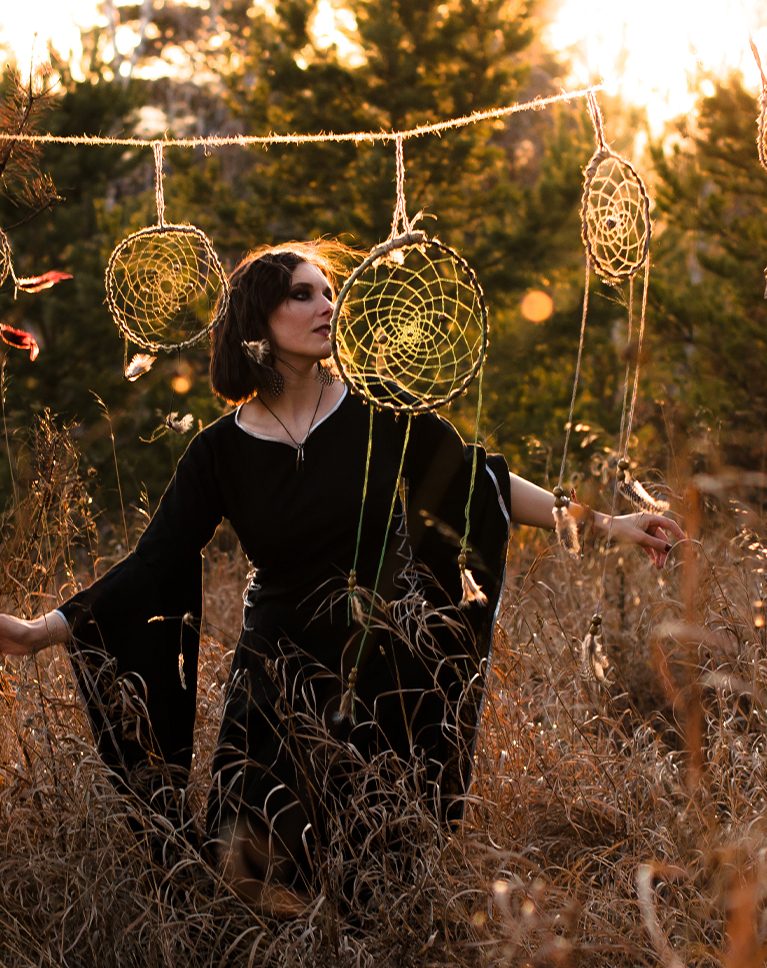
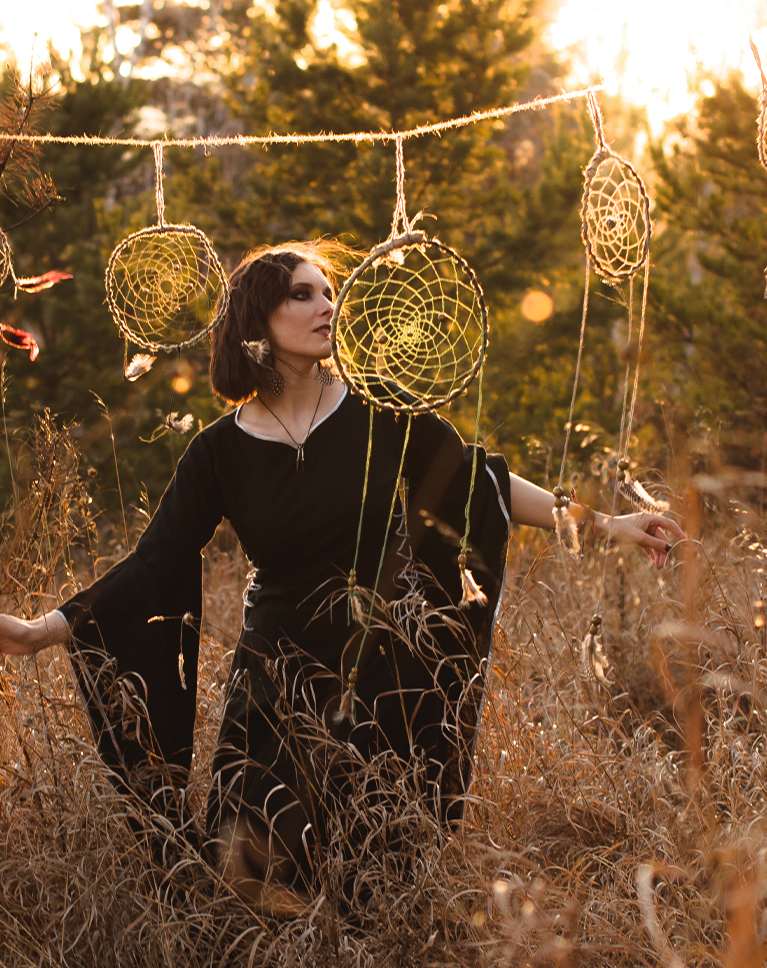
Fall Oak turns the dry grass a warmer bronze and lifts the darker parts of the field a little. The pine trees behind her fade toward olive, and the sunlit dreamcatchers keep their golden glow. It brightens the midtones more than any other LUT in this pack.
Greens Fade Toward Olive
Greens lose about half their saturation and shift toward yellow, which turns summer foliage into a dry, autumn olive. Oranges and yellows gain a little color and reds get lighter, while blues lose about a fifth of their color.
An Orange Wash Over the Tones
Shadows, midtones and upper tones all pick up an orange cast, heaviest in the shadows and midtones. Black lifts to 6 percent and middle gray rises from 50 to 57 percent, so contrast softens. Pure white stays neutral, so bright sky and backlight don’t turn muddy.
Best on: golden-hour portraits, meadows and tall grass, autumn sessions and boho outdoor shoots.
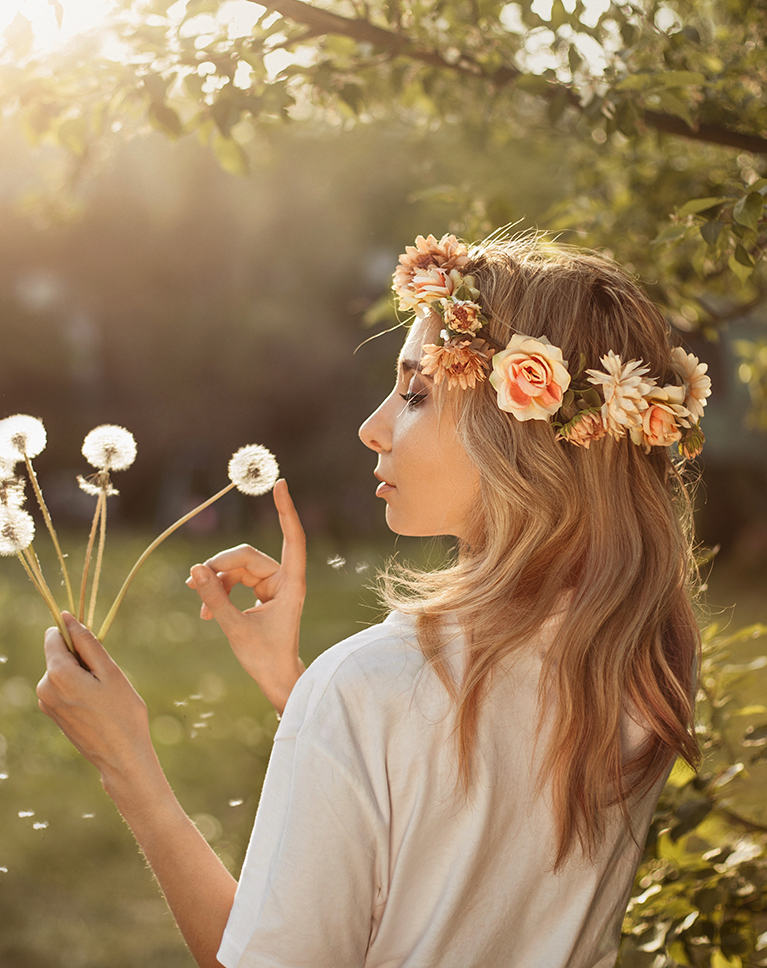
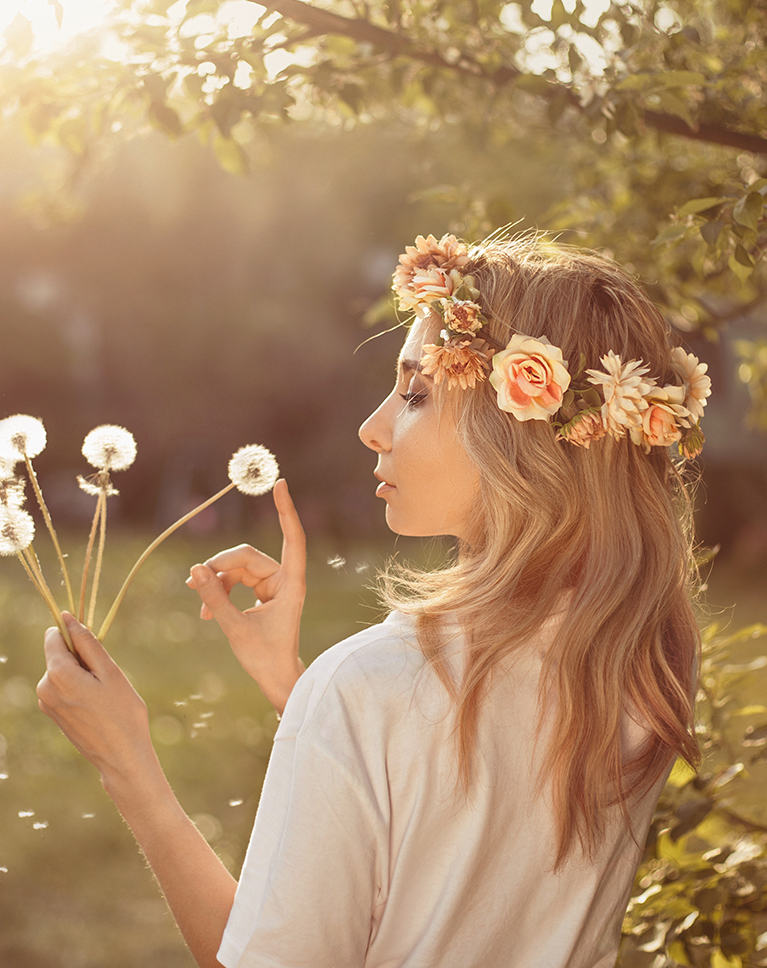
Burnt Oats
Burnt Oats spreads a warm amber wash over the scene. Her hair turns more golden, her skin warms up, and the green leaves behind her soften toward yellow while the backlit haze stays bright. Contrast softens, and middle gray rises from 50 to 55 percent.
Red Warmth in the Shadows
Shadows and midtones carry a red cast that turns orange in the upper tones, and the black point lifts slightly to about 6 percent for a soft matte base. Pure white is left neutral, so bright sky stays clean.
Greens Lean Golden
Greens shift toward yellow and lose about a fifth of their saturation, aquas lose about as much, and blues lose a little. Reds, oranges and yellows hold their saturation and get lighter. Skin comes out warmer and slightly richer, and deep skin turns a warmer bronze.
Best on: backlit portraits in the sun, flower crowns and garden shots, and summer evenings.
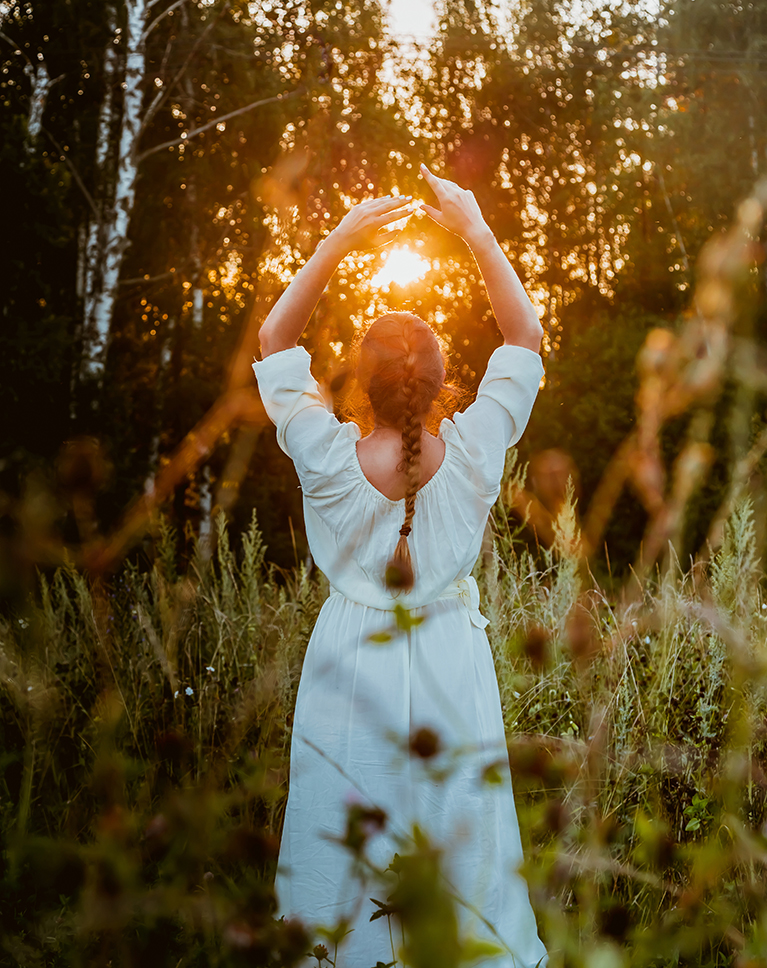
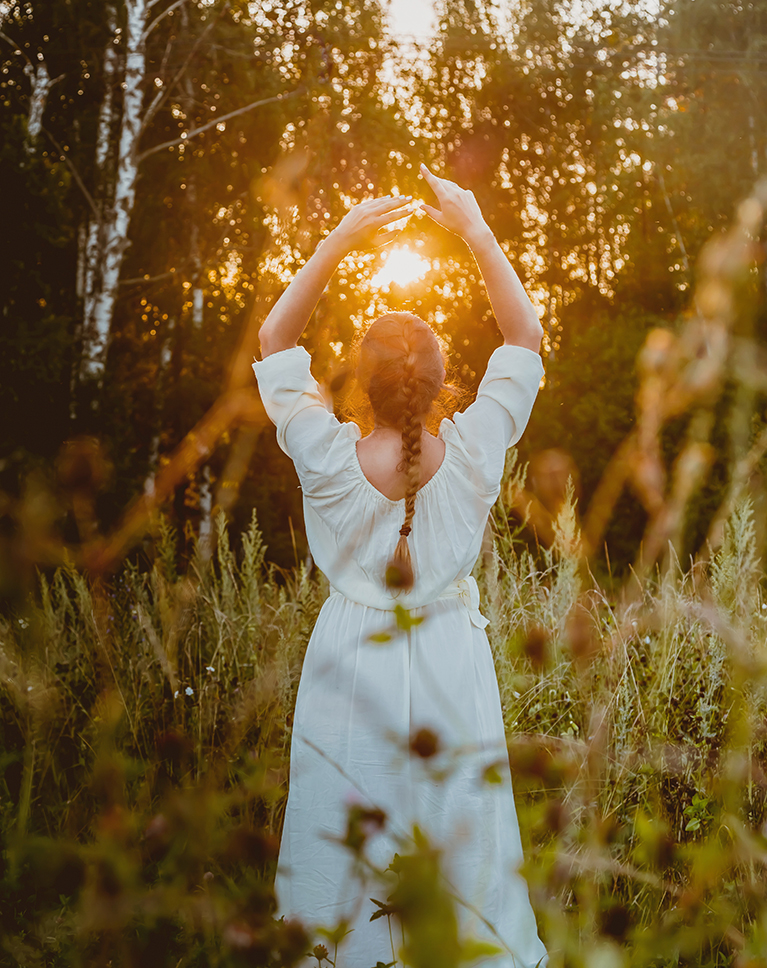
Sweet Mahogany
Sweet Mahogany mutes the bright green grass and leaves around her into a softer olive brown, so the white dress and the sun between her hands stand out. The backlight keeps its warm golden glow. It is the most muted and the softest look in this pack.
Greens Pulled Way Down
Greens lose about 40 percent of their saturation, darken slightly and lean toward yellow, and blues and purples lose some color too. Reds lose some color and get lighter, and oranges ease off slightly instead of getting louder.
Soft Blacks, Gentle Whites
Black lifts to about 6 percent and white comes down a little to 97 percent, so contrast eases at both ends, more than with any other LUT here. A light orange tint runs from the shadows to the highlights. Skin loses a little color, lighter skin more than deeper skin.
Best on: sunset and golden-hour portraits, forest edges and light clothing against dark backgrounds.
What’s in the Download
5 LUTs, every format
One zip with the 5 LUTs as .CUBE files for Photoshop, plus each one in .3DL, .CSP, .CUBE and .ICC for video and other apps, and 4 sample images to practice on. In Photoshop they load through a Color Lookup adjustment layer.
- ZIPPHLEARN Earthy Tones LUTs 2026.zipEvery LUT in every format, one download, 9.5 MB
- CUBEPhotoshop Quick Install (.CUBE)The 5 LUTs ready for a Color Lookup layer
- 3DLAll Formats (.3DL, .CSP, .CUBE, .ICC)The same 5 for Premiere Pro, After Effects, Resolve, Final Cut and Capture One
- JPG4 Sample ImagesFree-to-use practice photos
- PDFPHLEARN LUTs - Install Guide (2026).pdfInstall steps for Photoshop and video apps, plus two tips
- PHLEARN-Earthy Tones-Burnt Oats.CUBE
- PHLEARN-Earthy Tones-Fall Oak.CUBE
- PHLEARN-Earthy Tones-Ochre Shine.CUBE
- PHLEARN-Earthy Tones-Pale Mocha.CUBE
- PHLEARN-Earthy Tones-Sweet Mahogany.CUBE
The 4 sample images


Photos by BAILEY MAHON, Zac Taheriyan, Anna Blake and David Sjunnesson on Unsplash
LUT Questions, Answered
What’s included in the Earthy Tones LUTs?
The pack has 5 LUTs: Burnt Oats, Fall Oak, Ochre Shine, Pale Mocha and Sweet Mahogany. Each LUT comes as .CUBE, .3DL, .CSP and .ICC files, so it works in Photoshop, Premiere Pro, DaVinci Resolve, Final Cut Pro and most other editors.
What kind of photos are the Earthy Tones LUTs made for?
They are made for landscapes and outdoor portraits. Inspired by wheat fields, wooded forests, soil, sand and stone, the five looks add warm, rich golden tones and give your images a timeless, earthy feel. Burnt Oats is the featured look on this page.
What is a LUT, and how do the Earthy Tones LUTs change my images?
A LUT (Look-Up Table) is a file with math instructions that replace each color with another, pixel by pixel. It works like a color grading preset. The Earthy Tones LUTs use that to add warmth and richness, and they work with images shot on any camera.
Are LUTs included in my PHLEARN PRO subscription?
Yes. A PHLEARN PRO membership includes every LUT pack, plus PRO Tutorials, Lightroom Presets, Photoshop Actions and Photoshop Brushes.
Which programs do the LUTs work in?
Photoshop, Premiere Pro, DaVinci Resolve, Final Cut Pro, After Effects, Lightroom Classic and most other photo and video editors. Use the .CUBE file unless your software asks for .3DL, .CSP or .ICC.
How do I use a LUT in Photoshop?
Choose Layer > New Adjustment Layer > Color Lookup, open the 3DLUT File menu in the Properties panel, choose Load 3D LUT and pick a .CUBE file from the Photoshop Quick Install folder. Set the strength with the layer’s Opacity.
How do I install LUTs in Premiere Pro, DaVinci Resolve or Final Cut Pro?
The PDF install guide in your download has a page for each one, and every step for every program is on our How to Install LUTs page.
The LUT looks too strong. What do I do?
Turn it down: lower the layer Opacity in Photoshop, the Intensity slider in Premiere Pro or the Mix slider in Final Cut Pro. In DaVinci Resolve, reduce Key Output Gain for that node.
Should I correct my photo before adding a LUT?
Yes. Set exposure and white balance first, then add the LUT on top. A LUT grades color; it does not correct it.
My LUTs don’t show up in DaVinci Resolve.
Skipping Update Lists is the usual reason. Open Project Settings > Color Management, click Update Lists, then Save.
Do you offer refunds?
Because these are downloadable products, all sales are final and we are not able to offer refunds.
Terms of Use
These LUTs are licensed for personal and professional use by the individual who purchased or downloaded them. The license does not extend to companies or partnerships, and the files may not be resold, loaned, gifted, shared, copied or redistributed. All PHLEARN LUTs are copyright protected.
Master Photoshop, Lightroom and Photography
Join PHLEARN PRO for $12.99 a month, or $99.99 a year (save 36%). Cancel anytime, with a 100% money-back guarantee.





