
LUT Downloads
Install Guide
How to Install Your LUTs
A short PDF that walks you through loading this pack in Photoshop, Premiere Pro, DaVinci Resolve and Final Cut Pro, plus two tips for better results.
DESCRIPTION
Bright smiles. Soft Lighting. Memories that last. Our Family Vibes LUTs will brighten up photos, help subjects look great, and add warm, subtle coloring for a timeless feel.
All five brighten the midtones and mute the colors a little: four warm the shadows and midtones and shift greens strongly toward yellow, with Light Ginger the warmest and Agata Browns also lifting the blacks, while Coral Reds stays neutral and makes skin rosier. After you apply one, lower the layer opacity in Photoshop or the LUT intensity in your video app if the look is too strong.
One zip holds the 5 LUTs as .CUBE files for Photoshop’s Color Lookup, the same 5 in .3DL, .CSP, .CUBE and .ICC for video and other apps, plus 4 sample images to practice on and the PDF install guide.
TRY THEM FOR FREE
Want to try our LUTs before you buy? Check out our FREE Premium LUTs Sample Pack that includes some our favorite Warm Tone, Cool Tone, Film Tone, and Moody Vibe looks.


PHLEARN PRO · LUTs
Family Vibes LUTs
5 LUTs4 sample imagesPhoto & video apps
Family Vibes LUTs · 5 Looks
Bright, Warm Tones for Life at Home
Five LUTs that brighten shadows and add soft warmth to skin and home interiors. Use them on photos and video in Premiere, Final Cut, DaVinci Resolve, Photoshop and more.
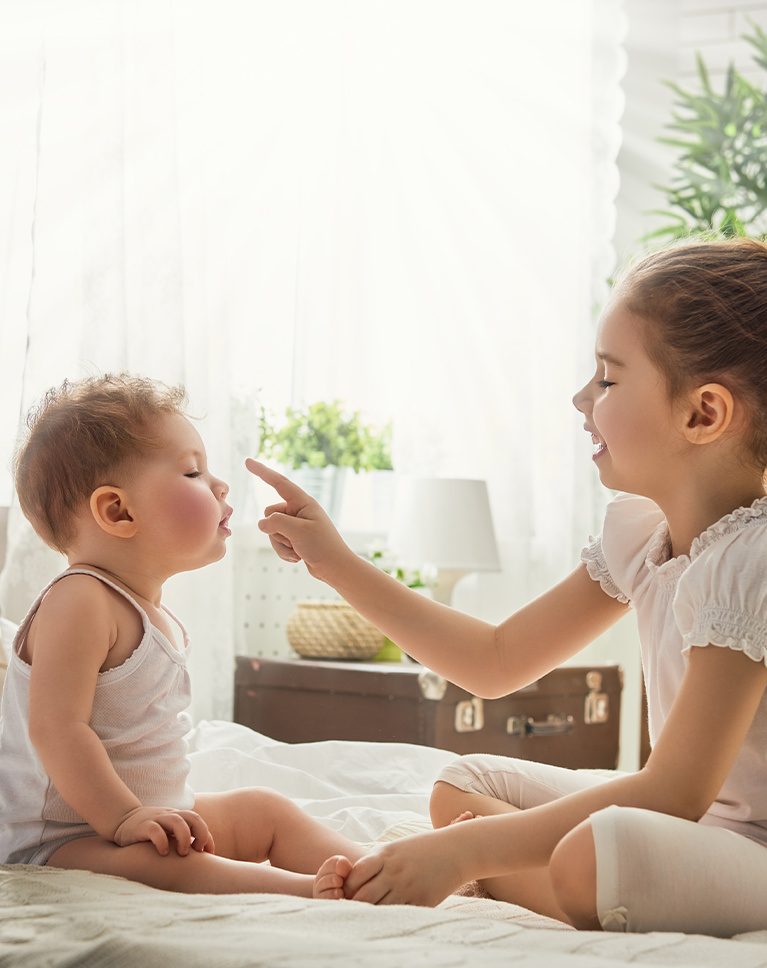
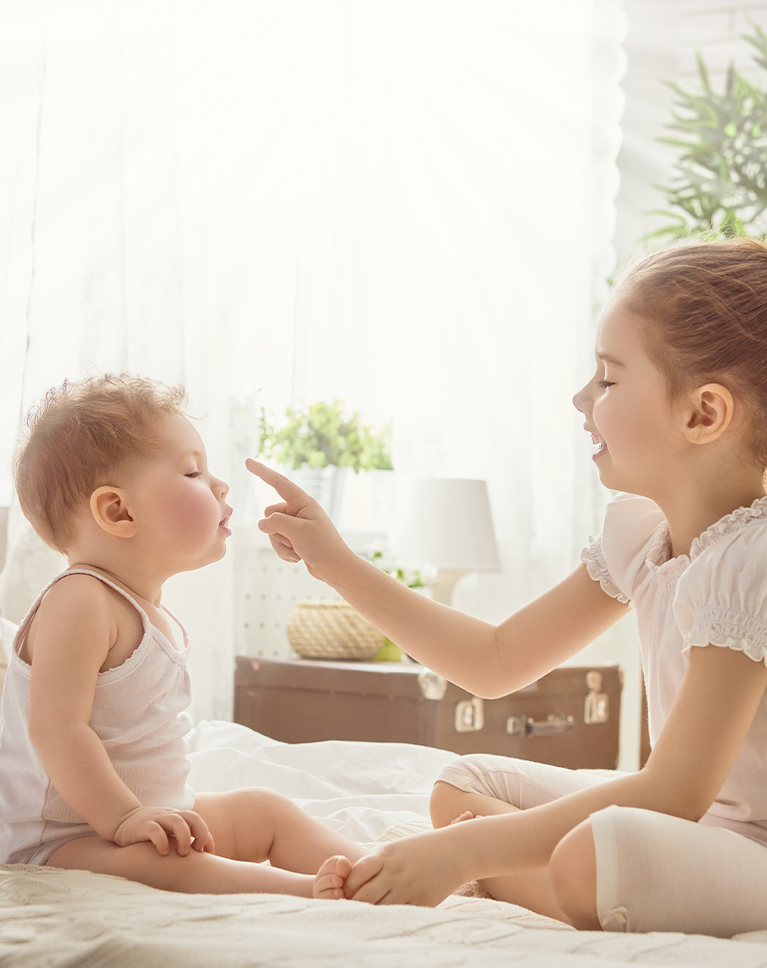
Agata Browns
Agata Browns brightens an already light bedroom and opens the shadows, so the bedding, curtains and the kids’ skin look soft and airy. Whites stay where they were, so the bright window doesn’t blow out further. It lifts the midtones more than any other LUT in the pack.
Shadows Lift With a Warm Cast
Dark grays rise from 25% to 37% brightness and middle gray from 50% to 61%, with a light red-orange cast in the shadows and midtones. Pure black lifts to 5%, pure whites stay unchanged and contrast softens by about 15%.
Warm Colors Hold, Blues Calm Down
Reds, oranges and yellows lose only a little saturation, while blues and aquas lose about a quarter of theirs and purples lean toward magenta. Skin comes out lighter and a bit warmer, deep skin most of all.
Best on: high-key indoor photos, kids playing on a bed, and rooms lit by a big window.
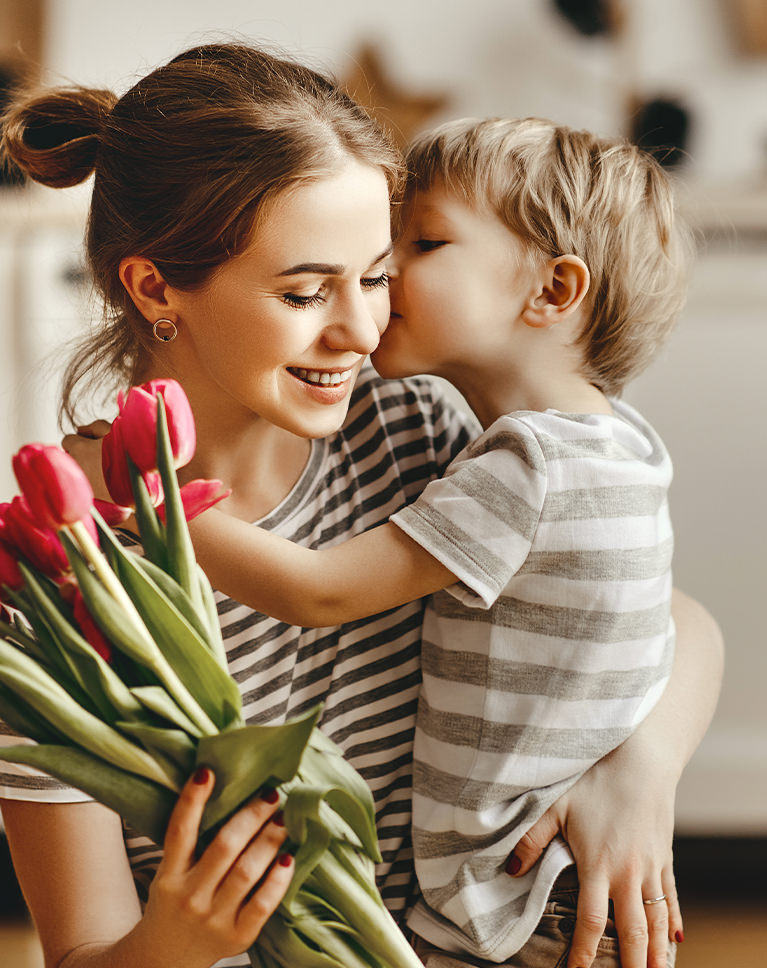
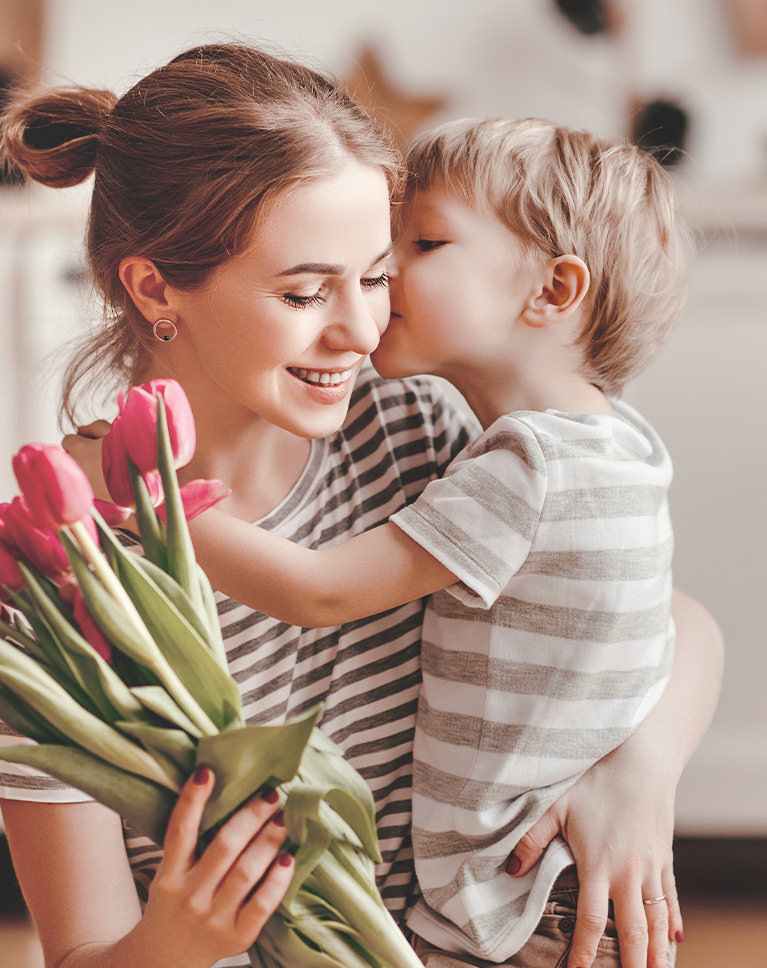
Coral Reds
Coral Reds opens up the shadows and lightens the whole kitchen scene, so the hug looks softer and calmer. Skin moves from orange toward a gentle coral, and the pink tulips keep their color. It is the only LUT in the pack without a clear warm cast.
Neutral Grays, Brighter Midtones
Grays stay nearly neutral here, with only a slight warmth in the shadows. Dark tones lift from 25% to 37% and middle gray from 50% to 60%, while whites hold steady near 99%. Contrast drops by nearly a fifth.
Oranges Lean Toward Red
Oranges and yellows shift toward red and lose about a quarter of their saturation, which gives skin its coral tone. Reds lean toward pink and lose about a fifth. Light skin also picks up a little more pink.
Best on: hugs and close-ups at home, warm indoor light that leans too orange, and photos with flowers or red accents.
Lightest Rust
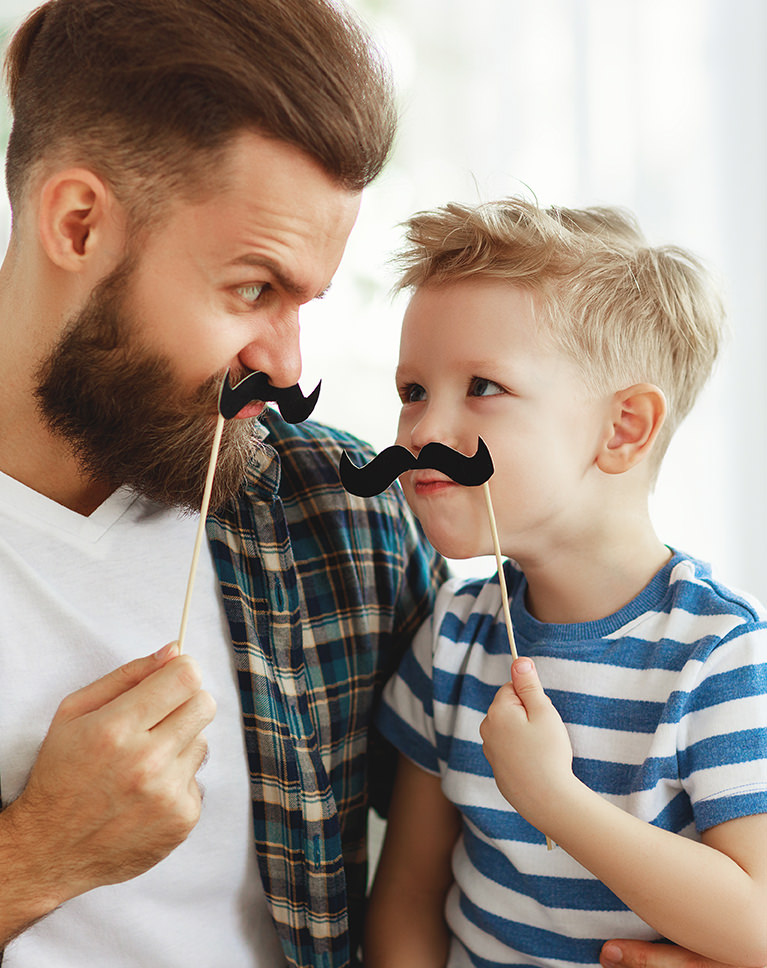
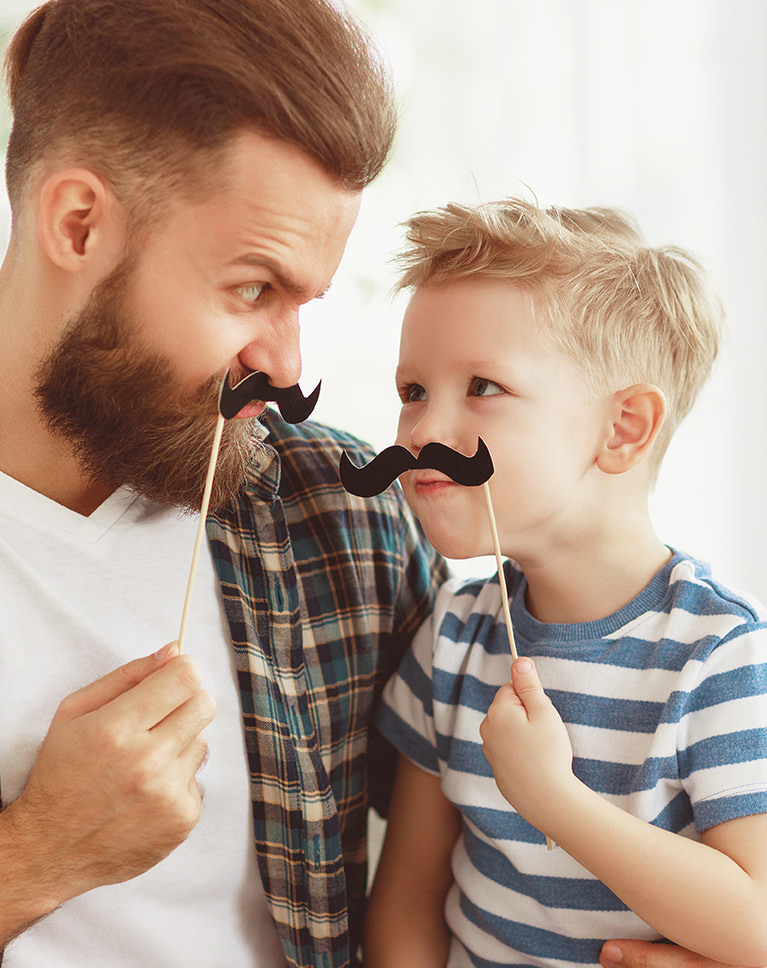
Lightest Rust adds a gentle rusty warmth to the father’s and son’s skin and brightens their faces. The white background stays clean, and the blue stripes stay blue but a little quieter. It is the lightest touch in the pack.
A Light Lift in the Midtones
Dark grays rise from 25% to 32% and middle gray from 50% to 55%, with a clear orange cast through the shadows and midtones and a touch of magenta in the shadows. Highlights stay only slightly warm, and whites come out at 98%.
Warm Colors Hold, Blues Down
Reds, oranges and yellows hold their saturation while blues lose about two fifths of theirs and aquas about a third, so skin and beards warm up while blue clothing steps back. Purples lean toward magenta, and deep skin picks up a little more color.
Best on: playful portraits of parents and kids, smiling close-ups by a window, and white or pale backgrounds.
Light Ginger
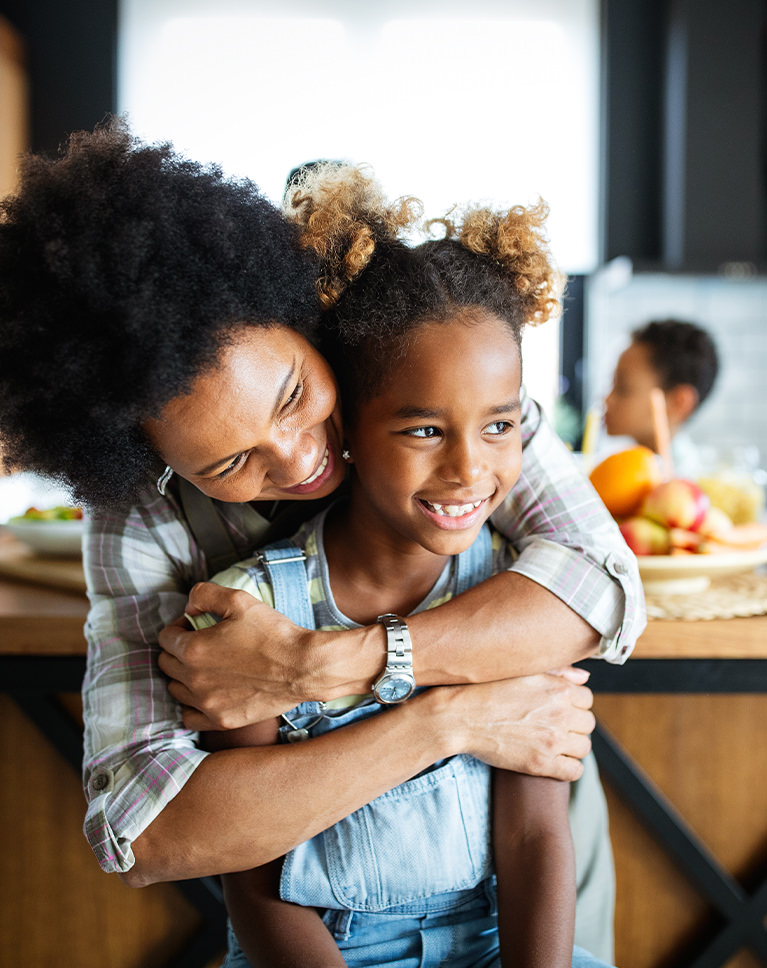
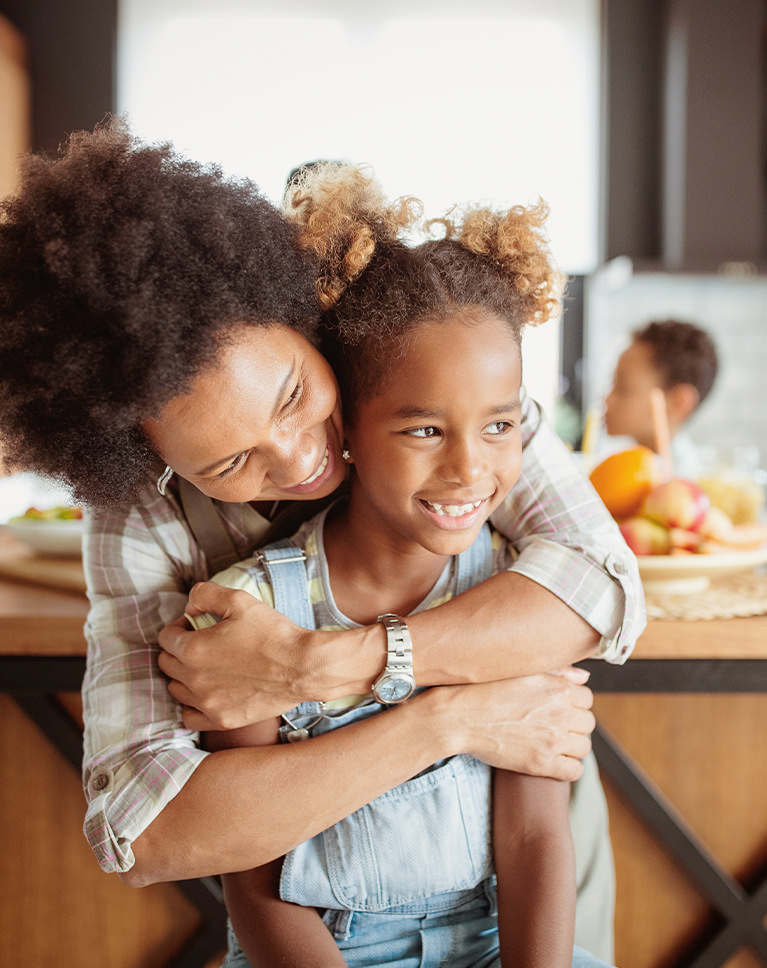
Light Ginger brightens the scene and wraps it in a warm ginger tone. Skin glows, the wooden table and blurred kitchen behind them read more golden, and the hug looks sunnier. It softens contrast more than any other LUT in the pack.
An Orange Cast Through the Midtones
Middle gray lifts from 50% to 60% brightness and picks up a clear orange cast, while the brightest whites ease down slightly to 96%, which softens hard window light. The shadows turn warm with a hint of magenta, and contrast drops by almost a quarter.
Cool Colors Pulled Back
Blues lose more than two fifths of their saturation, with aqua and purple muted too, so the denim overalls look softer while reds and oranges hold their color. Purples lean toward magenta and magentas toward pink, and deep skin gets lighter.
Best on: candid family hugs, kitchen and dining room photos, and warm skin in mixed indoor light.
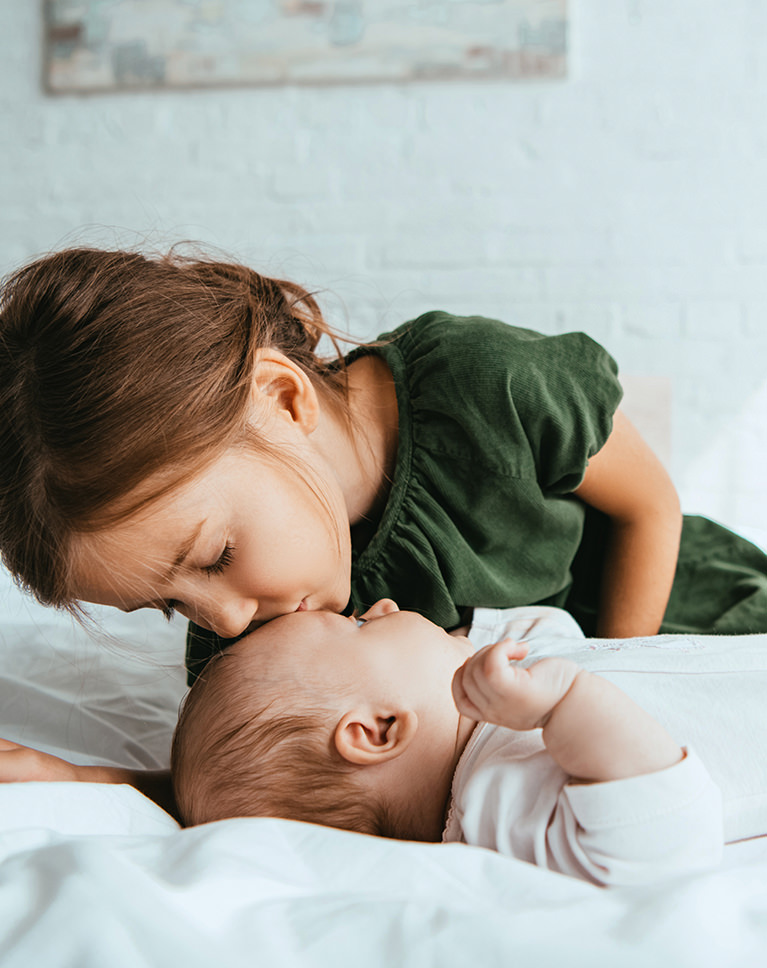

Vanilla Sky
Vanilla Sky brightens the white wall and bedding and adds a creamy warmth. The baby’s skin looks soft and the sister’s green dress turns a lighter olive, while the sheets keep a clean glow. It mutes greens more than any other LUT in the pack.
Creamy Shadows and Midtones
Dark grays lift from 25% to 37% and middle gray from 50% to 57%, with a soft orange cast in the shadows and midtones. Whites stay neutral at full brightness and black stays at zero, so contrast drops by about a sixth.
Greens Turn Light Olive
Greens get much brighter, shift toward yellow and lose about a third of their color, which is why the dress goes from deep green to olive. Blues lose about a third too, and aquas about a fifth. Skin gets lighter, deep skin most of all.
Best on: newborn and sibling photos, scenes on white bedding, and calm moments at home.
What’s in the Download
5 LUTs, every format
One zip with the 5 LUTs as .CUBE files for Photoshop, plus each one in .3DL, .CSP, .CUBE and .ICC for video and other apps, and 4 sample images to practice on. In Photoshop they load through a Color Lookup adjustment layer.
- ZIPPHLEARN Family Vibes LUTs 2026.zipEvery LUT in every format, one download, 8.3 MB
- CUBEPhotoshop Quick Install (.CUBE)The 5 LUTs ready for a Color Lookup layer
- 3DLAll Formats (.3DL, .CSP, .CUBE, .ICC)The same 5 for Premiere Pro, After Effects, Resolve, Final Cut and Capture One
- JPG4 Sample ImagesFree-to-use practice photos
- PDFPHLEARN LUTs - Install Guide (2026).pdfInstall steps for Photoshop and video apps, plus two tips
- PHLEARN-Family Vibes-Agata Browns.CUBE
- PHLEARN-Family Vibes-Coral Reds.CUBE
- PHLEARN-Family Vibes-Light Ginger.CUBE
- PHLEARN-Family Vibes-Lightest Rust.CUBE
- PHLEARN-Family Vibes-Vanilla Sky.CUBE
The 4 sample images


Photos by Annie Spratt, Seljan Salim, Tanaphong Toochinda and Frank Ching on Unsplash
LUT Questions, Answered
What’s included in the Family Vibes LUTs?
The pack has 5 LUTs: Agata Browns, Coral Reds, Light Ginger, Lightest Rust and Vanilla Sky. Each LUT comes as .CUBE, .3DL, .CSP and .ICC files, so it works in Photoshop, Premiere Pro, DaVinci Resolve, Final Cut Pro and most other editors.
What kind of photos are the Family Vibes LUTs made for?
Family photos and videos: bright smiles, soft lighting and memories that last. The looks brighten your images and add warm, subtle coloring for a timeless feel, so everyday family moments feel right at home. They work on both photos and video, so the same look can carry across stills and footage.
How do the Family Vibes LUTs treat skin tones?
They are made to help your subjects look good. Along with brightening the image, they soften skin tones and add a touch of warm coloring. It’s a delicate approach, meant for photos that need a light hand rather than a strong color grade, and it works the same way on video.
Are LUTs included in my PHLEARN PRO subscription?
Yes. A PHLEARN PRO membership includes every LUT pack, plus PRO Tutorials, Lightroom Presets, Photoshop Actions and Photoshop Brushes.
Which programs do the LUTs work in?
Photoshop, Premiere Pro, DaVinci Resolve, Final Cut Pro, After Effects, Lightroom Classic and most other photo and video editors. Use the .CUBE file unless your software asks for .3DL, .CSP or .ICC.
How do I use a LUT in Photoshop?
Choose Layer > New Adjustment Layer > Color Lookup, open the 3DLUT File menu in the Properties panel, choose Load 3D LUT and pick a .CUBE file from the Photoshop Quick Install folder. Set the strength with the layer’s Opacity.
How do I install LUTs in Premiere Pro, DaVinci Resolve or Final Cut Pro?
The PDF install guide in your download has a page for each one, and every step for every program is on our How to Install LUTs page.
The LUT looks too strong. What do I do?
Turn it down: lower the layer Opacity in Photoshop, the Intensity slider in Premiere Pro or the Mix slider in Final Cut Pro. In DaVinci Resolve, reduce Key Output Gain for that node.
Should I correct my photo before adding a LUT?
Yes. Set exposure and white balance first, then add the LUT on top. A LUT grades color; it does not correct it.
My LUTs don’t show up in DaVinci Resolve.
Skipping Update Lists is the usual reason. Open Project Settings > Color Management, click Update Lists, then Save.
Do you offer refunds?
Because these are downloadable products, all sales are final and we are not able to offer refunds.
Terms of Use
These LUTs are licensed for personal and professional use by the individual who purchased or downloaded them. The license does not extend to companies or partnerships, and the files may not be resold, loaned, gifted, shared, copied or redistributed. All PHLEARN LUTs are copyright protected.
Master Photoshop, Lightroom and Photography
Join PHLEARN PRO for $12.99 a month, or $99.99 a year (save 36%). Cancel anytime, with a 100% money-back guarantee.





