

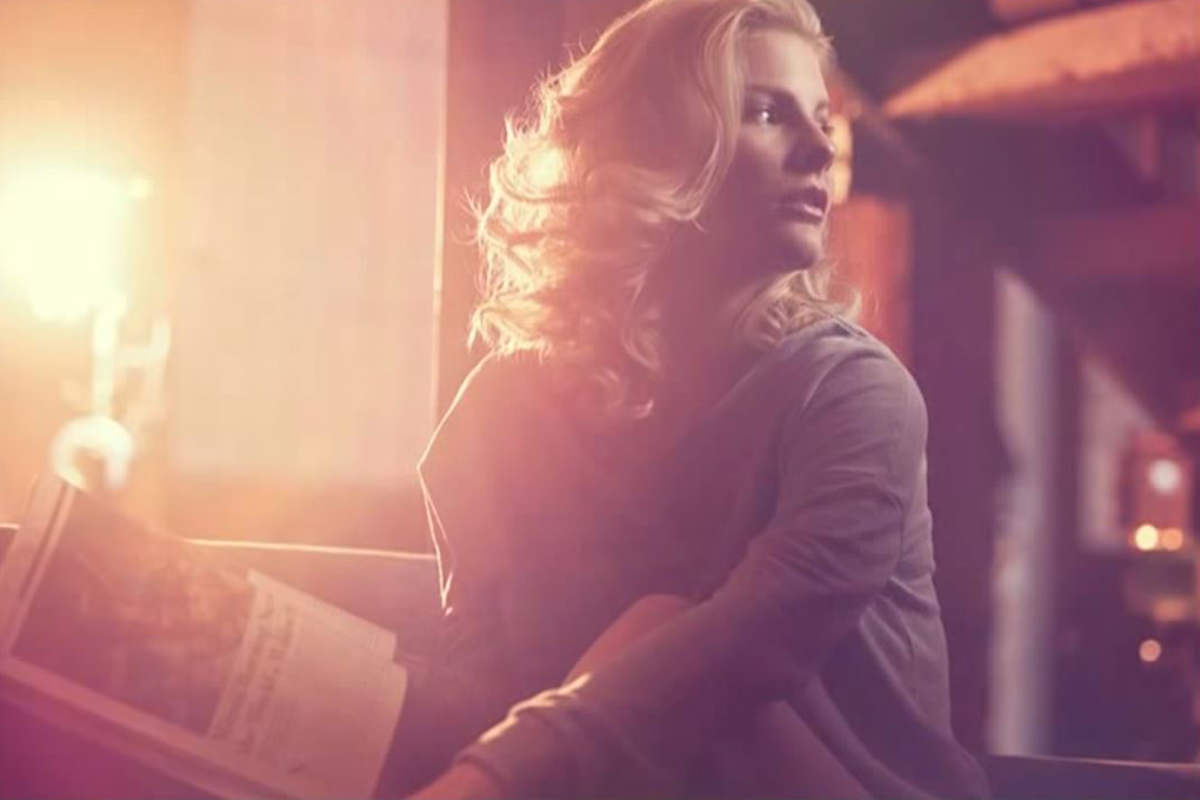

Color Toning in Photoshop With The Wonders of Color Blurs
After adding Adjustment Layers to our photographer to pump up the blues and yellows, we can further intensify this image by adding Color Blurs. While they don’t look like anything special individually, they can be applied over top of images with blending modes to create beautiful flares and effects. Check out Phlearn’s library of Color Blurs here!
The Right Way To Add Grain
One thing to always keep in mind when adding Grain to an image is to make sure you’ve already resized it. If we add Grain to a 5000px wide image before resizing it down to 730px, all of the Texture will be lost. Fixing this problem is simple – resize your image before adding grain or other similar Textures!






Enjoying This Free Tutorial? Go Further with PRO.
Unlock Full Sample Files, PSDs, and Hundreds of Masterclasses!

Download full project assets, original PSDs, and RAW images for every lesson
Unlimited access to our complete library of PRO Photoshop & Lightroom courses
Instant 4K Ultra HD streaming on all devices, anytime, anywhere
Full access to our entire library of Photoshop Actions, Presets, and LUTs
Flexible monthly and annual membership plans
Cancel anytime with zero hassle or commitments