Airy Wedding Lightroom Presets for Classic & Mobile
-

-
Add to
favorites
-
Software
-
CompatibilityLightroom Classic & Mobile
-
Lightroom presets10 Airy Wedding Presets
-
Works in every Lightroom.xmp for Classic, Desktop & Mobile
-
Backup for older app versions.dng for Lightroom Mobile
-
In the download4 Sample Images + PDF Guide
Install Guide
How to Install Your Presets
A short PDF that walks you through installing this pack in Lightroom Classic, Lightroom desktop and Lightroom on your phone, plus three tips for better results.
DESCRIPTION
Weddings are meant to be remembered forever. Whether it’s your own special day, or you’re capturing it for a client, these bright, soft, and airy looks are perfect for creating timeless photos of unforgettable moments.
All ten brighten the highlights and raise the black point, and most lower contrast, a good match for ceremony, portrait and reception photos that should feel pale and gentle. After you apply one, bring Whites down if a white dress loses detail.
One zip holds the 10 presets as .xmp files, which work in Lightroom Classic, Lightroom on your computer and Lightroom on your phone, plus .dng versions for older releases of the mobile app, each in its own labeled folder, with 4 sample images to practice on and the PDF install guide.
TRY THEM FOR FREE
Want to try our Presets before you buy? Check out our FREE Lightroom Presets Sample Pack with 10 of our favorite looks for Lightroom Classic and Mobile.
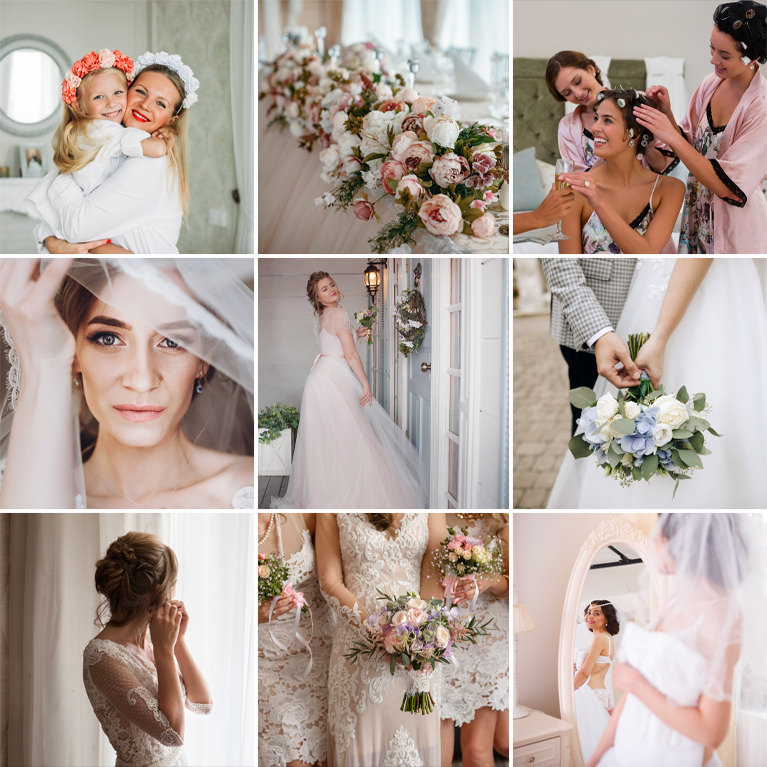
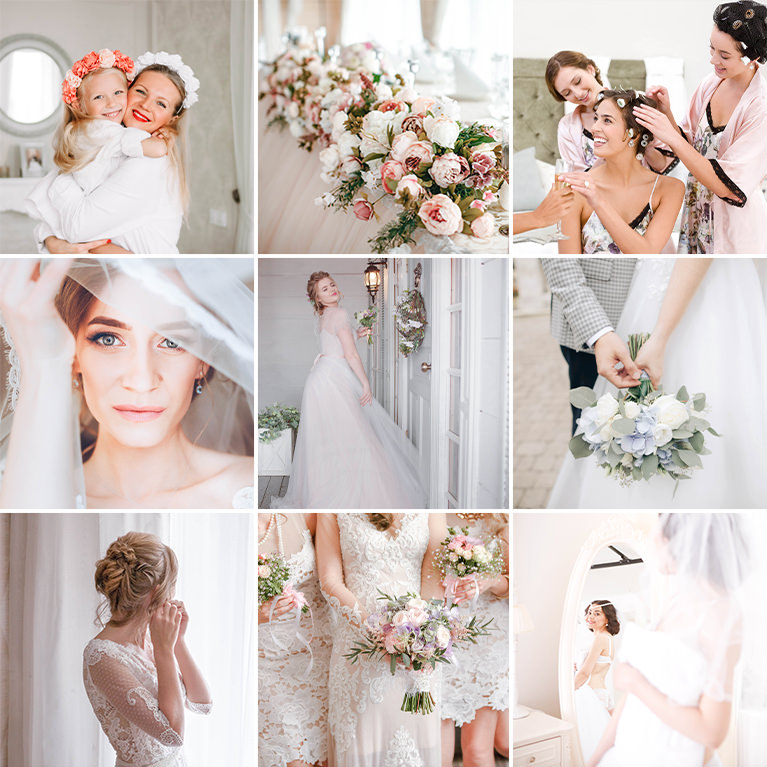
PHLEARN PRO · Lightroom Presets
Airy Wedding Lightroom Presets
10 presets4 sample imagesLightroom Classic & Mobile
Airy Wedding Lightroom Presets · 10 Looks
Bright, Soft Light for Wedding Days
Ten presets that lift the blacks, open up the highlights and keep skin soft for a light, clean wedding look. They work in Lightroom Classic and in Lightroom on desktop and mobile.
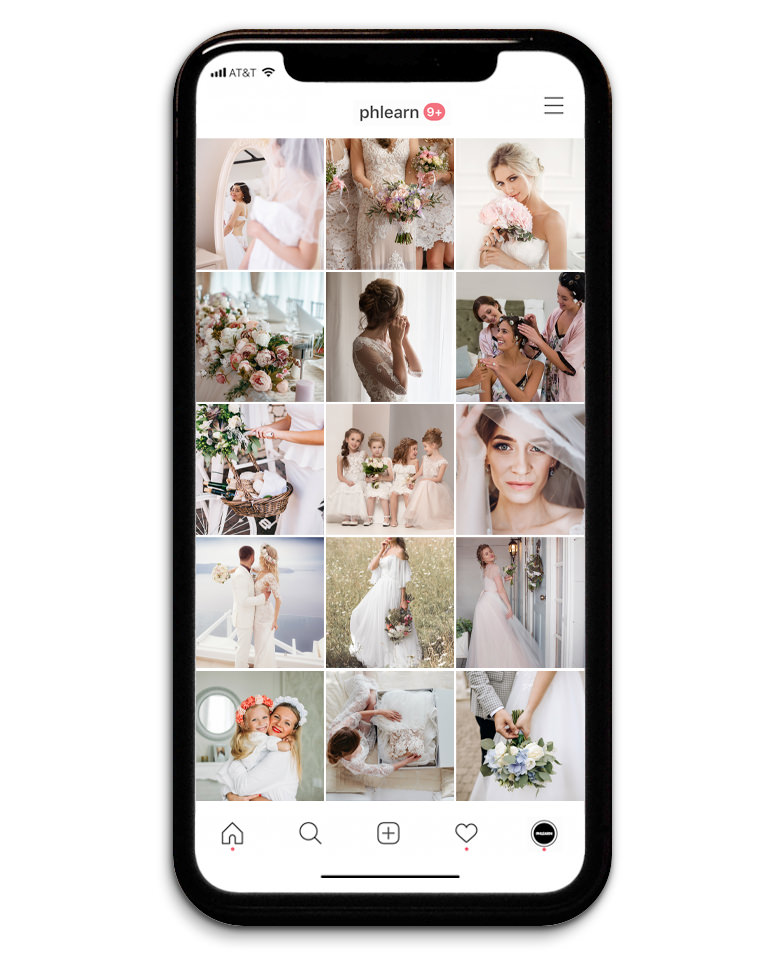
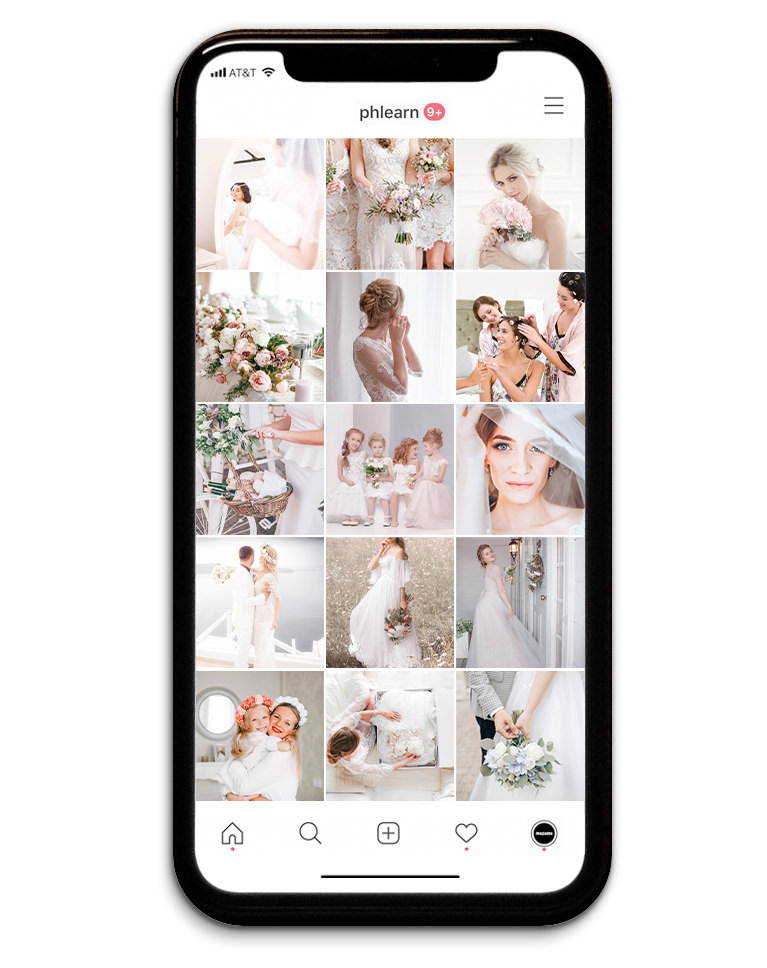
One Soft Look for the Whole Wedding
The ten Airy Wedding presets give a full album the same light, gentle finish. Across the feed, dresses and veils turn cleaner and brighter, florals soften toward pastel, and faces look fresh and evenly lit from one photo to the next. None of them add grain or a vignette, so every frame stays clean.
Lifted Blacks in Every Preset
All ten raise the blacks and brighten the highlights, and eight of them lower contrast as well, so dark corners open up and nothing in the frame turns heavy. Nine also lift the darks on the tone curve.
Quiet Yellows, Bright Skin
Every preset pulls back yellow saturation, and nine brighten oranges, so skin stays light and warm while yellowed walls and ivory fabric look cleaner. Nine mute blues and nine make them lighter, so skies and painted walls turn pale and quiet.
Best on: full wedding albums, engagement sessions and bridal showers.

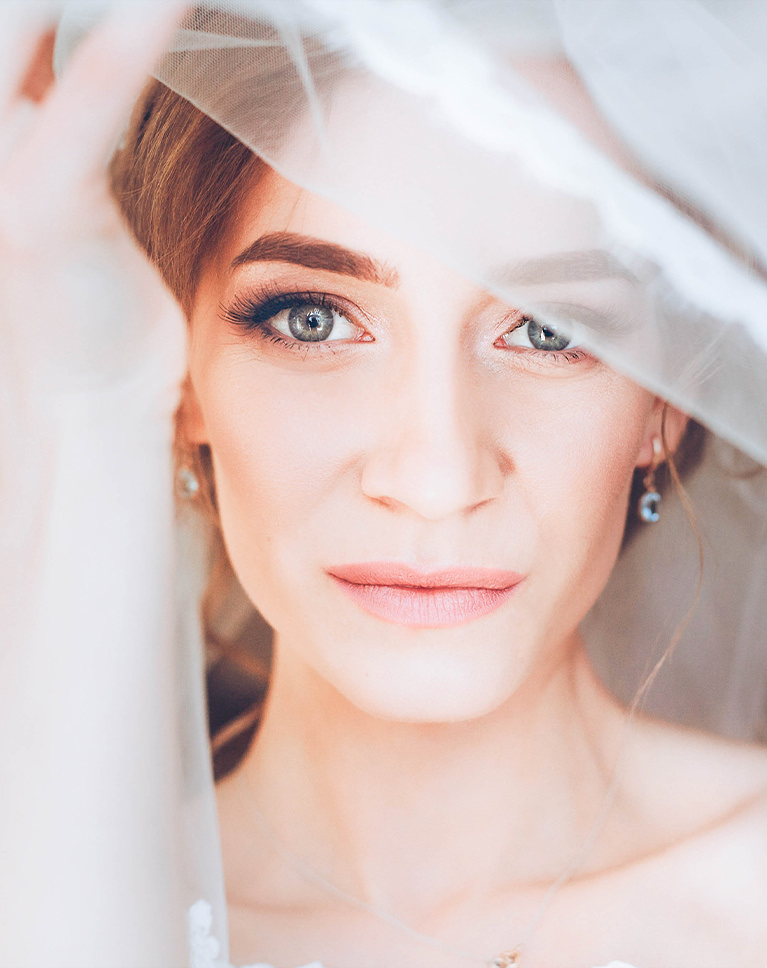
Floral White
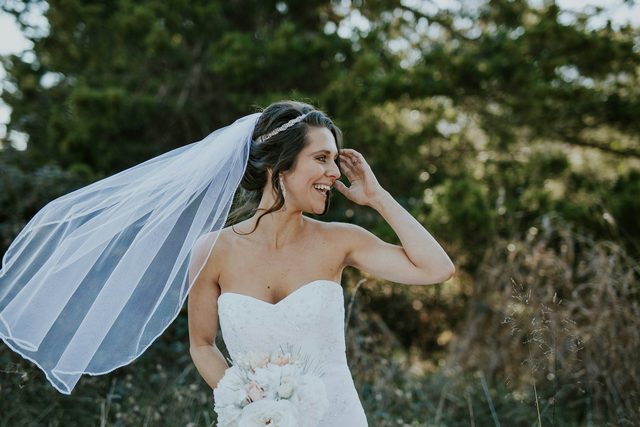
Floral White lightens this veiled close-up and softens every edge. Her skin turns brighter and peachier, her lips keep a gentle pink, and the shadowed background fades toward white so her eyes hold the frame. White balance barely moves, so the veil stays a clean, true white.
Low Contrast, Open Darks
Contrast drops by 37 while highlights, shadows, whites and blacks all go up, and the tone curve lifts the darks a lot. Clarity and texture come down a little for smoother skin.
Peachy Skin, Pale Background
Oranges shift slightly toward red and get brighter and a bit richer, which gives skin that peachy glow. Greens lose about 70 points of saturation, and a faint cool tint sits in the highlights. It is the only preset in the pack that adds blue saturation, so blue flowers and details keep their color.
Best on: bridal close-ups, veil portraits and getting-ready shots in soft window light.
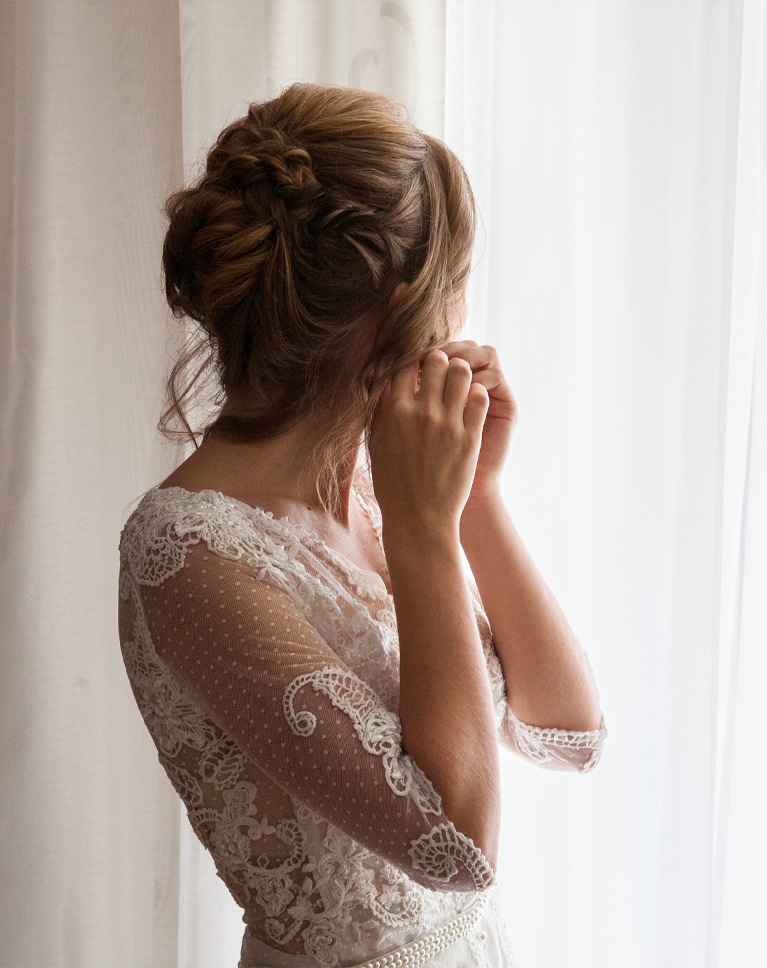
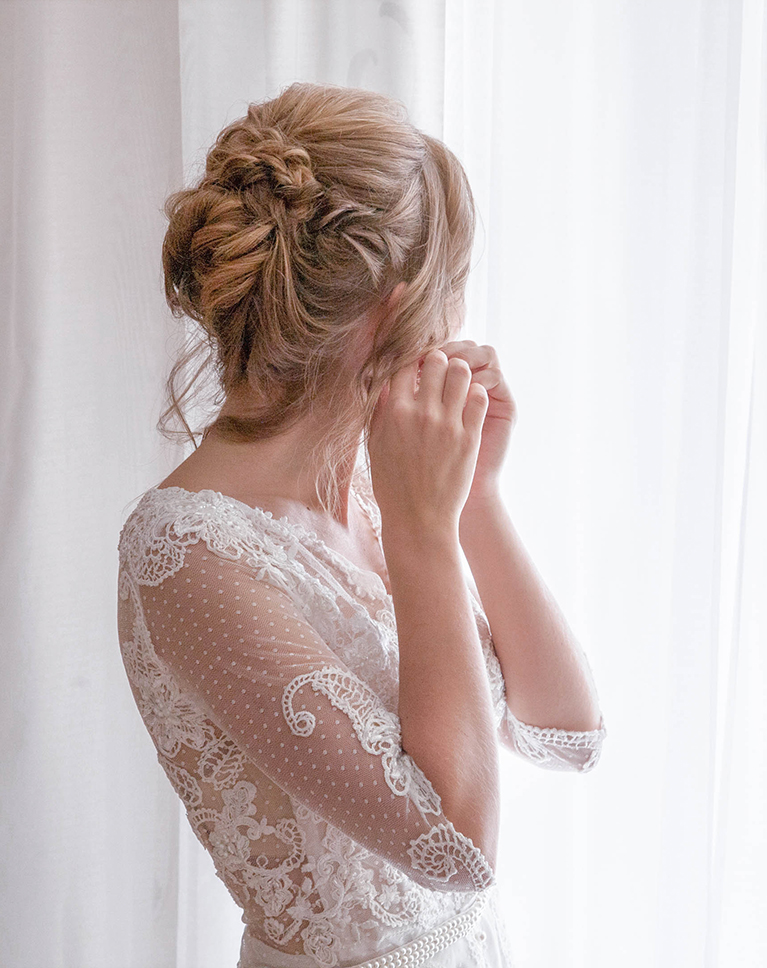
Almond Cream
Almond Cream opens up this dim moment by the window. The sheer curtains turn bright white, the lace sleeves read crisp and clean, and her hair picks up a richer, warmer brown. Texture eases down a little, which smooths skin without softening the whole photo.
Big Shadow Lift, Softer Whites
Shadows go up by 59 and blacks by 45 while contrast drops and exposure rises slightly, so dark corners fill with light. Highlights rise a little too, but whites come down, which keeps the curtains and dress from blowing out.
Richer Oranges, Cooler Balance
Orange saturation rises by 26 while oranges get slightly darker, giving hair and skin depth. Yellows, greens and blues are muted, and a small cool shift in temperature keeps whites from looking yellow. Pinks and purples get much lighter and softer, so ribbons and blooms turn pastel.
Best on: getting-ready moments, lace and detail shots, and photos taken indoors beside a window.
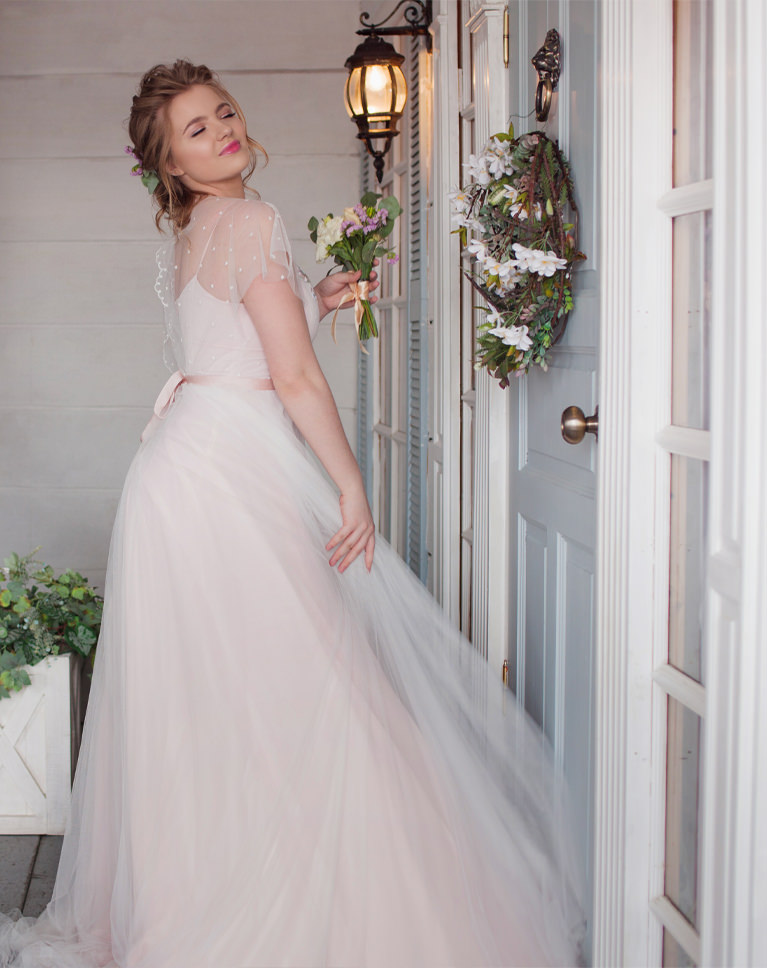
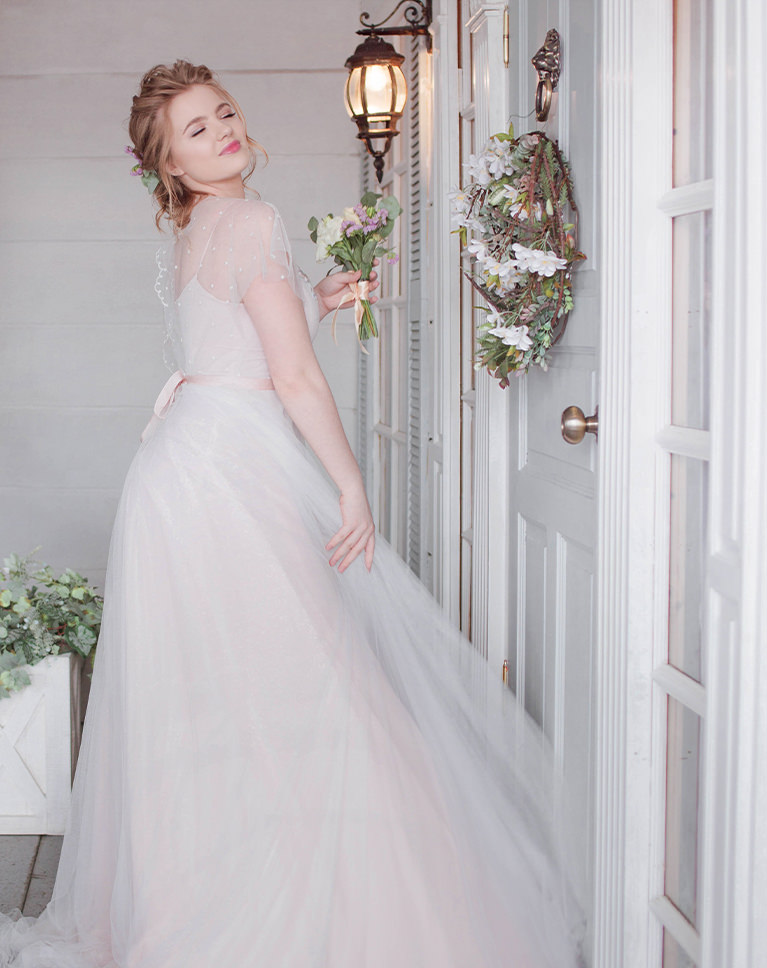
Light Birch
Light Birch gives this doorway portrait a lighter, cooler finish. The blush dress softens to a pale pink, the blue-gray door and walls turn a quiet light gray, and her skin stays fresh and bright. White balance does not change at all, so the cool feel comes from the colors, not the temperature.
Contrast Cut by Half
Contrast drops by 53 while highlights, shadows and blacks rise and whites ease down, giving a soft, even look with no harsh edges. A light blue tint sits in the highlights and a touch of warmth in the shadows.
Blues Removed, Skin Brightened
Blue saturation goes all the way to zero and greens are muted, so painted walls turn neutral and foliage softens. Oranges get much brighter, which lifts faces and arms against the pale scene. Greens and blues get much lighter too.
Best on: full-length bridal portraits, porch and doorway shots, and pastel dresses or florals.
What’s in the Download
One zip, desktop and mobile
One zip with both versions in labeled folders: .xmp presets for Lightroom Classic, desktop and mobile, and .dng backups for older releases of the mobile app, plus 4 sample images to practice on. In Lightroom they show up under User Presets.
- ZIPPHLEARN Airy Wedding Lightroom Presets 2026.zipDesktop and mobile presets in one download, 7.2 MB
- XMPLightroom Classic, Desktop & Mobile (.xmp)10 presets for every Lightroom app
- DNGLightroom Mobile Backup (.dng)The same 10 for older releases of the mobile app
- JPG4 Sample ImagesFree-to-use practice photos
- PDFPHLEARN Lightroom Presets - Install Guide (2026).pdfClassic, desktop and mobile install steps
- PHLEARN-Airy Wedding-Almond Cream
- PHLEARN-Airy Wedding-Buttermilk
- PHLEARN-Airy Wedding-Floral White
- PHLEARN-Airy Wedding-Light Birch
- PHLEARN-Airy Wedding-Light Ivory
- PHLEARN-Airy Wedding-Lightest Ruby
- PHLEARN-Airy Wedding-Medium Beige
- PHLEARN-Airy Wedding-Powder White
- PHLEARN-Airy Wedding-Rose Beige
- PHLEARN-Airy Wedding-Soft Blush
The 4 sample images


Lightroom Preset Questions, Answered
What’s included in the Airy Wedding Lightroom Presets?
The pack includes 10 presets: Rose Beige, Lightest Ruby, Almond Cream, Light Ivory, Light Birch, Buttermilk, Medium Beige, Floral White, Soft Blush and Powder White. They come as .XMP presets for Lightroom Classic, Lightroom desktop and Lightroom on your phone, plus .DNG versions for older versions of the mobile app.
What kind of photos are the Airy Wedding Lightroom Presets made for?
They’re made for weddings and special occasions, whether it’s your own day or you’re shooting for a client. The looks are bright, soft and airy: they add clean white tones, soften harsh details, apply subtle coloring, and lift the darkest shadows while keeping highlights clear, for a bright, clean and timeless feel.
How do these presets handle skin tones and wedding colors?
They’re designed with soft skin in mind, adding warm and creamy tones to portraits. They also make subtle enhancements to the colors often found at ceremonies, like flower arrangements, styled clothing and cake, bringing out pinks, roses and lavenders without letting too much style take over the photo.
Are Lightroom Presets included in my PHLEARN PRO subscription?
Yes. A PHLEARN PRO membership includes every Lightroom Preset pack, plus PRO Tutorials, LUTs, Photoshop Actions and Photoshop Brushes.
Which version of Lightroom do I need?
The .XMP presets work in Lightroom Classic 7.3 and newer, in Lightroom on your computer and in Lightroom on your phone. For older versions of the mobile app, use the .DNG files in the download. We recommend the latest version.
How do I install Lightroom Presets?
In Lightroom Classic, open the Develop module, click the + in the Presets panel, choose Import Presets and select the .XMP files. The PDF install guide in your download covers Lightroom on your computer and your phone too, and every method is on our Lightroom Presets install guide.
I imported the pack, but I can’t see it.
The new group arrives collapsed and sits in alphabetical order. Scroll the Presets panel, find the group named after the pack and click its arrow.
Do I have to install the presets on my phone separately?
Not if you import them into Lightroom on your computer: within a few minutes they show up in Lightroom on any device signed in to the same Adobe account. If you use Lightroom Classic, import the .XMP files in the mobile app: open a photo, tap Presets, then Yours, then the three-dot menu and Import Presets.
Do the presets work on RAW and JPEG photos?
Yes. Every preset is built to work on both RAW and JPEG files, and each one can be adjusted after you apply it.
The preset looks too strong. What do I do?
Lower the Amount slider at the top of the Presets panel, then adjust White Balance and Exposure for that photo. Every photo starts from different light.
Do you offer refunds?
Because these are downloadable products, all sales are final and we are not able to offer refunds.
Terms of Use
These Presets are licensed for personal and professional use by the individual who purchased or downloaded them. The license does not extend to companies or partnerships, and the files may not be resold, loaned, gifted, shared, copied or redistributed. All PHLEARN Presets are copyright protected.
Master Photoshop, Lightroom and Photography
Join PHLEARN PRO for $12.99 a month, or $99.99 a year (save 36%). Cancel anytime, with a 100% money-back guarantee.





