Black and White Wedding Lightroom Presets for Classic & Mobile
-

-
Add to
favorites
-
Software
-
CompatibilityLightroom Classic & Mobile
-
Lightroom presets10 Black and White Wedding Presets
-
Works in every Lightroom.xmp for Classic, Desktop & Mobile
-
Backup for older app versions.dng for Lightroom Mobile
-
In the download4 Sample Images + PDF Guide
Install Guide
How to Install Your Presets
A short PDF that walks you through installing this pack in Lightroom Classic, Lightroom desktop and Lightroom on your phone, plus three tips for better results.
DESCRIPTION
Instantly create timeless black and white looks, perfect for wedding and celebration photos that you want to last a lifetime.
Each look converts the photo to black and white, and most open the shadows and raise contrast, making them a fit for getting-ready shots, first looks and candid reception moments. After you apply one, use Whites to protect detail in a veil.
One zip holds the 10 presets as .xmp files, which work in Lightroom Classic, Lightroom on your computer and Lightroom on your phone, plus .dng versions for older releases of the mobile app, each in its own labeled folder, with 4 sample images to practice on and the PDF install guide.
TRY THEM FOR FREE
Want to try our Presets before you buy? Check out our FREE Lightroom Presets Sample Pack with 10 of our favorite looks for Lightroom Classic and Mobile.
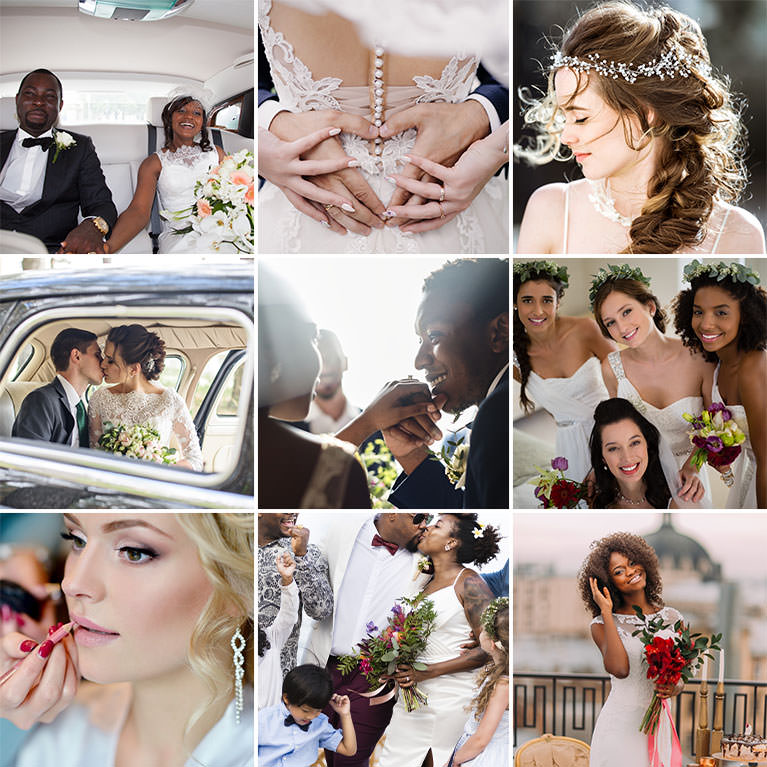
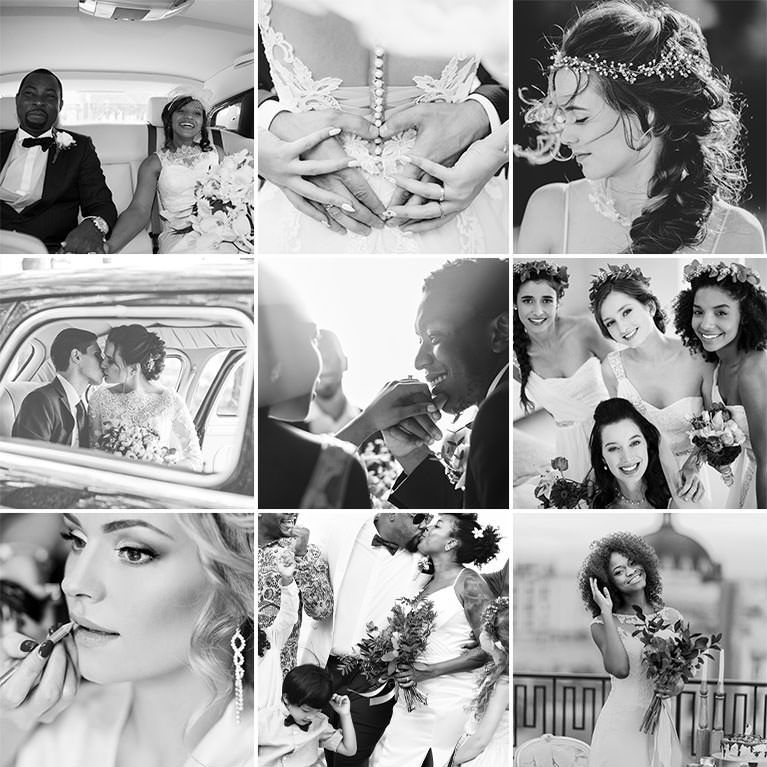
PHLEARN PRO · Lightroom Presets
Black and White Wedding Lightroom Presets
10 presets4 sample imagesLightroom Classic & Mobile
Black and White Wedding Lightroom Presets · 10 Looks
Black and White From Matte to Inky
Ten black and white presets, from soft matte finishes to deep, contrasty blacks, for wedding days and portraits. They work in Lightroom Classic and in Lightroom on desktop and mobile.
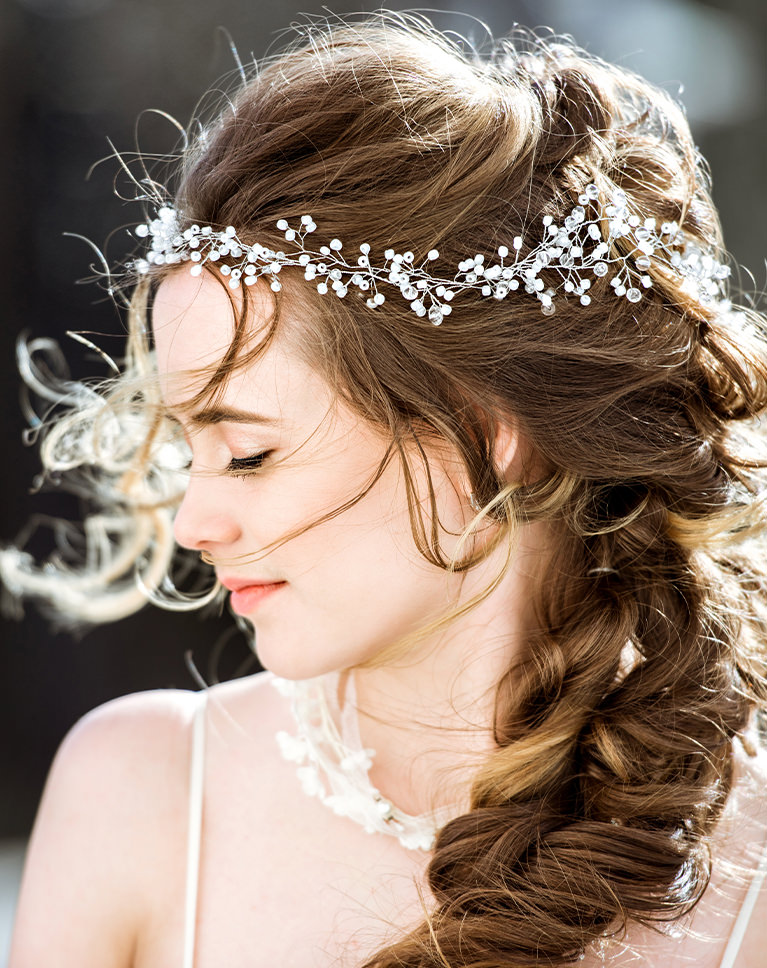
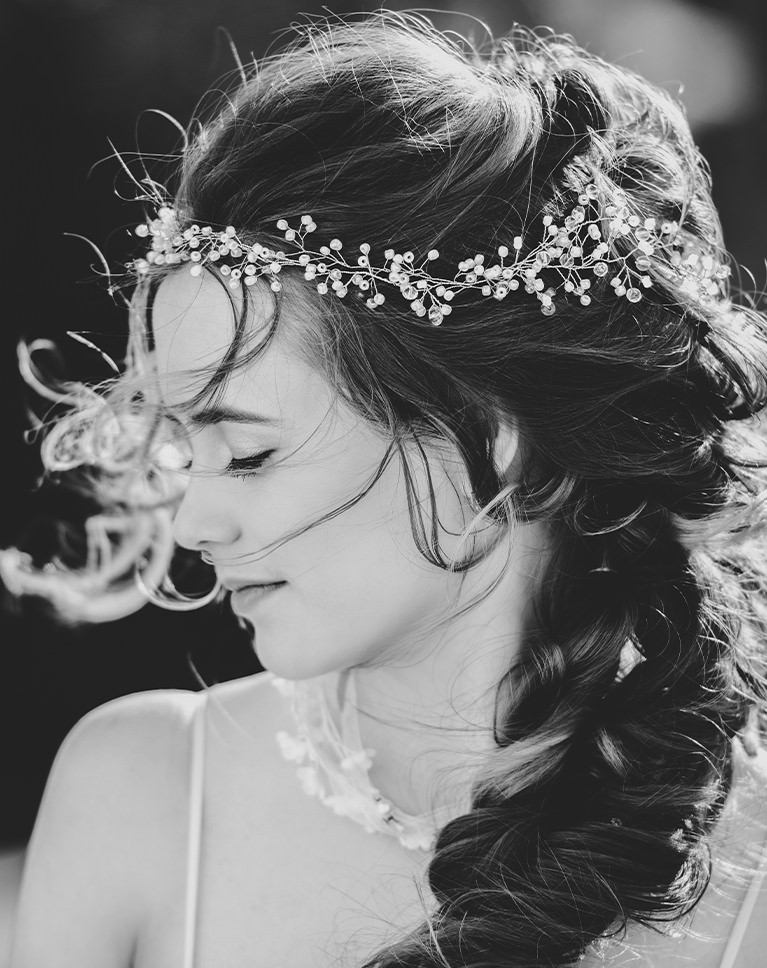
Verona Black
Verona Black turns a warm, backlit portrait into a dark, moody black and white. The background behind the bride falls into deep shadow while her face, the beaded headpiece and the loose strands of hair stay bright. Contrast rises by 19.
Highlights and Shadows Both Pulled Down
Highlights drop by 55, whites by 44 and shadows by 45, so bright skin keeps its detail and the darker areas sink. Blacks lift by 36, and the tone curve lifts the black point and lowers the white point for a soft, printed finish.
Glowing Hair Against Dark Tones
Backlit hair, flyaway strands and sparkly accessories read clearly against the darker surroundings. On the tone curve, the shadows region comes down by 32 while the darks rise by 15, so the deepest tones stay dark without crushing the ones above.
Best on: close bridal portraits, backlit hair and veils, and getting-ready shots with a dark backdrop.
Satin Blacks
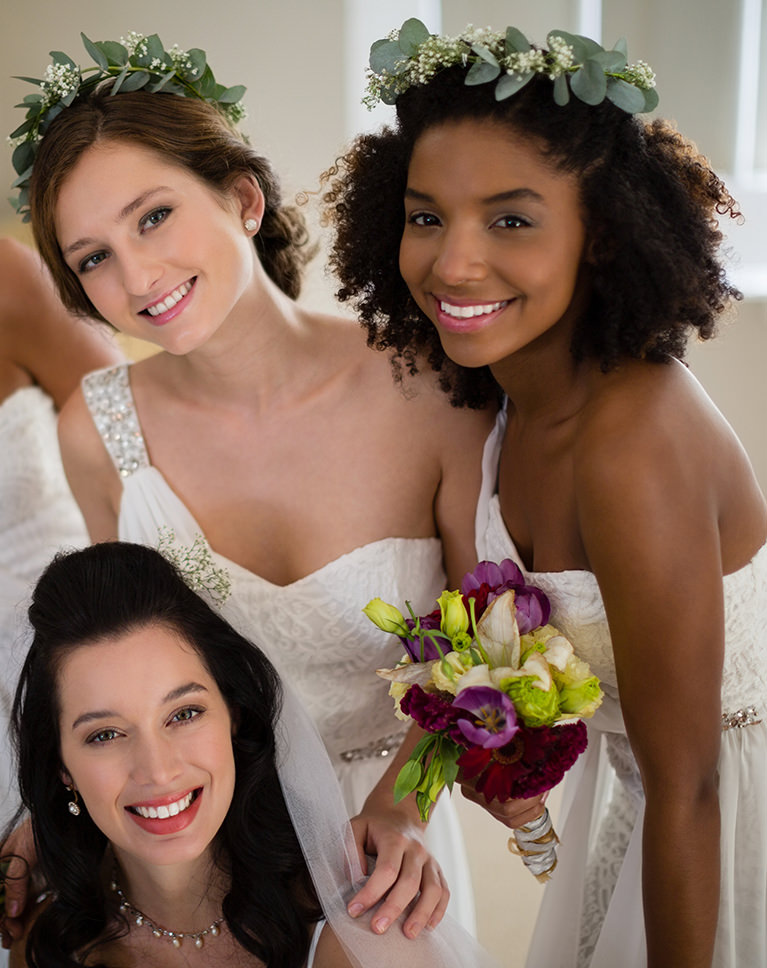
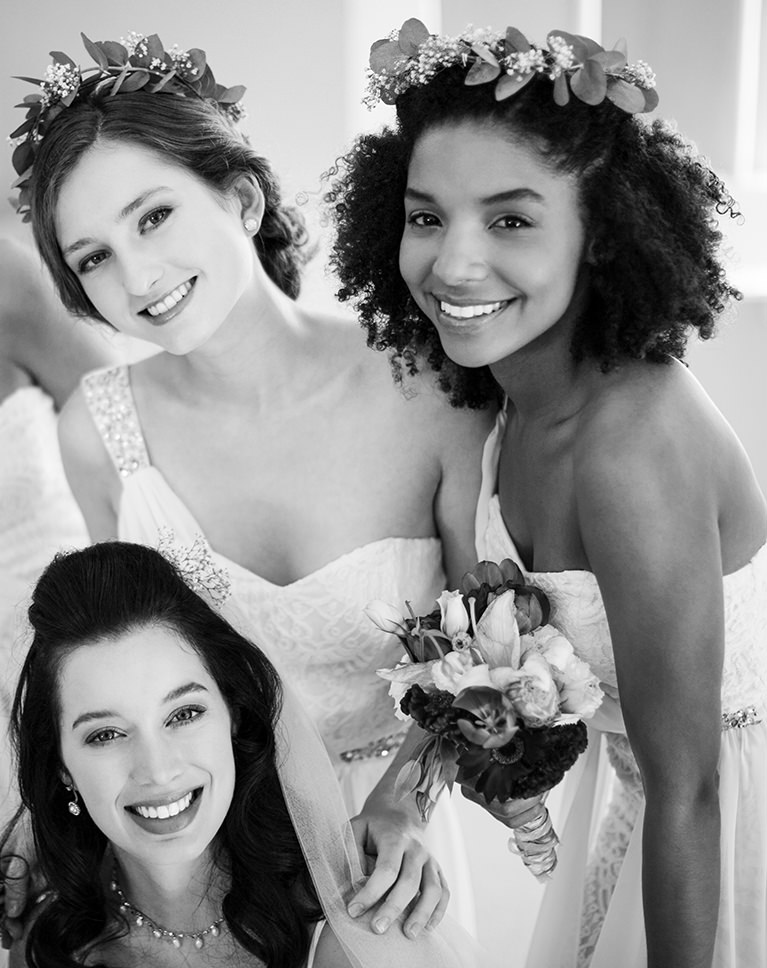
Satin Blacks gives a bright, clean black and white with plenty of punch. The white dresses and smiling faces stay luminous, and the dark curly hair and bouquets turn into rich, solid tones. There is no grain or vignette, so the finish stays smooth from edge to edge.
Bright Whites, Open Shadows
Contrast goes up by 40 and whites by 33, while shadows open up by 36 so faces in shade keep their detail. Blacks are pulled down by 17 to anchor the image, and the point curve dips the darker tones slightly for extra depth.
A Light, Hazy Softness
A small negative Dehaze adds a gentle glow over the frame, which softens skin and keeps lace and fabric from looking harsh. Dehaze sits at -12, the same amount Moon Black uses, so the two share a similar softness.
Best on: group shots of the bride and bridesmaids, smiling portraits, and indoor photos with lots of white.
New Sable
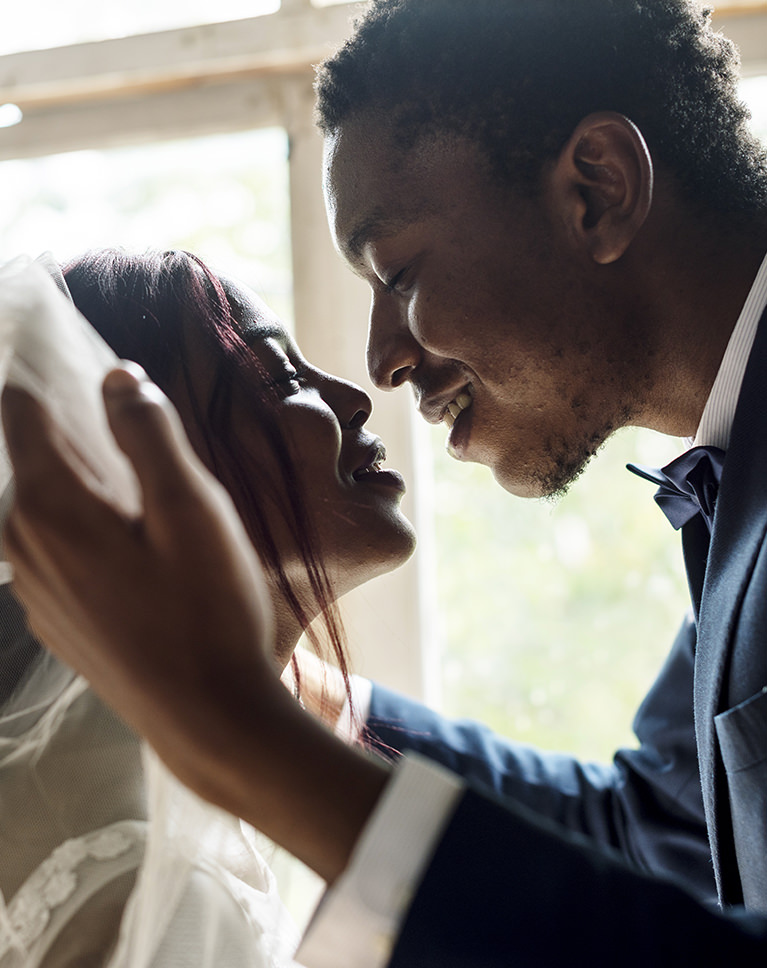
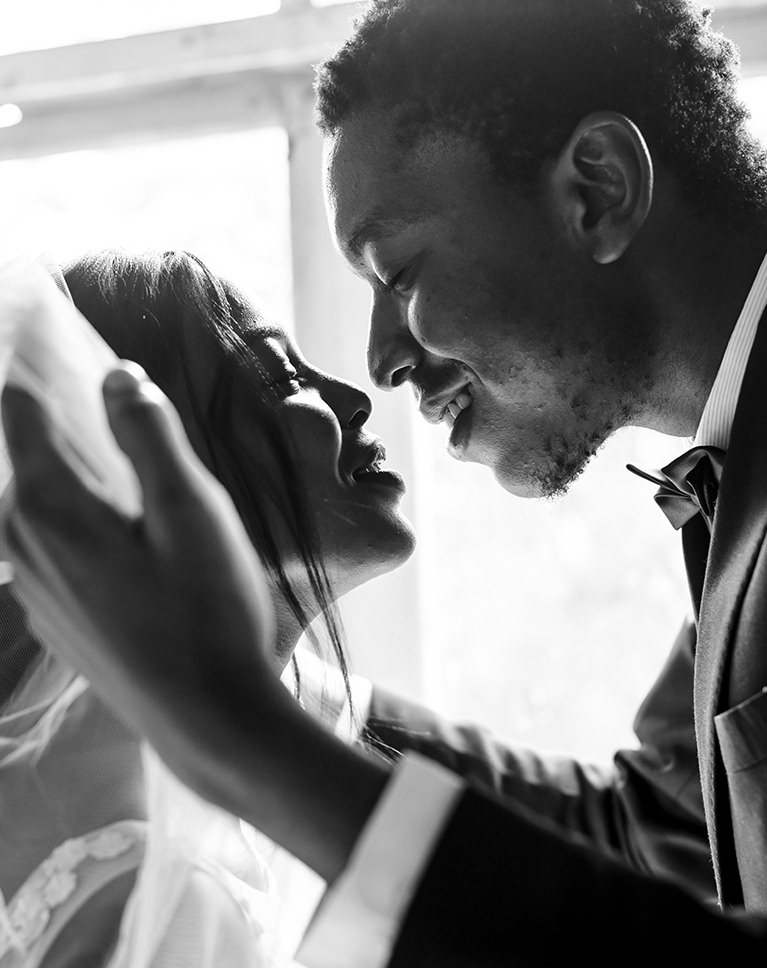
New Sable turns a warm window scene into a soft but graphic black and white. The window light glows bright, the faces hold detail across deep tones, and the groom’s suit settles into dark shadow. Luminance noise reduction at 24 smooths noise across the frame.
Brighter Light Tones
The Contrast slider comes down by 26, but the curve raises the light tones by 32 and nudges the darks down, so bright areas lift while shadows stay rich. A slight S-curve adds shape. Highlights and shadows each rise a little, by 13 and 12, while whites ease down by 14.
A Subtle Edge Vignette
A light vignette darkens the corners a touch and pulls the eye toward the couple in the middle of the frame. There is no grain, so smooth skin and fabric stay clean.
Best on: backlit couples by a window, profiles and close kisses, and photos with strong light and shadow.
Moon Black
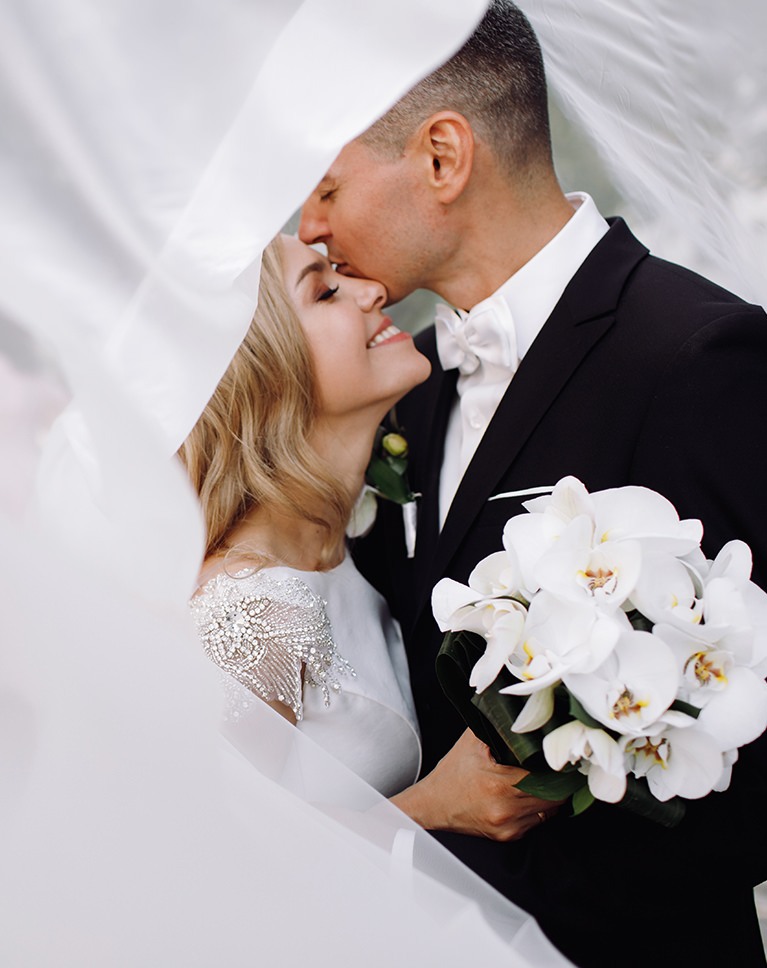
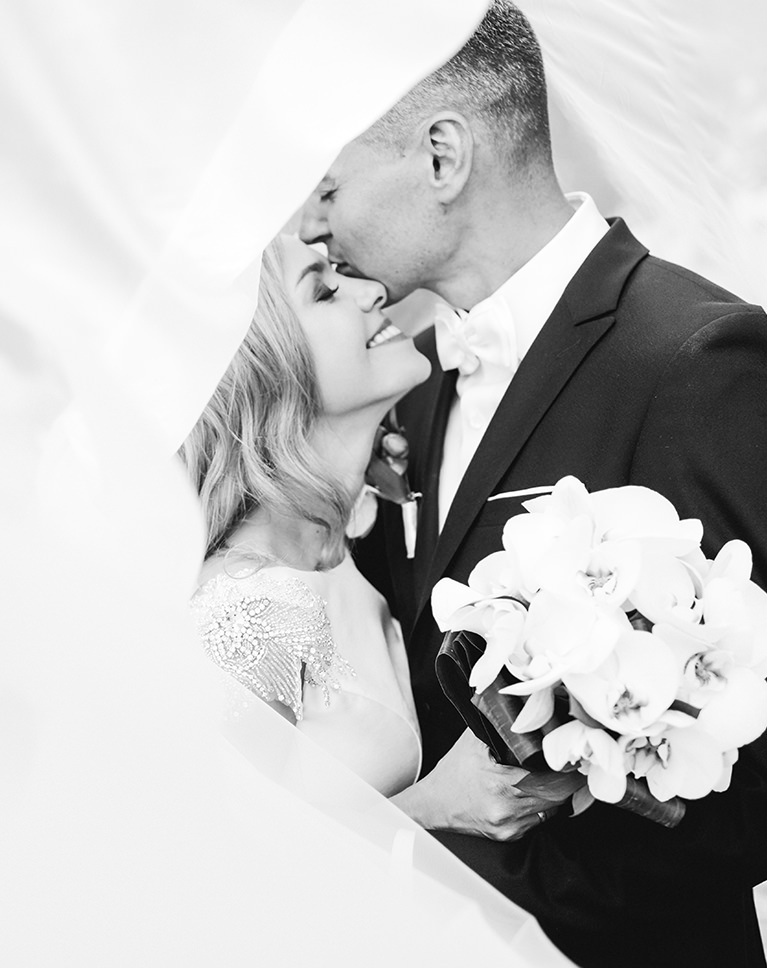
Moon Black makes a bright, airy black and white. The veil and the white orchids fill the frame with soft white, while the dark suit and his hair keep enough weight that the couple still stands out. Contrast is left untouched, so the brighter look comes from the tone settings and the curve.
Shadows and Blacks Lifted
Shadows go up by 50, blacks by 36 and whites by 33, so the whole image opens up, while highlights move up only 7. The curve lifts the midtones and dips the deeper tones slightly, and a small negative Dehaze adds a gentle haze.
Fine Grain for Texture
A light layer of grain gives smooth areas like the veil and skin a subtle film texture, which helps the bright whites feel less digital. The grain amount is 7 at the default size of 25.
Best on: veil shots, light and high-key wedding portraits, and photos with white flowers and dresses.
Midnight Matte
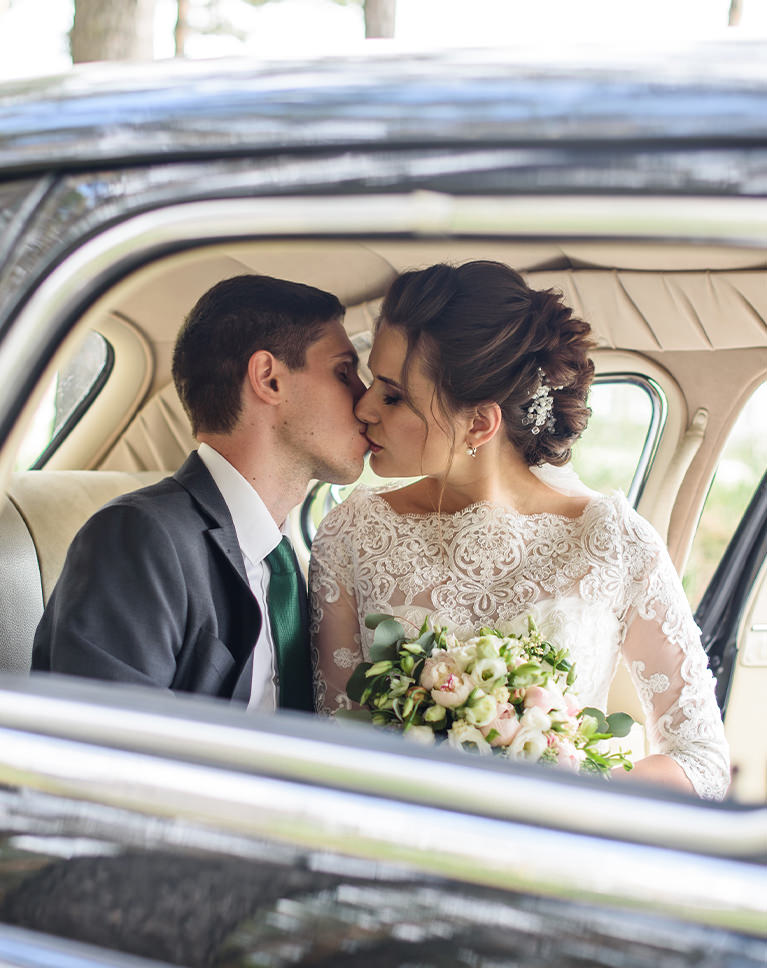
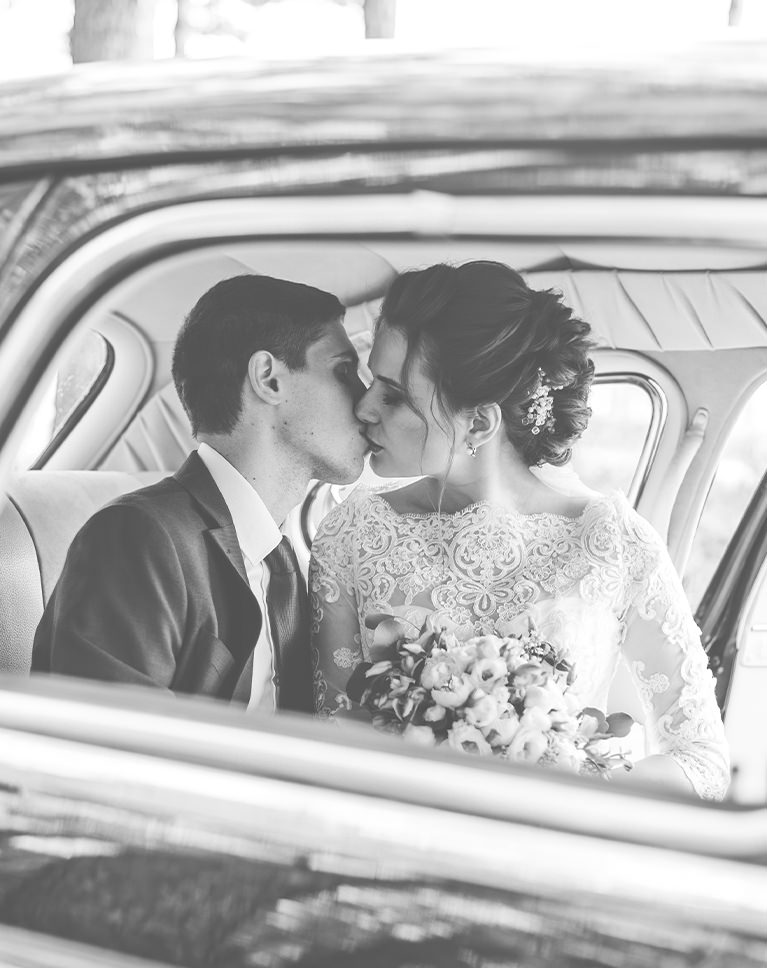
Midnight Matte gives a faded, vintage black and white. The dark car interior lifts to a soft charcoal, while the lace dress, the bouquet and the couple’s faces stay clear and easy to read. There is no grain or vignette, so the faded feel comes from tone alone.
A Strongly Lifted Black Point
The tone curve raises the black point to 78, so no part of the photo reaches true black. Blacks +21 and shadows +26 open things up further, highlights rise by 17, and whites come down by 36.
Contrast in the Midtones
Contrast is raised by 48, which keeps faces, lace and fabric from going flat even with the lifted blacks and softer whites. The curve also lifts the darker midtones, so the fade blends smoothly up into the middle of the tonal range.
Best on: getaway car photos, candid kisses, and wedding scenes you want to feel soft and timeless.
Black Jack
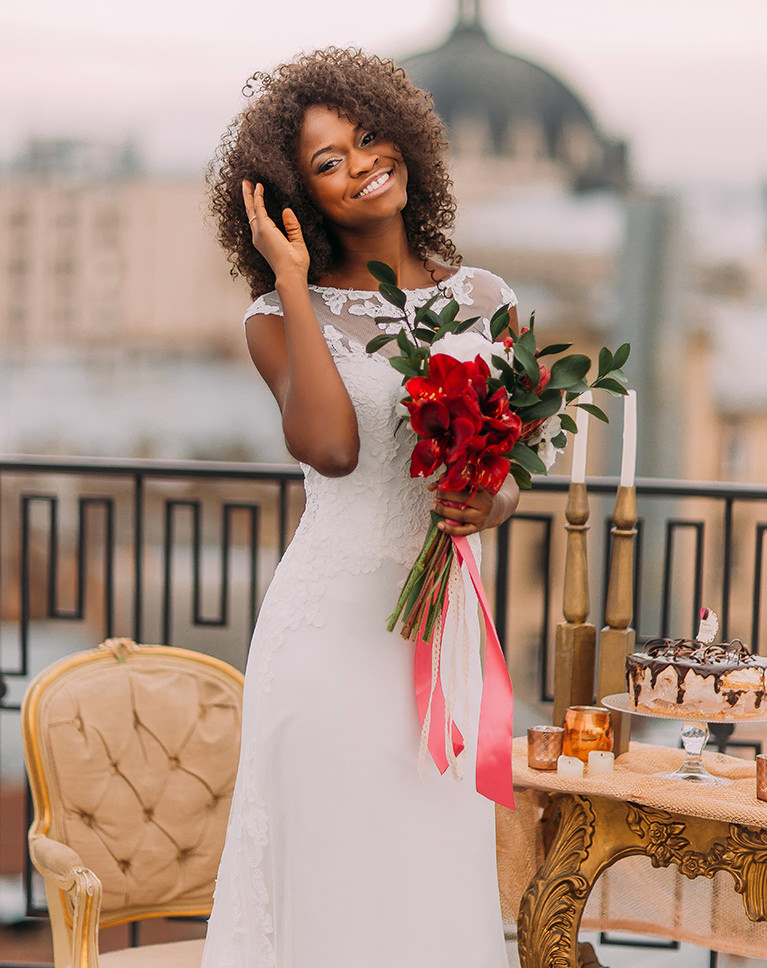
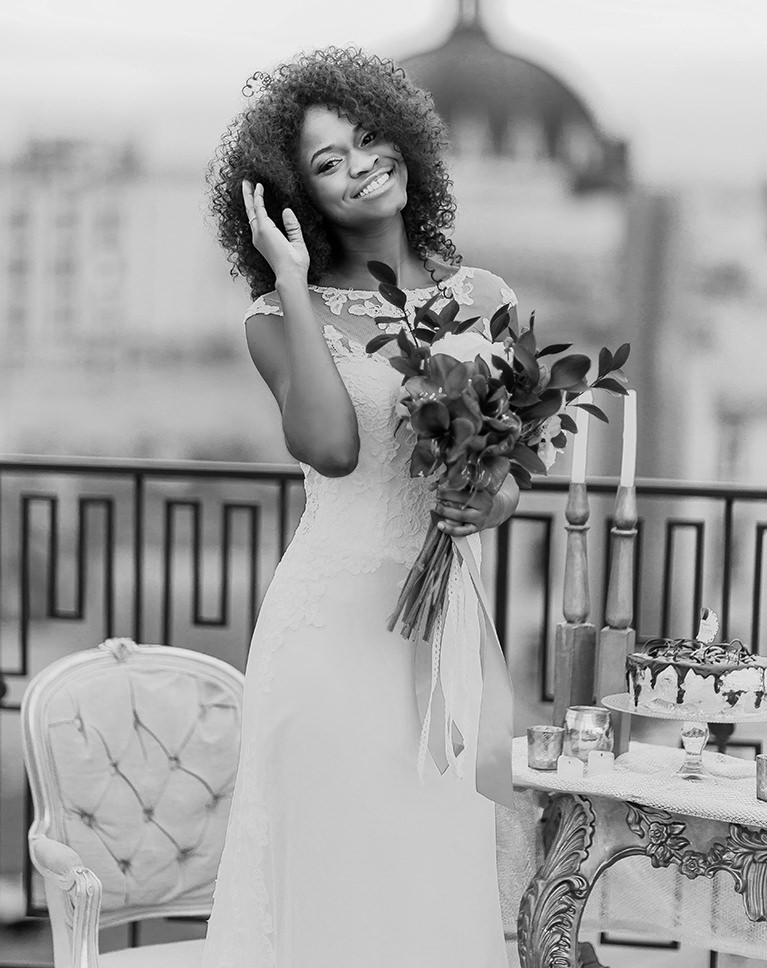
Black Jack gives a clean, neutral black and white with medium contrast. The red roses and pink ribbon become deep grays, the white gown stays bright, and the blurred city behind her falls into soft, even tones. Exposure, whites and clarity are left alone.
Light, Simple Adjustments
Contrast goes up by 10, highlights down by 17 and shadows down by 12, with blacks barely moved at -5. There is no tone curve, grain or vignette, so it makes a simple starting point. A small amount of luminance noise reduction, set to 7, smooths noise gently.
Color Turned Into Tone
Colorful flowers, gold chairs and decor convert into a range of grays, so busy venues look calmer and the bride stands out in white. Because the changes are small, the preset leaves plenty of room for your own adjustments afterward.
Best on: full-length bridal portraits, rooftop and venue shots, and photos with colorful flowers or decor.
What’s in the Download
One zip, desktop and mobile
One zip with both versions in labeled folders: .xmp presets for Lightroom Classic, desktop and mobile, and .dng backups for older releases of the mobile app, plus 4 sample images to practice on. In Lightroom they show up under User Presets.
- ZIPPHLEARN Black and White Wedding Lightroom Presets 2026.zipDesktop and mobile presets in one download, 7.0 MB
- XMPLightroom Classic, Desktop & Mobile (.xmp)10 presets for every Lightroom app
- DNGLightroom Mobile Backup (.dng)The same 10 for older releases of the mobile app
- JPG4 Sample ImagesFree-to-use practice photos
- PDFPHLEARN Lightroom Presets - Install Guide (2026).pdfClassic, desktop and mobile install steps
- PHLEARN-BW Wedding-Black Jack
- PHLEARN-BW Wedding-Deep Noir
- PHLEARN-BW Wedding-Iron Black
- PHLEARN-BW Wedding-Light Matte
- PHLEARN-BW Wedding-Midnight Matte
- PHLEARN-BW Wedding-Moon Black
- PHLEARN-BW Wedding-New Sable
- PHLEARN-BW Wedding-Point Grey
- PHLEARN-BW Wedding-Satin Blacks
- PHLEARN-BW Wedding-Verona Black
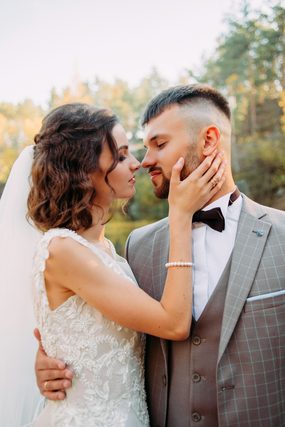
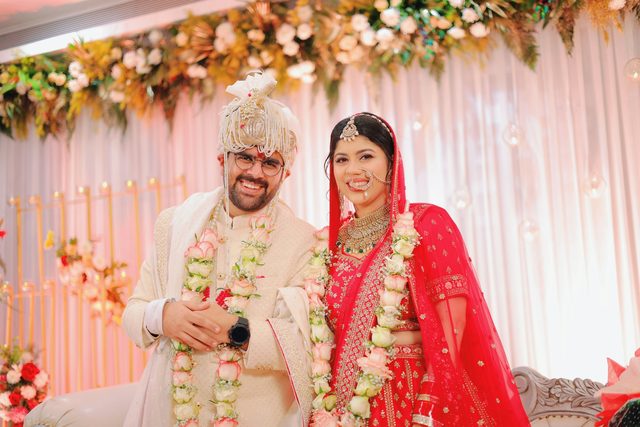
The 4 sample images


Lightroom Preset Questions, Answered
What’s included in the Black and White Wedding Lightroom Presets?
The pack includes 10 presets: Black Jack, Deep Noir, Iron Black, Light Matte, Midnight Matte, Moon Black, New Sable, Point Grey, Satin Blacks and Verona Black. They come as .XMP presets for Lightroom Classic, Lightroom desktop and Lightroom on your phone, plus .DNG versions for older versions of the mobile app, and the download includes sample images to practice on.
What kind of photos are the Black and White Wedding presets made for?
They are made for wedding and celebration photos you want to last a lifetime. Each preset turns an image into a timeless black and white look, which lets the people, places and moments in your photos tell the story. They can be applied to RAW or JPEG images.
Which Black and White Wedding Lightroom Presets are shown on this page?
The before and after examples show Black Jack, Midnight Matte, Moon Black, New Sable, Satin Blacks and Verona Black, with New Sable as the featured look. The other four presets in the pack are Deep Noir, Iron Black, Light Matte and Point Grey.
Are Lightroom Presets included in my PHLEARN PRO subscription?
Yes. A PHLEARN PRO membership includes every Lightroom Preset pack, plus PRO Tutorials, LUTs, Photoshop Actions and Photoshop Brushes.
Which version of Lightroom do I need?
The .XMP presets work in Lightroom Classic 7.3 and newer, in Lightroom on your computer and in Lightroom on your phone. For older versions of the mobile app, use the .DNG files in the download. We recommend the latest version.
How do I install Lightroom Presets?
In Lightroom Classic, open the Develop module, click the + in the Presets panel, choose Import Presets and select the .XMP files. The PDF install guide in your download covers Lightroom on your computer and your phone too, and every method is on our Lightroom Presets install guide.
I imported the pack, but I can’t see it.
The new group arrives collapsed and sits in alphabetical order. Scroll the Presets panel, find the group named after the pack and click its arrow.
Do I have to install the presets on my phone separately?
Not if you import them into Lightroom on your computer: within a few minutes they show up in Lightroom on any device signed in to the same Adobe account. If you use Lightroom Classic, import the .XMP files in the mobile app: open a photo, tap Presets, then Yours, then the three-dot menu and Import Presets.
Do the presets work on RAW and JPEG photos?
Yes. Every preset is built to work on both RAW and JPEG files, and each one can be adjusted after you apply it.
The preset looks too strong. What do I do?
Lower the Amount slider at the top of the Presets panel, then adjust White Balance and Exposure for that photo. Every photo starts from different light.
Do you offer refunds?
Because these are downloadable products, all sales are final and we are not able to offer refunds.
Terms of Use
These Presets are licensed for personal and professional use by the individual who purchased or downloaded them. The license does not extend to companies or partnerships, and the files may not be resold, loaned, gifted, shared, copied or redistributed. All PHLEARN Presets are copyright protected.
Master Photoshop, Lightroom and Photography
Join PHLEARN PRO for $12.99 a month or $99.99 a year. Cancel anytime, with a 100% money-back guarantee.





