Minimal Food Lightroom Presets for Classic & Mobile
-

-
Add to
favorites
-
Software
-
CompatibilityLightroom Classic & Mobile
-
Lightroom presets10 Minimal Food Presets
-
Works in every Lightroom.xmp for Classic, Desktop & Mobile
-
Backup for older app versions.dng for Lightroom Mobile
-
In the download4 Sample Images + PDF Guide
Install Guide
How to Install Your Presets
A short PDF that walks you through installing this pack in Lightroom Classic, Lightroom desktop and Lightroom on your phone, plus three tips for better results.
DESCRIPTION
Colors so sweet you can taste them. Whether you’re a food photographer or you just like sharing pcitures of a great meal, our Minimal Food Lightroom Presets will help you bring out the rich colors and soft textures of your favorite foods and drinks.
On all ten the highlights come down and the darkest areas lift, and most lower saturation and add clarity, which suits breakfast bowls, baking and white-plate setups. After you apply one, raise Vibrance a little if fruit or herbs look too pale.
One zip holds the 10 presets as .xmp files, which work in Lightroom Classic, Lightroom on your computer and Lightroom on your phone, plus .dng versions for older releases of the mobile app, each in its own labeled folder, with 4 sample images to practice on and the PDF install guide.
TRY THEM FOR FREE
Want to try our Presets before you buy? Check out our FREE Lightroom Presets Sample Pack with 10 of our favorite looks for Lightroom Classic and Mobile.

PHLEARN PRO · Lightroom Presets
Minimal Food Lightroom Presets
10 presets4 sample imagesLightroom Classic & Mobile
Minimal Food Lightroom Presets · 10 Looks
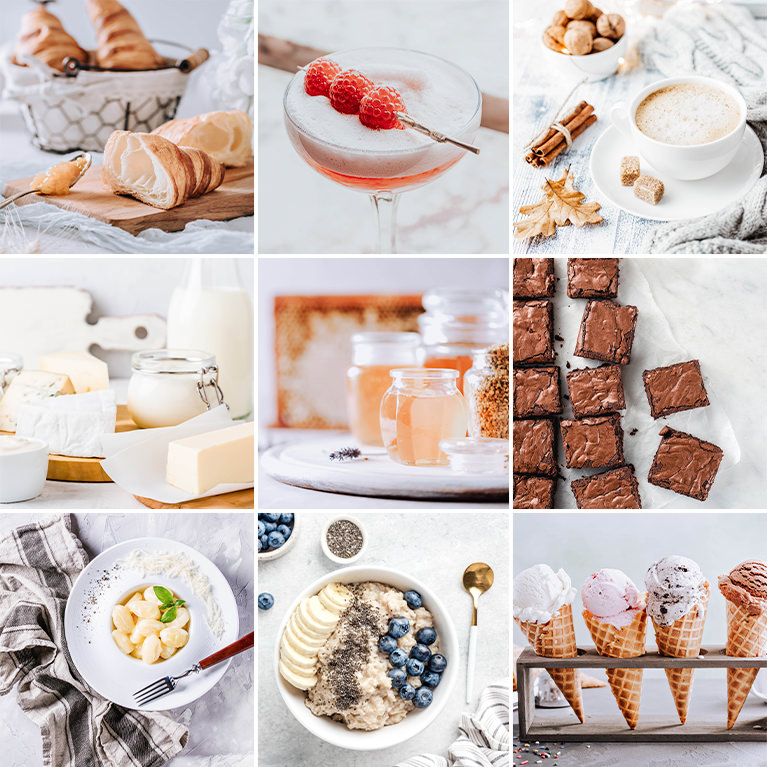
Clean, Light Food Photos With Calm Color
Ten presets that brighten food and drink photos, open shadows and tone down yellow casts so plates and backgrounds stay clean. They work in Lightroom Classic and in Lightroom on desktop and mobile.
Fresh Food Across the Whole Feed
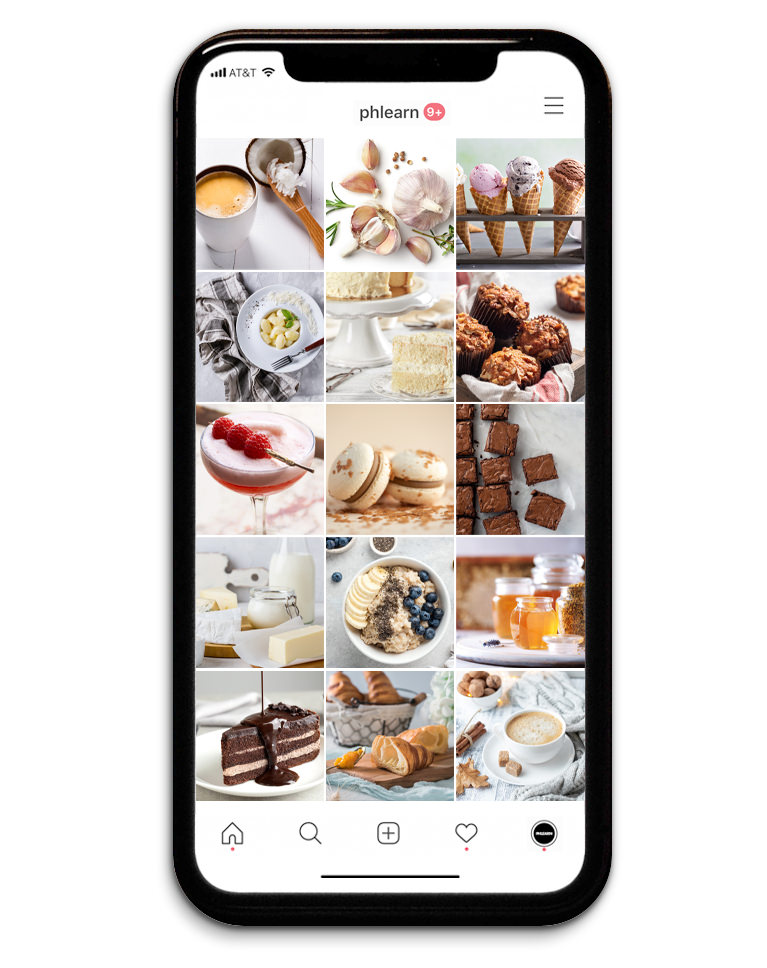
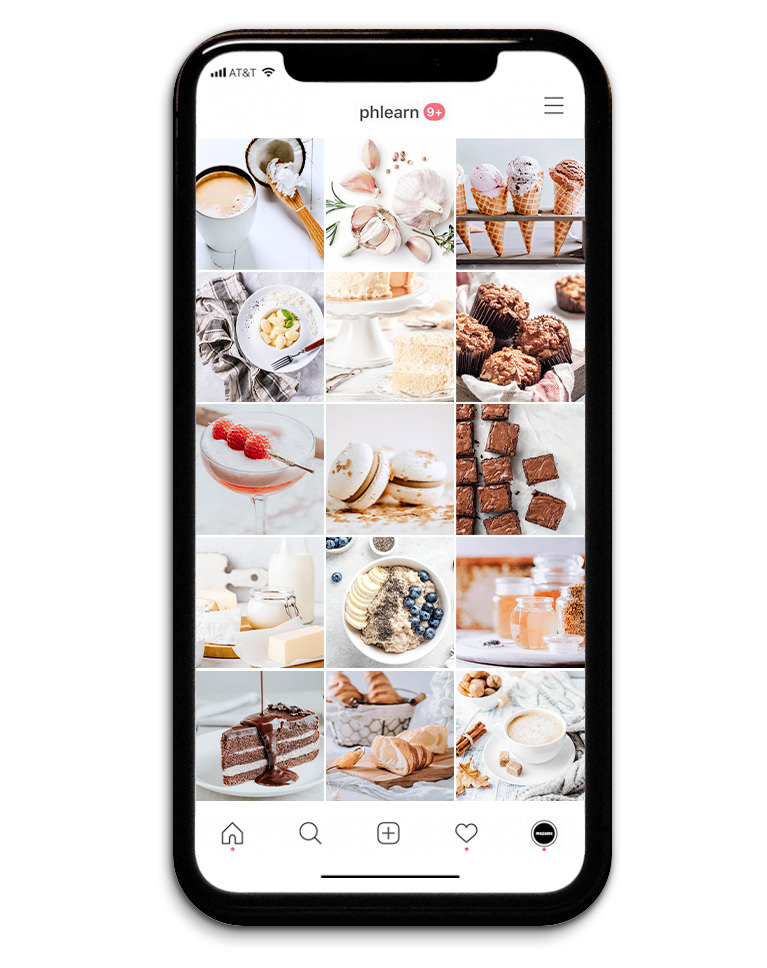
The Minimal Food pack is ten presets for food and drink photos. Across a grid of meals and desserts, shadows open, backgrounds get lighter and color calms down, so every post shares one fresh, clean look. Eight of the ten also raise Blacks, which softens the darkest tones.
Shadows Up, Highlights Down in All Ten
Every preset raises Shadows and lowers Highlights, so dark crumbs, crusts and chocolate show detail while white plates and cups keep their edges. Highlights drop by anywhere from 12 to 77, and none of the presets adds grain or a vignette.
Yellow Casts Toned Down
All ten lower yellow saturation, which takes the yellow cast out of indoor light and keeps white tableware looking white rather than cream. Eight also lower green saturation, and eight lower overall Saturation.
Best on: food blogs, menus and recipe posts, and cafe feeds where every photo should match.

Light Opal
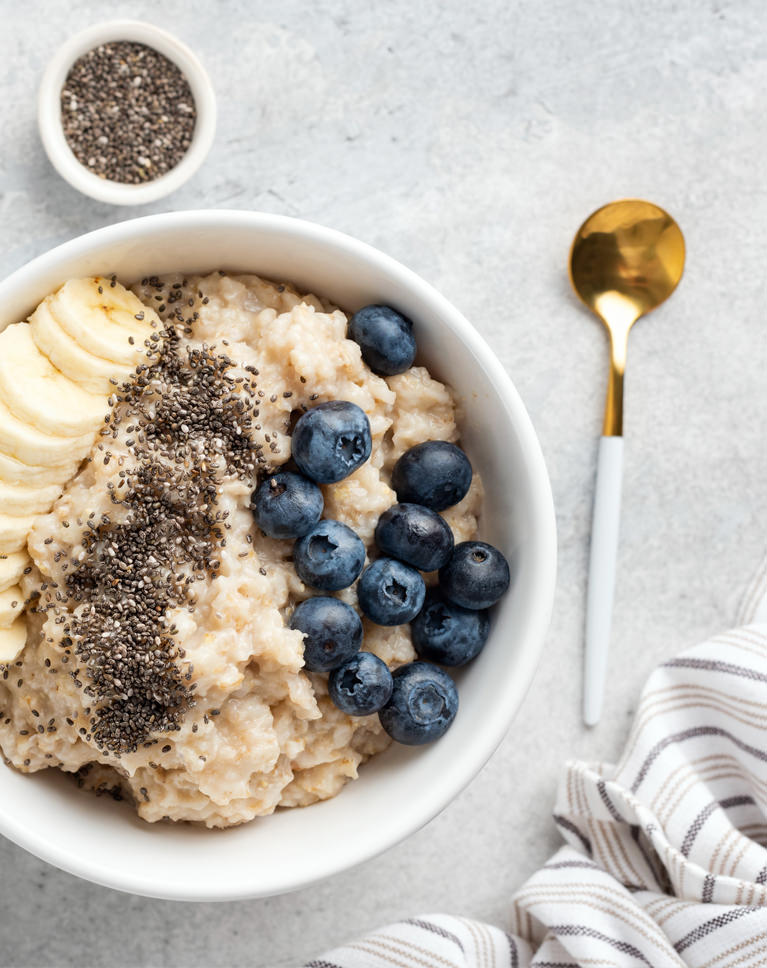
Light Opal brightens the bowl and the stone surface and tones down the warm colors, so the oatmeal looks less yellow and the blueberries read fresh. The gold spoon and chia seeds keep their detail. White balance is left unchanged.
Whites Pushed Up, Clarity Added
Whites and Shadows both go up a lot while highlights come down a little, and Clarity adds crisp texture to oats and seeds. Contrast rises slightly, so the bowl doesn’t go flat. The tone curve lifts the darks and lights while pulling its shadow and highlight regions down.
Warm Colors Darkened and Muted
Reds, oranges and yellows lose saturation and get darker, which keeps the gold spoon and banana from glowing. Blues get a little brighter, so the berries stand out. Vibrance rises by 17 while overall Saturation drops by 14.
Best on: breakfast bowls, overhead flat lays on gray or stone, and food with berries and fruit.
Cotton White
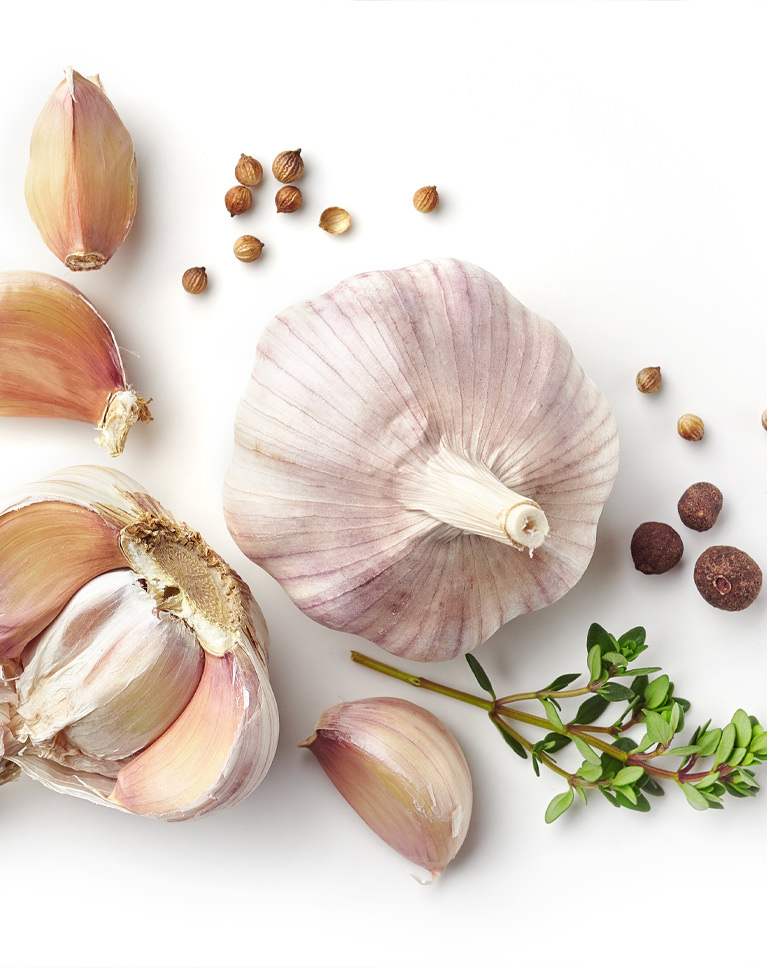
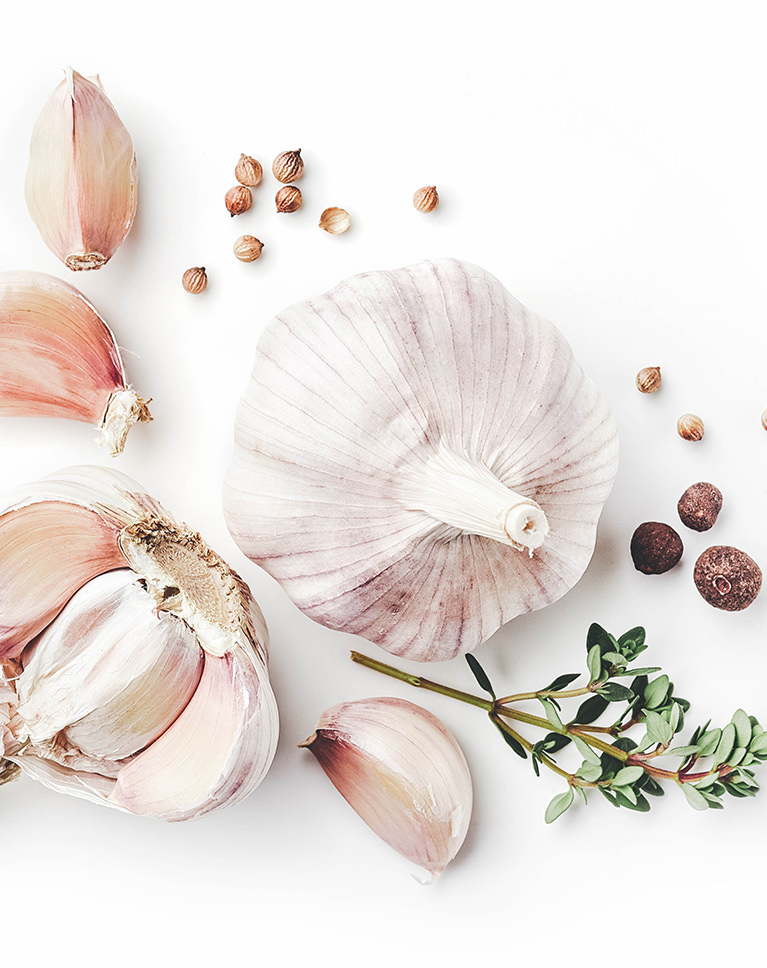
Cotton White makes the white background brighter and cleaner and takes the warm cast out of the scene, leaving the garlic soft and pale. The thyme turns a softer green and the spices stay brown. White balance itself does not change; the cleaner look comes from the tone curve and color mix.
A Bright, Lifted Tone Curve
The tone curve raises the black point and lifts the midtones a lot, so the whole frame gets lighter and shadows turn a soft gray. Contrast and highlights come down too. Blacks dip by 8, and Clarity adds a little crispness.
Greens and Blues Quieted
Greens and blues lose about two-thirds of their saturation and yellows lose some too, with a light blue tint in the shadows. Vibrance rises while overall Saturation drops. Reds and greens also get darker, each by 23.
Best on: ingredients shot on white, minimal recipe photos, and pale foods like garlic, onions and bread.
Frosty
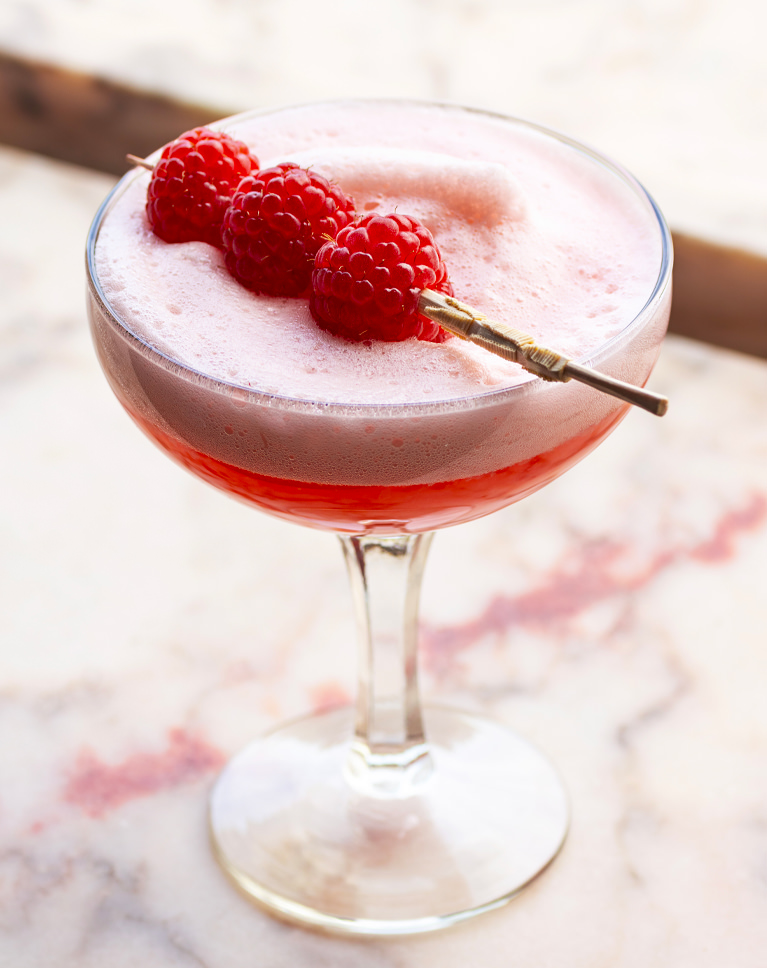
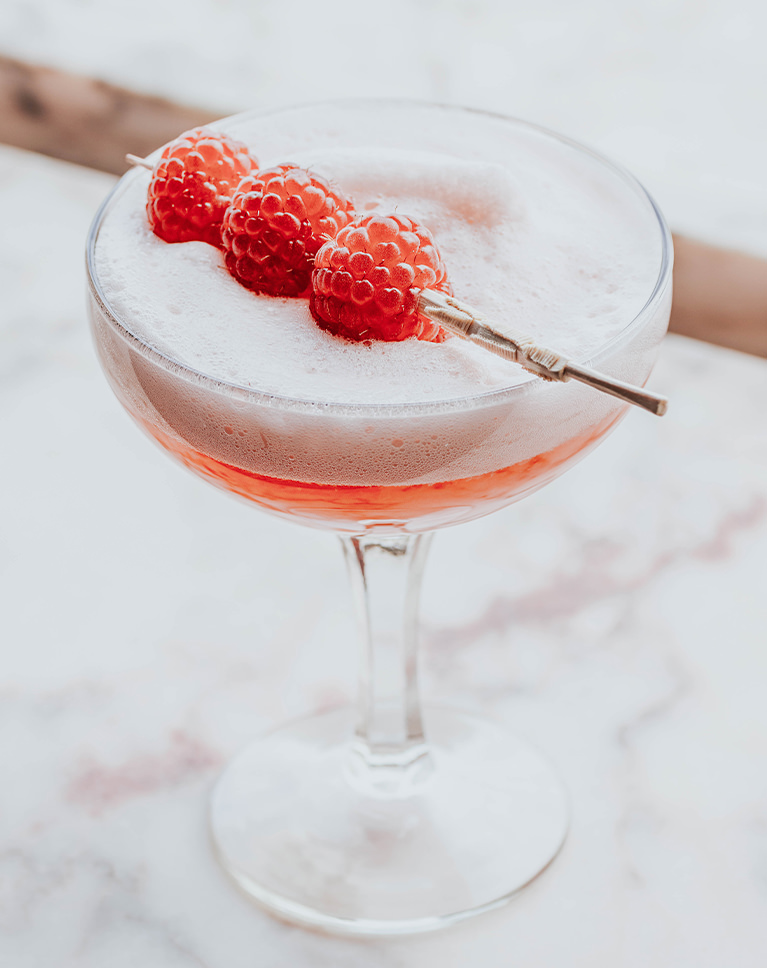
Frosty takes the strong pink cast out of this scene, so the marble counter turns a cool, pale gray and the cocktail foam looks light and frothy. The raspberries stay red against the quieter background. Purples and magentas each lose about a third of their saturation.
Saturation Cut, Reds Kept
Overall Saturation drops by nearly half, but reds and oranges get a small saturation boost and get brighter, so fruit and garnishes hold their color while the backdrop goes neutral. Blues lose some saturation and get darker, and Vibrance dips slightly.
Soft Shadows, Capped Whites
Shadows and Blacks are raised and highlights pulled down hard, and the tone curve keeps the brightest whites from reaching pure white. The result is soft and airy. A small negative Dehaze adds to the softness, and Exposure barely moves.
Best on: cocktails and cold drinks, desserts on marble, and photos where warm light turned everything pink.
What’s in the Download
One zip, desktop and mobile
One zip with both versions in labeled folders: .xmp presets for Lightroom Classic, desktop and mobile, and .dng backups for older releases of the mobile app, plus 4 sample images to practice on. In Lightroom they show up under User Presets.
- ZIPPHLEARN Minimal Food Lightroom Presets 2026.zipDesktop and mobile presets in one download, 11.9 MB
- XMPLightroom Classic, Desktop & Mobile (.xmp)10 presets for every Lightroom app
- DNGLightroom Mobile Backup (.dng)The same 10 for older releases of the mobile app
- JPG4 Sample ImagesFree-to-use practice photos
- PDFPHLEARN Lightroom Presets - Install Guide (2026).pdfClassic, desktop and mobile install steps
- PHLEARN-Minimal Food-Clean White
- PHLEARN-Minimal Food-Cotton White
- PHLEARN-Minimal Food-Frosty
- PHLEARN-Minimal Food-Ice White
- PHLEARN-Minimal Food-Light Haze
- PHLEARN-Minimal Food-Light Opal
- PHLEARN-Minimal Food-Odessa
- PHLEARN-Minimal Food-Soft Aloe
- PHLEARN-Minimal Food-Soft Grains
- PHLEARN-Minimal Food-Vanilla Pop
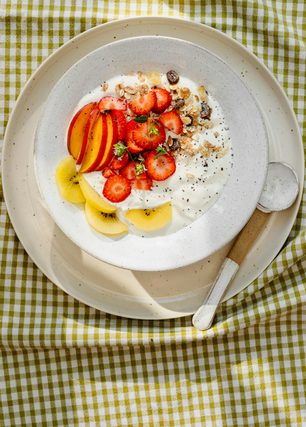
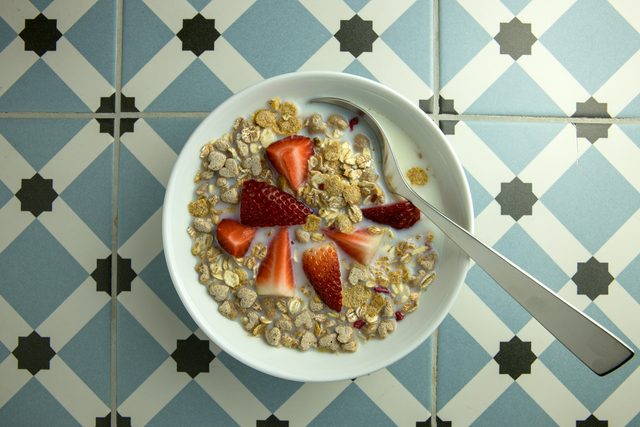
The 4 sample images


Lightroom Preset Questions, Answered
What’s included in the Minimal Food Lightroom Presets?
The Minimal Food Lightroom Presets include 10 presets: Clean White, Vanilla Pop, Odessa, Ice White, Frosty, Soft Aloe, Light Opal, Soft Grains, Cotton White and Light Haze. They come as .XMP presets for Lightroom Classic, Lightroom desktop and Lightroom on your phone, plus .DNG versions for older versions of the mobile app.
What kind of photos are the Minimal Food Lightroom Presets made for?
Food and drink photos, whether you shoot food professionally or just like sharing a great meal, from a holiday feast to food truck tacos. They target the colors that make food look delicious, like the browns and whites of fresh bread or the reds of ripe raspberries, and soften textures so food looks fresh.
Will the Minimal Food presets blow out my highlights?
They are designed not to. Instead of a general brightening effect, these presets lift the shadows without affecting the highlights, so you keep the detail in the bright parts of the dish. They also brighten background elements like a textured table, scattered ingredients or silverware so they don’t get lost.
Are Lightroom Presets included in my PHLEARN PRO subscription?
Yes. A PHLEARN PRO membership includes every Lightroom Preset pack, plus PRO Tutorials, LUTs, Photoshop Actions and Photoshop Brushes.
Which version of Lightroom do I need?
The .XMP presets work in Lightroom Classic 7.3 and newer, in Lightroom on your computer and in Lightroom on your phone. For older versions of the mobile app, use the .DNG files in the download. We recommend the latest version.
How do I install Lightroom Presets?
In Lightroom Classic, open the Develop module, click the + in the Presets panel, choose Import Presets and select the .XMP files. The PDF install guide in your download covers Lightroom on your computer and your phone too, and every method is on our Lightroom Presets install guide.
I imported the pack, but I can’t see it.
The new group arrives collapsed and sits in alphabetical order. Scroll the Presets panel, find the group named after the pack and click its arrow.
Do I have to install the presets on my phone separately?
Not if you import them into Lightroom on your computer: within a few minutes they show up in Lightroom on any device signed in to the same Adobe account. If you use Lightroom Classic, import the .XMP files in the mobile app: open a photo, tap Presets, then Yours, then the three-dot menu and Import Presets.
Do the presets work on RAW and JPEG photos?
Yes. Every preset is built to work on both RAW and JPEG files, and each one can be adjusted after you apply it.
The preset looks too strong. What do I do?
Lower the Amount slider at the top of the Presets panel, then adjust White Balance and Exposure for that photo. Every photo starts from different light.
Do you offer refunds?
Because these are downloadable products, all sales are final and we are not able to offer refunds.
Terms of Use
These Presets are licensed for personal and professional use by the individual who purchased or downloaded them. The license does not extend to companies or partnerships, and the files may not be resold, loaned, gifted, shared, copied or redistributed. All PHLEARN Presets are copyright protected.
Master Photoshop, Lightroom and Photography
Join PHLEARN PRO for $12.99 a month, or $99.99 a year (save 36%). Cancel anytime, with a 100% money-back guarantee.





