Neutral Tone Lightroom Presets for Classic & Mobile
-

-
Add to
favorites
-
Software
-
CompatibilityLightroom Classic & Mobile
-
Lightroom presets10 Neutral Tone Presets
-
Works in every Lightroom.xmp for Classic, Desktop & Mobile
-
Backup for older app versions.dng for Lightroom Mobile
-
In the download4 Sample Images + PDF Guide
Preset Downloads
Install Guide
How to Install Your Presets
A short PDF that walks you through installing this pack in Lightroom Classic, Lightroom desktop and Lightroom on your phone, plus three tips for better results.
DESCRIPTION
Enhance the natural colors and lighting in any photo with our Neutral Tone Lightroom Presets!
The darkest tones and the black point rise with every preset, and most lower contrast and Dehaze, which suits everyday portraits, friends outdoors and simple white-wall setups. After you apply one, add a little Contrast back if the photo starts to look flat.
One zip holds the 10 presets as .xmp files, which work in Lightroom Classic, Lightroom on your computer and Lightroom on your phone, plus .dng versions for older releases of the mobile app, each in its own labeled folder, with 4 sample images to practice on and the PDF install guide.
TRY THEM FOR FREE
Want to try our Presets before you buy? Check out our FREE Lightroom Presets Sample Pack with 10 of our favorite looks for Lightroom Classic and Mobile.
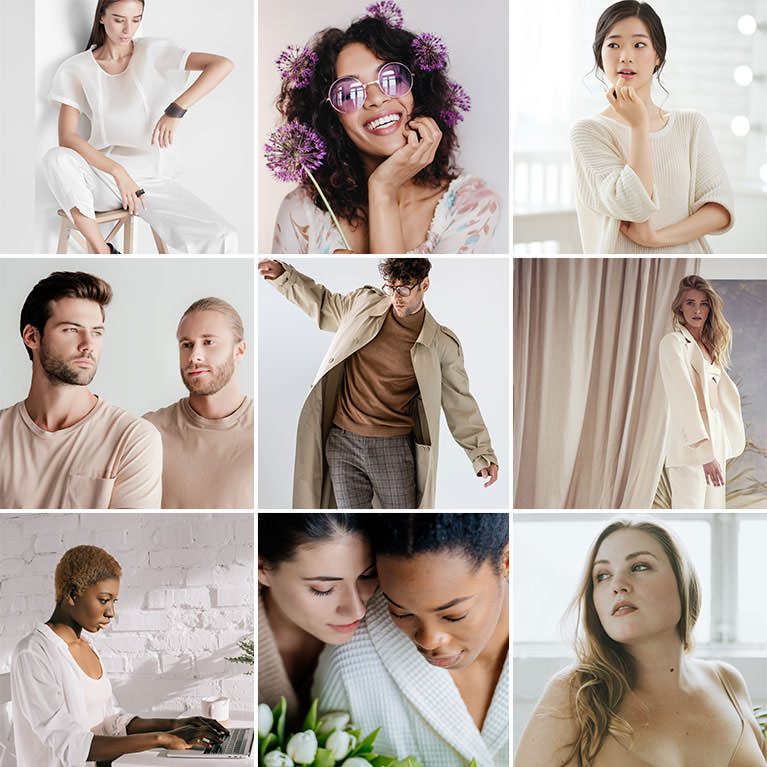
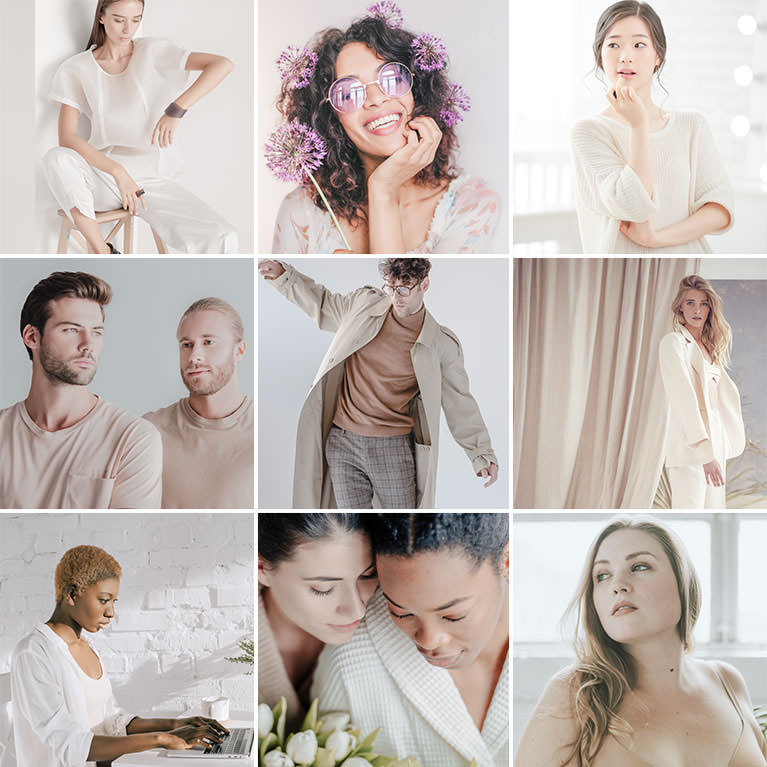
PHLEARN PRO · Lightroom Presets
Neutral Tone Lightroom Presets
10 presets4 sample imagesLightroom Classic & Mobile
Neutral Tone Lightroom Presets · 10 Looks
True-to-Life Color With Softer Shadows
Ten presets that lift shadows, ease contrast and keep color close to real life, with light, subtle toning. They work in Lightroom Classic and in Lightroom on desktop and mobile.


Matte Blanc
Matte Blanc lifts the shadows and softens the whites for a flat, matte finish. The white brick wall and shirt settle into a quiet light gray, while her skin and short golden hair keep their natural warmth. White balance does not change, so skin keeps its own color.
Lifted Blacks, Lowered Whites
Blacks and shadows come up and whites come down, which pulls both ends of the tonal range toward the middle without touching the contrast slider. Highlights rise slightly, and a touch of negative clarity and dehaze softens the finish.
Subtle Split Toning
A faint orange tint goes into the shadows and a faint blue into the highlights. Blues lose nearly half their saturation and greens shift toward yellow, so cool accents stay quiet. Reds get a little darker, and there is no grain.
Best on: workspace and lifestyle portraits, white walls and clothing, and calm, low-contrast scenes.
Nutty Rose
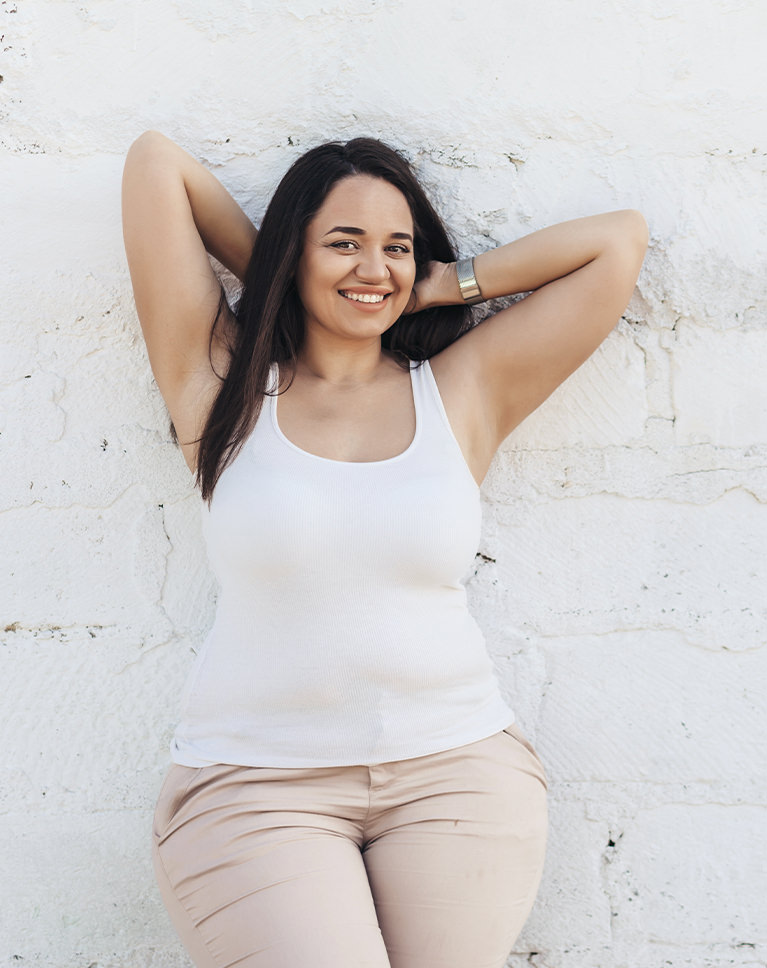
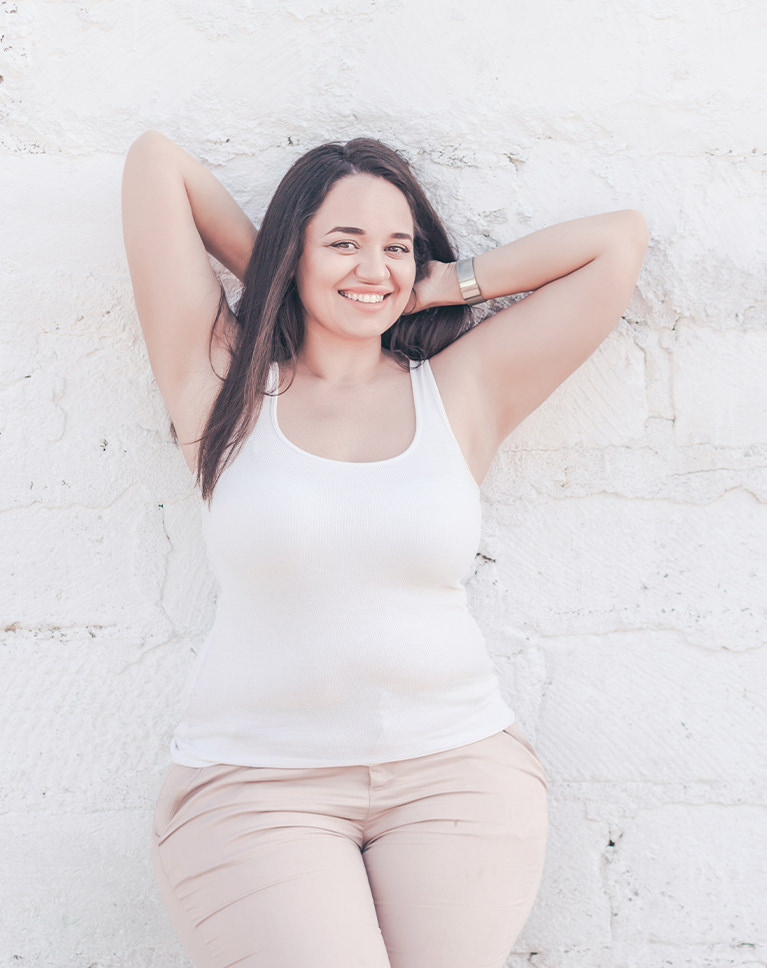
Nutty Rose brightens the whole image and softens it. The cracked white wall goes cleaner, her skin lightens with a touch of rose, and the beige trousers and white tank stay neutral rather than tinted. White balance does not change, and the rose comes from small hue shifts.
Contrast Cut Deep
Contrast drops a lot, blacks and shadows lift and exposure rises slightly, while highlights come down so the bright wall keeps its texture. A little negative dehaze adds softness. Whites lift a little and vibrance dips slightly to keep color calm.
Skin Leans Rose
Reds lean toward magenta, oranges toward red and yellows toward orange, and oranges get a bit brighter, giving skin a light rosy warmth. A faint blue tint sits in the shadows, and greens shift strongly toward yellow. Blues get lighter and lose a little saturation.
Best on: full-length portraits, light clothing, and outdoor walls in bright shade.
Light Nudes
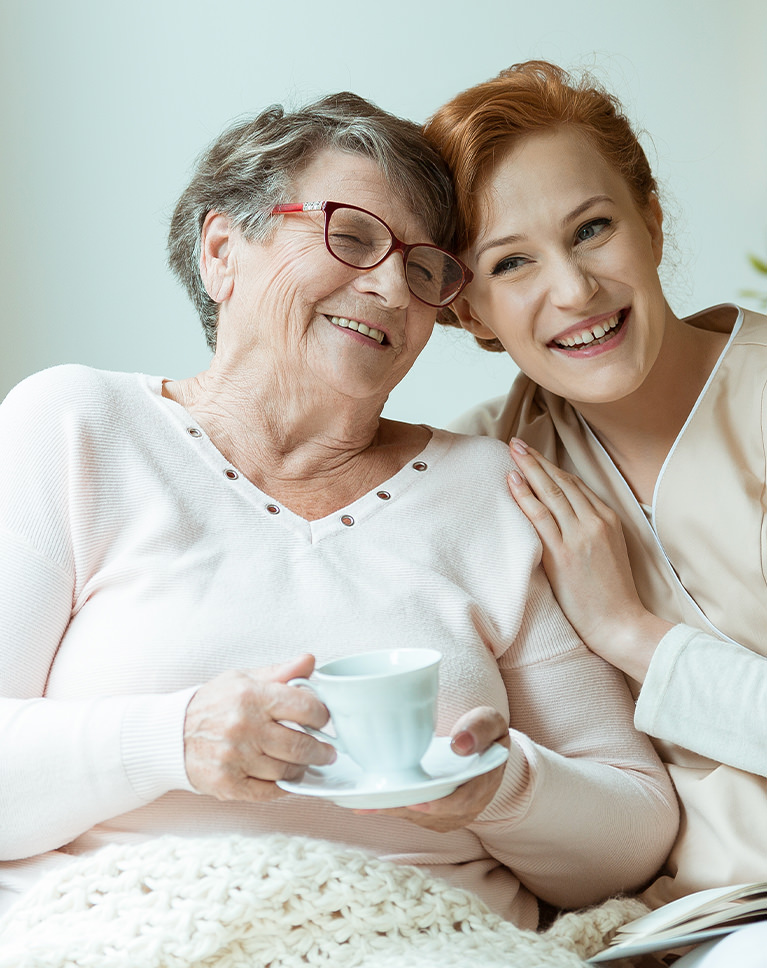
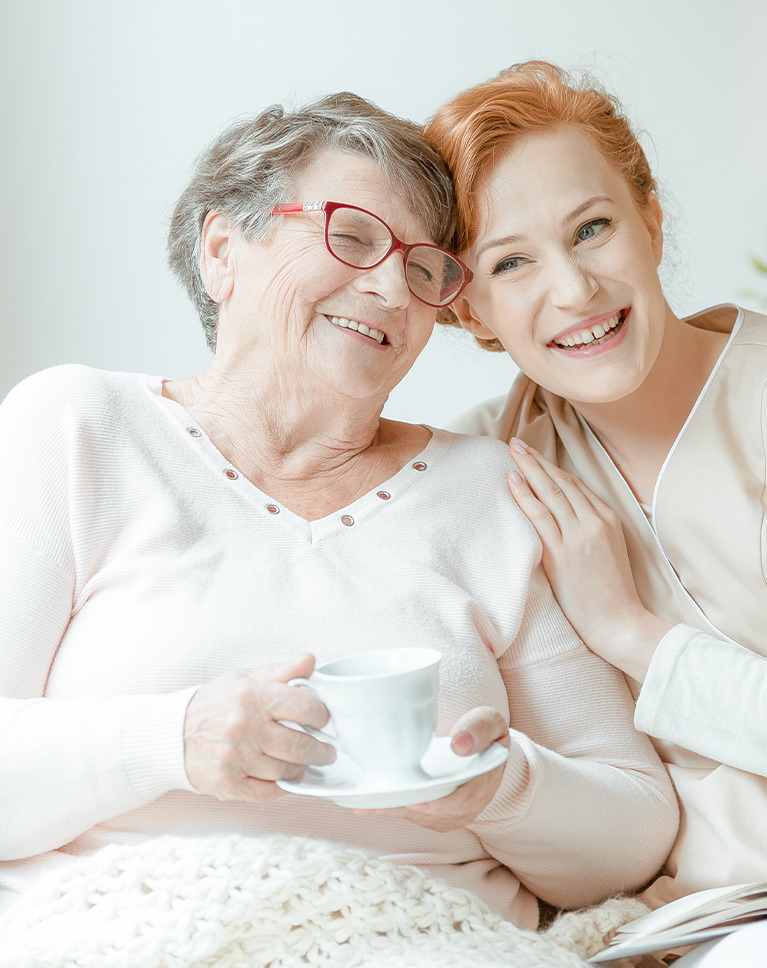
Light Nudes brightens faces and opens up the shadows around the two women. The mint wall behind them turns a lighter, paler shade, the pink sweater softens, and skin reads fresh and natural. White balance does not change and there are no color tints.
Every Color a Little Lighter
Luminance goes up across all eight color ranges, from a small lift on reds and oranges to a bigger one on blues, purples and magentas. Greens, aquas and blues also lose a quarter to a third of their saturation. Yellows and magentas are muted slightly as well.
Open Shadows, Softer Detail
Shadows and blacks lift a lot, contrast drops and clarity eases off, so wrinkles and knit textures look gentle rather than harsh. Whites rise a little, highlights barely move, and a light negative dehaze adds a soft haze.
Best on: family portraits indoors, light knitwear, and soft window light.
Cool Whites
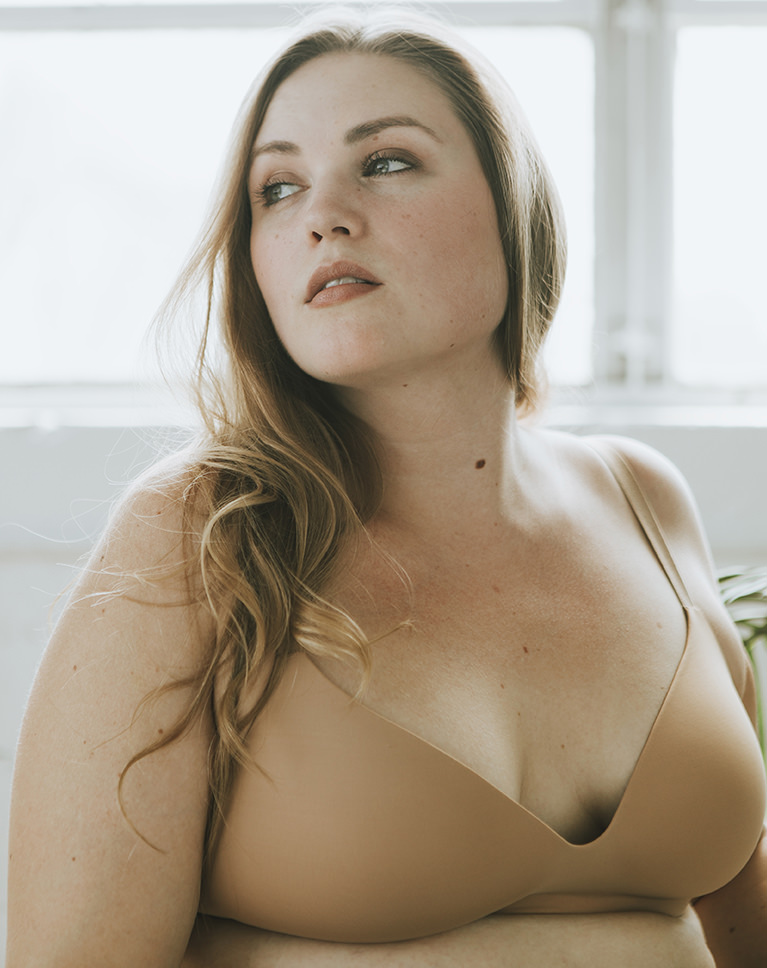
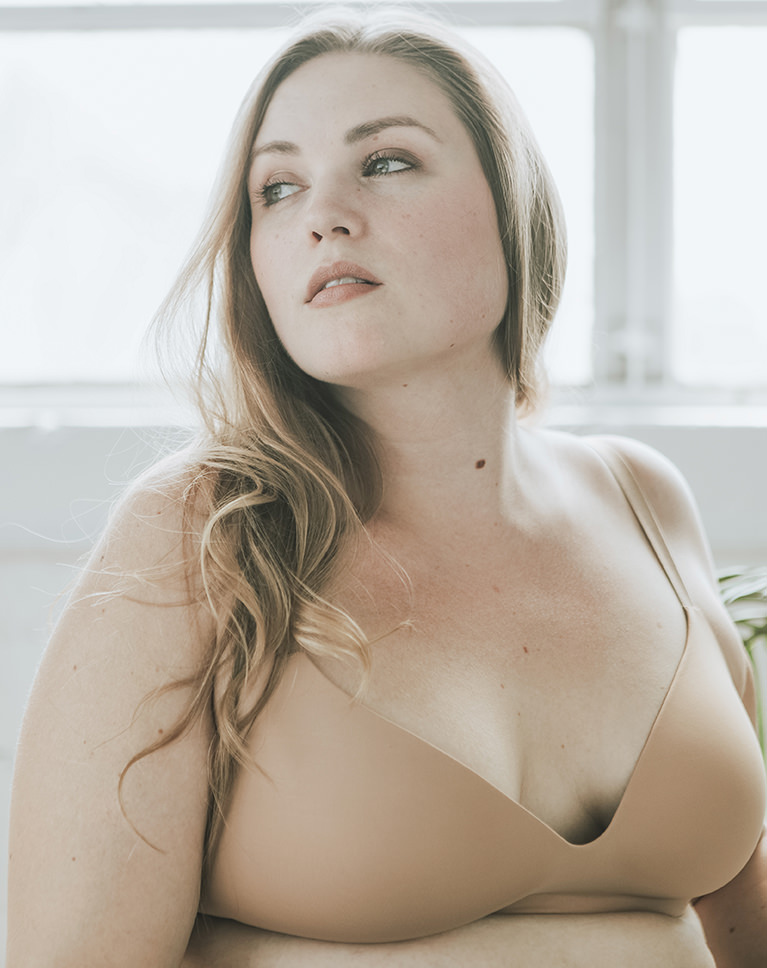
Cool Whites brightens this window-lit portrait and takes some of the gold out of it. The window frame and wall read cleaner and whiter, her hair and the nude bra look less yellow, and her skin goes a little lighter. Contrast eases slightly.
Less Gold, Same White Balance
White balance isn’t touched. Instead, oranges and yellows lose nearly a fifth of their saturation and a faint blue tint goes into the shadows, which takes the edge off yellow light. Reds, oranges and yellows all get lighter, and reds gain a little saturation.
Brighter, Open Shadows
Exposure rises slightly, shadows and blacks lift a lot and highlights come down, so the bright window keeps detail while her face opens up. Whites rise a little, and the tone curve darkens the deepest shadows slightly to keep some depth.
Best on: portraits by bright windows, neutral and nude clothing, and photos with a yellow cast to calm.
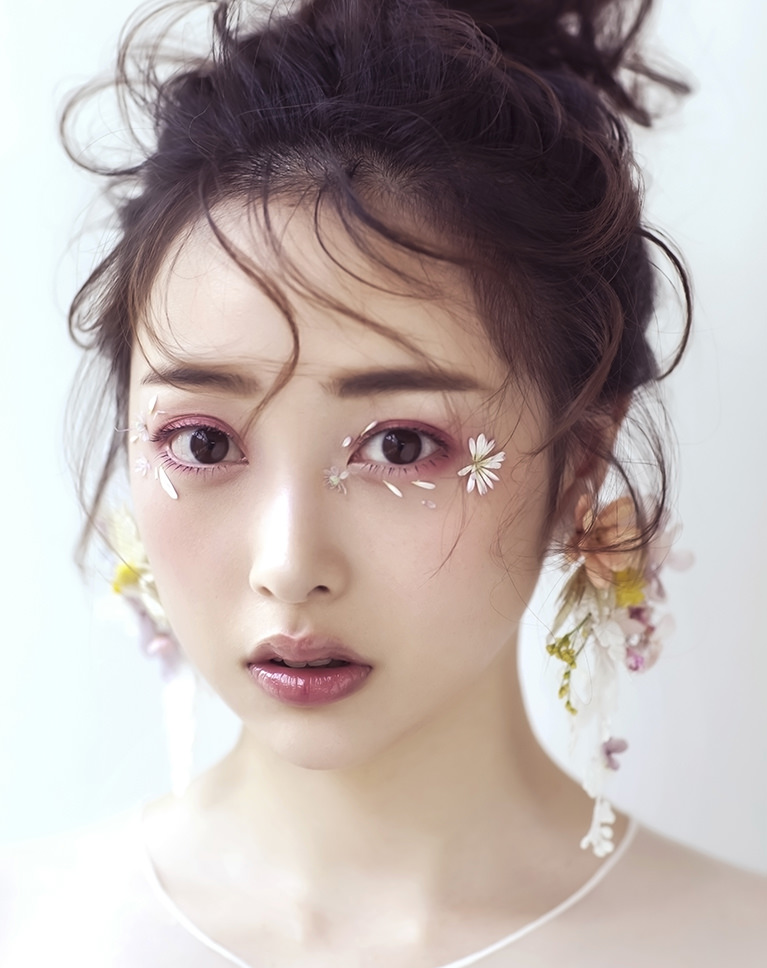
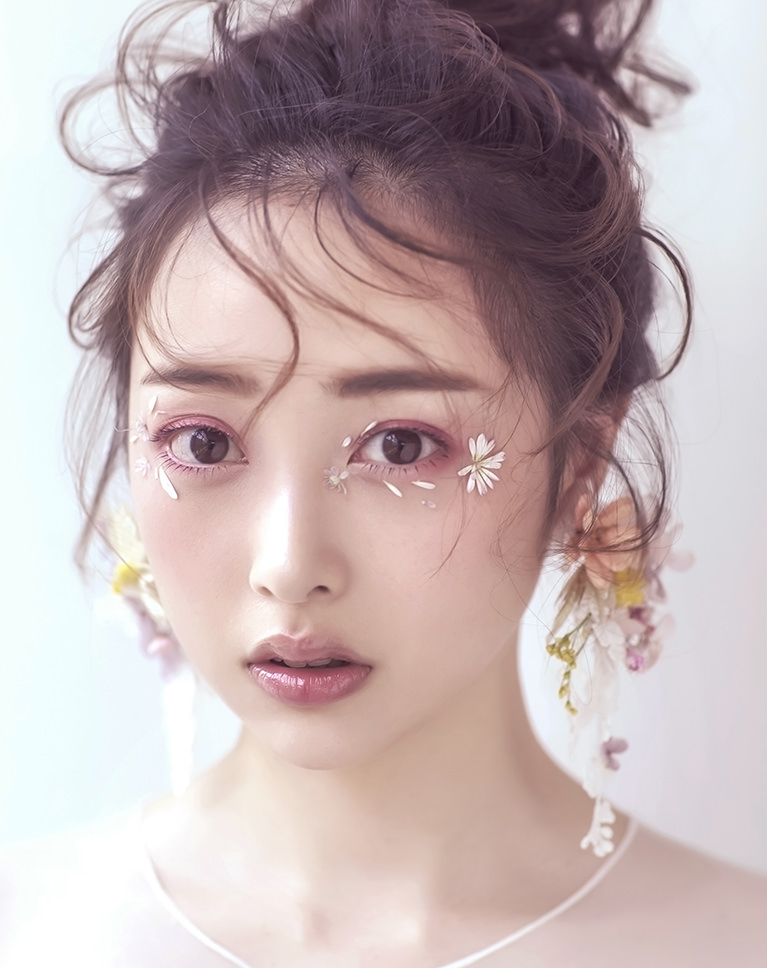
Spring Rose
Spring Rose adds a gentle pink to the skin and the pale backdrop, picking up the rose in her eye makeup and lips. Her dark hair softens toward plum and the whole face looks lighter. White balance does not change.
Rose Toning, Light Touch
A faint magenta tint goes into the shadows and a faint red into the highlights. Oranges shift slightly toward red, and reds, oranges and yellows lose a little saturation, so skin reads soft pink instead of golden. Reds, oranges, yellows and greens all get a little lighter.
Lifted Blacks, Gentle Contrast
Blacks and shadows come up and contrast eases, while purples and magentas get brighter, which keeps flowers and lip color light. Highlights come down slightly, whites stay where they are, and the tone curve lifts the deepest shadows while darkening the darks and lights a little.
Best on: beauty close-ups, floral and pastel makeup, and light, airy studio portraits.
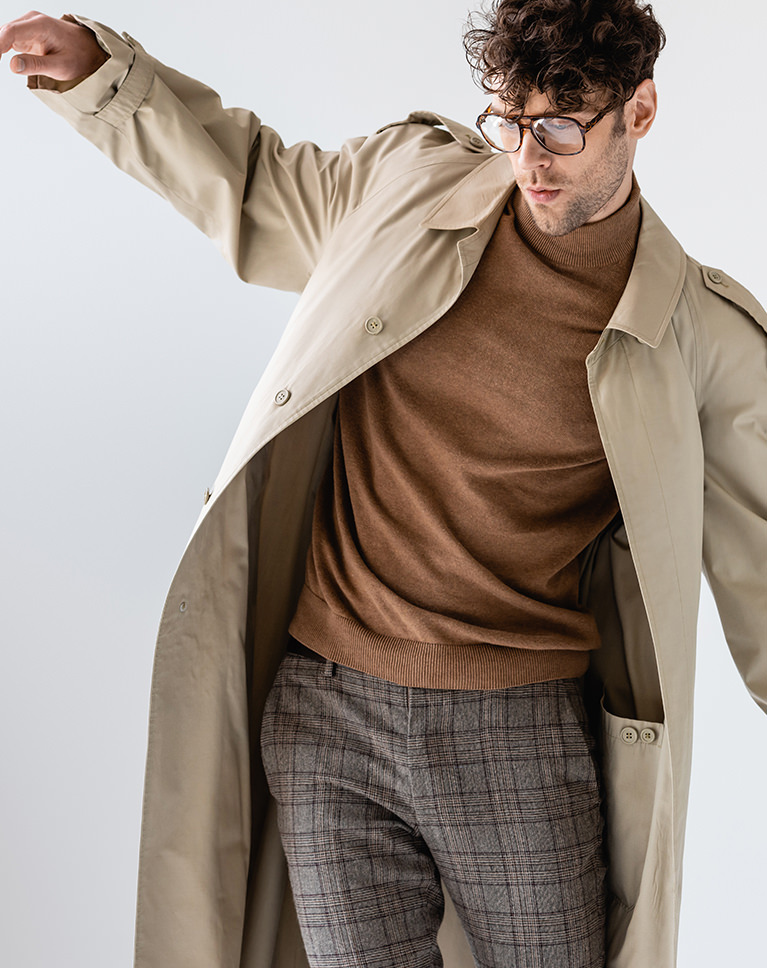
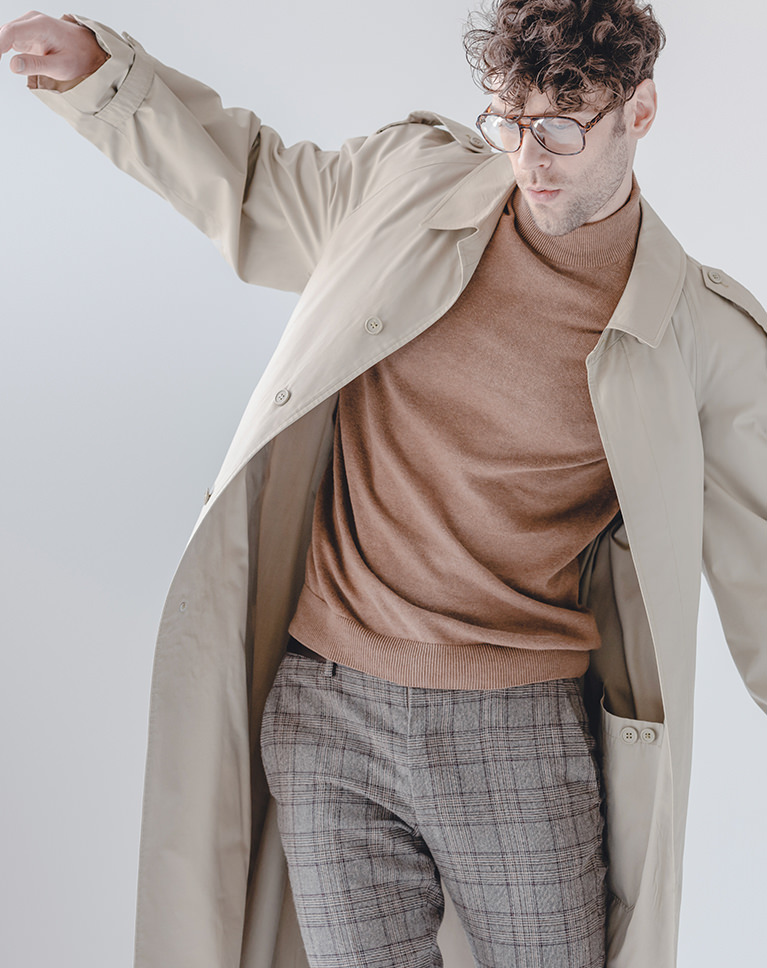
Opal Mist
Opal Mist gives this menswear shot a soft, misty finish. The shadows in the trench coat and checked trousers lift into a gentle fade, the brown sweater turns a lighter tan, and the gray backdrop cools slightly. White balance does not change.
A Deep Cut in Contrast
Contrast drops close to the slider’s limit, shadows and blacks lift and whites ease off, so the darkest and brightest areas move toward soft grays. Exposure rises slightly. No preset in the pack lowers contrast further, and highlights come down a little too.
Cool Shadows, Warm Skin
A blue tint goes into the shadows and vibrance comes down a little, while oranges and yellows get slightly brighter so skin and tan fabric stay warm against the cooler backdrop. Greens and blues get slightly darker, and clarity and dehaze ease off a touch.
Best on: fashion and menswear shots, earth-tone outfits, and plain studio backgrounds.
What’s in the Download
One zip, desktop and mobile
One zip with both versions in labeled folders: .xmp presets for Lightroom Classic, desktop and mobile, and .dng backups for older releases of the mobile app, plus 4 sample images to practice on. In Lightroom they show up under User Presets.
- ZIPPHLEARN Neutral Tone Lightroom Presets 2026.zipDesktop and mobile presets in one download, 7.4 MB
- XMPLightroom Classic, Desktop & Mobile (.xmp)10 presets for every Lightroom app
- DNGLightroom Mobile Backup (.dng)The same 10 for older releases of the mobile app
- JPG4 Sample ImagesFree-to-use practice photos
- PDFPHLEARN Lightroom Presets - Install Guide (2026).pdfClassic, desktop and mobile install steps
- PHLEARN-Neutral Tones-Clean Whites
- PHLEARN-Neutral Tones-Cool Whites
- PHLEARN-Neutral Tones-Crisp Almond
- PHLEARN-Neutral Tones-Light Nudes
- PHLEARN-Neutral Tones-Matte Blanc
- PHLEARN-Neutral Tones-Nutty Rose
- PHLEARN-Neutral Tones-Opal Mist
- PHLEARN-Neutral Tones-Silky Tulip
- PHLEARN-Neutral Tones-Spring Rose
- PHLEARN-Neutral Tones-Sweet Cream
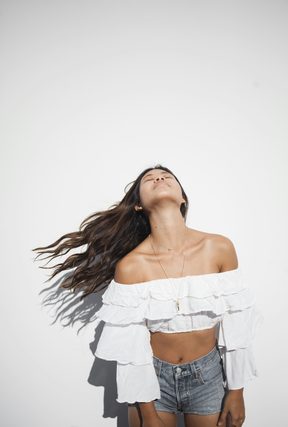
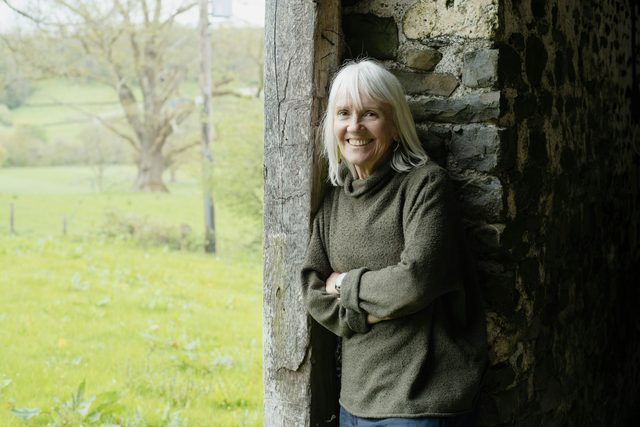
The 4 sample images


Lightroom Preset Questions, Answered
What’s included in the Neutral Tone Lightroom Presets?
The pack includes 10 presets: Clean Whites, Cool Whites, Crisp Almond, Light Nudes, Matte Blanc, Nutty Rose, Opal Mist, Silky Tulip, Spring Rose and Sweet Cream. They come as .XMP presets for Lightroom Classic, Lightroom desktop and Lightroom on your phone, plus .DNG versions for older versions of the mobile app.
What kind of photos are the Neutral Tone Lightroom Presets made for?
They’re for photos where you don’t need stylized lighting and coloring to tell the story. The presets enhance the natural colors and lighting already in a scene, lighten shadows and help your subjects look great, with warm skin and natural light, as shown in the featured look, Sweet Cream.
Do the Neutral Tone presets work on JPEG photos?
Yes. The 10 Neutral Tone presets are compatible with both RAW and JPEG photos, so you can use them on files straight from your camera or on images you’ve already exported. A preset is a collection of color and exposure settings, and it can be applied to any RAW or JPEG image.
Are Lightroom Presets included in my PHLEARN PRO subscription?
Yes. A PHLEARN PRO membership includes every Lightroom Preset pack, plus PRO Tutorials, LUTs, Photoshop Actions and Photoshop Brushes.
Which version of Lightroom do I need?
The .XMP presets work in Lightroom Classic 7.3 and newer, in Lightroom on your computer and in Lightroom on your phone. For older versions of the mobile app, use the .DNG files in the download. We recommend the latest version.
How do I install Lightroom Presets?
In Lightroom Classic, open the Develop module, click the + in the Presets panel, choose Import Presets and select the .XMP files. The PDF install guide in your download covers Lightroom on your computer and your phone too, and every method is on our Lightroom Presets install guide.
I imported the pack, but I can’t see it.
The new group arrives collapsed and sits in alphabetical order. Scroll the Presets panel, find the group named after the pack and click its arrow.
Do I have to install the presets on my phone separately?
Not if you import them into Lightroom on your computer: within a few minutes they show up in Lightroom on any device signed in to the same Adobe account. If you use Lightroom Classic, import the .XMP files in the mobile app: open a photo, tap Presets, then Yours, then the three-dot menu and Import Presets.
Do the presets work on RAW and JPEG photos?
Yes. Every preset is built to work on both RAW and JPEG files, and each one can be adjusted after you apply it.
The preset looks too strong. What do I do?
Lower the Amount slider at the top of the Presets panel, then adjust White Balance and Exposure for that photo. Every photo starts from different light.
Do you offer refunds?
Because these are downloadable products, all sales are final and we are not able to offer refunds.
Terms of Use
These Presets are licensed for personal and professional use by the individual who purchased or downloaded them. The license does not extend to companies or partnerships, and the files may not be resold, loaned, gifted, shared, copied or redistributed. All PHLEARN Presets are copyright protected.
Master Photoshop, Lightroom and Photography
Join PHLEARN PRO for $12.99 a month or $99.99 a year. Cancel anytime, with a 100% money-back guarantee.





