Pastels Lightroom Presets for Classic & Mobile
-

-
Add to
favorites
-
Software
-
CompatibilityLightroom Classic & Mobile
-
Lightroom presets10 Pastel Presets
-
Works in every Lightroom.xmp for Classic, Desktop & Mobile
-
Backup for older app versions.dng for Lightroom Mobile
-
In the download4 Sample Images + PDF Guide
Course Downloads
Install Guide
How to Install Your Presets
A short PDF that walks you through installing this pack in Lightroom Classic, Lightroom desktop and Lightroom on your phone, plus three tips for better results.
DESCRIPTION
Give your photos a soft, candy-coated look with our Pastel Coloring Lightroom Presets. Bring out the yellows, teals, and magentas while giving any image a relaxed and friendly look.
These presets brighten the shadows and blacks on every photo, and most raise the highlights and warm the image with a pink shift, for flower fields, window portraits and spring outfits. After you apply one, lower Highlights if a white dress loses detail.
One zip holds the 10 presets as .xmp files, which work in Lightroom Classic, Lightroom on your computer and Lightroom on your phone, plus .dng versions for older releases of the mobile app, each in its own labeled folder, with 4 sample images to practice on and the PDF install guide.
TRY THEM FOR FREE
Want to try our Presets before you buy? Check out our FREE Lightroom Presets Sample Pack with 10 of our favorite looks for Lightroom Classic and Mobile.
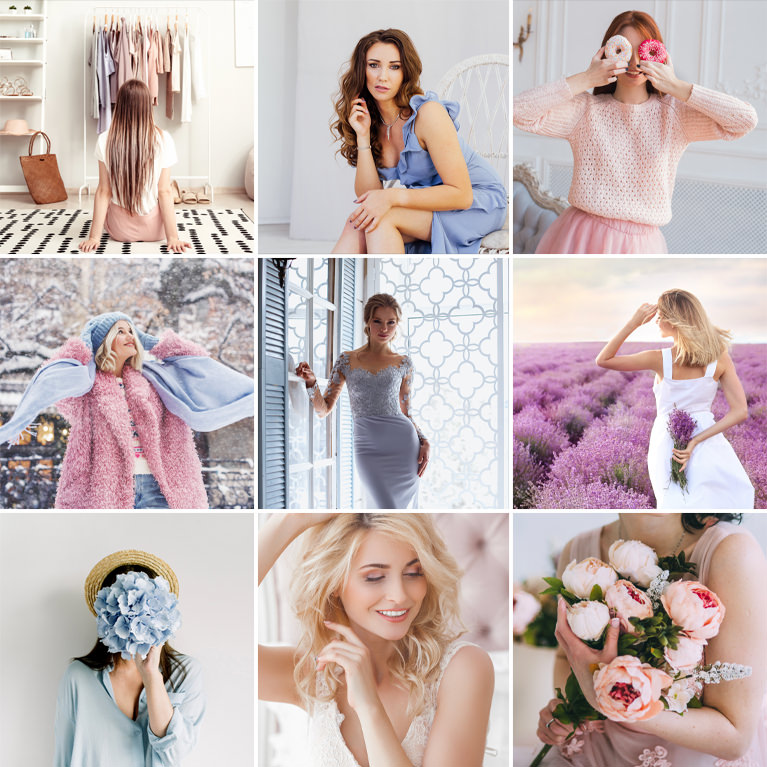
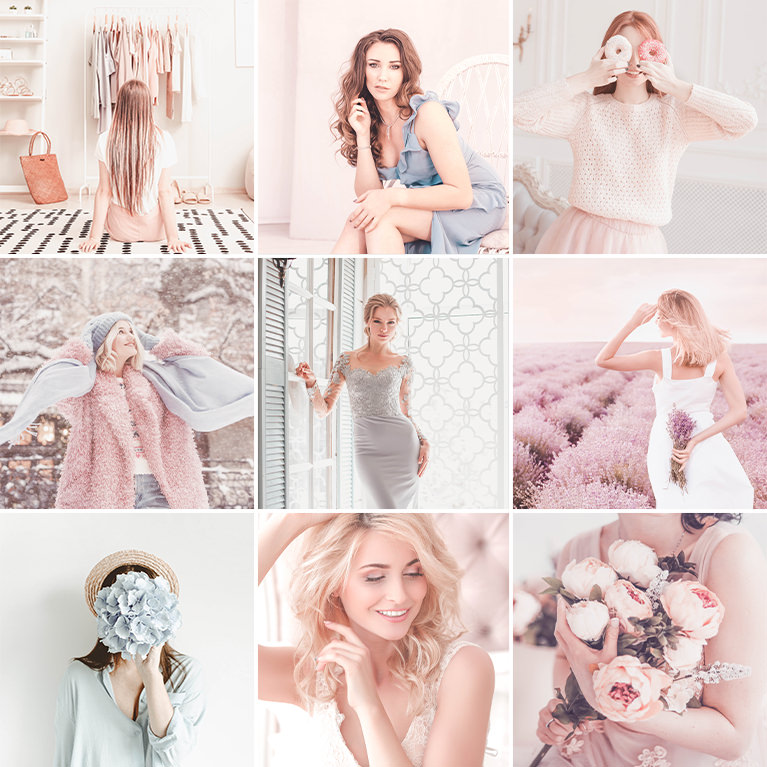
PHLEARN PRO · Lightroom Presets
Pastel Lightroom Presets
10 presets4 sample imagesLightroom Classic & Mobile
Pastel Lightroom Presets · 10 Looks
Light, Creamy Pastels With Lifted Blacks
Ten presets that lift the blacks, open the shadows and soften strong color into pinks, creams and pale blues. They work in Lightroom Classic and in Lightroom on desktop and mobile.
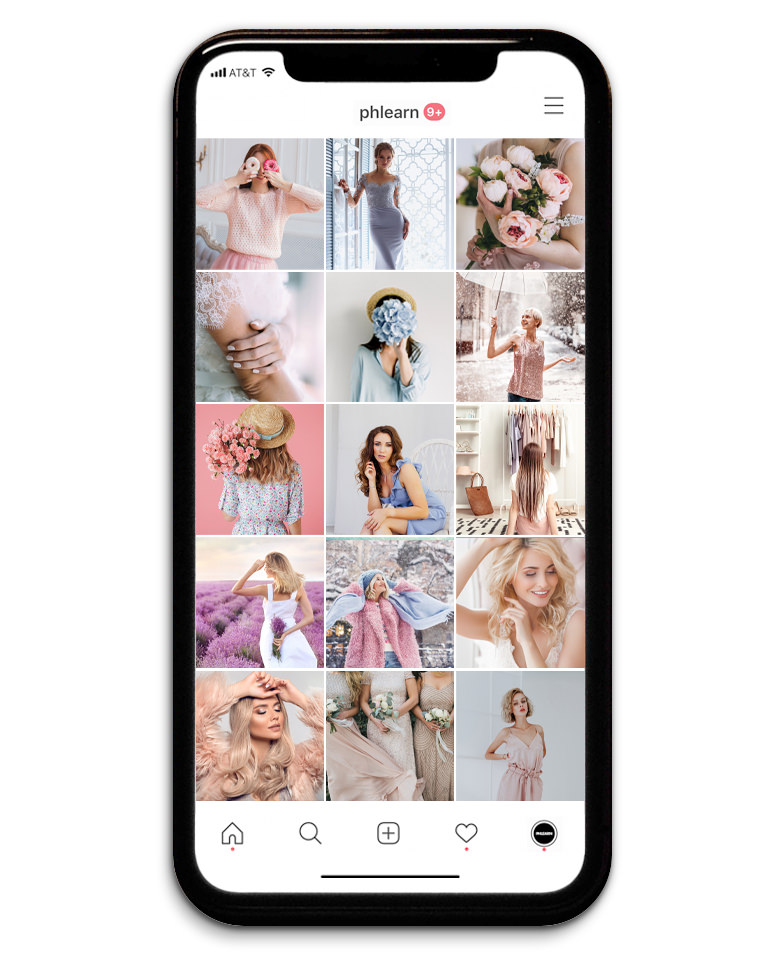
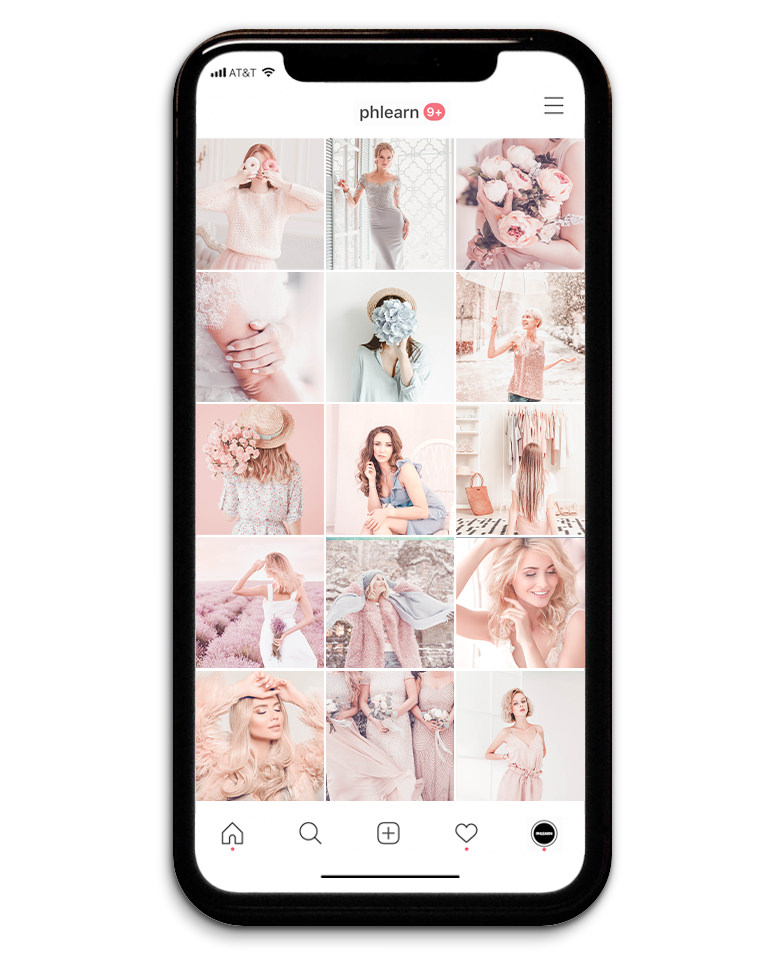
Soft Pastel Color for the Whole Feed
The Pastels pack is ten presets for a light, creamy look. Across the feed, every photo gets lighter and strong colors fade into soft pinks, creams and pale blues, so portraits, flowers and interiors sit together. Nine of them also lower contrast, and none adds grain or a vignette.
A Matte Base in Every Preset
All ten use a tone curve that lifts the black point, so no shadow goes fully dark, and every preset raises the Shadows and Blacks sliders. Seven also hold the brightest white just below pure white.
Warmth That Varies by Look
Eight presets warm the white balance, from a light touch to a strong shift. Eton Blue and Lumber leave the temperature as shot and move tint by only one point, which suits cool skies and fabric.
Best on: lifestyle and fashion feeds, flower and spring photos, and bright portraits by a window.
Purple Dream
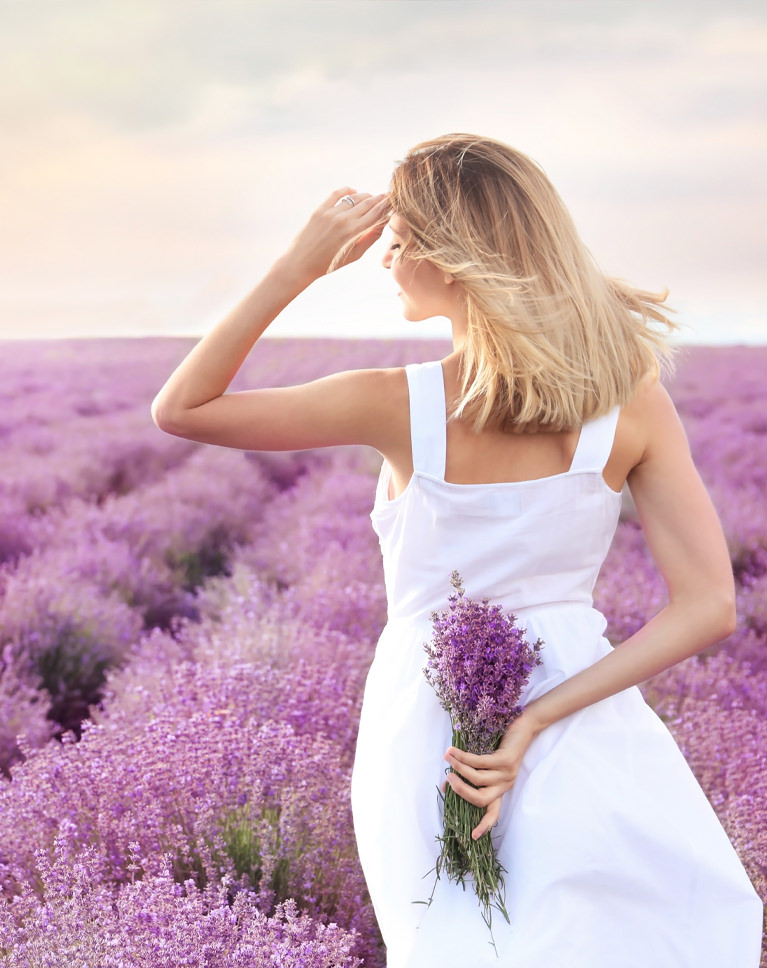
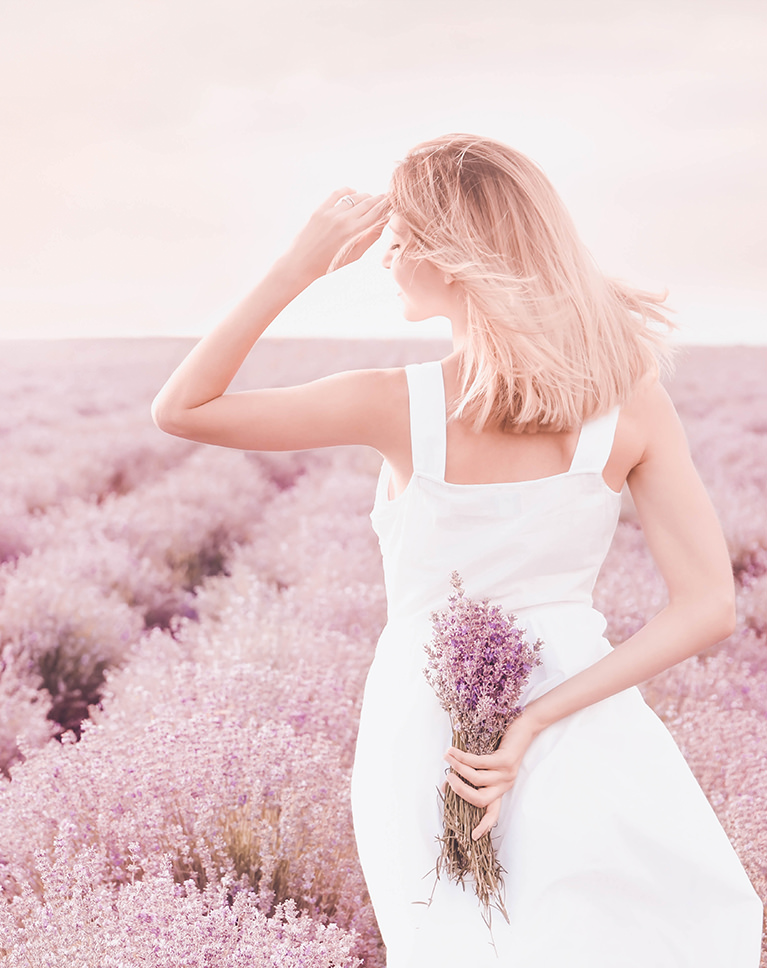
Purple Dream turns a deep lavender field into a soft pink-lilac and lifts the whole frame. The sky becomes a pale blush, and the white dress and blonde hair glow without losing detail. Exposure and contrast are left at zero.
Warm and Magenta White Balance
Temperature rises by 34 and tint moves 28 toward magenta, which is where the rosy cast comes from. Overall saturation drops by 35, so strong purples settle into pastels. Blues and aquas lose about a fifth of their color and get lighter.
Bright Highlights, Purple Shadows
Highlights go up by 48 and blacks by 45, and the tone curve lifts the black point further. A purple tint in the shadows keeps the darker flowers in the same color family. The curve also holds the brightest white just below pure white.
Best on: flower fields, summer portraits outdoors, and photos with strong purples you want to soften.
Champagne Pink
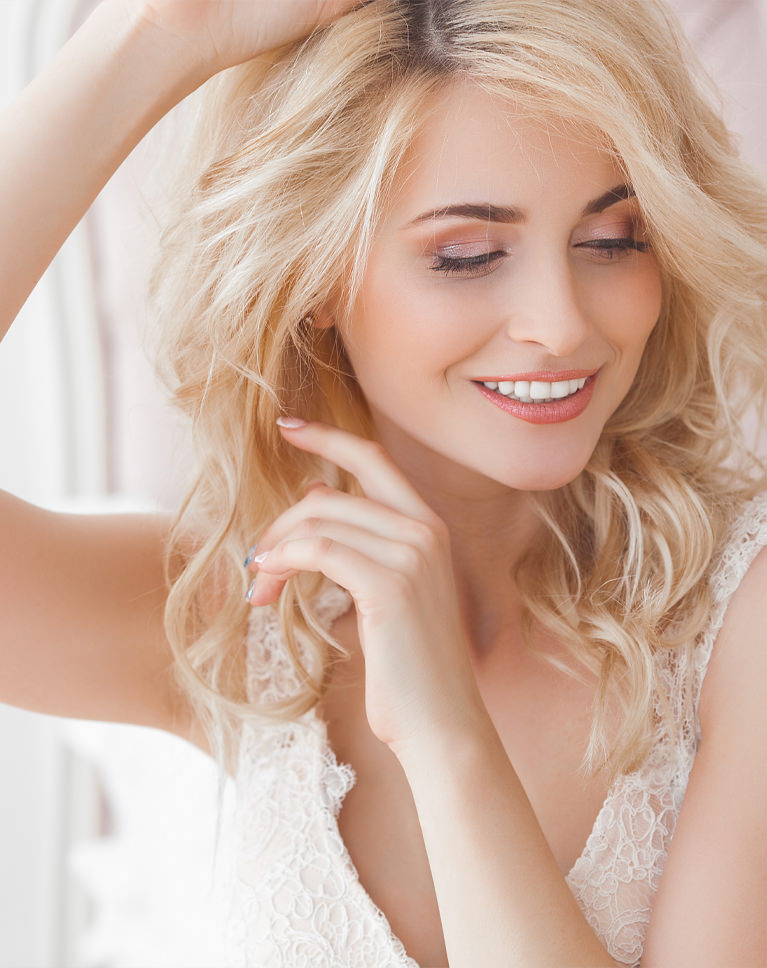
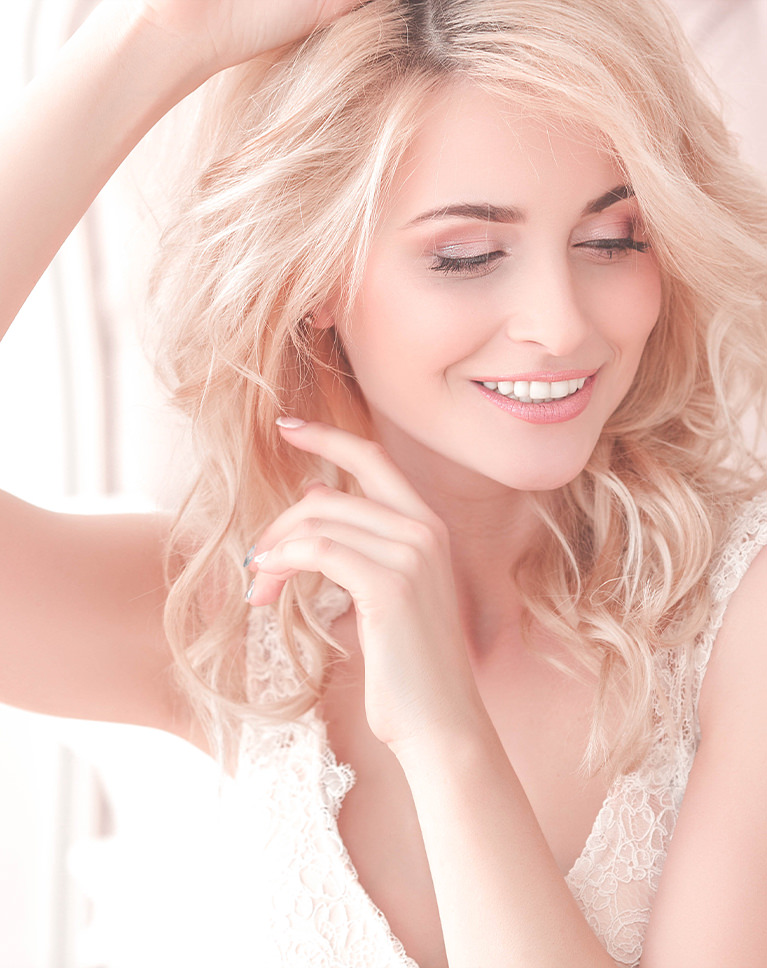
Champagne Pink makes a bright window portrait lighter and creamier. Her skin and blonde hair pick up a soft peachy warmth, and the white lace and background brighten so the whole image feels airy. Temperature rises by 8 for a gentle warmth.
Highlights and Shadows Both Lifted
Highlights rise by 34, shadows by 31 and blacks by 32, and the tone curve brightens the top end and raises the black point. The result is light from edge to edge with little deep shadow. The Darks region of the tone curve also rises by 22.
Cool Colors Nearly Removed
Greens, aquas, blues, purples and magentas lose about three quarters or more of their saturation, while reds lean toward orange and get brighter. Skin and hair become the main color in the frame. Yellows shift toward orange and lose almost half their color.
Best on: bridal and boudoir portraits, beauty close-ups, and bright indoor photos by a window.
Soft Apricot
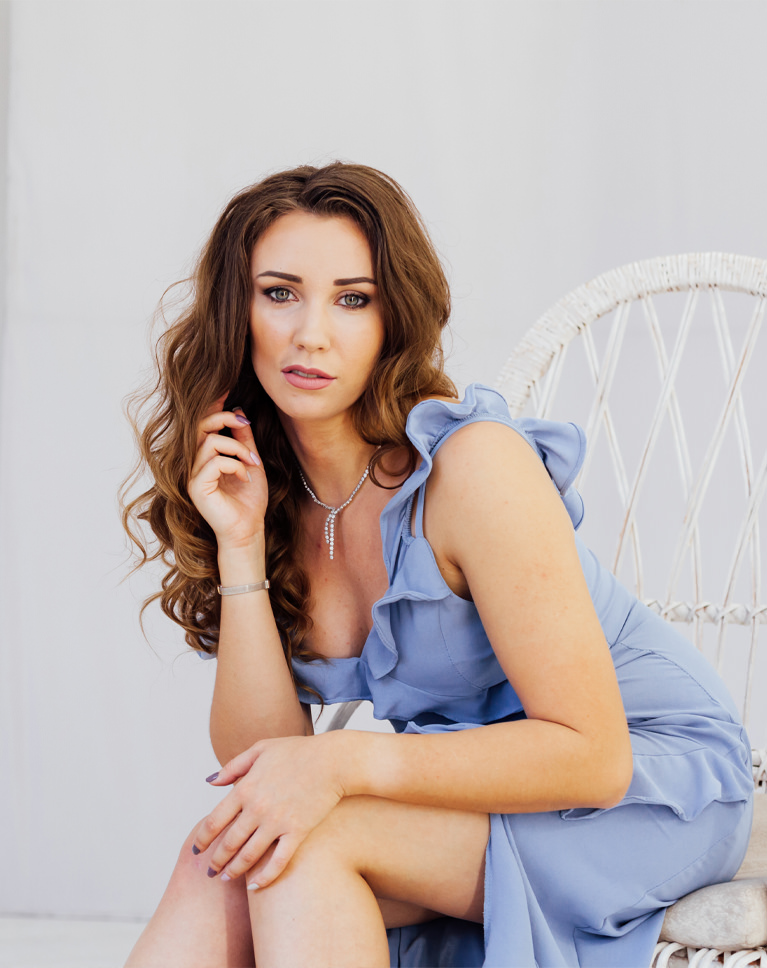
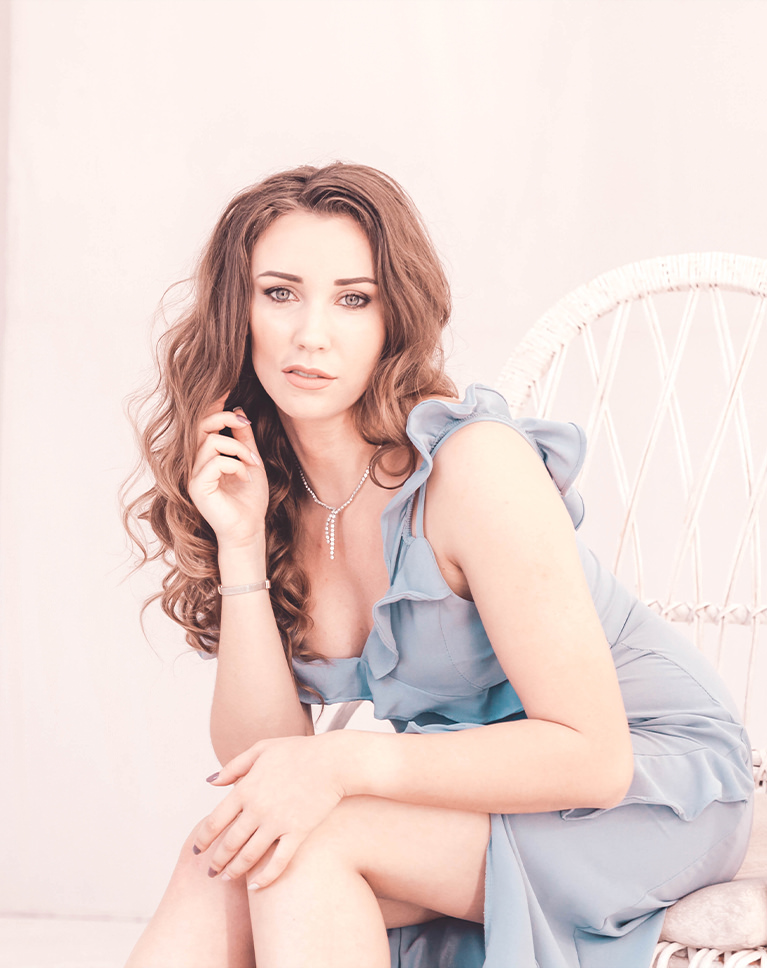
Soft Apricot washes the gray wall and white chair in a pale blush and brightens skin to a light peach. The blue dress softens to a gentle powder tone, and her dark hair keeps its shape without heavy shadow. Highlights come down by 22 while shadows rise by 31.
Lower Contrast, Brighter Whites
Contrast drops by 23 and blacks rise by 46, while whites go up by 18 and the curve brightens the top end. A warmer white balance and a light red tint in the highlights color the wall. A faint purple tint sits in the shadows.
Softer Skin Color
Oranges and yellows lose about half their saturation and oranges shift toward yellow, so skin reads light and creamy instead of tanned. Overall saturation drops by 22, and yellows get darker while greens shift strongly toward aqua.
Best on: seated and studio portraits, photos against plain walls, and outfits in blues and pastels.
What’s in the Download
One zip, desktop and mobile
One zip with both versions in labeled folders: .xmp presets for Lightroom Classic, desktop and mobile, and .dng backups for older releases of the mobile app, plus 4 sample images to practice on. In Lightroom they show up under User Presets.
- ZIPPHLEARN Pastel Lightroom Presets 2026.zipDesktop and mobile presets in one download, 8.2 MB
- XMPLightroom Classic, Desktop & Mobile (.xmp)10 presets for every Lightroom app
- DNGLightroom Mobile Backup (.dng)The same 10 for older releases of the mobile app
- JPG4 Sample ImagesFree-to-use practice photos
- PDFPHLEARN Lightroom Presets - Install Guide (2026).pdfClassic, desktop and mobile install steps
- PHLEARN-Pastels-Champagne Pink
- PHLEARN-Pastels-Eton Blue
- PHLEARN-Pastels-Light Yellow
- PHLEARN-Pastels-Lumber
- PHLEARN-Pastels-Pale Bisque
- PHLEARN-Pastels-Pale Orange
- PHLEARN-Pastels-Powder Blue
- PHLEARN-Pastels-Purple Dream
- PHLEARN-Pastels-Soft Apricot
- PHLEARN-Pastels-Thistle
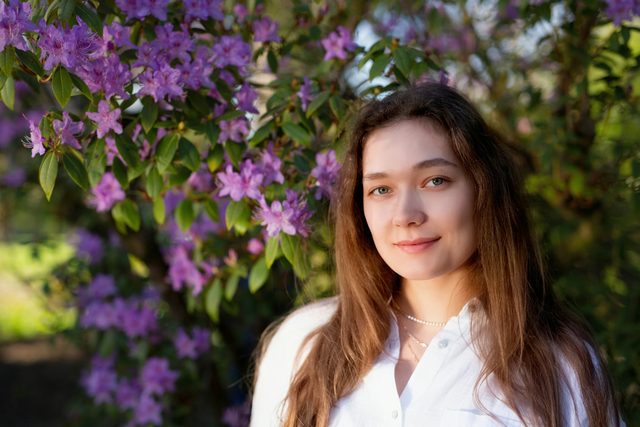
The 4 sample images


Lightroom Preset Questions, Answered
What’s included in the Pastels Lightroom Presets?
The pack has 10 presets: Powder Blue, Pale Bisque, Thistle, Lumber, Purple Dream, Eton Blue, Champagne Pink, Pale Orange, Soft Apricot and Light Yellow. They come as .XMP presets for Lightroom Classic, Lightroom desktop and Lightroom on your phone, plus .DNG versions for older versions of the mobile app.
What kind of photos are the Pastels Lightroom Presets made for?
They give photos a soft, candy-coated look, bringing out yellows, teals and magentas for a relaxed and friendly feel. They are designed to work on any photo, from portraits and landscapes to a client’s wedding photos or food photography.
Do the Pastels Lightroom Presets brighten shadows?
Yes. Along with light, creamy pastel color, the presets lift the shadows in your photos and reveal detail that might have been lost. Each look is fully customizable afterward with Lightroom’s color tools if you want to dial it in.
Are Lightroom Presets included in my PHLEARN PRO subscription?
Yes. A PHLEARN PRO membership includes every Lightroom Preset pack, plus PRO Tutorials, LUTs, Photoshop Actions and Photoshop Brushes.
Which version of Lightroom do I need?
The .XMP presets work in Lightroom Classic 7.3 and newer, in Lightroom on your computer and in Lightroom on your phone. For older versions of the mobile app, use the .DNG files in the download. We recommend the latest version.
How do I install Lightroom Presets?
In Lightroom Classic, open the Develop module, click the + in the Presets panel, choose Import Presets and select the .XMP files. The PDF install guide in your download covers Lightroom on your computer and your phone too, and every method is on our Lightroom Presets install guide.
I imported the pack, but I can’t see it.
The new group arrives collapsed and sits in alphabetical order. Scroll the Presets panel, find the group named after the pack and click its arrow.
Do I have to install the presets on my phone separately?
Not if you import them into Lightroom on your computer: within a few minutes they show up in Lightroom on any device signed in to the same Adobe account. If you use Lightroom Classic, import the .XMP files in the mobile app: open a photo, tap Presets, then Yours, then the three-dot menu and Import Presets.
Do the presets work on RAW and JPEG photos?
Yes. Every preset is built to work on both RAW and JPEG files, and each one can be adjusted after you apply it.
The preset looks too strong. What do I do?
Lower the Amount slider at the top of the Presets panel, then adjust White Balance and Exposure for that photo. Every photo starts from different light.
Do you offer refunds?
Because these are downloadable products, all sales are final and we are not able to offer refunds.
Terms of Use
These Presets are licensed for personal and professional use by the individual who purchased or downloaded them. The license does not extend to companies or partnerships, and the files may not be resold, loaned, gifted, shared, copied or redistributed. All PHLEARN Presets are copyright protected.
Master Photoshop, Lightroom and Photography
Join PHLEARN PRO for $12.99 a month or $99.99 a year. Cancel anytime, with a 100% money-back guarantee.





