Product Lightroom Presets for Classic & Mobile
-

-
Add to
favorites
-
Software
-
CompatibilityLightroom Classic & Mobile
-
Lightroom presets10 Product Photography Presets
-
Works in every Lightroom.xmp for Classic, Desktop & Mobile
-
Backup for older app versions.dng for Lightroom Mobile
-
In the download4 Sample Images + PDF Guide
Install Guide
How to Install Your Presets
A short PDF that walks you through installing this pack in Lightroom Classic, Lightroom desktop and Lightroom on your phone, plus three tips for better results.
DESCRIPTION
Whether you’re selling high-end products or just creating some fun arts and crafts, these PHLEARN Product Lightroom Presets can help you share your creations with the world! Designed to brighten up photos, remove harsh contrast, and add subtle color toning that complements the natural color in your images, these Lightroom Presets will help your products shine.
Every preset raises the whites, lowers the highlights and opens the shadows, and most add Vibrance, so they suit mugs, ceramics, flowers and handmade goods on a shelf. After you apply one, check Temperature so the color matches what a buyer will receive.
One zip holds the 10 presets as .xmp files, which work in Lightroom Classic, Lightroom on your computer and Lightroom on your phone, plus .dng versions for older releases of the mobile app, each in its own labeled folder, with 4 sample images to practice on and the PDF install guide.
TRY THEM FOR FREE
Want to try our Presets before you buy? Check out our FREE Lightroom Presets Sample Pack with 10 of our favorite looks for Lightroom Classic and Mobile.
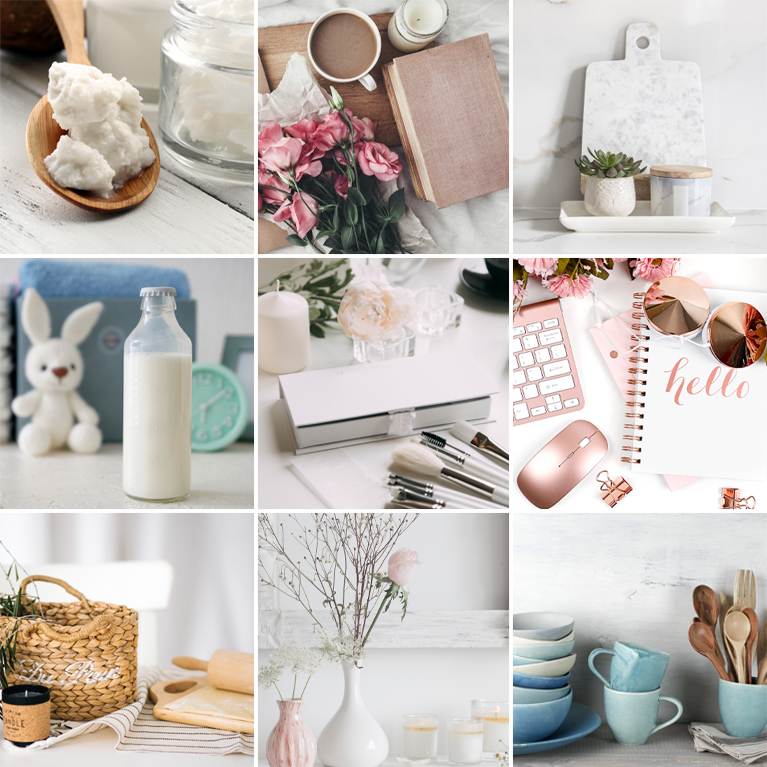
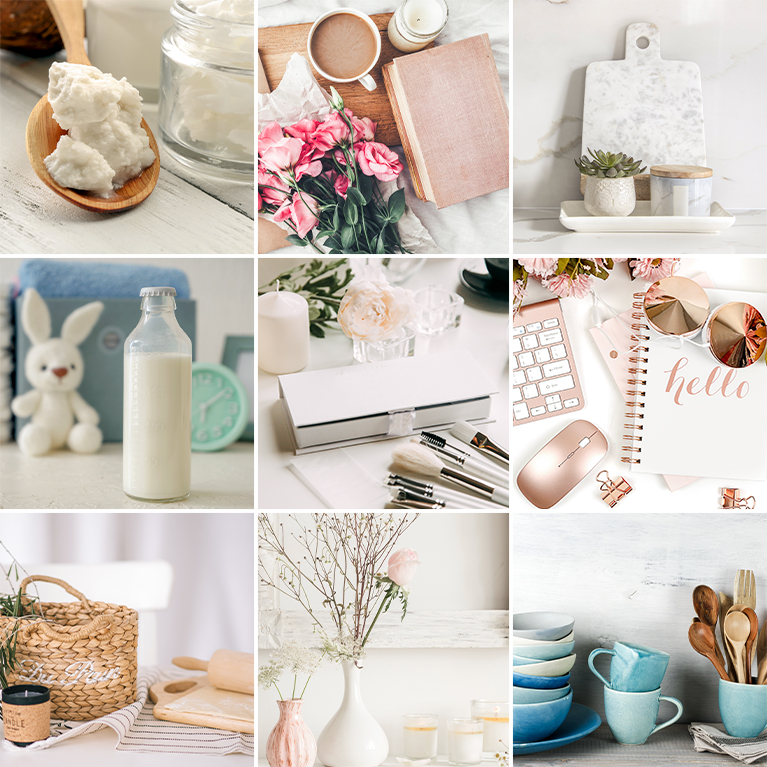
PHLEARN PRO · Lightroom Presets
Product Photography Lightroom Presets
10 presets4 sample imagesLightroom Classic & Mobile
Product Photography Lightroom Presets · 10 Looks
Clean Whites and Soft, True Color
Ten presets that brighten whites, hold highlight detail and keep product colors close to true. They work in Lightroom Classic and in Lightroom on desktop and mobile.
Crisp N’ Peachy
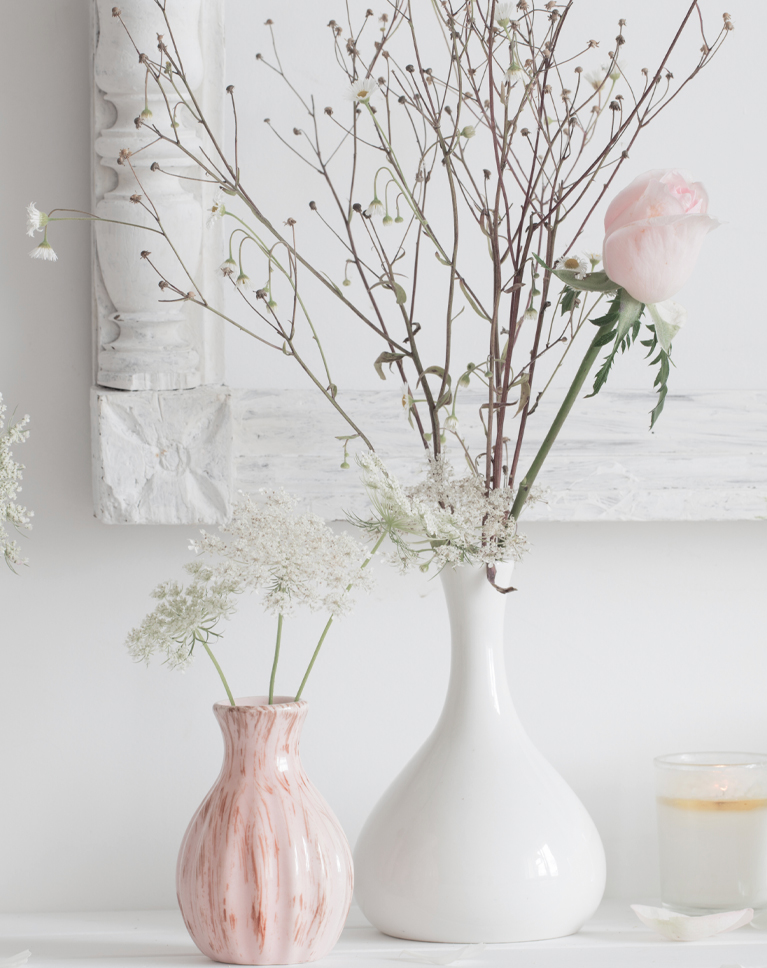
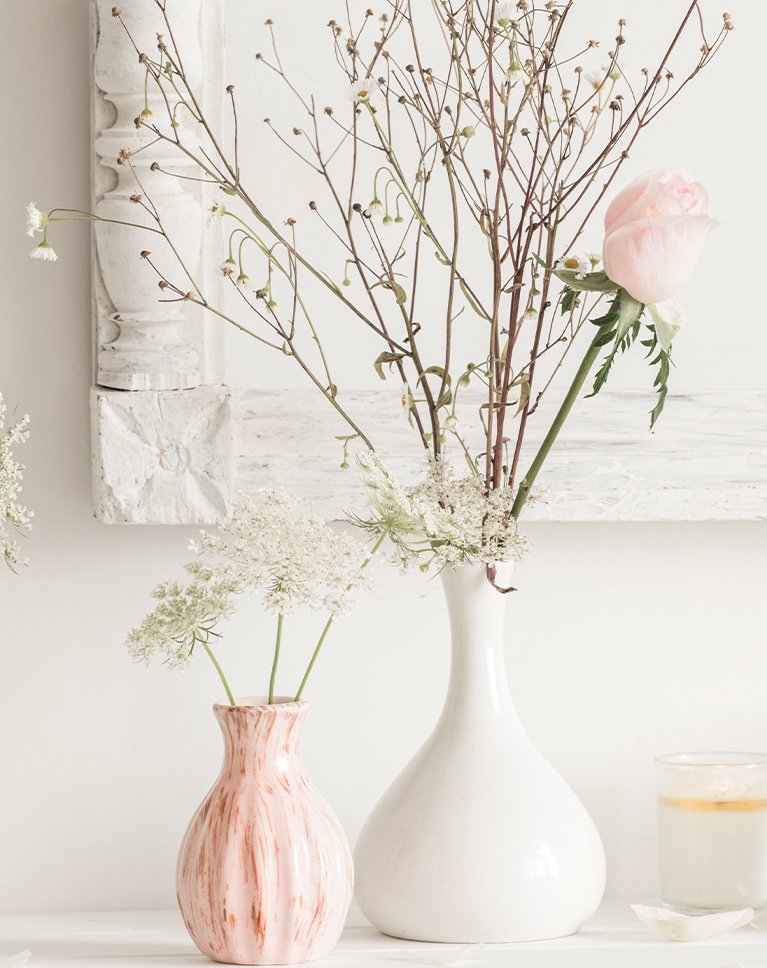
Crisp N’ Peachy brightens the shelf and cleans up the white wall and vase, while the pink vase and rose take on a soft peach warmth. The dried flower stems keep their fine detail. Shadows lift by 33, which keeps the darker areas open.
Contrast With Clean Whites
Contrast and whites go up and blacks go down for a crisp finish, while highlights come down hard so a white wall keeps its texture. Clarity and texture sharpen fine stems and glaze. The tone curve is left alone, so all of this comes from the basic tone settings.
A Touch of Peach
The white balance warms slightly, and oranges gain color and get brighter, which pushes blush tones toward peach. Reds and purples gain a little saturation. No hues shift, so each color keeps its original shade.
Best on: home decor and vases, dried flowers, white tabletop scenes, and products with blush or peach colors.


Bright White
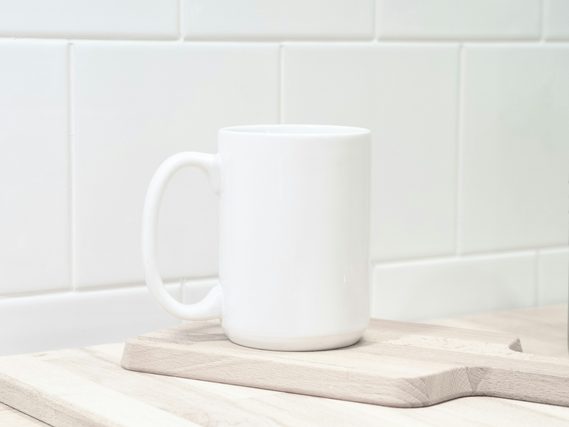
Bright White makes the white mug brighter and cleaner, keeps the hand lettering crisp and lightens the books behind it a little. Nothing in the frame looks harsh. Exposure rises slightly, by 0.12, and white balance does not change.
Highlights Held, Shadows Shaped
Highlights come down hard and the shadows lift a lot, while the tone curve darkens the deepest tones and brightens the upper midtones. Blacks also lift by 31, and contrast rises by 14. The result is a bright white with real depth.
Crisp Edges, Neutral Color
Clarity, texture and a little dehaze sharpen edges and lettering. Reds and oranges lose a little saturation and oranges and yellows get brighter, so warm casts on white ceramics fade. No hues shift, and blues, greens and purples are left untouched.
Best on: mugs and ceramics, handmade items, white products on a shelf, and photos for an online shop.
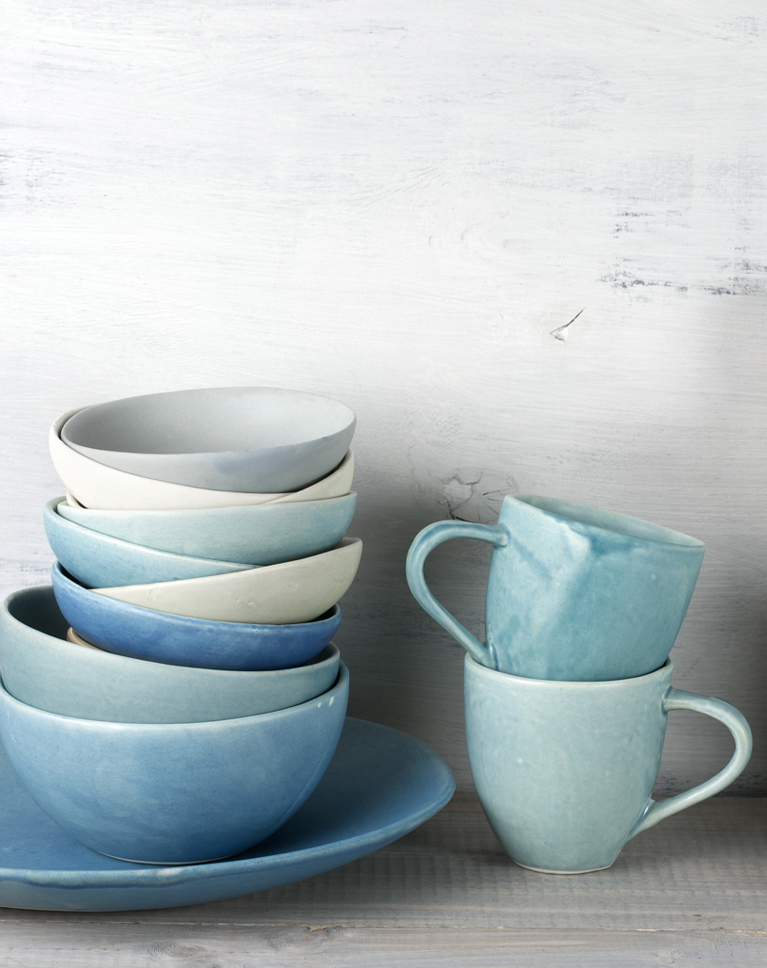
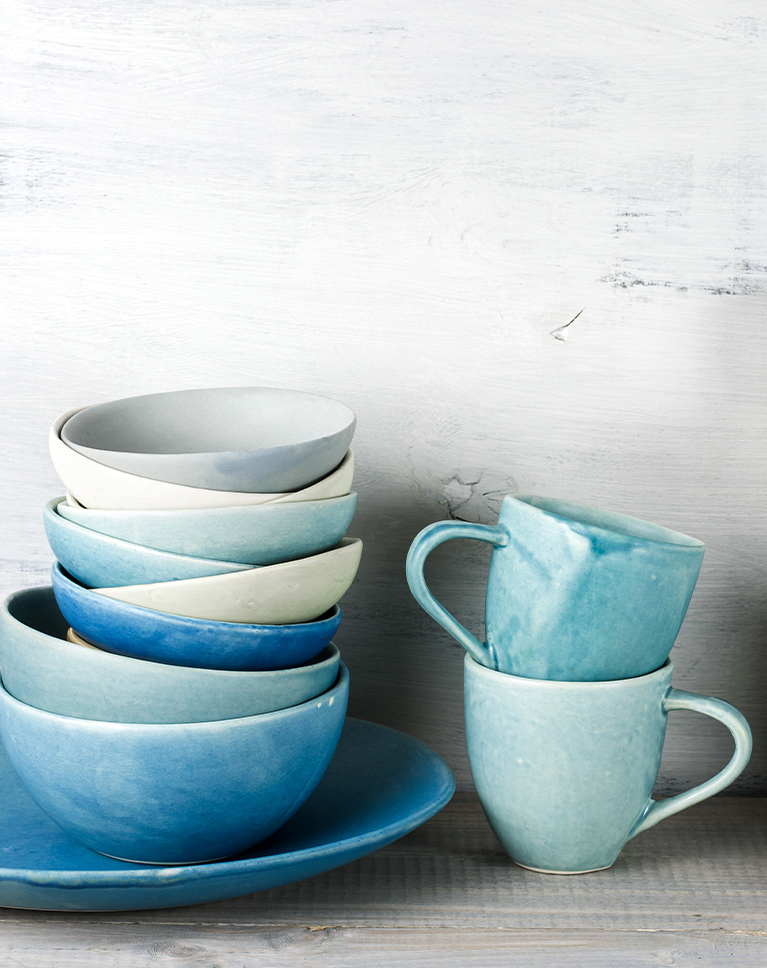
Light Skywriter
Light Skywriter deepens the blues in the stacked bowls and cups while the white wall stays soft and bright. The blues read richer without turning harsh, and the saucer and cups keep their soft shading. White balance does not change, and exposure barely moves.
Richer, Deeper Blues
Blues gain saturation and get a little darker, and vibrance goes up across the frame. Oranges gain color too, which warms any wood or skin in the shot. No hues shift, so the blues keep their original shade.
Firm Contrast, Bright Backdrop
Contrast and whites go up while highlights come down hard, so a pale wall stays bright with its texture intact. The tone curve sets a slightly deeper black point and darkens the lower midtones a little, and clarity adds a little edge. Shadows lift by 14.
Best on: blue tableware, kitchen and pottery shots, light backdrops, and products with cool colors.
Pastel White
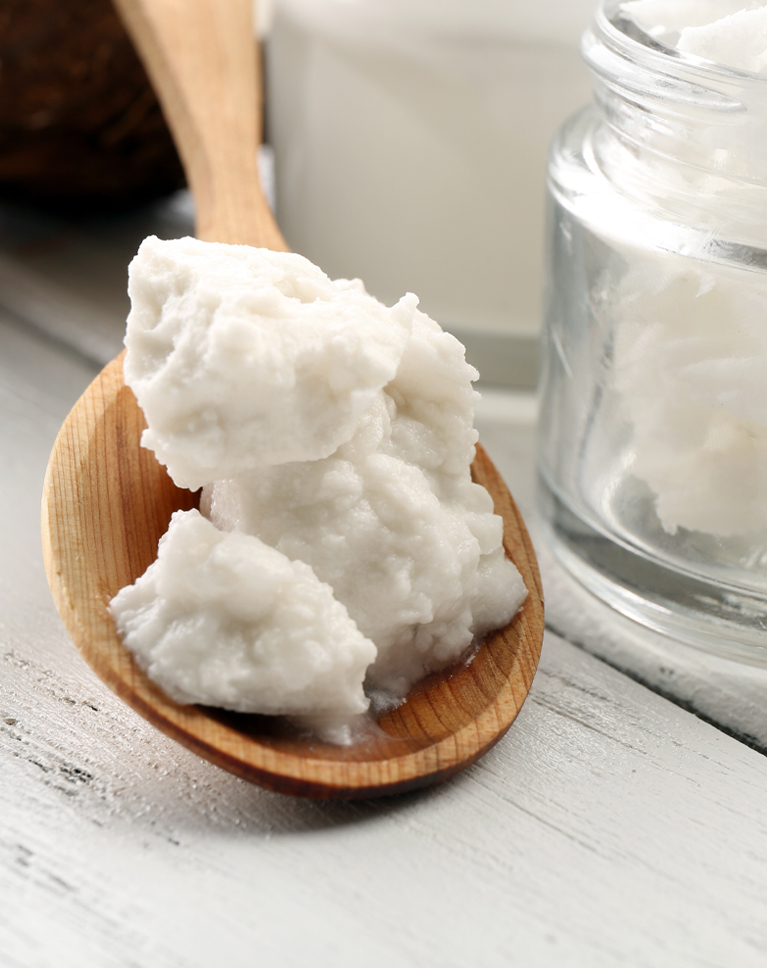
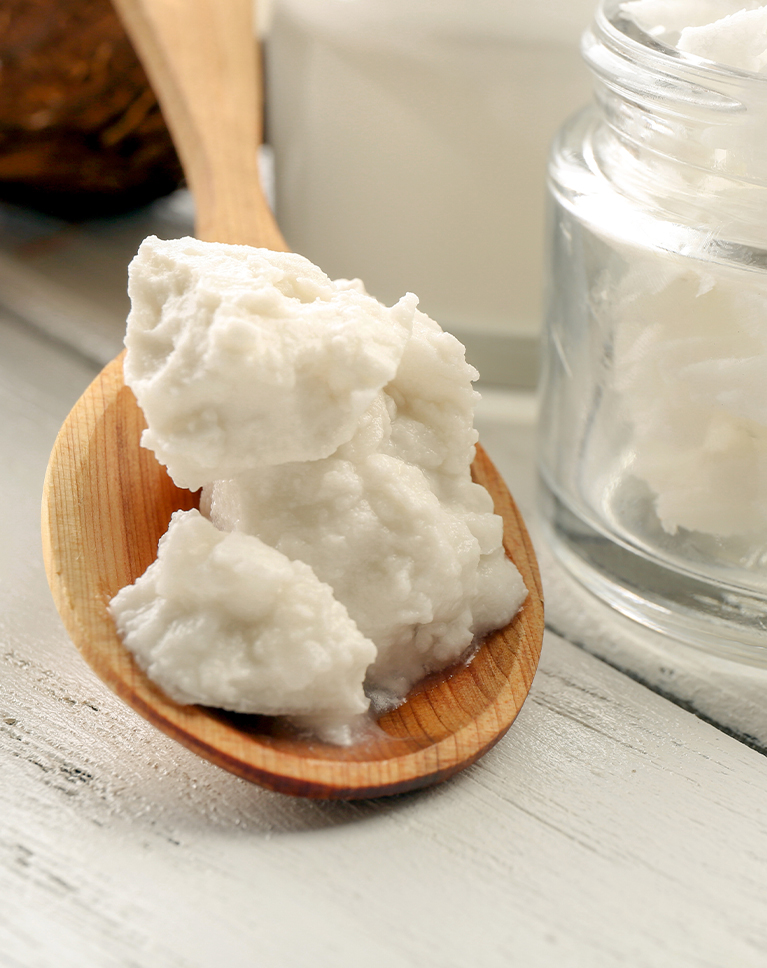
Pastel White brightens the scene, warms the wooden spoon and softens the white butter into a creamy tone. The jar and the painted wood surface behind it look lighter and calmer. Vibrance rises by 12, while white balance and the tone curve do not change.
Creamy Highlights
A soft yellow tint goes into the highlights, which turns stark whites into cream. Oranges and yellows gain a little saturation, so wood looks warmer. Yellows also get a little darker, while reds get lighter.
Lower Contrast, Open Shadows
Contrast drops and the highlights come down hard while the shadows lift, and negative dehaze adds a slight softness. Reds and greens lose some saturation. Exposure and whites go up and blacks go down, so the spoon keeps clear edges. Clarity and texture are left unchanged.
Best on: food and ingredients, skincare and beauty products, wood and white surfaces, and close-up product details.
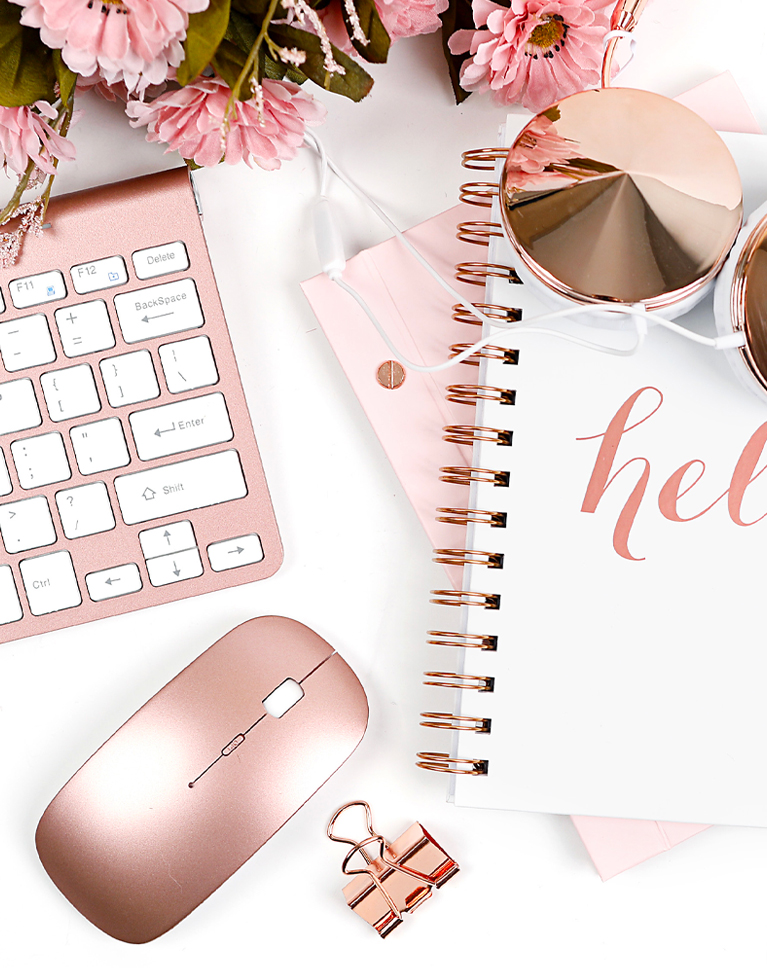
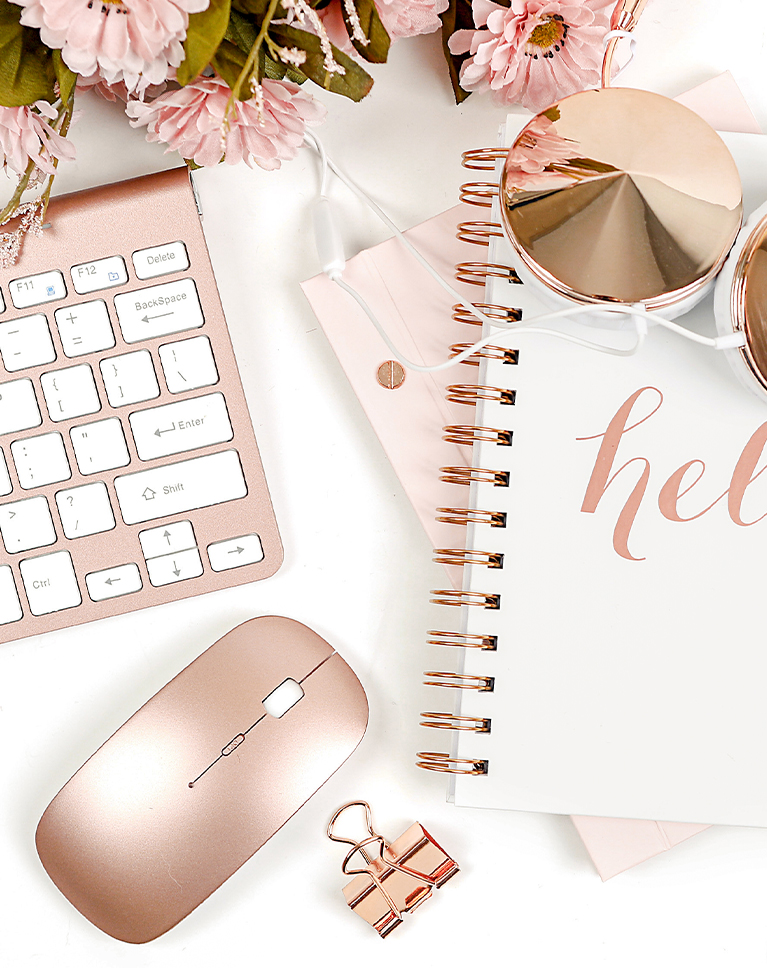
Vibrant Touch
Vibrant Touch brightens the white desk and makes the pinks and rose gold a little richer, so the keyboard, mouse and flowers stand out against a clean background. White balance does not change, and clarity and texture are left alone.
Bright Whites, Punchy Contrast
Exposure, contrast and whites all go up, the shadows and blacks lift a lot, and the tone curve pulls the darkest tones back down. Highlights come down by 40, which holds detail in the brightest areas. A white desk stays bright while metal and paper keep their depth.
Pinks Lifted, Greens Calmed
Saturation and vibrance go up a little and reds get brighter, which helps pink and rose gold glow. Greens lose some saturation, so leaves don’t compete with the product. Magentas get slightly lighter as well, and no hues shift.
Best on: flat lays, desk and stationery shots, rose gold accessories, and colorful products on white.
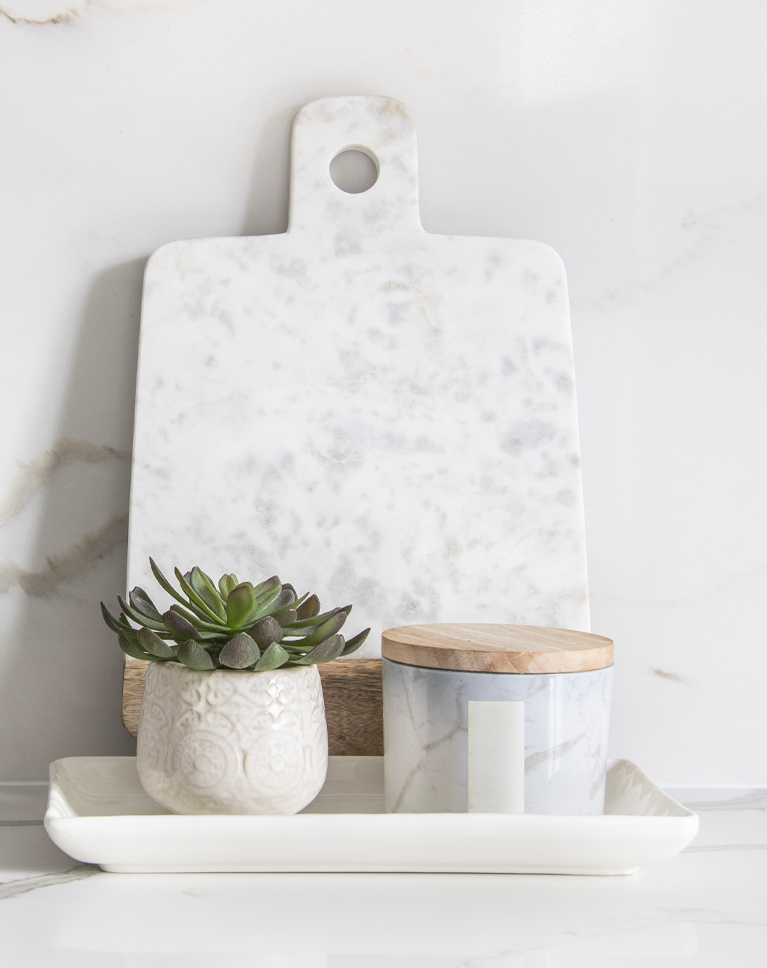
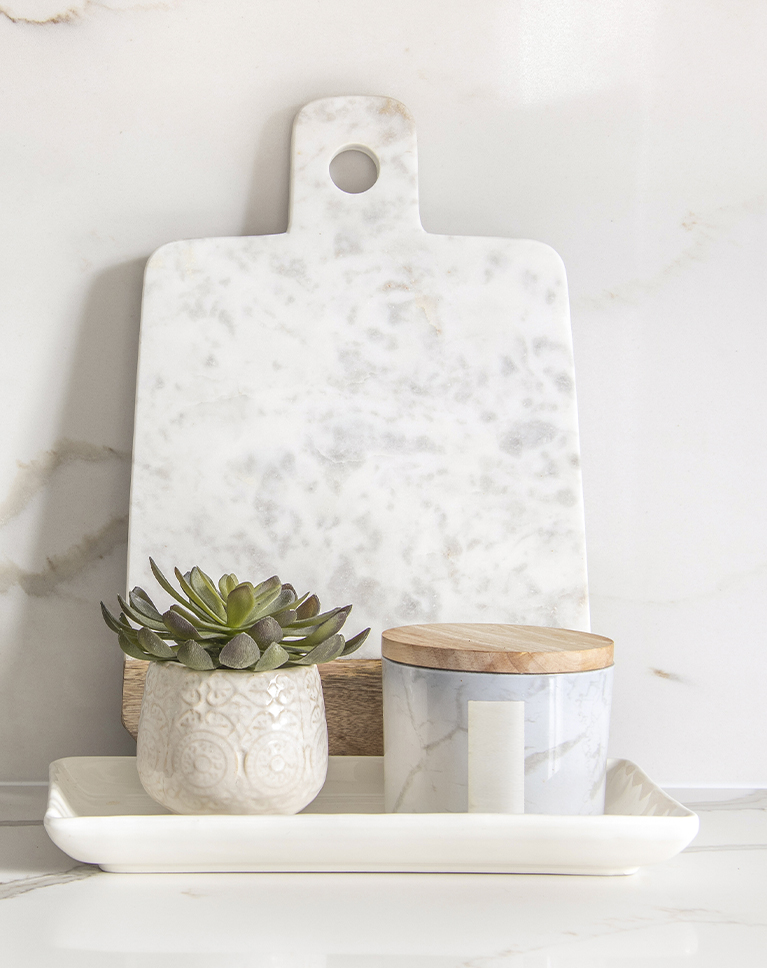
Vanillina
Vanillina lightens the marble board and backdrop and adds a gentle cream warmth, so the whites feel soft instead of gray. The succulent and the wooden lid keep their color. Shadows lift by 33 and blacks by 10, keeping the darker areas open.
Bright, Low-Contrast Marble
Contrast drops a lot and whites go up while highlights come down, so marble veining stays visible on a bright surface. A light yellow tint in the highlights gives the cream tone. A small dehaze boost adds a little definition back.
Warmer Wood, Yellower Greens
Oranges gain a little saturation but get darker, which gives wood a richer tone. Greens shift toward yellow for a softer, warmer leaf color, and saturation and vibrance rise slightly overall. White balance does not change, and oranges shift slightly toward red.
Best on: kitchen and home goods, marble and stone surfaces, candles and jars, and minimal white product photos.
What’s in the Download
One zip, desktop and mobile
One zip with both versions in labeled folders: .xmp presets for Lightroom Classic, desktop and mobile, and .dng backups for older releases of the mobile app, plus 4 sample images to practice on. In Lightroom they show up under User Presets.
- ZIPPHLEARN Product Photography Lightroom Presets 2026.zipDesktop and mobile presets in one download, 5.4 MB
- XMPLightroom Classic, Desktop & Mobile (.xmp)10 presets for every Lightroom app
- DNGLightroom Mobile Backup (.dng)The same 10 for older releases of the mobile app
- JPG4 Sample ImagesFree-to-use practice photos
- PDFPHLEARN Lightroom Presets - Install Guide (2026).pdfClassic, desktop and mobile install steps
- PHLEARN-Product-Bright White
- PHLEARN-Product-Creamy Touch
- PHLEARN-Product-Crisp n’ Peachy
- PHLEARN-Product-Frosty White
- PHLEARN-Product-Light Skywriter
- PHLEARN-Product-Mystic Straw
- PHLEARN-Product-Pastel White
- PHLEARN-Product-Softest Pink
- PHLEARN-Product-Vanillina
- PHLEARN-Product-Vibrant Touch
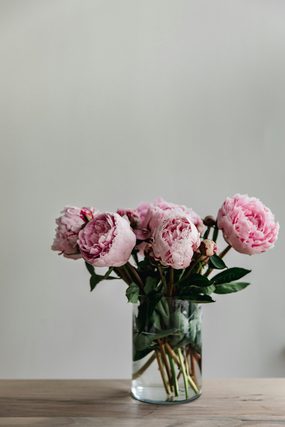
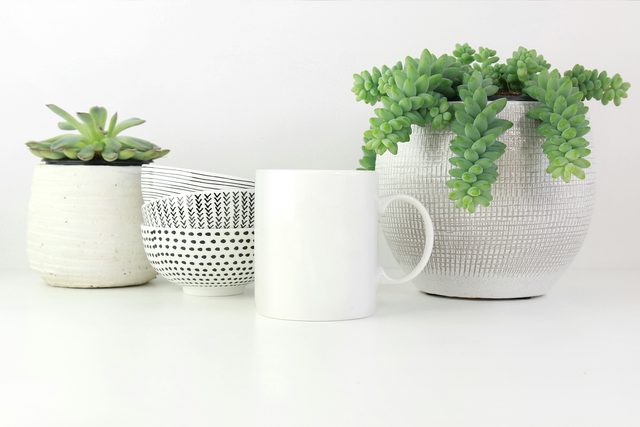
The 4 sample images

Lightroom Preset Questions, Answered
What’s included in the Product Lightroom Presets?
The pack has 10 presets: Bright White, Creamy Touch, Vanillina, Crisp n’ Peachy, Light Skywriter, Softest Pink, Frosty White, Mystic Straw, Pastel White and Vibrant Touch. They come as .XMP presets for Lightroom Classic, Lightroom desktop and Lightroom on your phone, plus .DNG versions for older versions of the mobile app.
What kind of photos are the Product Lightroom Presets made for?
They are made for product and object photos, whether you sell high-end products or share arts and crafts and hand-made items. The presets brighten photos, remove harsh contrast and add subtle color toning that complements the natural colors, with bright whites throughout.
Do the Product Lightroom Presets work on JPEG photos?
Yes. The presets work with both RAW and JPEG images. A Lightroom preset is a collection of color and exposure settings, so you can apply it to a JPEG straight from your camera or phone as well as to a RAW file.
Are Lightroom Presets included in my PHLEARN PRO subscription?
Yes. A PHLEARN PRO membership includes every Lightroom Preset pack, plus PRO Tutorials, LUTs, Photoshop Actions and Photoshop Brushes.
Which version of Lightroom do I need?
The .XMP presets work in Lightroom Classic 7.3 and newer, in Lightroom on your computer and in Lightroom on your phone. For older versions of the mobile app, use the .DNG files in the download. We recommend the latest version.
How do I install Lightroom Presets?
In Lightroom Classic, open the Develop module, click the + in the Presets panel, choose Import Presets and select the .XMP files. The PDF install guide in your download covers Lightroom on your computer and your phone too, and every method is on our Lightroom Presets install guide.
I imported the pack, but I can’t see it.
The new group arrives collapsed and sits in alphabetical order. Scroll the Presets panel, find the group named after the pack and click its arrow.
Do I have to install the presets on my phone separately?
Not if you import them into Lightroom on your computer: within a few minutes they show up in Lightroom on any device signed in to the same Adobe account. If you use Lightroom Classic, import the .XMP files in the mobile app: open a photo, tap Presets, then Yours, then the three-dot menu and Import Presets.
Do the presets work on RAW and JPEG photos?
Yes. Every preset is built to work on both RAW and JPEG files, and each one can be adjusted after you apply it.
The preset looks too strong. What do I do?
Lower the Amount slider at the top of the Presets panel, then adjust White Balance and Exposure for that photo. Every photo starts from different light.
Do you offer refunds?
Because these are downloadable products, all sales are final and we are not able to offer refunds.
Terms of Use
These Presets are licensed for personal and professional use by the individual who purchased or downloaded them. The license does not extend to companies or partnerships, and the files may not be resold, loaned, gifted, shared, copied or redistributed. All PHLEARN Presets are copyright protected.
Master Photoshop, Lightroom and Photography
Join PHLEARN PRO for $12.99 a month or $99.99 a year. Cancel anytime, with a 100% money-back guarantee.





