Vibrant Product Lightroom Presets for Classic & Mobile
-

-
Add to
favorites
-
Software
-
CompatibilityLightroom Classic & Mobile
-
Lightroom presets10 Vibrant Product Presets
-
Works in every Lightroom.xmp for Classic, Desktop & Mobile
-
Backup for older app versions.dng for Lightroom Mobile
-
In the download4 Sample Images + PDF Guide
Install Guide
How to Install Your Presets
A short PDF that walks you through installing this pack in Lightroom Classic, Lightroom desktop and Lightroom on your phone, plus three tips for better results.
DESCRIPTION
If you sell anything online, you know how important it is that any product photos accurately represent the look, feel, and spirit of the items you offer. Our Vibrant Product Lightroom Presets are designed to bring out the natural look, color, and textures of products so that your customers don’t have to think twice about checking out.
Nearly every preset lowers the highlights, and most brighten the shadows and add clarity, a good fit for sweaters on a rack, makeup palettes and folded denim for an online shop. After you apply one, check Temperature against the item in hand before you post.
One zip holds the 10 presets as .xmp files, which work in Lightroom Classic, Lightroom on your computer and Lightroom on your phone, plus .dng versions for older releases of the mobile app, each in its own labeled folder, with 4 sample images to practice on and the PDF install guide.
TRY THEM FOR FREE
Want to try our Presets before you buy? Check out our FREE Lightroom Presets Sample Pack with 10 of our favorite looks for Lightroom Classic and Mobile.
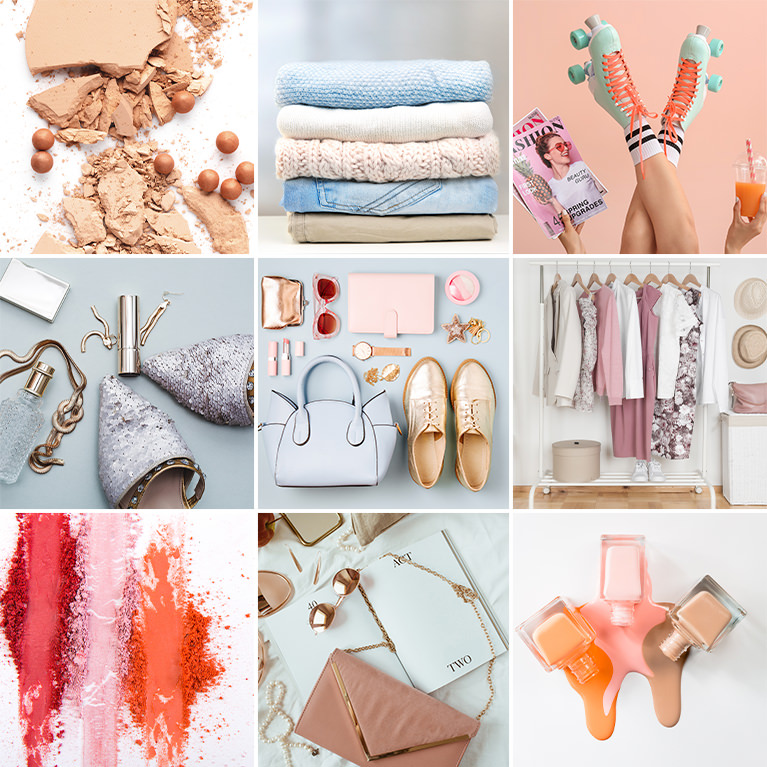
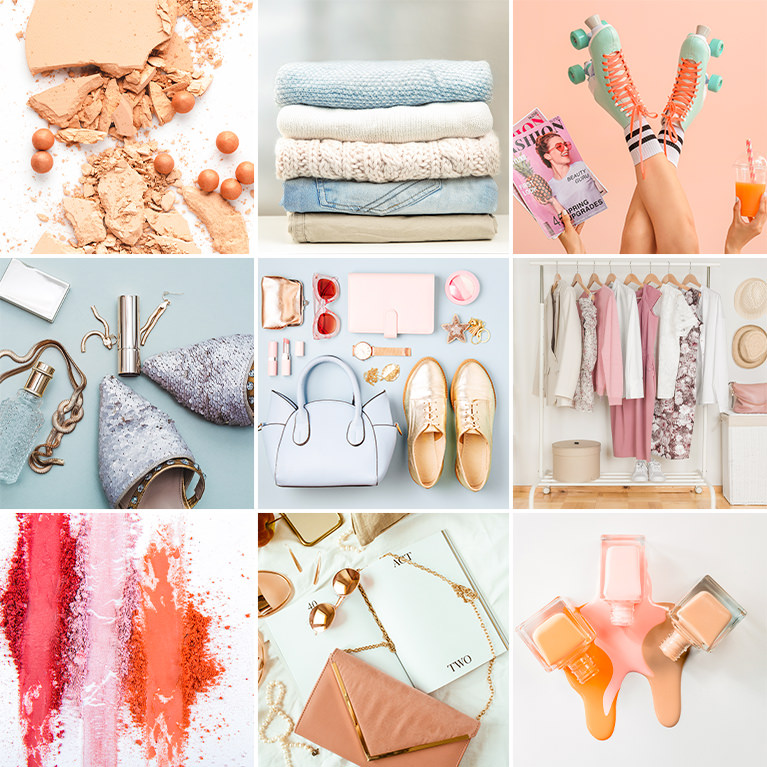
PHLEARN PRO · Lightroom Presets
Vibrant Product Lightroom Presets
10 presets4 sample imagesLightroom Classic & Mobile
Vibrant Product Lightroom Presets · 10 Looks
Clean, True Color for Product Photos
Ten presets that hold back bright highlights, open shadows and keep colors clean and accurate for clothing, cosmetics and accessories. They work in Lightroom Classic and in Lightroom on desktop and mobile.
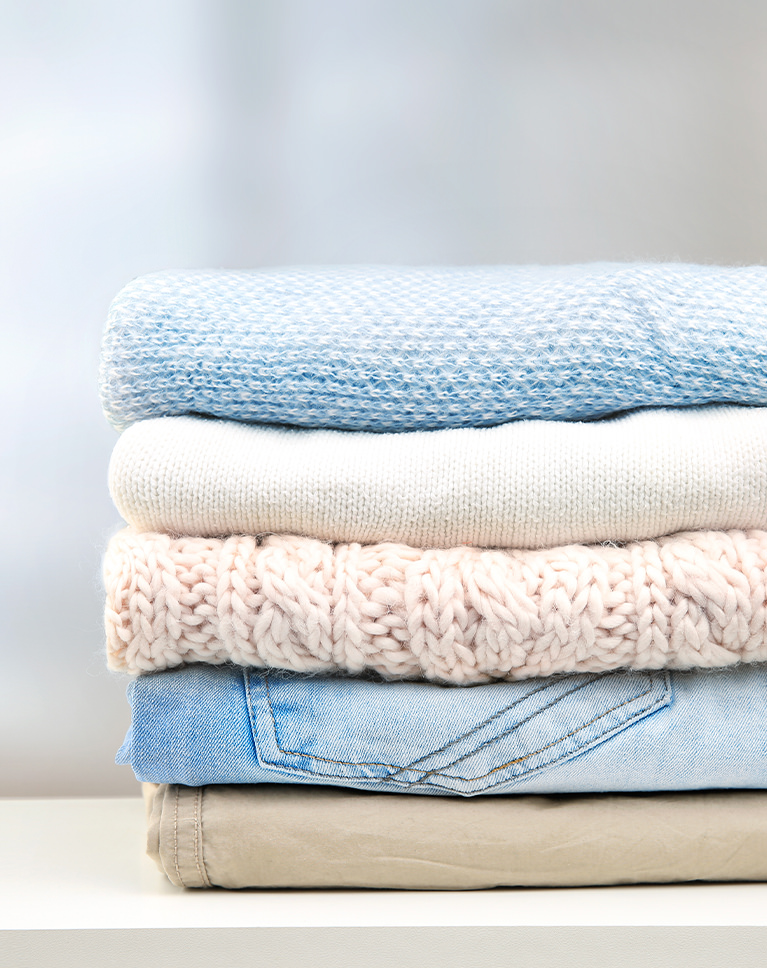
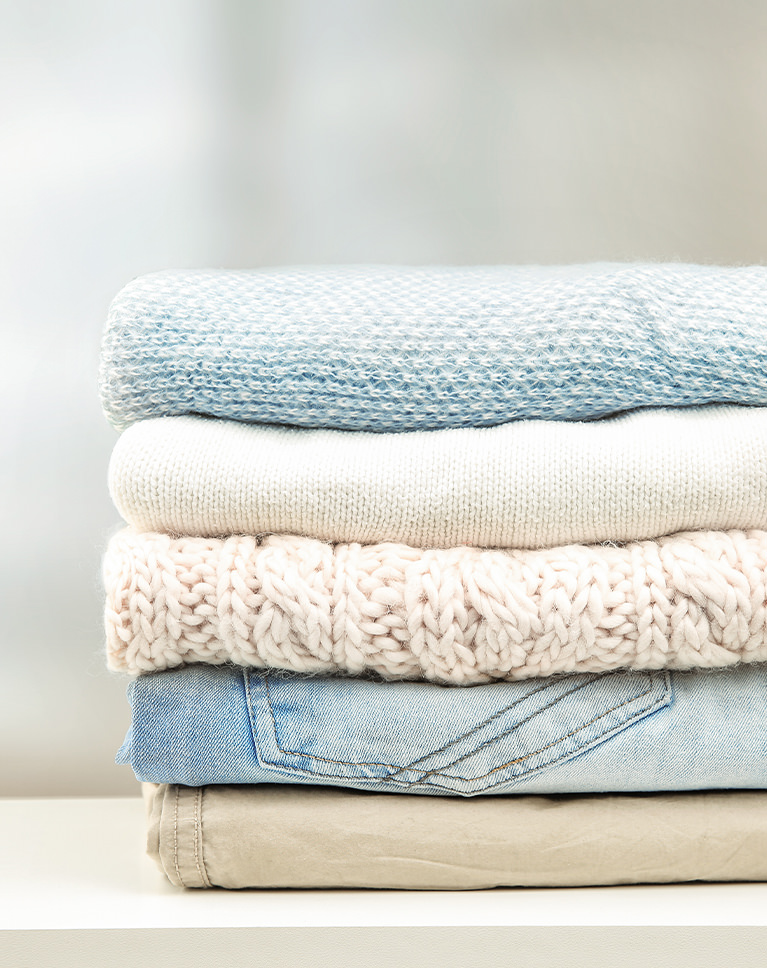
Crispy Blues
Crispy Blues cleans up this stack of knits and denim. The pink and cream sweaters turn lighter and paler, the khaki fabric lightens, and the blue sweater and jeans hold a crisp, clear blue. The white balance warms by 10 and exposure dips very slightly.
Blues Up, Everything Else Down
Overall saturation and vibrance both drop, but blues, aquas and greens get extra saturation, so blue items keep their color while the rest goes quiet. Reds, oranges and yellows get lighter. Greens also shift toward aqua, and blues gain the most, at 23.
Strong Clarity, Held Highlights
Clarity rises by 26 to bring out knit and denim texture. Highlights drop by 64 while shadows and blacks lift, so bright white folds keep their detail and dark creases open up. Whites come down by 30, and contrast rises slightly, by 7.
Best on: folded clothing and textiles, denim and knitwear, and flat product shots on light surfaces.
Sweet Cream
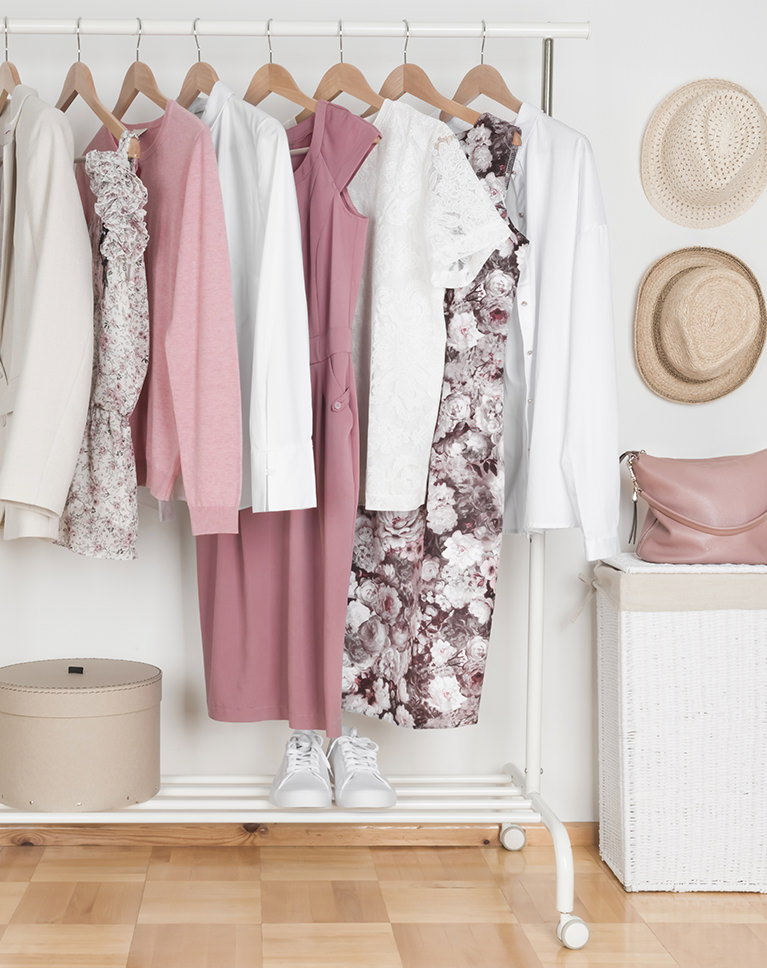
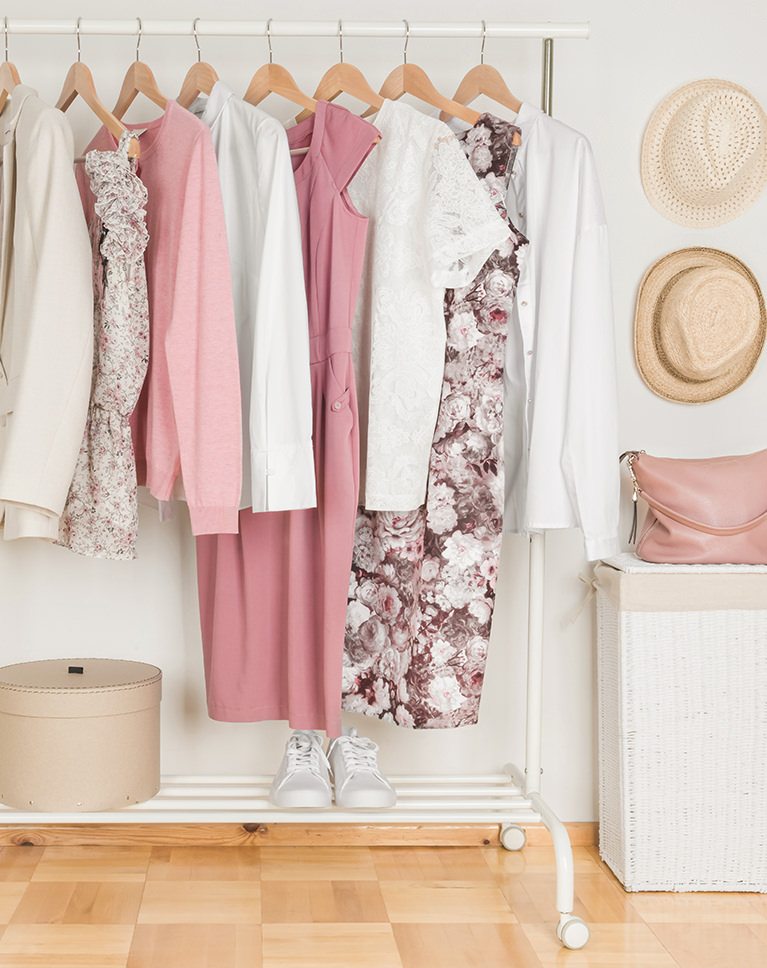
Sweet Cream keeps this boutique rack true to life with a light, warm lift. The white garments stay clean, the pink and mauve pieces hold their color, and the wood floor turns a little warmer and brighter. Blacks deepen by 19.
Warmer and a Bit Punchier
Temperature rises by 12 and contrast by 13, with a clarity boost for fabric texture. Highlights drop by 43 while shadows lift, so white clothes keep their folds against a bright wall. The tone curve darkens the darks and eases the highlights.
Vibrance Up, Strong Hues Calmed
Vibrance rises by 17 while greens, magentas, oranges and yellows lose some saturation, so muted pastels gain a little life without loud colors taking over. Oranges get brighter, which lifts wood tones. Aquas and purples lose some color as well, and blues shift toward aqua.
Best on: clothing racks and boutique displays, pastel garments and bright room shots for online shops.

Spring Orchid
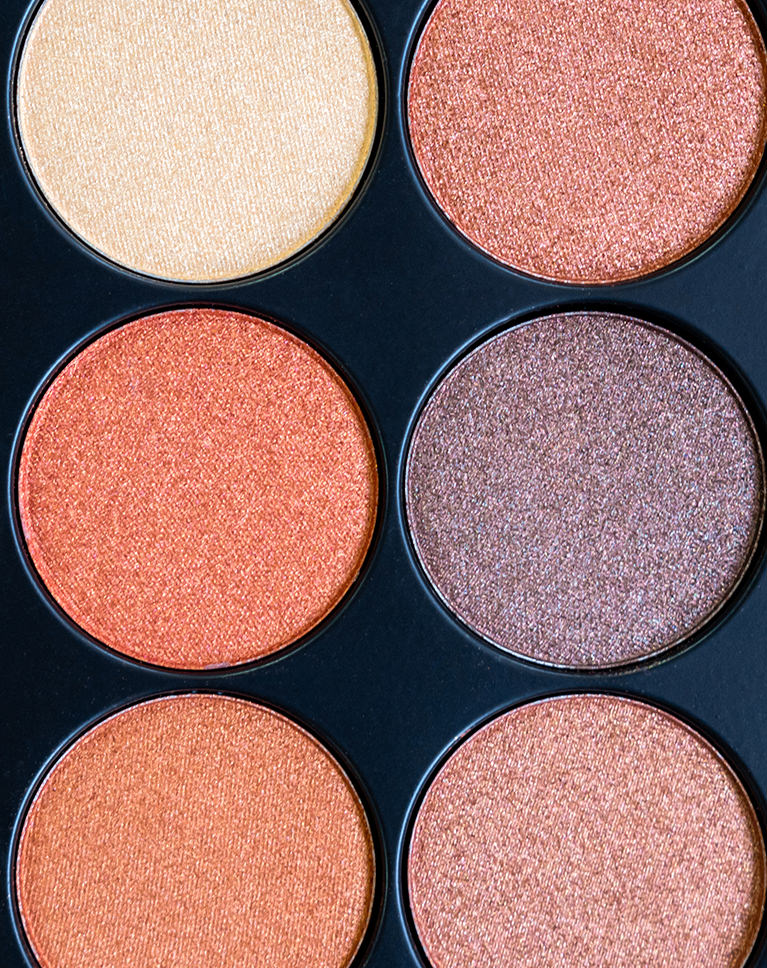
Spring Orchid makes every shade in this eyeshadow palette read more clearly. The corals and peaches turn brighter and more saturated, the shimmer in each pan sparkles more, and the black tray lightens toward navy. The white balance warms slightly, by 5, while exposure is left unchanged.
Saturation Up by 20
Overall saturation rises by 20, with extra color in oranges, yellows, blues and purples. Oranges and yellows also get brighter, which is what makes the coral and peach pans glow. Greens and purples get lighter as well, and magentas gain a little saturation.
Bright Whites, Fine Grain
Whites rise by 45 while highlights come down, so shimmer gets brighter without clipping. A small clarity boost and a little grain keep the pressed powder texture visible up close. Blacks lift by 10 and contrast eases slightly, by 6.
Best on: makeup and cosmetics, eyeshadow and lipstick swatches, and colorful close-up product shots.
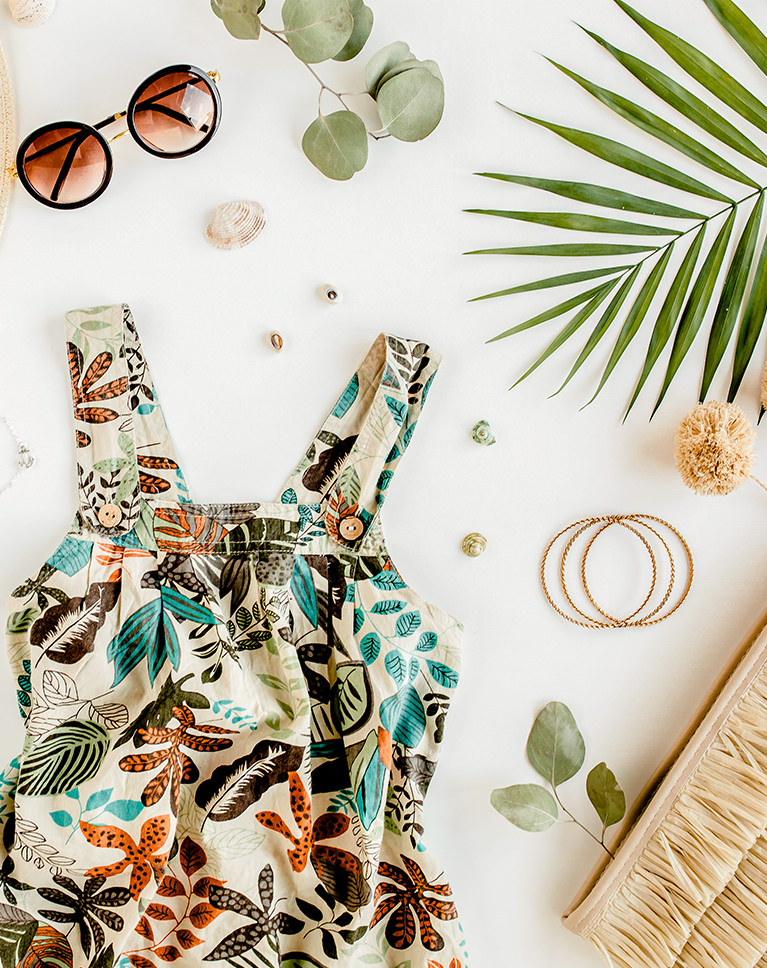
Neutral Musk
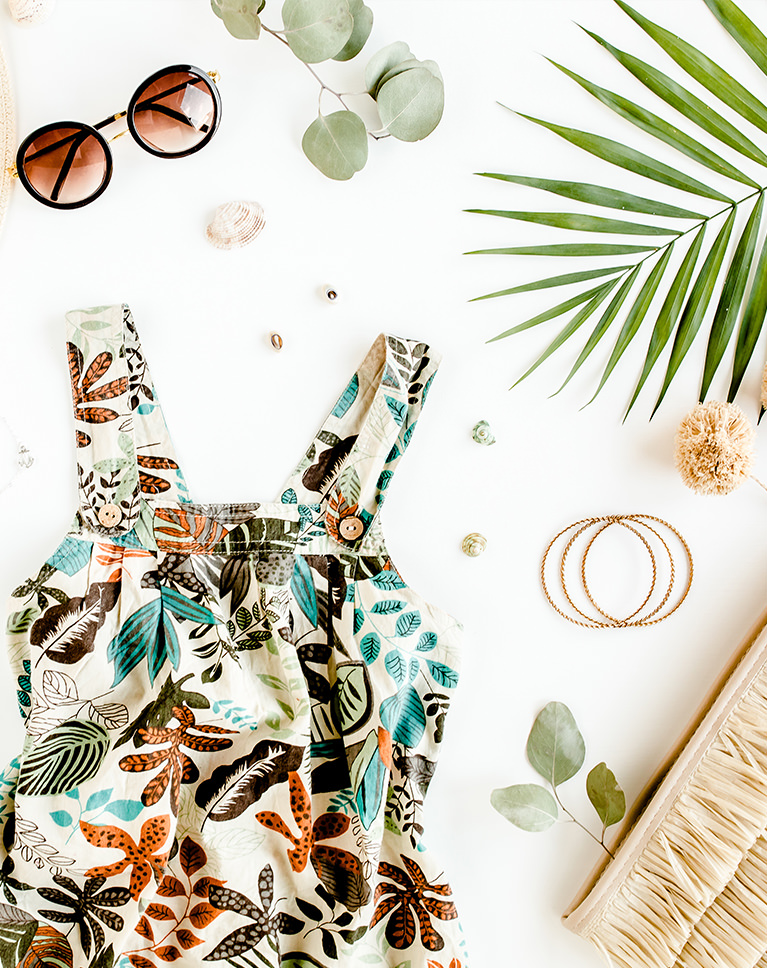
Neutral Musk keeps this flat lay balanced and true. The white background stays clean, the tropical print and palm leaves hold their color, and the cream wicker and gold hoops take on a slightly warmer tone. Contrast and white balance are left unchanged, so the edit stays neutral.
Whites Held, Blacks Deepened
Whites drop by 38 and highlights by 28 so a white backdrop keeps its texture, while blacks go a little deeper. Texture rises by 10 to sharpen fabric and leaf detail. Clarity adds a small boost as well, and shadows lift only slightly.
A Little More Color Everywhere
Vibrance rises by 10 and reds, oranges, yellows, greens and blues each gain a small amount of saturation. A faint yellow tint in the highlights adds the gentle warmth. Oranges also get lighter, while greens shift slightly toward yellow.
Best on: flat lays on white, patterned clothing, and sunglasses, jewelry and other accessories.
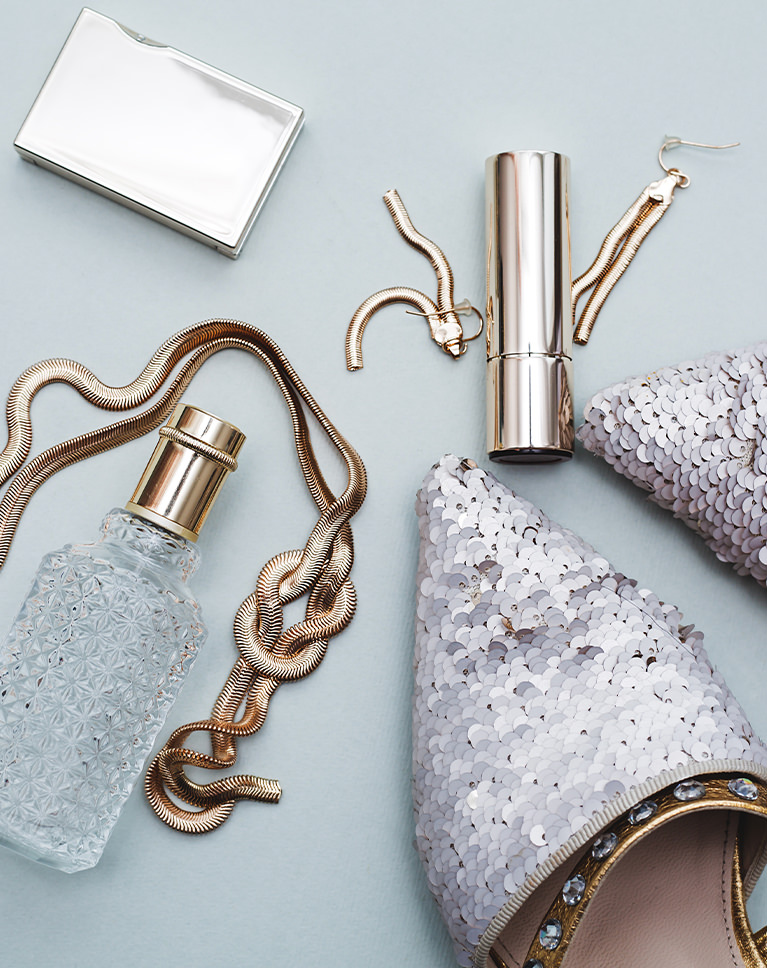
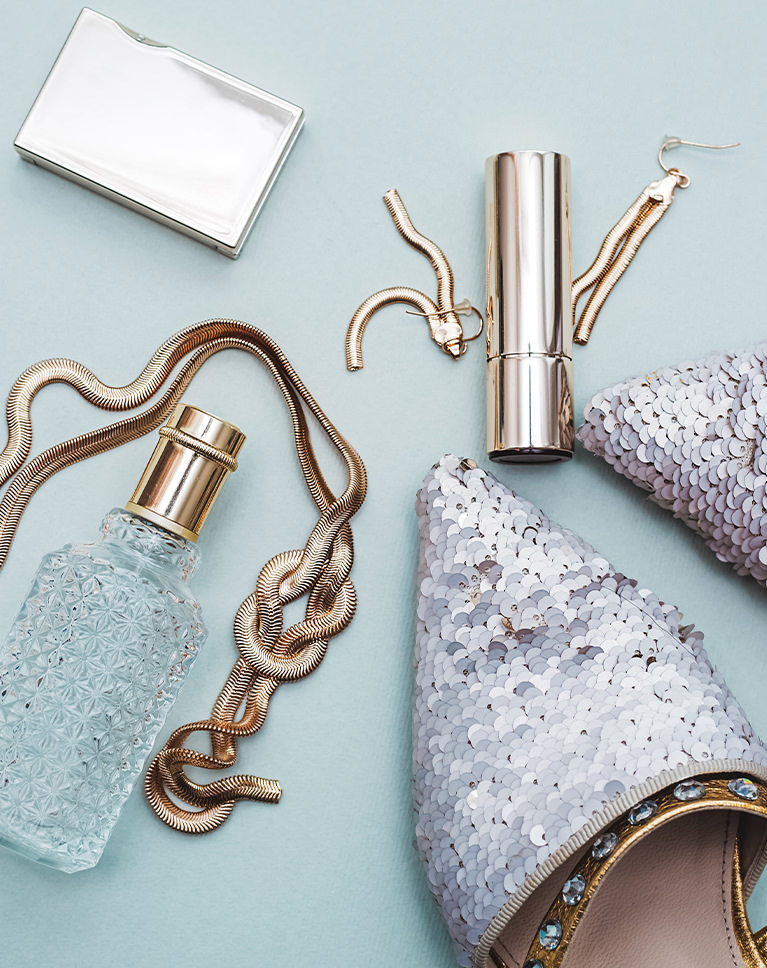
Crystal Blues
Crystal Blues turns this pale backdrop a fresher, minty blue. The perfume bottle and sequined shoes pick up a cleaner sparkle, and the gold chain and earrings keep their warm shine against the cooler background. The white balance is left as it is, so the cooler backdrop comes from the blue adjustments.
Blues Shifted Toward Aqua
Blue hue moves -20 toward aqua and blue saturation rises by 26, which is where the minty backdrop comes from. Vibrance rises by 19 for more color overall. Blues also get a little lighter, while oranges lose a touch of saturation.
Gold Kept Warm and Crisp
Yellows gain saturation and get brighter, so gold metal stays rich. Contrast and clarity rise a little while shadows and blacks lift, keeping glass and sequins detailed. Highlights drop by 17 and whites by 20, and texture rises slightly.
Best on: perfume and glass bottles, jewelry and metallic accessories, and products on pastel backgrounds.
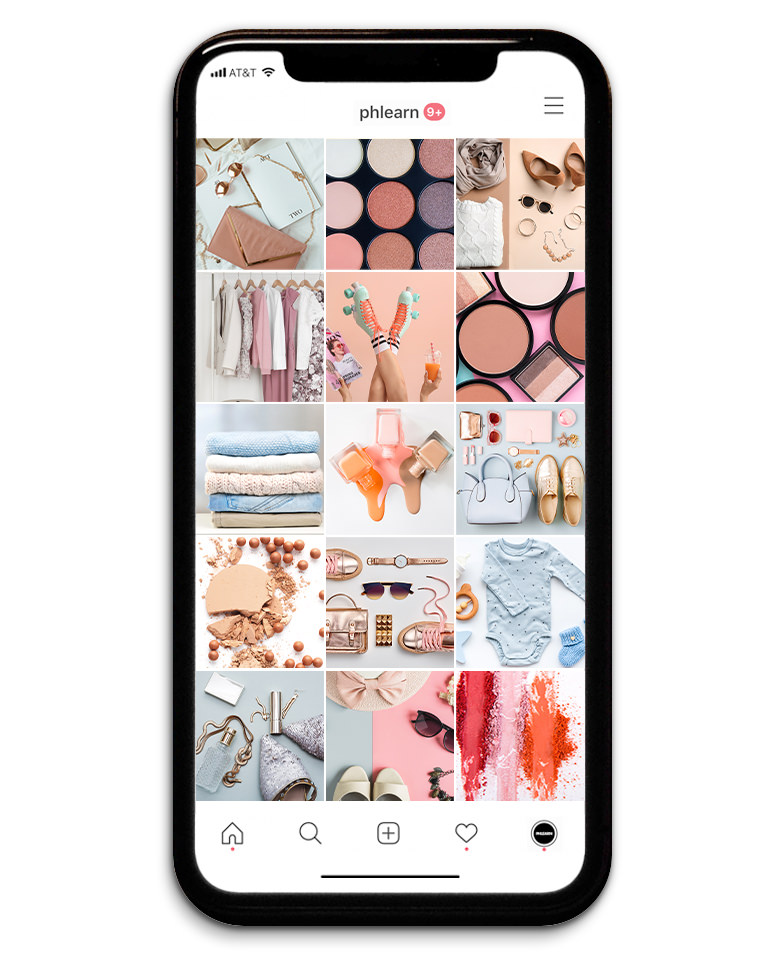
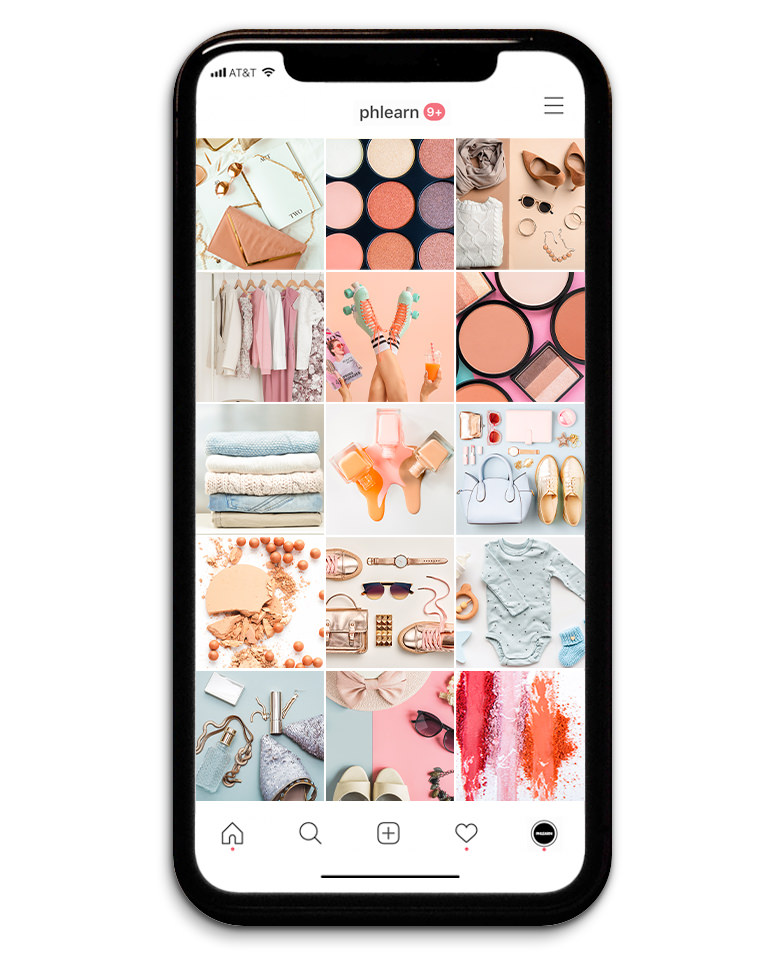
A Brighter Shop Feed
Applied across a whole shop feed, the ten Vibrant Product presets make clothing, cosmetics and accessories sit together as one bright, consistent grid. Whites stay clean, product colors look true, and no square feels darker or muddier than the next. Seven raise clarity and none lower it.
Highlights Held Back
Nine pull the highlights down, and eight lift the shadows, so white backgrounds keep their texture while dark trays and folds open up. Seven also lift the blacks, and seven bring the whites down.
Color Added With Care
Eight presets add color through vibrance or saturation, from a light touch to bolder looks for makeup and bright accessories, while Crispy Blues lowers both and Sunrise Beige leaves them unchanged. Only Spring Orchid adds grain, and none adds a vignette.
Best on: Instagram shop feeds, online store listings and sets of product photos that should look like they belong together.
What’s in the Download
One zip, desktop and mobile
One zip with both versions in labeled folders: .xmp presets for Lightroom Classic, desktop and mobile, and .dng backups for older releases of the mobile app, plus 4 sample images to practice on. In Lightroom they show up under User Presets.
- ZIPPHLEARN Vibrant Product Lightroom Presets 2026.zipDesktop and mobile presets in one download, 11.4 MB
- XMPLightroom Classic, Desktop & Mobile (.xmp)10 presets for every Lightroom app
- DNGLightroom Mobile Backup (.dng)The same 10 for older releases of the mobile app
- JPG4 Sample ImagesFree-to-use practice photos
- PDFPHLEARN Lightroom Presets - Install Guide (2026).pdfClassic, desktop and mobile install steps
- PHLEARN-Vibrant Product-California Poppy
- PHLEARN-Vibrant Product-Carnival Orange
- PHLEARN-Vibrant Product-Crisp Sundance
- PHLEARN-Vibrant Product-Crispy Blues
- PHLEARN-Vibrant Product-Crystal Blues
- PHLEARN-Vibrant Product-Daisy Yellows
- PHLEARN-Vibrant Product-Neutral Musk
- PHLEARN-Vibrant Product-Spring Orchid
- PHLEARN-Vibrant Product-Sunrise Beige
- PHLEARN-Vibrant Product-Sweet Cream
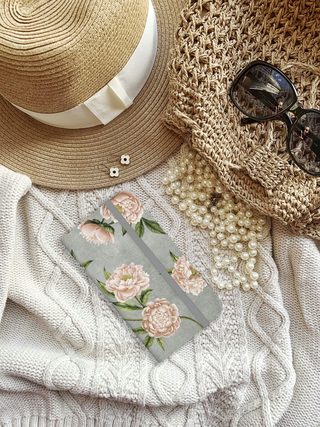
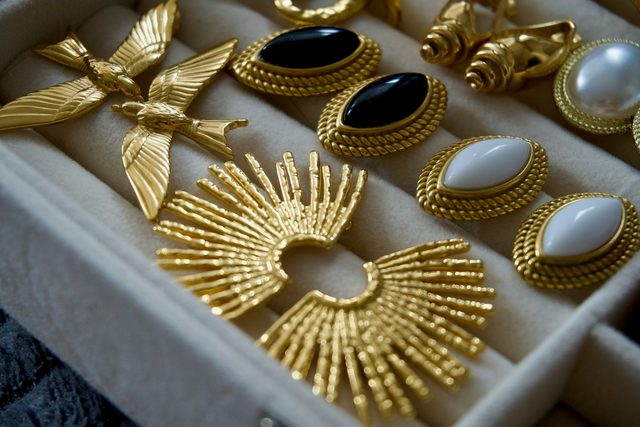
The 4 sample images


Lightroom Preset Questions, Answered
What’s included in the Vibrant Product Lightroom Presets?
The Vibrant Product Lightroom Presets include 10 presets: Crispy Blues, Crystal Blues, Daisy Yellows, Crisp Sundance, Carnival Orange, Neutral Musk, Sweet Cream, Spring Orchid, Sunrise Beige and California Poppy. They come as .XMP presets for Lightroom Classic, Lightroom desktop and Lightroom on your phone, plus .DNG versions for older versions of the mobile app, and the download includes sample images to practice on.
What kind of photos are the Vibrant Product Lightroom Presets made for?
Product photos, especially for anyone who sells online. If the exposure and colors aren’t right, a product photo can send the wrong message to customers. These presets brighten products, restore their colors and bring out their natural look and textures, so your photos represent the look, feel and spirit of what you sell.
Which Vibrant Product Lightroom Presets are shown on this page?
The before-and-after examples show Daisy Yellows, the featured look, along with Crispy Blues, Crystal Blues, Neutral Musk, Spring Orchid and Sweet Cream. You can try any of the 10 presets on the sample images in the download before using them on your own products.
Are Lightroom Presets included in my PHLEARN PRO subscription?
Yes. A PHLEARN PRO membership includes every Lightroom Preset pack, plus PRO Tutorials, LUTs, Photoshop Actions and Photoshop Brushes.
Which version of Lightroom do I need?
The .XMP presets work in Lightroom Classic 7.3 and newer, in Lightroom on your computer and in Lightroom on your phone. For older versions of the mobile app, use the .DNG files in the download. We recommend the latest version.
How do I install Lightroom Presets?
In Lightroom Classic, open the Develop module, click the + in the Presets panel, choose Import Presets and select the .XMP files. The PDF install guide in your download covers Lightroom on your computer and your phone too, and every method is on our Lightroom Presets install guide.
I imported the pack, but I can’t see it.
The new group arrives collapsed and sits in alphabetical order. Scroll the Presets panel, find the group named after the pack and click its arrow.
Do I have to install the presets on my phone separately?
Not if you import them into Lightroom on your computer: within a few minutes they show up in Lightroom on any device signed in to the same Adobe account. If you use Lightroom Classic, import the .XMP files in the mobile app: open a photo, tap Presets, then Yours, then the three-dot menu and Import Presets.
Do the presets work on RAW and JPEG photos?
Yes. Every preset is built to work on both RAW and JPEG files, and each one can be adjusted after you apply it.
The preset looks too strong. What do I do?
Lower the Amount slider at the top of the Presets panel, then adjust White Balance and Exposure for that photo. Every photo starts from different light.
Do you offer refunds?
Because these are downloadable products, all sales are final and we are not able to offer refunds.
Terms of Use
These Presets are licensed for personal and professional use by the individual who purchased or downloaded them. The license does not extend to companies or partnerships, and the files may not be resold, loaned, gifted, shared, copied or redistributed. All PHLEARN Presets are copyright protected.
Master Photoshop, Lightroom and Photography
Join PHLEARN PRO for $12.99 a month or $99.99 a year. Cancel anytime, with a 100% money-back guarantee.





