
LUT Downloads
Install Guide
How to Install Your LUTs
A short PDF that walks you through loading this pack in Photoshop, Premiere Pro, DaVinci Resolve and Final Cut Pro, plus two tips for better results.
DESCRIPTION
Give your photos and videos a soft, cotton-candy feel with our Pastel Tone LUTs Pack! With muted lavenders and magentas, bright whites, and soft contrast, these looks are designed to add some loving energy to your scenes.
All five brighten the midtones and mute the colors for a soft pastel look, most with a faint pink tint: four lift the blacks into a matte, Easter Bonnet keeps true blacks but softens the whites, and Sweet Lemon stays closest to neutral. After you apply one, lower the layer opacity in Photoshop or the LUT intensity in your video app if the look is too strong.
One zip holds the 5 LUTs as .CUBE files for Photoshop’s Color Lookup, the same 5 in .3DL, .CSP, .CUBE and .ICC for video and other apps, plus 4 sample images to practice on and the PDF install guide.
TRY THEM FOR FREE
Want to try our LUTs before you buy? Check out our FREE Premium LUTs Sample Pack that includes some our favorite Warm Tone, Cool Tone, Film Tone, and Moody Vibe looks.
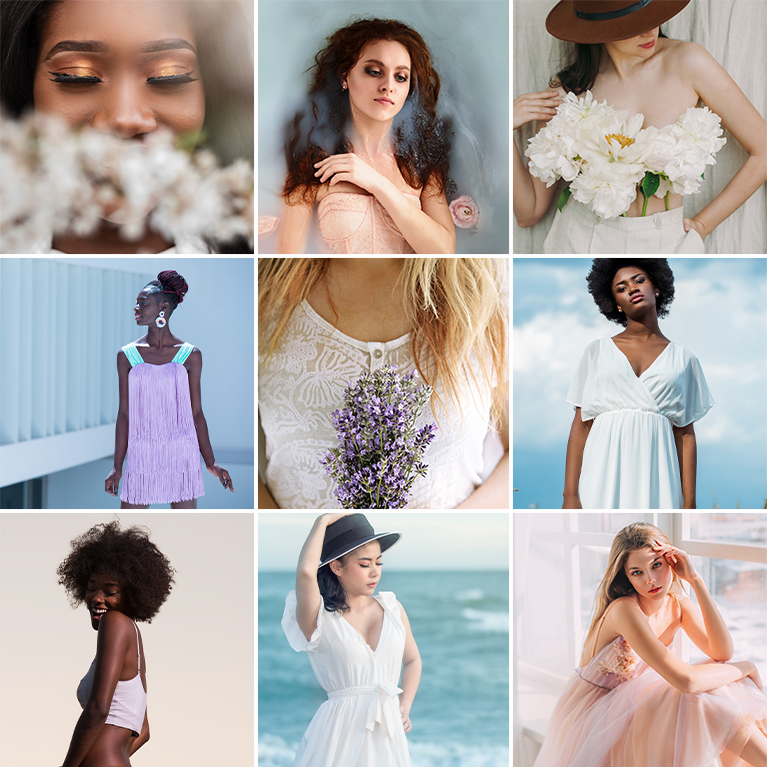

PHLEARN PRO · LUTs
Pastel Tone LUTs
5 LUTs4 sample imagesPhoto & video apps
Pastel Tone LUTs · 5 Looks
Lifted Blacks and Light, Airy Color
Five LUTs that lift shadows and lighten every color for a soft, pastel finish. Use them on photos and video in Photoshop, Premiere, Final Cut, DaVinci Resolve and other apps that read LUTs.
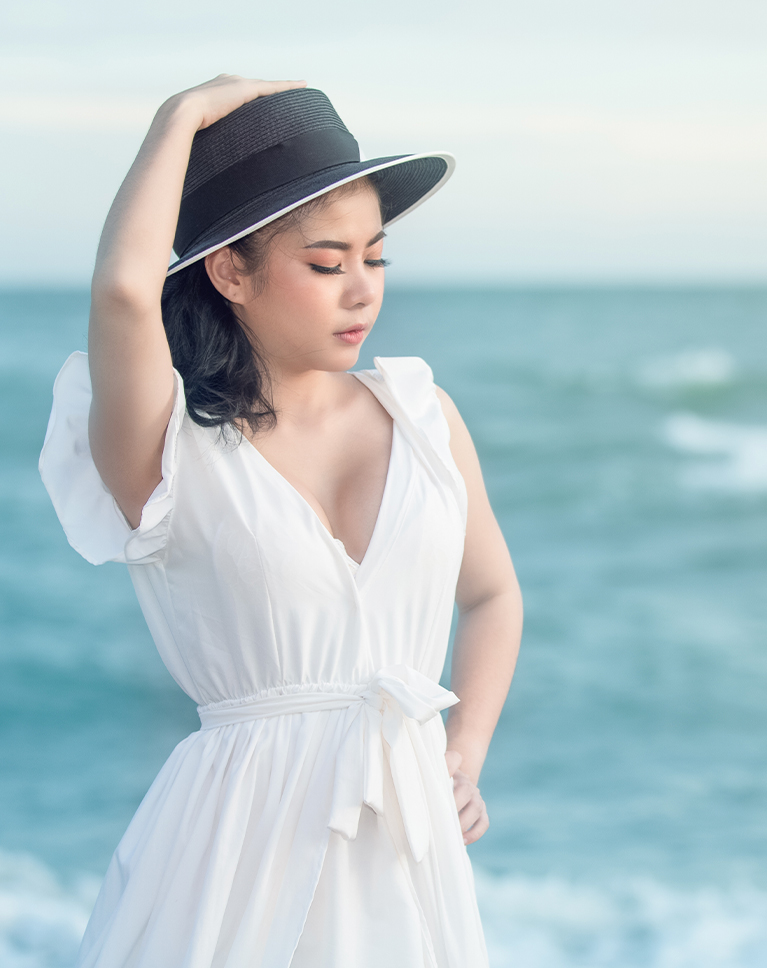
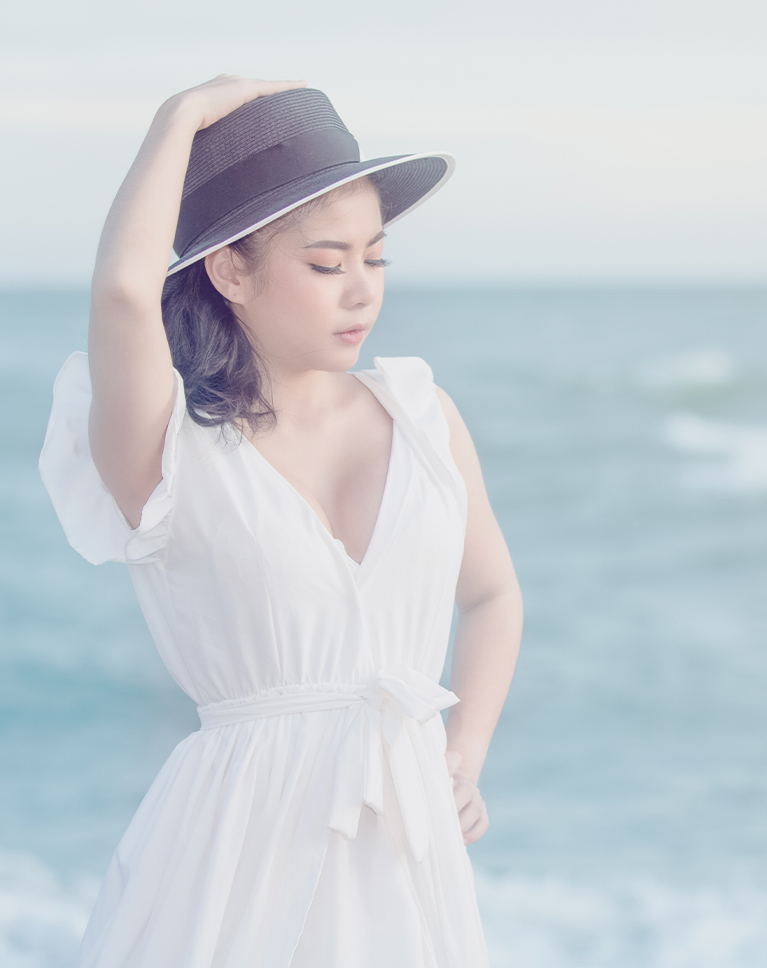
Easter Bonnet
Easter Bonnet lifts the whole frame into a soft, hazy pastel. The turquoise sea fades to pale blue, the black hat softens to a dusty navy gray and the white dress takes on a gentle glow. It is the only LUT in this pack that keeps a true black and lowers the white point.
Raised Shadows, Softer Whites
Shadows rise a long way, with a quarter-tone gray ending near 45 percent. Pure black stays at 0, but the deepest shadows jump to 16 percent with a faint magenta tint. The brightest whites come down to 94 percent, so nothing in the frame is fully white.
Pale, Rosy Skin
Every color gets lighter and loses about a quarter to a third of its saturation. Lighter skin turns much paler and slightly pinker for a delicate look, and deeper skin brightens a lot.
Best on: beach portraits, white dresses, and light, airy summer scenes.
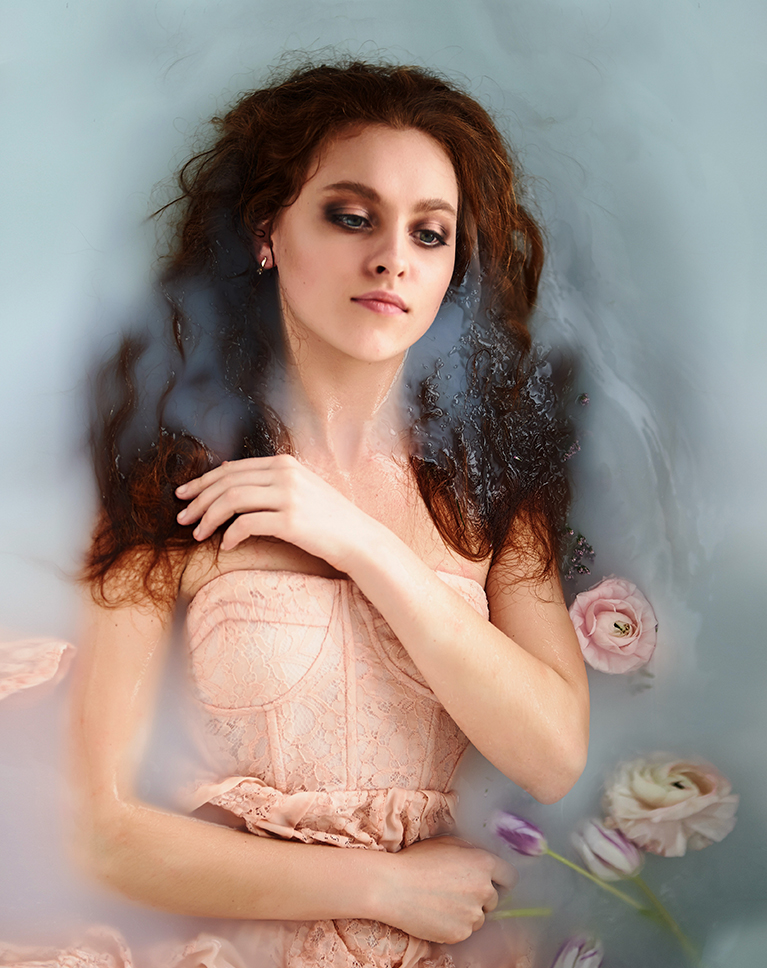
Washed Pinks
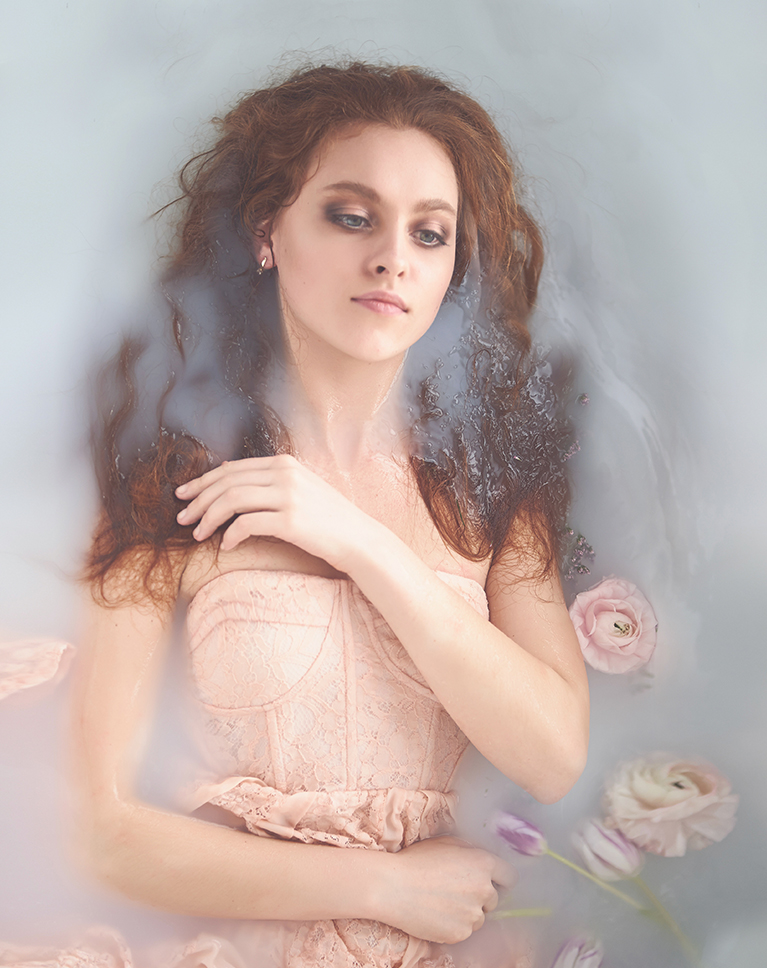
Washed Pinks lightens a dark, painterly portrait into soft pastels. The deep auburn hair turns a lighter rose-brown, the backdrop goes pale blue-gray, and the peach corset and roses fade into gentle tones. It lifts the black point higher than any other LUT in this pack.
Black Lifted to Soft Gray
Pure black rises to about a quarter brightness and the midtones climb, with middle gray reaching 65 percent, while the brightest whites stay near white, so contrast drops a lot for a dreamy, low-contrast, painted feel. A slight warm tint sits in the midtones, while the shadows and highlights stay neutral.
Warm Colors Go Pastel
Every color loses roughly a quarter to a third of its saturation as it gets much lighter, so reds, peaches and pinks turn soft and pastel rather than gray. Skin turns lighter and softer, losing some color.
Best on: fine-art portraits, floral setups and soft props, and styled studio shoots.
Sweet Lemon
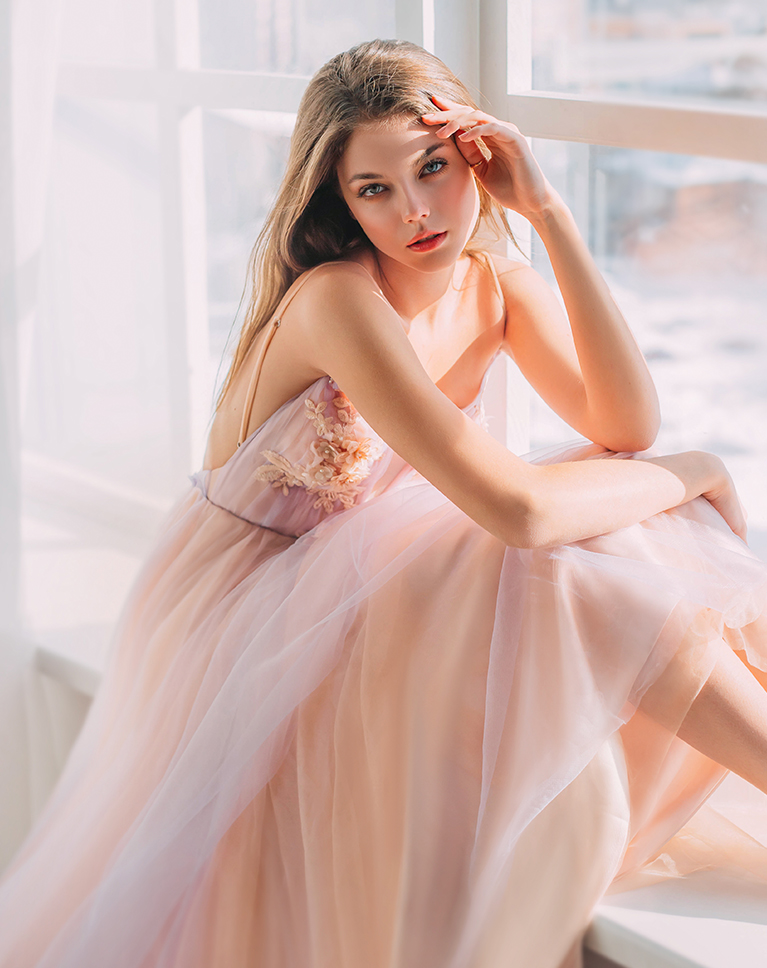
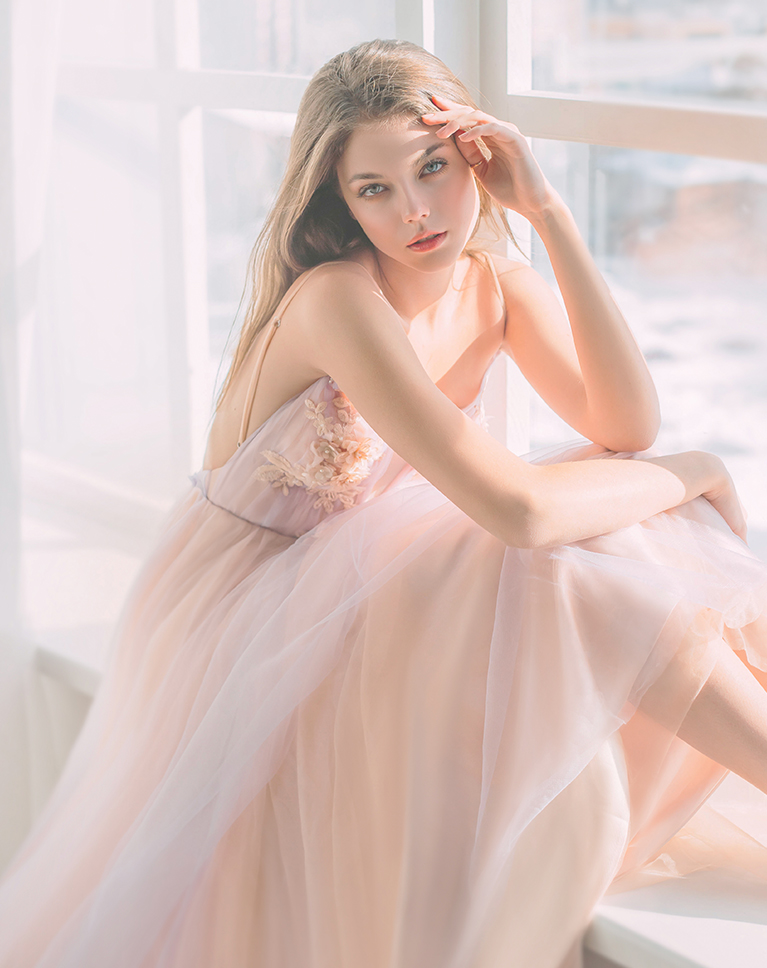
Sweet Lemon brightens window light and turns the pink tulle a creamy peach. The shadows in the dress, arms and hair lift, and the whole frame softens so the portrait feels warm, light and calm. It is the only LUT in this pack that adds no tint at all.
Even Lift Across the Tones
Black rises to about 20 percent and a middle gray to about 62 percent, while whites reach full brightness, with no color cast added to the grays. The lift is strongest in the shadows, so contrast drops by almost a third.
Every Color Treated Alike
Each color gets a similar lift in brightness and loses roughly a quarter of its saturation, so the palette stays balanced while skin turns lighter and softer. Blues and reds give up a little more color, and aquas and yellows a little less.
Best on: window portraits, flowing tulle dresses, and bridal or boudoir sessions in soft light.

Soul Lilac
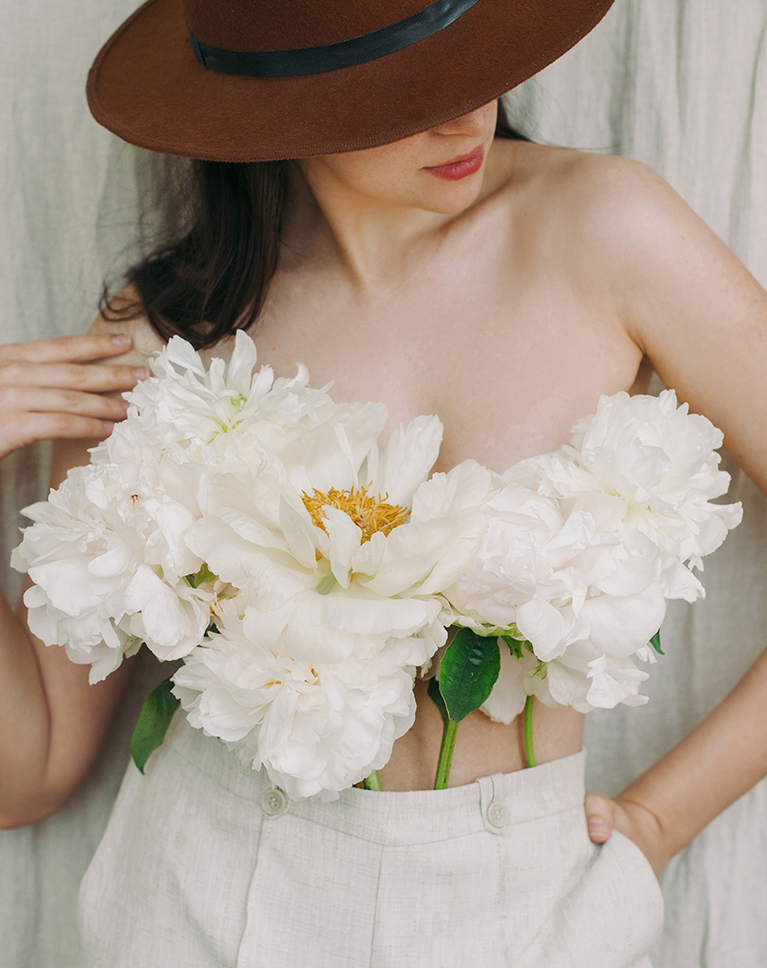
Soul Lilac opens up dark hair and the brown hat into soft, light tones. Her skin turns pale and gentle, the white peonies stay bright and clean, and the linen backdrop fades to a warm cream. Contrast drops by about a third.
The Brightest Midtones in the Pack
A middle gray rises to about 69 percent, higher than with any other LUT in this pack, and black lifts to about 18 percent with a faint red cast. The highlights climb too, with 75 percent gray reaching 83, while pure white stays at 100.
Lighter, Softer Color
Every color loses about a third of its saturation while everything gets lighter, and greens lean slightly toward yellow, so leaves and stems in the bouquet stay fresh and natural. Reds, blues and purples brighten the most, and skin, light or deep, loses about two-fifths of its color.
Best on: flowers, beauty portraits, and neutral, cream-colored outfits.
Light Bisque
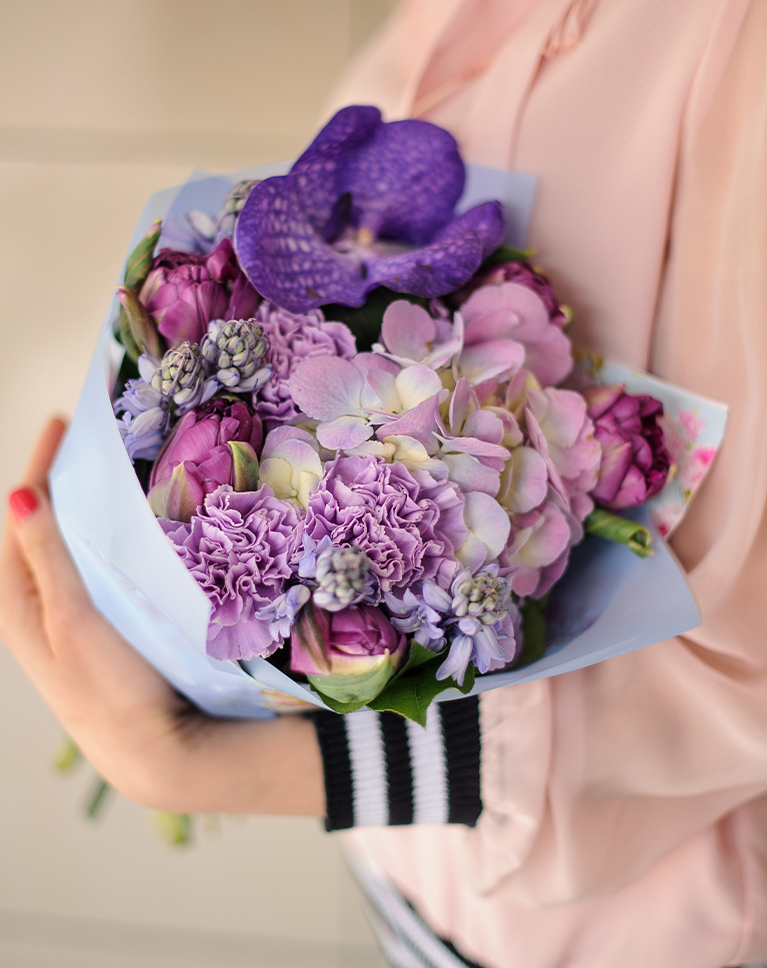
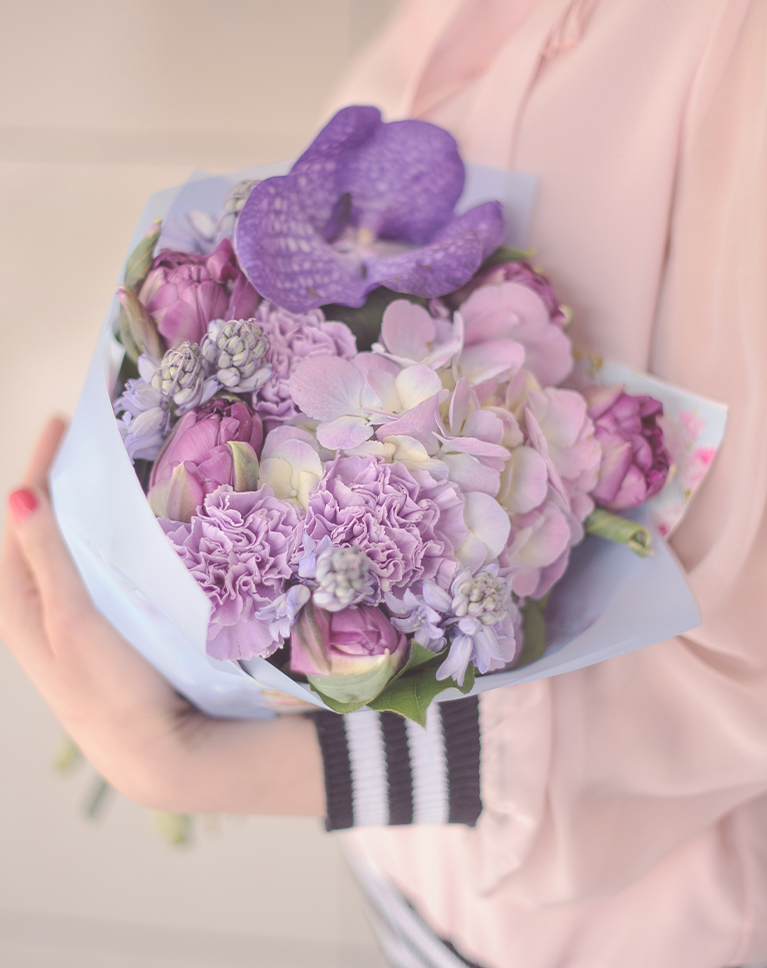
Light Bisque softens strong flower colors toward pastel. The deep purple orchid and carnations lighten toward lavender, the pink jacket turns paler and the shadows inside the bouquet lift. It lowers contrast more than any other LUT in this pack.
Lifted Blacks, Clean Whites
Black rises to about 20 percent with a faint magenta cast and a middle gray to about 64 percent, while the brightest whites stay where they were, so the background turns light without glaring. The magenta tint runs through the shadows and midtones and fades out before the highlights.
Softer, Sweeter Color
Every color gets lighter and loses about a third of its saturation, with greens, oranges and yellows muted a touch more, so the bouquet keeps its shape and detail while the colors feel sweeter. Reds lean toward pink, and skin turns paler and pinker.
Best on: bouquets, gift and flower photos, pastel outfits, and close-ups of hands and details.
What’s in the Download
5 LUTs, every format
One zip with the 5 LUTs as .CUBE files for Photoshop, plus each one in .3DL, .CSP, .CUBE and .ICC for video and other apps, and 4 sample images to practice on. In Photoshop they load through a Color Lookup adjustment layer.
- ZIPPHLEARN Pastel Tone LUTs 2026.zipEvery LUT in every format, one download, 7.9 MB
- CUBEPhotoshop Quick Install (.CUBE)The 5 LUTs ready for a Color Lookup layer
- 3DLAll Formats (.3DL, .CSP, .CUBE, .ICC)The same 5 for Premiere Pro, After Effects, Resolve, Final Cut and Capture One
- JPG4 Sample ImagesFree-to-use practice photos
- PDFPHLEARN LUTs - Install Guide (2026).pdfInstall steps for Photoshop and video apps, plus two tips
- PHLEARN-Pastel Tones-Easter Bonnet.CUBE
- PHLEARN-Pastel Tones-Light Bisque.CUBE
- PHLEARN-Pastel Tones-Soul Lilac.CUBE
- PHLEARN-Pastel Tones-Sweet Lemon.CUBE
- PHLEARN-Pastel Tones-Washed Pinks.CUBE
The 4 sample images


Photos by Elist Nguyen, Oleg Rostovtsev, gabbiistudios and Margo Evardson on Unsplash
LUT Questions, Answered
What’s included in the Pastel Tone LUTs?
The pack includes 5 LUTs: Easter Bonnet, Light Bisque, Soul Lilac, Sweet Lemon and Washed Pinks. Each LUT comes as .CUBE, .3DL, .CSP and .ICC files, so it works in Photoshop, Premiere Pro, DaVinci Resolve, Final Cut Pro and most other editors.
What kind of look do the Pastel Tone LUTs give?
They give photos and videos a soft, cotton-candy feel. Expect muted lavenders and magentas, bright whites and soft contrast. The featured look, Easter Bonnet, is inspired by the soft, muted tones of lilacs and daisies and gives scenes a bright, uplifting feel.
Can I use the Pastel Tone LUTs on video?
Yes. The Pastel Tone LUTs are listed for photo and video. A LUT replaces each color with another based on its RGB value, pixel by pixel, so the same pastel look can be applied to a still photo or a clip. The page names video editors such as Premiere Pro, DaVinci Resolve and Final Cut Pro X among the compatible apps.
Are LUTs included in my PHLEARN PRO subscription?
Yes. A PHLEARN PRO membership includes every LUT pack, plus PRO Tutorials, Lightroom Presets, Photoshop Actions and Photoshop Brushes.
Which programs do the LUTs work in?
Photoshop, Premiere Pro, DaVinci Resolve, Final Cut Pro, After Effects, Lightroom Classic and most other photo and video editors. Use the .CUBE file unless your software asks for .3DL, .CSP or .ICC.
How do I use a LUT in Photoshop?
Choose Layer > New Adjustment Layer > Color Lookup, open the 3DLUT File menu in the Properties panel, choose Load 3D LUT and pick a .CUBE file from the Photoshop Quick Install folder. Set the strength with the layer’s Opacity.
How do I install LUTs in Premiere Pro, DaVinci Resolve or Final Cut Pro?
The PDF install guide in your download has a page for each one, and every step for every program is on our How to Install LUTs page.
The LUT looks too strong. What do I do?
Turn it down: lower the layer Opacity in Photoshop, the Intensity slider in Premiere Pro or the Mix slider in Final Cut Pro. In DaVinci Resolve, reduce Key Output Gain for that node.
Should I correct my photo before adding a LUT?
Yes. Set exposure and white balance first, then add the LUT on top. A LUT grades color; it does not correct it.
My LUTs don’t show up in DaVinci Resolve.
Skipping Update Lists is the usual reason. Open Project Settings > Color Management, click Update Lists, then Save.
Do you offer refunds?
Because these are downloadable products, all sales are final and we are not able to offer refunds.
Terms of Use
These LUTs are licensed for personal and professional use by the individual who purchased or downloaded them. The license does not extend to companies or partnerships, and the files may not be resold, loaned, gifted, shared, copied or redistributed. All PHLEARN LUTs are copyright protected.
Master Photoshop, Lightroom and Photography
Join PHLEARN PRO for $12.99 a month, or $99.99 a year (save 36%). Cancel anytime, with a 100% money-back guarantee.





