Achieve the impossible.
Add a sky, create drama, and color like mad.

Phlearn's mission is to provide the skills, confidence and encouragement for creative individuals to pursue their dreams, overcome their fears, and live their passions.

We want to provide you with the technical knowledge to make your vision become a reality AND the confidence to craft your art true to your vision. And we want to do it all with a huge smile, because having fun is fun.

Over
250,000 People
Watch Phlearn Every Month
Over
400 FREE Episodes
Photoshop + Photography
Turning Day Into Night In today’s episode you are going to learn how turn day into night, and all the tips and tricks that go along with it. Light falls completely different during the day than it does at night, so making th...
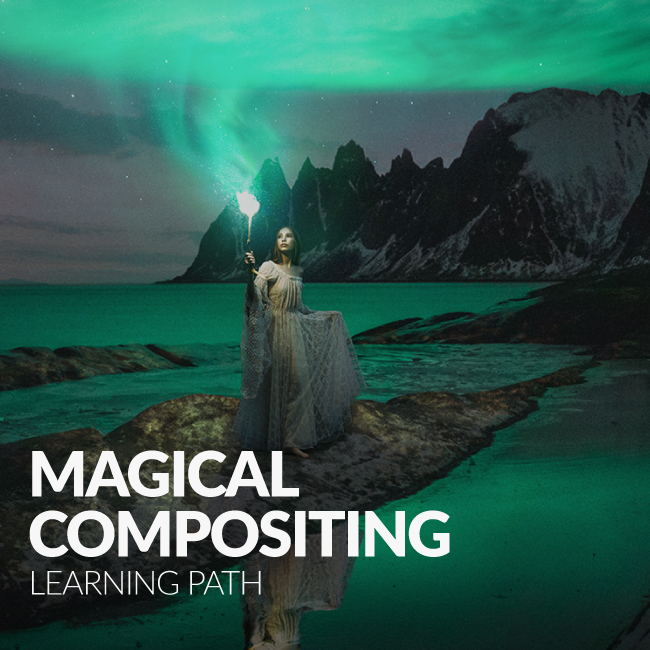
Take a journey to the arctic in Photoshop. Save $20,000.
In this INTERMEDIATE Photoshop Tutorial, you will learn secrets for creating a glowing light, compositing multiple exposures and creating a scene.

This special 3:30 hour Photoshop Tutorial is guaranteed to launch your knowledge to a whole new level! Join us as we create an entire image from scratch, incorporating over 20 photos, CG wings, lighting effects and perpective creation.

This is one of our most requested images for Phlearn PRO. This is a great class covering many advanced topics, and some hard Photoshop Techniques.

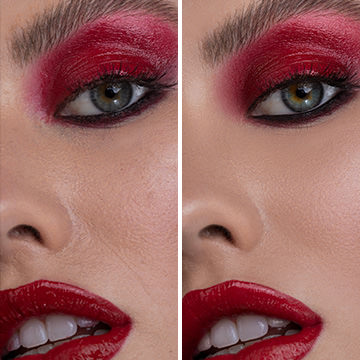
This tutorial covers everything you need to retouch a portrait. Often clients will want an image retouched to represent the best side of the subject.

Categories
Simply find what you are looking for.
Search
Photography
We cover everything from camera settings, lighting, posing models, building sets, grip, hardware and more.
Popular Episodes
Wouldn't it be great if you could see all of our best content in the same place? Guess what, you can!
Make your dreams a reality.
Transform any image into 1970s vintage style with this PRO Action. As simple as a few clicks, we take care of all the details.

Quickly choose from one of 8 different looks or combine them together to create a completely new style!

Make any set of eyes look amazing with this simple action! We provide everything you need in one step to bring excitement and beauty to your portraits.

Julia Kuzmenko McKim
I remember having Aaron's images in my collection of inspirational artwork on my laptop when I came to Australia to study Photography in 2008. I had no idea how that awesomeness could be created and was dying to find out. Needless to say, when Phlearn was born it was like a dream come true!

I absolutely love how Aaron is laid back and fun in his video tutorials, it just makes you feel like you're hanging out with a friend, who's teaching you some cool stuff - it's easy to comprehend, it's not tiring and every video is jam packed with golden nuggets of priceless information. The entire website is full of brilliant educational materials.

I wish Phlearn was created 5 years ago, it would have saved me a lot of time learning Photoshop!

Great job! The entire Phlearn team, you guys are amazing! Keep up the great work!
Dean Bradshaw
The internet is a wonderful thing. Without it, it would have been difficult for me to learn everything that I have.

Aaron has created an amazing resource for people to learn Photoshop. It's a new world, and Phlearn is leading the way in teaching the next generation of image makers. Never stop learning!
Sami Saxon
I have been a photographer for almost 12 years, currently in grad school and have yet to encounter tutorials that blow my mind like Phlearn's. I am addicted to downloading tutorials, even if it's material I have learned at the academy.

Aaron's easy to follow videos are perfect for serious artist. I am currently a finalist in Canon Project imagination because of the material I have learned on this site.
Use smoke and fog to add depth to your images. Use it to add steam to a photograph of food, make a cigarette look lit, create an explosion, surround a person in smoke and more.

These HD Textures make it easy to add bokeh to any image. Simply place the texture over the image and change your blending mode to screen. Done.

Grunge Textures are extremely popular, and it is not hard to see why. With very little work you can completely transform your images into a piece of distressed art.

Add depth to a photo by simulating the camera shooting through leaves.

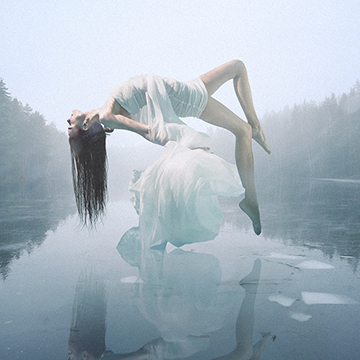
Suspend people from their hair. Make images beautiful

Categories

Matching Two Different Lights The key for this photoshoot was to match our strobe to the light already underneath the bridge. Since the light was already very orange, we decided to gel the inside of of a stripbox to make our strobe warmer in color temperature....
13 Comments
Greta Tu is an eighteen year old photographer. Despite her young age, she has a whole lot of talent! Greta was born in Lithuania, but is currently located in Aalborg, Denmark. She began experimenting with photography at the age of eleven, and since then itR...
4 Comments
Want to learn how to edit this image from beginning to end? Click here. The Perfect Balance When shooting outside with strobes, it’s important to get a perfect mix of ambient and artificial light. We were shooting at about 1:30 PM, so the shadows cast on...
6 Comments
Tricks of the Transform Tool Since our goal for this photo is to clear away the trees on the right-hand side, we’re going to have to use some of the dirt field and rotate it to match the perspective. By using the horizon and leading lines we can find our...
11 Comments
May 06 Contest
This Week’s Contest: Intimate, Emotional, Portraits The theme of this week’s contest is intimate portraits that show emotion. One great way you can get emotion from your subject is to not pose them and let them be themselves. Submit your best emoti...
296 Comments
Hello everyone and welcome to the 43rd edition of Weekend Inspiration! Every week we gather 25 inspiring photos from both amateur and professional photographers, as well as some photos from the Phamily. These images are gathered from websites such as Flickr, 5...
8 Comments
For the most part I’m the kind of guy that likes to believe in that silly notion that your gear doesn’t matter. Though there are always two sides to a coin and so there are times where gear does matter, but for the most part I still believe that in...
28 Comments
Where Oh Where to Find Wallpaper Since we’re applying this wallpaper in photoshop, there’s no need to make a trip over to Home Depot. We found a great variety of textures, including wallpapers, over at a free website called Lost and Taken. All of t...
12 Comments
Marwane Pallas is a young self-taught fine art photographer and visual artist. This French photographer is based in Saint-Etienne. Currently he is attending a French Grande Ecole in a city near Paris where he moved, but he’s from the countryside. He just...
3 Comments
The Power of the Brush Tool Think that the brush tool is good for nothing but doodling glasses over people’s faces? Think again. By opening up the custom brush settings window, the brush becomes a powerful, multi-purpose tool. In this image by Jerome Day...
9 Comments
Apr 29 Contest
This Week’s Contest This week’s contest theme is Spring! We’re so excited for warm spring weather, and you should be too. Get outside with your camera and take a picture of spring, and submit in a comment below for the chance to win a free Ph...
165 Comments
Apr 29 Contest
The Moment You’ve All Been Waiting For Congratulations to the winners of our huge Black & White Contest! With over 300 amazing entries, it was hard to narrow it down but we managed to pick out these four photos by Dirk Schmitz, Mark Harless, Vitaliy...
3 Comments
Click here to view a full-length tutorial of the lighting & post-production Concept Our concept began in the future with the idea of the sun burning out and humans being forced to see the world through technologically-advanced glasses. We went through mul...
3 Comments
Hello Everyone and welcome to the 42nd edition of Weekend Inspiration! Every week we gather 25 awesome photos from websites such as Flickr, 500px, Behance, and photographers’ personal websites. In weekend inspiration we feature both amateur and professio...
5 Comments
Color, Light, Perspective These are the three major variables that go into creating a composite. To create a believable end result, the color, light, and perspective has to match as much as possible between the images you’re compositing. In this image by...
8 Comments
You will never get rich charging an hourly fee. Clients will often ask you to provide an hourly quote for photography or a day rate. Personally I do not have much of an issue with a day rate because you can leverage it depending on factors such as usage and co...
10 Comments
1 2 3 4 5 6 7 36
Free PRO Tutorial
Sign up for our newsletter and instantly receive a free PRO Tutorial!
Over 10,000 people
are already signed up.
PRO Bestsellers