Getting Started in Photoshop & Lightroom
Seven tutorials for your first weeks in Photoshop and Lightroom, in order. Start with the newest tools in Photoshop and Lightroom, then learn each program from zero, the ten tools you will use every day, a fast edit from raw file to finished photo, your first retouch and your first composite.
What You’ll Learn
Getting Started in Photoshop & Lightroom is the first month of PHLEARN PRO, in the order it makes sense. It opens with Master Photoshop & Lightroom 2026, a tour of what the current versions can do. Two beginner guides then cover Photoshop and Lightroom Classic from the first open. One tutorial narrows Photoshop down to the ten tools that matter, and one shows a complete, fast edit. The last two are first projects: a retouch and a composite, each one a taste of the paths that come after this one.
- 1. Start with the newest tools Harmonize, Generative Upscale, Nano Banana and Flux, still-to-video, AI culling, Snow masking and Distraction Removal in the 2026 versions of Photoshop and Lightroom.
- 2. Learn Photoshop from zero The interface, the brush, move, crop and type tools, layers, masks, adjustment layers and blend modes, with real projects instead of tool tours.
- 3. Learn Lightroom Classic from zero Catalogs, importing, organizing, the Develop module, presets and exporting, so your photos are in order before you edit them.
- 4. Master the ten essential tools Camera Raw, Blend If, clipping masks, selections, smart objects and the rest of the shortlist Aaron uses on almost every edit.
- 5. Edit a photo fast A quick, repeatable workflow across Lightroom and Photoshop: batch-editing a series, quick sky swaps and the shortcuts that save hours.
- 6. Do your first retouch Dark circles, skin color, blemishes and flyaways, with the AI tools handling the routine fixes and the manual tools for the rest.
- 7. Build your first composite A subject in a new background, with matched light, lens blur, a replaced sky and a shadow that makes it believable.
Who This Path Is For
Anyone opening Photoshop or Lightroom for the first time, and anyone who has watched free tutorials for a while and wants one ordered route instead of a hundred unconnected tips.
Nothing is assumed. If you have finished the free 30 Days of Photoshop or 30 Days of Lightroom series, this is the next step.
What You Need
- Photoshop and Lightroom Classic A current Creative Cloud Photography plan has both.
- Sample files Included with every tutorial, so you follow along on the same images.
- A few hours a week The two beginner guides are long. Take them a chapter at a time.
- Your own photos Optional, but editing your own pictures is where it sticks.
Already know one of the programs? Skip its beginner guide and carry on to the next step.
How Long It Takes
Seven tutorials and 115 lessons, about 29 hours of video. The Beginner’s Guide to Photoshop is the longest at over thirteen hours; the rest are one to five hours each. At a few hours a week, plan on six to eight weeks.
You do not have to finish a guide before trying the next project. Watch a chapter, then use it on a photo of your own.
Frequently Asked Questions
Do I need a PHLEARN PRO membership?
Yes. This is a PRO Learning Path, so all seven tutorials and their sample files are included with a membership.
Photoshop or Lightroom first?
Photoshop if you want to change what is in a picture; Lightroom if you want to make a lot of photos look good quickly. The path covers both, in that order.
Is this the same as the free 30-day series?
No. The free series are short daily lessons. These are the full PRO courses, with sample files, and they go further.
Do I have to follow the order?
It is built to be followed in order. If you already know one program, skip its guide and carry on to the next step.
Where do I go after this?
To whichever path matches what you want to make: Retouching, Everyday Compositing, Landscape & Travel or Creative Looks.
Where to Go Next
Start the Path
Start with the Beginner’s Guide to Photoshop. Already know Photoshop? Start with Lightroom at step two.
On This Page
PHLEARN PRO
Every tutorial in this path, with sample files, plus the full PRO library.
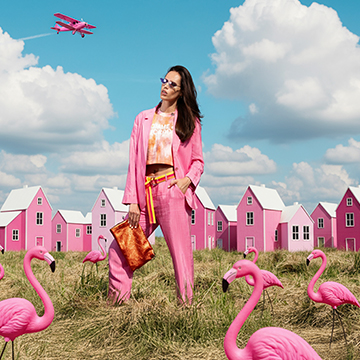
Master 2026’s Photoshop and Lightroom AI updates, from Harmonize to Assisted Culling we cover it all. This pro tutorial includes 30 practice images including 3 RAW files to perfect your workflow.
Photoshop, Lightroom | AI & Generative Tools | Advanced | 2 hours
26 Sample Images (JPEG Files) | 3 Sample Images (RAW Files) | 8 Sample PSDs | 2 Sample Videos

This is our most comprehensive Photoshop tutorial, and the perfect place to start learning. Improve your photos, help people look their best, and share your ideas with the world.
Photoshop | Tools & Techniques | Easy | 13.5 hours
50 Sample Images | 4 Sample PSDs | Beginner’s Guide PDF | 2 Photoshop Actions

Lightroom Classic is the best way to organize your photos, pick out your favorites, and create beautiful edits with perfect color and detail. From capture to export, this is the easiest way to learn Lightroom Classic!
Lightroom, Photoshop | Tools & Techniques | Easy | 5.75 hours
68 Sample Images | 4 Lightroom Presets

Ready to start learning Photoshop but unsure where to start? This is the course for you! Master Aaron’s top 10 tools and techniques that will help you confidently tackle any Photoshop project.
Photoshop | Tools & Techniques | Medium | 4.25 hours
21 Sample PSDs | 36 Sample Images (JPEG) | 1 Sample Image (RAW)
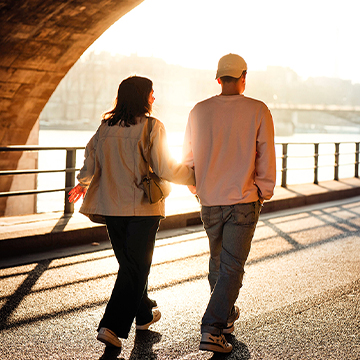
Discover the fastest Photoshop and Lightroom techniques for dramatic improvements: batch processing, dramatic sky replacements, captivating subject highlighting, flawless color correction, AI object insertion, and more!
Photoshop, Lightroom | Workflow & Productivity | Medium | 1.5 hours
21 Sample Images | 4 Sample PSDs

Unlock the secrets of portrait retouching in Photoshop! Learn classic methods and leverage AI for smooth skin, subtle enhancements, and stunning results.
Photoshop | Retouching | Medium | 1.5 hours
9 Sample Images | 9 Sample PSDs
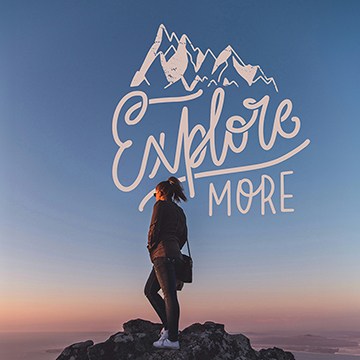
Learn the basics of Compositing in Photoshop! In this tutorial we’ll teach you our top must-know methods and tools to get started creating stunning composite images.
Photoshop | Compositing | Medium | 2 hours
16 Sample Images | 8 Sample PSDs