Photo Editing Essentials Learning Path
Seven tutorials on the edit every photo needs, in order. The workflow after a shoot, fixing exposure, blending bracketed exposures, color and tone in depth, two portraits made over start to finish, the intermediate workflow, and sharpening and export.
What You’ll Learn
Before any look, effect or composite, a photo needs the basics done well: the right exposure, honest color, clean tone, nothing distracting and sharp where it matters. The Photo Editing Essentials Learning Path is seven tutorials on exactly that, in the order you do them. It starts with the workflow from memory card to export, fixes exposure and blends brackets, spends thirty-two lessons on color and tone, applies it all to two real portraits, then finishes with the intermediate workflow and sharpening for screen and print.
- 1. Learn the editing workflow From the shoot to the export: culling, importing and organizing, the raw edit, Photoshop finishing and output, in twenty-four lessons.
- 2. Correct exposure Fixing an under- or over-exposed photo, including blending two versions of the same raw file.
- 3. Blend bracketed exposures by hand A manual HDR from bracketed raw files with channels and layer masks, natural instead of crunchy.
- 4. Master color and tone Thirty-two lessons on color theory, Curves, Levels, the Color Picker and Channels, the controls behind every edit.
- 5. Make over two portraits start to finish Cropping, a sky replacement, noise reduction, removing distractions and color, on two real photos.
- 6. Build the intermediate workflow Photo Editing 201: faster, more consistent edits across a whole shoot.
- 7. Sharpen and export Sharpening for screen and print, output sizes and the export settings that keep the quality.
Who This Path Is For
Anyone who has learned the programs and now wants their everyday photos to look consistently good, hobbyists moving from automatic edits to deliberate ones, and photographers who want a dependable routine before they add a style on top.
You should know your way around Photoshop and Lightroom. The editing itself is taught here.
What You Need
- Photoshop Any recent version. These are the tools that have not changed.
- Lightroom Classic For the workflow tutorials. Adobe Camera Raw works for the rest.
- Sample files Included for every tutorial, including the bracketed raw files.
- Your own photos This path is about routine. Edit your own after each step.
Completely new? Start with the Getting Started in Photoshop & Lightroom. For a particular look on top of a clean edit, see Creative Looks.
How Long It Takes
Seven tutorials and 109 lessons, about 25 hours of video. Photo Editing 201 and the color and tone course are the long ones, at over nine and over five hours; the exposure, HDR and sharpening tutorials are an hour or two each. At a few hours a week, plan on six to eight weeks.
Take the two long courses a chapter at a time. Everything here is meant to become habit, so repetition on your own photos matters more than speed.
Frequently Asked Questions
Do I need a PHLEARN PRO membership?
Yes. This is a PRO Learning Path, so all seven tutorials and their sample files are included with a membership.
Photo Editing Essentials or Getting Started?
Getting Started teaches the programs. Photo Editing Essentials teaches the edit: what to do to a photo and in what order, once you know where the tools are.
Is this Lightroom or Photoshop?
Both. The workflow steps live in Lightroom and the detailed correction, color and sharpening in Photoshop, which is how most photographers work.
Do I have to follow the order?
It is built to be followed in order: workflow, correction, color, a full edit, then output. If your exposures are already right, step four is the one not to skip.
Are the 2017 to 2019 tutorials still accurate?
Yes. Curves, Levels, layer masks and sharpening have not changed. The newer AI tools speed up the cleanup step and are covered on the AI Photo Editing Learning Path.
Where to Go Next
Start the Path
Start with Photo Editing 101. It sets the order the rest of the path follows.
On This Page
PHLEARN PRO
Every tutorial in this path, with sample files, plus the full PRO library.
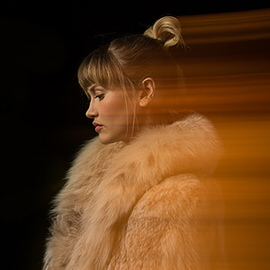
Jump into the world of photo editing! Learn professional workflow and best-practices for editing within Lightroom and Photoshop.
Lightroom, Photoshop | Workflow & Productivity | Easy | 4 hours
70 Sample Images
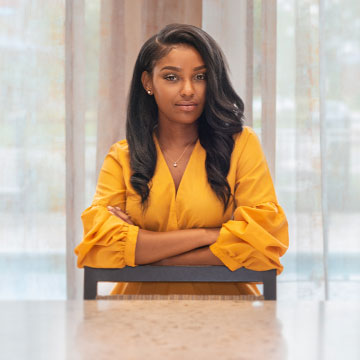
Subject underexposed? Background blown out? Photoshop to the rescue! Learn how to correct exposure using Adobe Camera RAW and Photoshop and rescue what would be an otherwise beautiful portrait.
Photoshop | Photo Editing | Medium | 1.25 hours
1 RAW Sample Image | 1 Photoshop Action

Create picture-perfect landscape images with manual HDR! Learn how to blend multiple exposures, process RAW images, and remove common objects and distractions.
Photoshop | Photo Editing | Medium | 1.5 hours
3 RAW Sample Images | 1 Channels Sample Image | 1 Sample PSD | 1 Photoshop Action
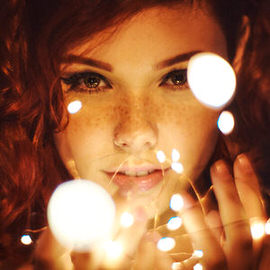
Professional coloring can transform a good image into an unforgettable one. Learn to color correct, color grade, and add your own unique style. Help skin tones look more natural, enhance the colors in a sky, or create a classic vintage look.
Photoshop | Color & Tone | Medium | 5.5 hours
31 Sample Images | 2 Photoshop LUTs | 1 Photoshop Gradient
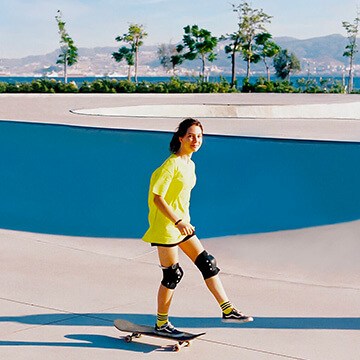
Learn to most powerful tools in Photoshop to improve any photo! Follow along and download the included frequency separation photoshop action.
Photoshop | Photo Editing | Medium | 2 hours
2 Sample Images | 2 Sample PSDs | 1 Photoshop Action

If you’re familiar with the fundamentals of photo editing but want to brush up on skills or step up your game, this tutorial is for you! Learn how to color correct and color grade, change composition, dodge and burn, subtle compositing, and see the photography process unfold!
Lightroom, Photoshop | Photo Editing | Medium | 9.75 hours
46 Sample Images

Give your photos a professional finish with sharpening in Photoshop. Learn to enhance details, create contrast, and prepare your images for print, web, and social media.
Photoshop | Tools & Techniques | Medium | 3 hours
18 Sample Images | 1 Photoshop Action