

Download Assets
This tutorial includes 1 sample image and 1 PDF guide. Downloads are free with a PHLEARN account.
- Download the sample images and PSDs from every free tutorial on PHLEARN
- New free tutorials published every week
- One free account — sign up once, then download anything
Free PDF Guide · 4 Pages
This Tutorial as a Step-by-Step PDF
The guide covers all five masks: Select Subject inverted for the background, Subtract > Linear Gradient to keep the edit on the face, Subtract > Color Range and Brush for one color in the dress, an inverted Select Subject minus a Radial Gradient for a background-only vignette, and a Radial Gradient on the face. Keep it next to your keyboard.
description
Learn how to enhance the subject and background separately in Lightroom Desktop using masks. Start with a one-click Select Subject mask, invert it to isolate the background, and adjust exposure, contrast, highlights, and shadows for each area on its own. Then refine any mask by subtracting with a linear gradient, a color range, or the brush, and finish with a radial-gradient vignette that darkens only the edges of the background.
Enjoying This Free Tutorial?
We publish a new free tutorial every week, each one with sample images and PSDs you can download and follow along with. Sign up and they land straight in your inbox, along with early word on sales, events and subscriber-only offers.
Image Source
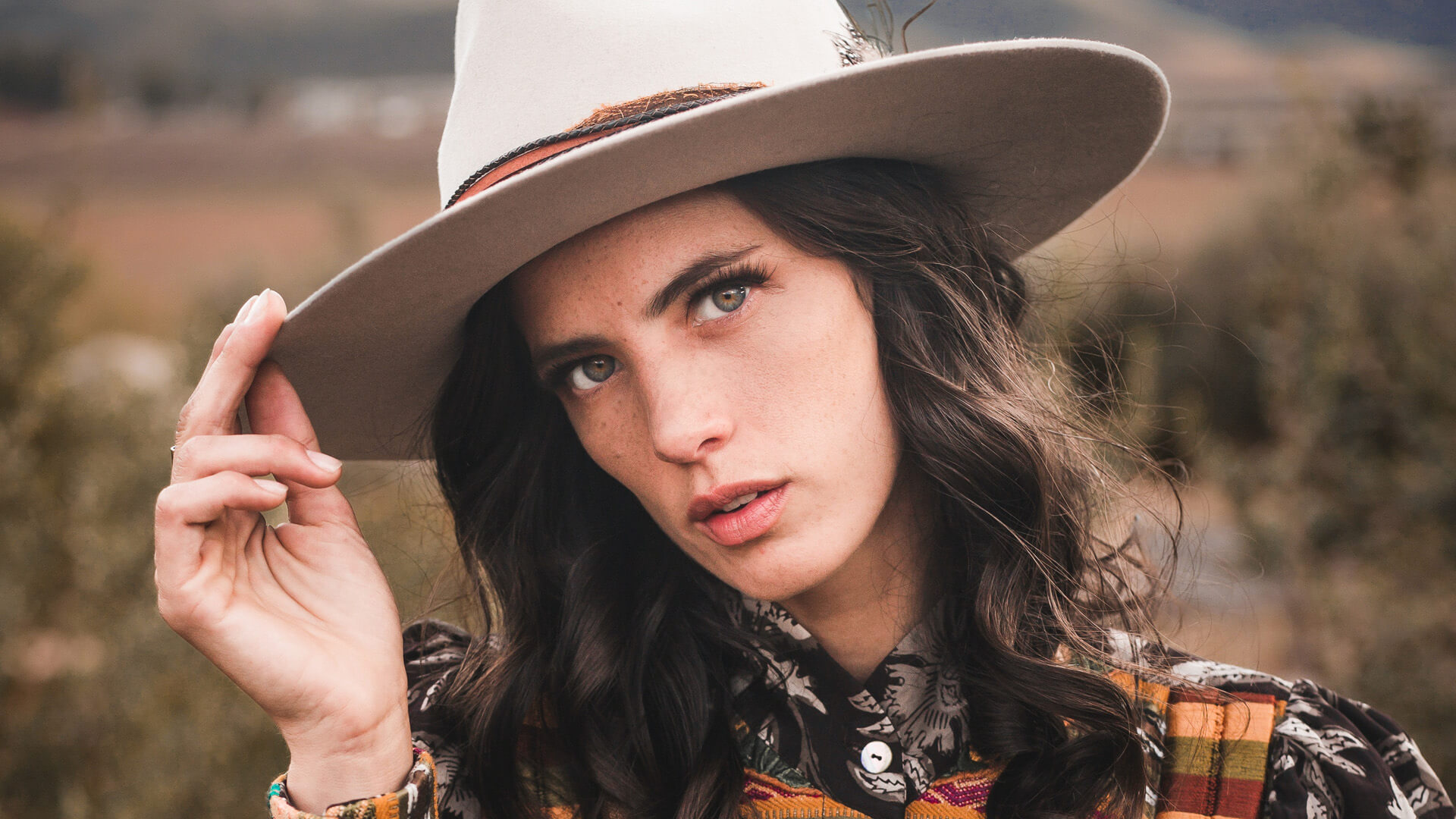
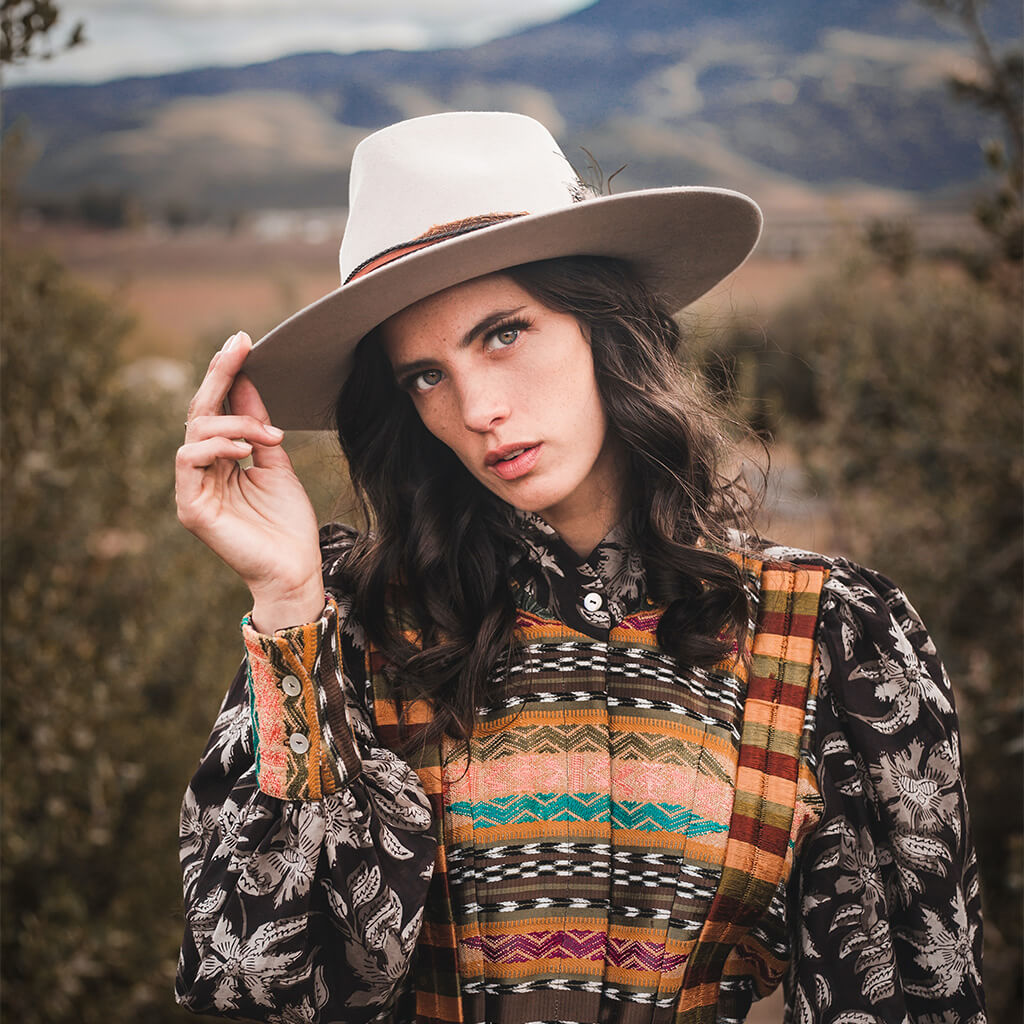
Photo by Aldair Nuñez via Pexels
How to Edit Your Subject and Background Separately in Lightroom Desktop
Every photo is really two problems at once: your subject and everything behind them. When both need different treatment — a subject that needs more contrast and punch, a background that’s flat and undersaturated — trying to fix them with one set of global sliders means compromising on both. Lightroom’s masking tools solve this by letting you isolate exactly which part of the image an adjustment touches, then build up multiple targeted edits on top of each other.
Why Split Your Edits Between Subject and Background
A single image can need contradictory adjustments in different areas — a background that’s under-saturated and low-contrast next to a subject whose face could use a bit more punch. Trying to solve both problems with the same global sliders means one of them loses. Masking gets around this by letting each area take its own settings, edited independently and non-destructively.
Selecting Your Subject with One Click
Open the masking dialog with M, or by clicking the masking icon on the toolbar. Lightroom’s built-in Select Subject and Select Sky masks handle the detection automatically — click Select Subject and an overlay appears showing exactly what’s been picked out, almost always with impressive accuracy right out of the gate.
Cloud Sync Keeps Every Mask Available Everywhere
Because Lightroom’s cloud-based masking is fully non-destructive, every mask you build syncs automatically — the same edits and mask selections show up if you open the same photo in Lightroom on an iPad or a phone, with nothing to re-create by hand.
Inverting the Mask to Edit the Background Instead
Select Subject naturally selects the subject, but the background is often the area that needs attention first. Rather than building a separate mask, click the invert icon at the top of the mask panel to flip the current selection — the subject and background instantly swap places, and now every slider you touch affects only the background while the subject stays completely untouched.
Editing an Isolated Area Without Guessing Ahead of Time
With the background isolated, exposure, contrast, highlights, and shadows can all be pushed independently of the subject. There’s no need to know exactly what the final look should be before starting — pushing and pulling sliders while watching the preview update, then toggling the mask off and back on to compare, is often the fastest way to land on a combination that works.
Returning to and Fine-Tuning an Existing Mask
Masks aren’t a one-time commitment. Clicking back on any mask already listed in the panel reopens its exact selection and settings, ready to be adjusted further at any point — including after other masks have been added on top of it, since nothing about the process is destructive.
Subtracting From a Mask with a Linear Gradient
A mask doesn’t have to stay as broad as its original selection. After creating a Select Subject mask, clicking Subtract opens options including Brush, Linear Gradient, and Radial Gradient. Dragging a linear gradient from the bottom of the frame upward removes that region from the current selection — visible immediately in the mask preview — so an adjustment that started out affecting the whole subject can be narrowed down to just the upper portion, such as a subject’s face and shoulders, without touching a dress or clothing below it.
-
Create a Select Subject Mask
Open the masking panel and click Select Subject to generate the initial selection.
-
Click Subtract, Then Choose a Gradient
Click Subtract on the mask, then pick Linear Gradient (or Radial Gradient) depending on the shape of the area to remove from the selection.
-
Drag to Define the Subtracted Area
Click and drag across the region that should be excluded — the mask preview updates in real time to show exactly what remains selected.
Narrowing a Selection Further with Color Range and the Brush
Color Range takes the subtraction a step further by removing specific colors from a mask rather than a shaped region. After Select Subject, choosing Subtract and then Color Range and dragging across a color in the image — a dress, for instance — pulls just that color out of the current selection, leaving only the remaining colors affected by the mask’s adjustments.
Changing the Mask Overlay Color for Visibility
The red overlay Lightroom shows by default isn’t always easy to see against every image. Clicking Show Overlay and then the small color swatch next to it opens a color picker — switching the overlay to green, for example, makes it far easier to judge exactly which pixels are currently included in a mask before deciding whether more subtraction is needed.
A color-range subtraction can still catch pixels you don’t want, such as a subject’s face or hand sharing a similar tone to the targeted color. Clicking Subtract again and switching to the Brush tool lets you paint directly over any leftover area to remove it from the mask by hand, stacking a manual correction on top of the automatic one.
Adding a Background-Only Vignette with a Radial Gradient
A vignette usually darkens the corners of an entire image, but masking makes it possible to keep one confined strictly to the background. Creating a new mask, selecting Select Subject, and inverting it isolates the background as before; clicking Subtract and choosing Radial Gradient, then dragging outward from the center of the frame, removes the middle of the background from the selection so only its outer edges remain targeted. Dropping exposure and contrast on that mask darkens just those edges, producing a vignette that frames the shot without ever touching the subject.
Using the Feathering Slider to Control the Vignette’s Edge
The radial gradient’s feathering slider on the right side of the panel controls how gradual the transition is between the subtracted center and the darkened edge — dragging it adjusts the softness of the vignette without needing to redraw the gradient itself, and the whole shape can still be repositioned afterward to center it wherever the subject’s face happens to fall.
Why This Masking Workflow Works
Every step here builds on the same idea: a mask is just a selection that adjustments get applied through, and selections can be combined, inverted, and subtracted from just as easily as they can be created from scratch. Starting from an automatic Select Subject detection and then refining it with a gradient, a color range, or a brush stroke means never having to hand-draw a precise selection from nothing — and because it all lives on Lightroom’s cloud-synced masking system, every one of those refinements stays fully editable and available on any device.
Final Thoughts
Separating a subject from its background — and then splitting that background into its own further selections — turns a handful of global sliders into a genuinely precise editing toolkit. Once the masks are built, going back to fine-tune any one of them, or stacking a new one on top, takes seconds.
Quick Reference: Keys, Menus and Settings
- Open MaskingM, or the Masking button on the toolbar, then Create New Mask > Select Subject
- Edit the backgroundInvert icon at the top of the mask; Exposure, Contrast, Highlights, Shadows
- Face, not the dressSubtract > Linear Gradient, drag from the bottom up
- One color onlySubtract > Color Range, then Subtract > Brush over skin; Cmd/Ctrl + Z undoes a stroke
- Overlay colorShow Overlay, click the color circle beside it
- Background vignetteSelect Subject, Invert, Subtract > Radial Gradient from the middle out; Feather slider; Exposure and Contrast down
- Before and afterClick and hold the eye icon at the top of the Masks panel

Free Downloads
Follow Along on the Same Photo
Get the portrait from the video, so you can build the same five masks in Lightroom, and the 4-page PDF guide. Free with a PHLEARN account.
Lightroom Subject and Background Masks: Common Questions
How do I open masking in Lightroom?
Press M, or click the Masking button on the toolbar at the right. The Create New Mask list opens with Select Subject and Select Sky at the top.
How do I edit only the background in Lightroom?
Click Select Subject, then click the Invert icon at the top of the mask’s settings. Now Exposure, Contrast, Highlights and Shadows change only the background and leave the subject intact.
Can I change a mask after I make another one?
Yes. Click any mask in the Masks panel and its settings come back, ready to edit. Everything is non-destructive and syncs through the cloud, so the masks are there in Lightroom on an iPad or phone too.
How do I keep a Select Subject edit on the face and not the clothes?
Click the mask, then Subtract > Linear Gradient and drag from the bottom up. That area is removed from the selection, so the edit stays on the top of the subject.
How can I tell exactly what a mask covers?
Push Exposure way up for a moment and move the mask. The image updates in real time, so you can see where the edit stops. Then put Exposure back.
How do I change just one color in the subject’s clothing?
Create a new Select Subject mask, choose Subtract > Color Range and drag over the color you don’t want. If it still catches the face or hand, Subtract > Brush and paint over them, then raise Saturation or adjust Temp and Tint.
I can’t see the red mask overlay. Can I change its color?
Yes. With Show Overlay on, click the small color circle beside it and pick another color. Aaron switches to green because it’s easier to see on this photo.
How do I add a vignette to only the background?
Create New Mask > Select Subject, click Invert, then Subtract > Radial Gradient and drag out from the middle. Set the Feather, center it on the face and bring Exposure and Contrast down a little.
How do I see the before and after with all masks off?
Click and hold the eye icon at the very top of the Masks panel to hide every mask at once, then let go. The eye beside each mask turns that one off and on.
Are the sample files free?
Yes, with a free PHLEARN account. You get 1 sample image and 1 PDF guide: the portrait from the video and the step-by-step guide to all five masks.
Master Photoshop, Lightroom and Photography
Join PHLEARN PRO for $12.99 a month, or $99.99 a year (save 36%). Cancel anytime, with a 100% money-back guarantee.





