
Amazing Eyes Photoshop Actions
-

-
Add to
favorites
-
Software
-
CompatibilityPhotoshop CS6 & Newer
-
Photoshop actions4 Eye Colors
-
To practice on5 Sample Images
-
In the downloadPDF Guide & Action List
-
How it worksGuided Step by Step
Install Guide
How to Install Your Actions
A short PDF that shows three ways to install this action in Photoshop, how to play it on your photo, and three tips for better results.
DESCRIPTION
Amazing eyes in just a few clicks! Add beautiful color and contrast to any pair of eyes with our easy Photoshop Action.
Pick Brown, Blue, Green or Dark Eyes and follow the short messages on screen: place the circles over the eyes, soften, sharpen, done.
Tested in Photoshop 2026 and built from steps that work in Photoshop CS6 and newer, with 5 sample images to practice on and a PDF guide in the download.
PHLEARN PRO · Photoshop Actions
Amazing Eyes Photoshop Actions
4 eye colors5 sample imagesPDF guidePhotoshop 2026
Amazing Eyes Photoshop Actions
Brilliant Eyes, Every Time
Add color, brightness and sparkle to the iris without touching the skin around it, on people and on pets.
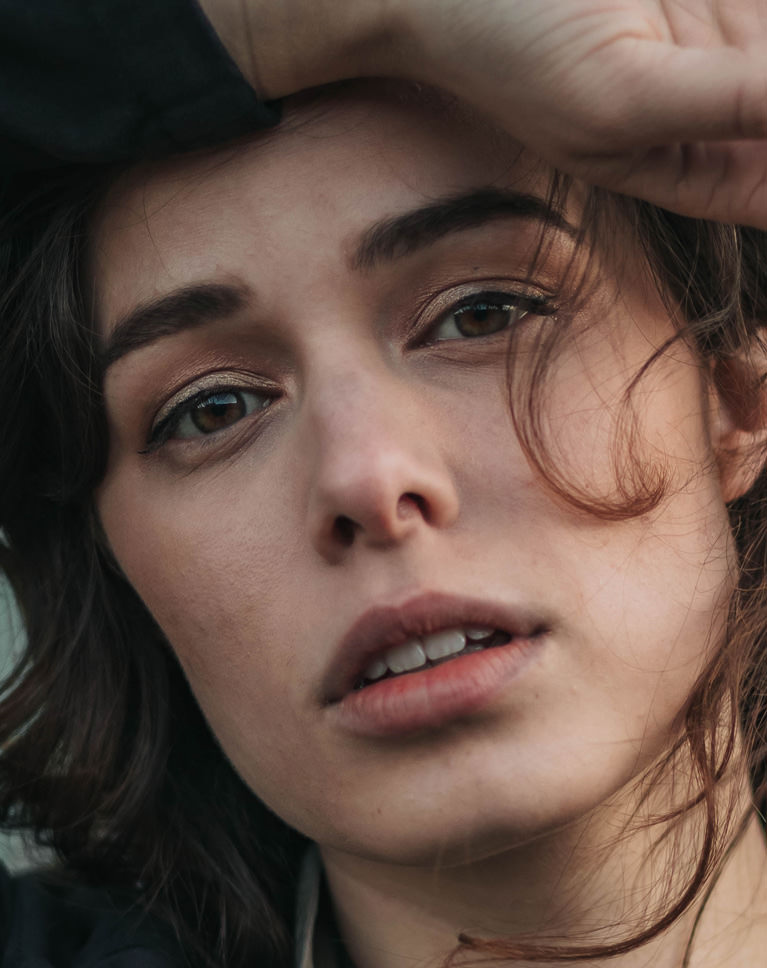
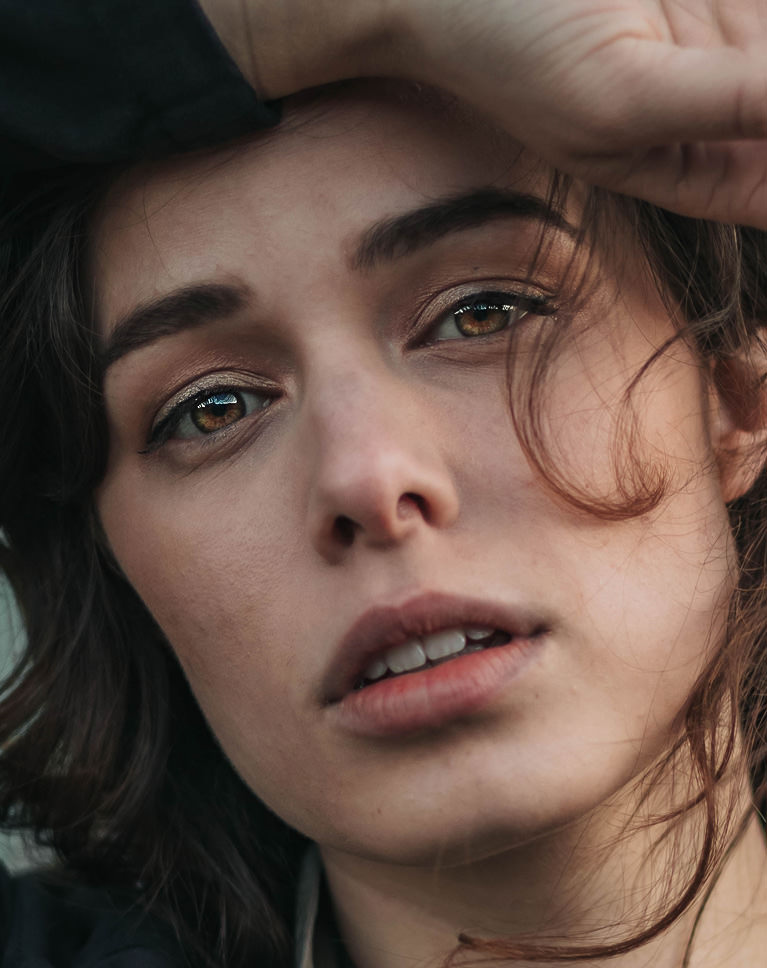
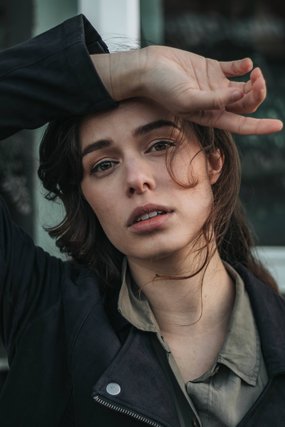
Brighter Hazel Eyes
The action brightens the iris and brings out its green and gold detail, so the eyes catch the light even in the shade of a raised hand. Skin and the rest of the face stay untouched. Each action builds its effect in a group with a black mask, so it appears only where you paint white over the eyes.
Why Eyes Look Flat
Eyes in shade or soft light lose their catchlights, and the color in the iris turns muddy. Adding brightness and contrast only inside the iris brings the color back without making the whites or the skin look edited. Brighten Eyes lifts the irises and whites, and the Iris Pop that matches the real eye color enhances it without changing it. Paint with a soft brush at about 50% opacity.
Best On
Close-up portraits, hazel and brown eyes, shaded or low-light faces, and headshots where the eyes look flat.
Brighter Pet Eyes
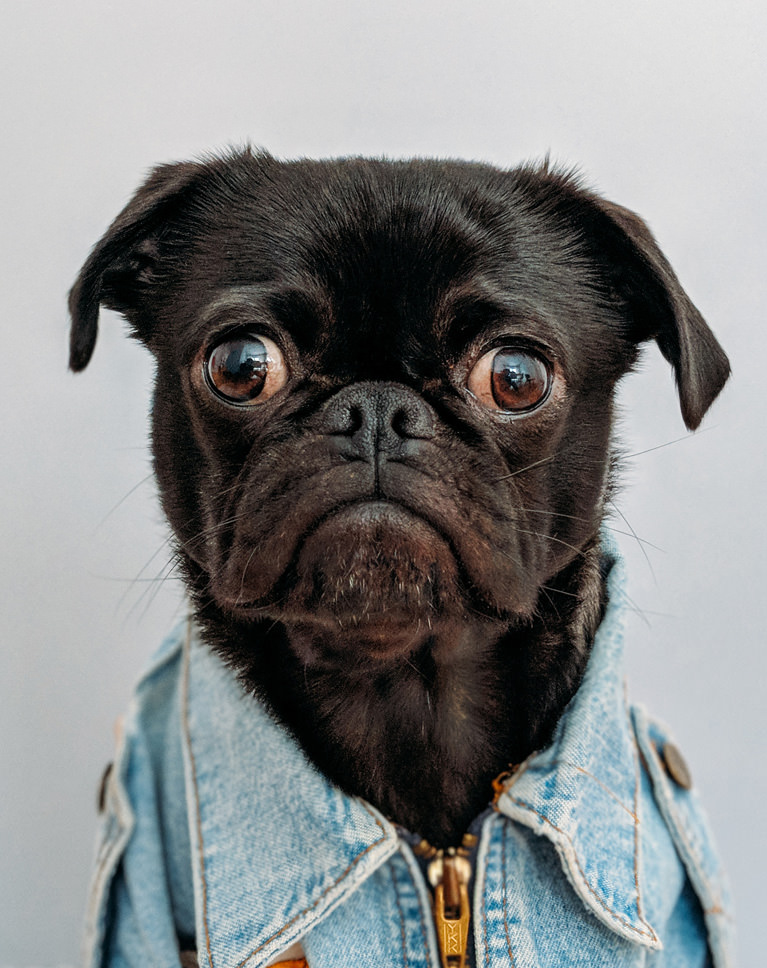
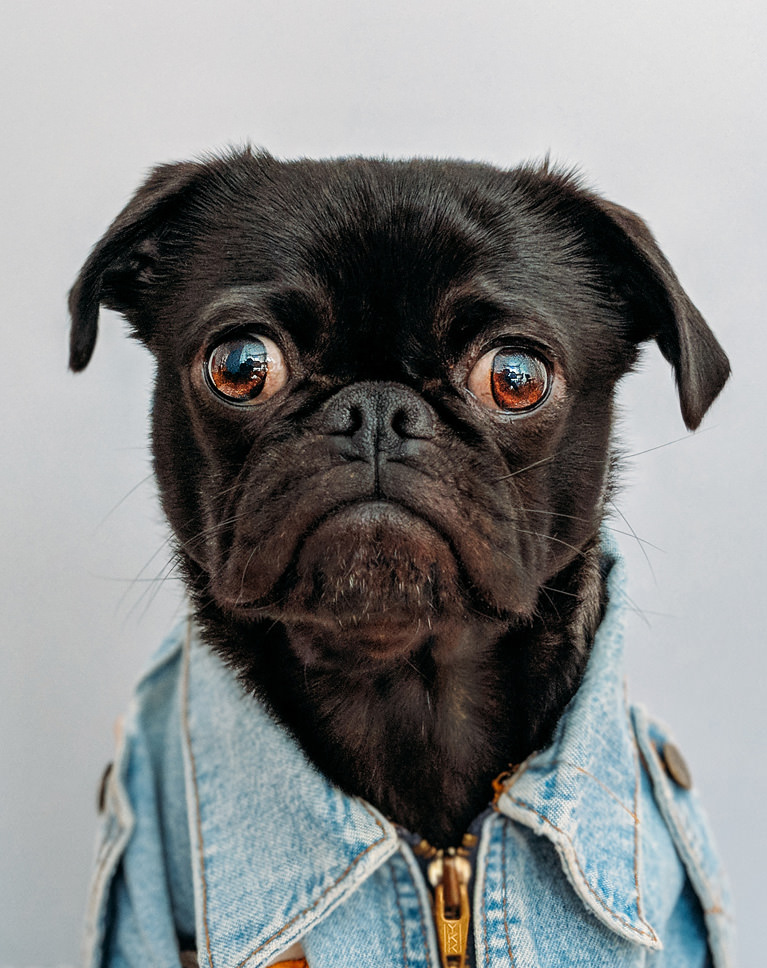
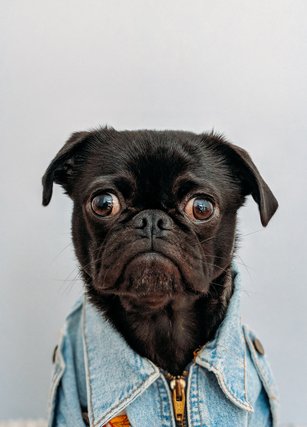
It works on pets too. The pug’s eyes turn a warmer, brighter amber with more visible detail and stronger catchlights, while the black fur and denim jacket stay as they were. Because each action starts with a black mask, painting white over the eyes with a brush a little smaller than the iris is all it takes.
Dark Faces, Bright Eyes
On a black dog, the eyes are easy to lose against the fur. A little extra warmth and brightness in the iris gives the portrait a clear focal point, while the fur keeps its natural black. Iris Pop Brown gives richer, warmer brown irises, and Sharpen Eyes adds crisp detail that makes catchlights sparkle. Zoom in and paint over the iris only, not the fur around it.
Best On
Pet portraits, dogs with dark faces, and any close-up where the eyes get lost against the rest of the frame.
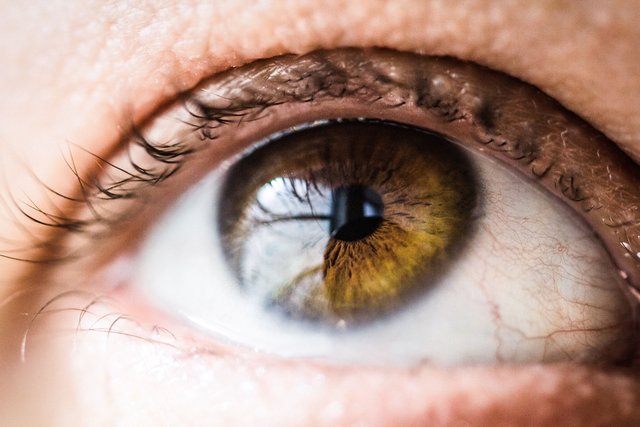
Golden Iris Detail
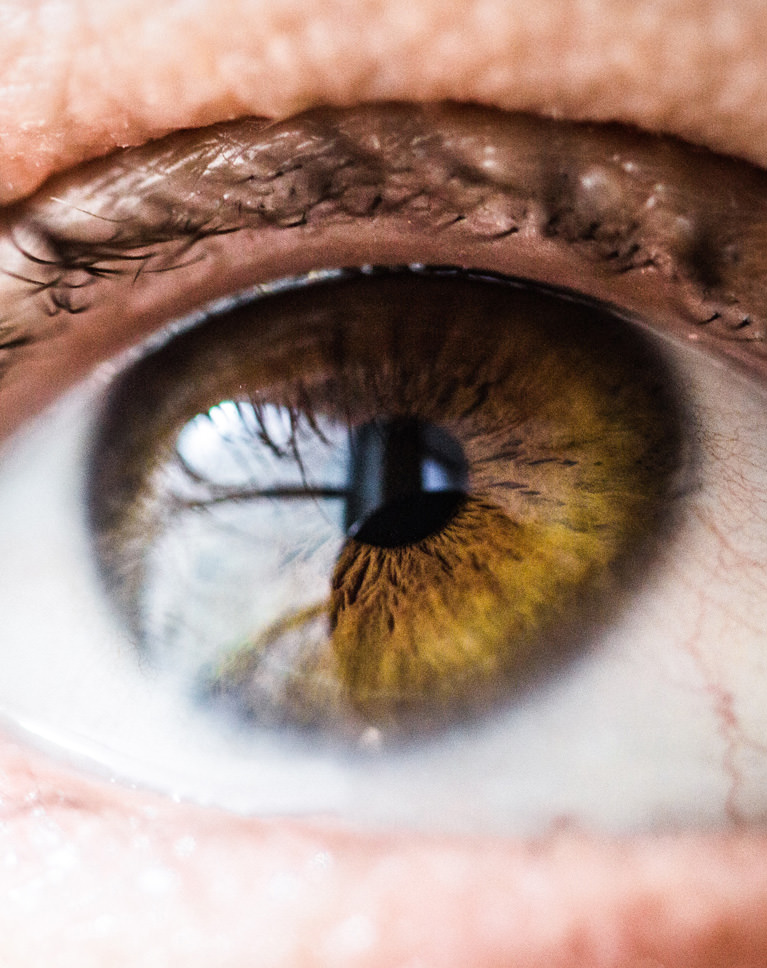
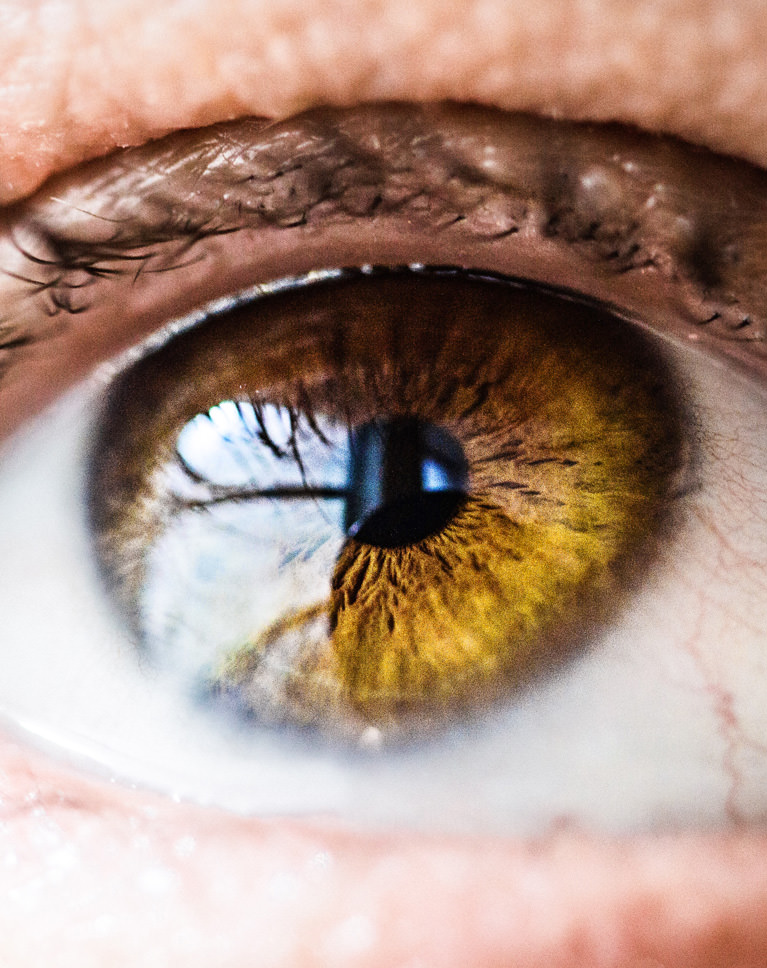
Up close, the action adds color and contrast to the iris, so the golden brown fibers and the dark ring around them look sharper and richer. The whites of the eye stay clean. For this kind of detail, Darken Iris Ring adds depth to the outer ring of the iris and Sharpen Eyes brings out crisp detail in the iris and lashes.
Know When to Stop
Eyes that glow look fake. The effect should stay inside the iris, the whites should stay white, and the eye should still match the light in the rest of the photo. Close-ups show the most detail, so a lighter touch goes a long way. If it goes too far, lower the group’s opacity, or press X and paint black to take it back.
Best On
Macro eye shots, beauty close-ups, brown and amber eyes, and any portrait where the iris is large in the frame.
What’s in the Download
One action set, 4 eye colors
Unzip it and load the set in the Actions panel. Each action guides you with short messages: place the circles over the eyes, soften, sharpen, done.
- ATNPHLEARN Amazing Eyes.atn1 action set with all 4 actions
- JPG5 Sample ImagesPractice photos
- PDFPHLEARN Amazing Eyes – Guide (2026).pdfInstall steps, every action explained, fixes
- PHLEARN Brown Eyes
- PHLEARN Blue Eyes
- PHLEARN Green Eyes
- PHLEARN Dark Eyes
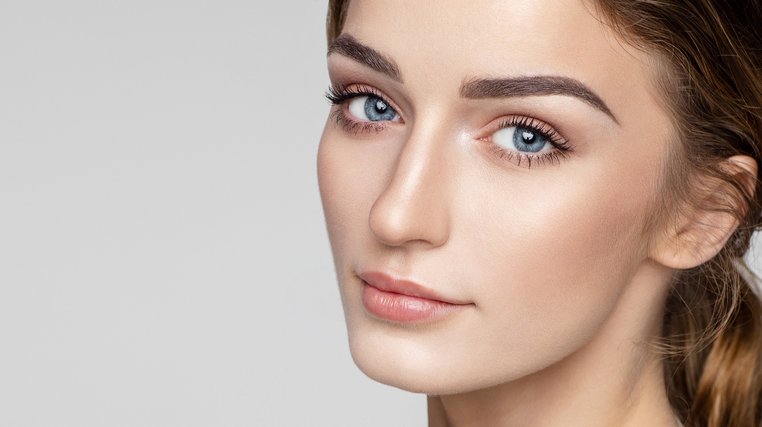
The 5 sample images

Photoshop Action Questions, Answered
What’s included in the Amazing Eyes Photoshop Actions?
You get 4 Photoshop actions: PHLEARN Brown Eyes, Blue Eyes, Green Eyes and Dark Eyes. The download also includes 5 sample images to practice on and a PDF guide with install steps and the circle workflow explained.
What kind of photos are the Amazing Eyes Photoshop Actions made for?
They are made for portraits where you want the eyes to stand out. Blue, brown, green and dark eyes each need different handling, so there is an action for each. They bring out detail in dark eyes and intensify the color in light eyes.
What do the Amazing Eyes actions do to the eyes?
Three things. They increase saturation to bring out the eye’s natural color. They read the natural highlights and shadows in the eye and apply a realistic dodge and burn effect. Then they add professional-level sharpening so the eyes stand out more to the viewer.
Are Photoshop Actions included in my PHLEARN PRO subscription?
Yes. A PHLEARN PRO membership includes every Photoshop Action pack, plus PRO Tutorials, Lightroom Presets, LUTs and Photoshop Brushes.
What version of Photoshop do I need?
These actions work in Photoshop CS6 and newer, on Mac and Windows. We recommend the latest version. Photoshop on the iPad and on the web cannot run actions.
How do I install Photoshop Actions?
Unzip the download, open Photoshop, then double-click the .ATN file. Photoshop shows no confirmation, but the set is now at the bottom of the Actions panel. The PDF guide in your download shows every install method and walks you through the action, and there is more help on our Photoshop Actions install guide.
Where do the actions show up after I install them?
At the bottom of the Actions panel, as a set named after the pack. Open the panel with Window > Actions, or press Option + F9 on a Mac or Alt + F9 on Windows.
Photoshop says “Command not currently available.” What do I do?
The photo is usually 16-bit or CMYK, or the wrong layer is selected. Set Image > Mode to RGB Color and 8 Bits/Channel, click the image layer and play the action again.
The action stopped and showed a message. Is something wrong?
No. Some actions pause with a note on purpose, to tell you what to do next. Read it, follow it, and click Continue.
How do I undo an action?
Open the History panel (Window > History) and click the state from before the action ran. You can also hide or delete the group the action built in the Layers panel.
Do you offer refunds?
Because these are downloadable products, all sales are final and we are not able to offer refunds.
Terms of Use
These Actions are licensed for personal and professional use by the individual who purchased or downloaded them. The license does not extend to companies or partnerships, and the files may not be resold, loaned, gifted, shared, copied or redistributed. All PHLEARN Actions are copyright protected.
Master Photoshop, Lightroom and Photography
Join PHLEARN PRO for $12.99 a month, or $99.99 a year (save 36%). Cancel anytime, with a 100% money-back guarantee.





