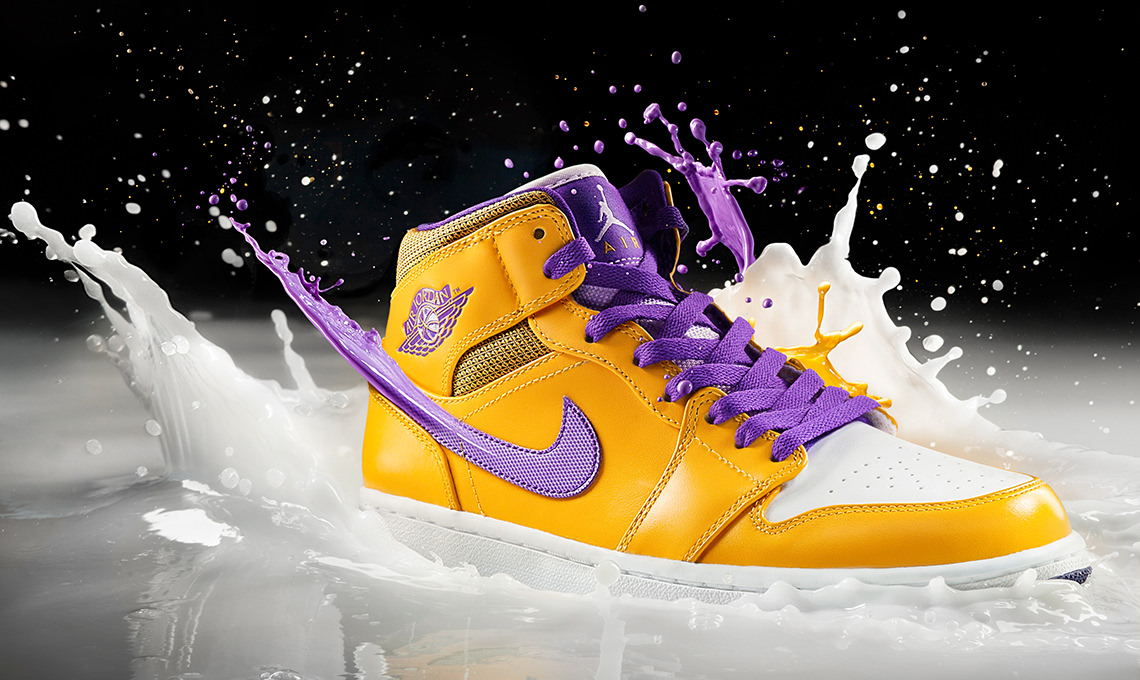
How to Create Conceptual Product Images in Photoshop
-

-
Add to
favorites

-
DifficultyMedium
-
Length2 hours
-
Software
Join PHLEARN PRO for instant access to this course and every tutorial on PHLEARN.
- Stream in up to 4K on any device
- Closed captions and chapters on every course
- Download all sample images and PSDs
- New PRO tutorials every month
- Cancel anytime
DESCRIPTION
Gain the confidence to master your product photography as well as the inspiration needed to push the boundaries of what you can do in post production. In this Phlearn PRO Tutorial on conceptual product images you will learn to composite, dodge, burn, shade, paint, color, sharpen and much more!
THIS COURSE INCLUDES
- 12 Sample Images
- 1 Photoshop Brush
Course Downloads
Shoot and Edit Conceptual Product Images


Make Advanced Selections for Conceptual Product Images
In this tutorial you will learn how to make advanced selections. Then use layer masks, clipping masks, layer properties and more to make the addition of effects and details in your conceptual product images flawless.
Add Splashes
Each splash is a separate image that needs to be combined in Photoshop. Learn how to integrate multiple photos together seamlessly as well as build shadows to make the splash appear as though it is coming off the shoe.
Retouch Products
Learn how retouching conceptual product images is much different than retouching people and how to easily correct the details that will make your product images more professional.
Match Highlight and Shadow
Create stronger composite images by matching the subject highlights and shadows to the background. Learn how advanced selections can keep the rest of your subject intact while only editing the highlights.
Juicy Kicks
The perfect combination of compositing and product retouching.
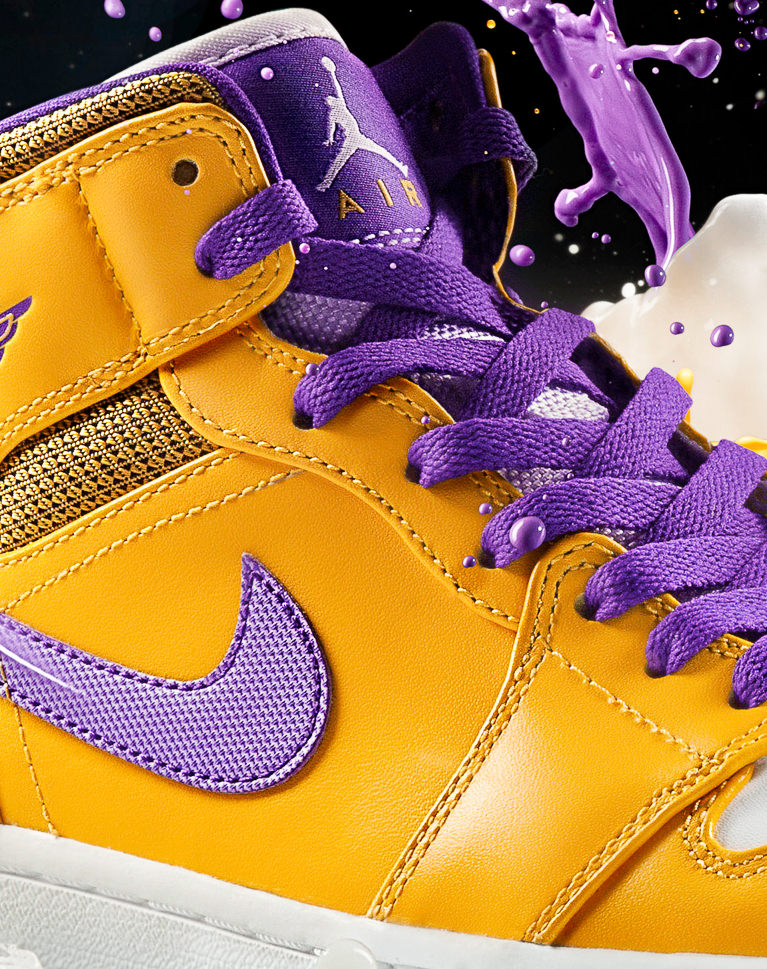
Dodge and Burn
Learn how to dodge and burn to draw attention to your subject. Alter the highlights and shadows to create extra details in specific areas. Use what you learn to add style and interest to any image.
Add Style and Color to Conceptual Product Images
Learn how to enhance color and bring life to a product. More than simply adding splashes to a shoe, we go in depth on how to retouch and enhance the colors, making this a great conceptual product images retouching tutorial.
Blend and Composite
Learn the secrets to compositing and blending multiple photos together to create seamless, stunning effects. From start to finish, you will see how each element of the conceptual product images is adjusted and combined using Photoshop.
Make Perfect Cutouts
Follow along as we explain the correct tools and techniques to cut out the subject for this image. Learn how to use the Pen Tool to create paths and turn the paths into selections. Create incredible selections and speed up your background cleanup.
Why Conceptual Product Images Sell
Conceptual product images do a job a clean catalog shot cannot: they give the product a story. The splashes on these sneakers are not decoration, they suggest motion, freshness, and energy, which is exactly what the brand wants a buyer to feel. Every technique in this tutorial serves that idea, from shooting the liquid separately so it can be placed with intent, to matching highlights and shadows so the splash reads as physically real, to the final color work that keeps the shoe as the hero.

Aaron Nace
PHLEARN Founder & Lead Instructor
Aaron Nace is a photographer, digital artist, and founder of PHLEARN. Driven by a deep passion for image creation and a dedication to sharing knowledge, he founded PHLEARN in 2011 to empower creators around the globe. With over 2 million YouTube subscribers, 8+ seasons speaking at Adobe MAX, and hundreds of tutorials published, Aaron continues to produce free weekly lessons alongside new in-depth PRO courses every month.
Reviews







Unlock This Course & Every PRO Tutorial.
Get Instant Access with PHLEARN PRO!

Stream in up to 4K on any device, with closed captions and chapters
Download full project assets, original PSDs, and sample images
Unlimited access to all PRO Photoshop, Lightroom, and Retouching courses
Includes full access to Photoshop Actions, Lightroom Presets, and LUTs
Flexible monthly and annual plans to fit your workflow
Cancel anytime with zero hassle or fees
I have to admit, I repeated the process at least three times until I got the idea of what’s going on with layers, layer masks, etc. For a beginner like me, this may seem the crucial test whether to continue practicing on this or just not; and as Aaron mentioned this is a very fun and calm process, for all Thank you.
Amazing! I Love ALL of your tutorials! This was very informative!!!
A fun and insightful tutorial with some very useful techniques demonstrated. I would recommend this tutorial to those who have an intermediate understanding of Photoshop since there is less explaining of the tools and more on creating the composite.
This is so great, you are amazing
loved this video like all the others….. 🙂
<3 Phlearn
Hi PHlearn,
Great tutorial, found it a little stressing at times but got through it and here are my results….. not perfect but not bad for my first composite i guess !!!
Looking forward to doing another very soon.
As you can see i added a little more to my image, hope you like it and thanks to you guys for the great tutorials, keep them coming :))
Regards Terry
As usual another great tutorial. I think I’ve done seven or eight tutorials now and I’m amazed by how challenging and fun even an “intermediate” videos can be. Thanks so much for all that you have taught me! Keep it up!!!!!!
crazy depth compositing, but i like it!
Difficult tutorial. Lots to learn. I enjoy beauty but this is good practice for ads.