Compositing Projects Learning Path
Seven compositing projects in order of difficulty. Choosing source images, the fundamentals, the essential tools, perspective, three studio placements, then two full conceptual landscapes built entirely from stock images.
What You’ll Learn
The fastest way to learn compositing is to build composites. The Compositing Projects Learning Path is seven project-based tutorials in rising order of difficulty, each one a complete image from source files to finish. It starts before Photoshop, with choosing images that will fit together, covers the fundamentals and tools, fixes the problem most composites have, perspective, and ends with two advanced conceptual landscapes made entirely from stock photos.
- 1. Choose images that will fit How to judge light, perspective, camera angle and lens before you start, so the composite is possible at all.
- 2. Learn the fundamentals Matching light, perspective, color and scale across source images, in twenty-two beginner lessons.
- 3. Master the essential tools Blend modes, clipping masks, color matching and masking, the twenty-two lesson tool course for compositing.
- 4. Get the perspective right Matching a subject’s perspective to a new background, the thing most composites get wrong.
- 5. Composite from the studio A subject shot on seamless, placed into three progressively harder locations: an ocean, a pier, a doorway.
- 6. Build a conceptual landscape from stock A full fantasy landscape from stock images: skies, mountains and ground blended into one scene.
- 7. Build a second one A second advanced project with more sources, matching light and color across all of them.
Who This Path Is For
Photographers and designers who want to make images that cannot be shot, anyone building a conceptual or fine-art portfolio, and compositors who have the tools but want to finish more projects.
You should know layers and layer masks. The compositing itself, from fundamentals to advanced, is taught here.
What You Need
- Photoshop Any recent version. The techniques are the manual ones that have not changed.
- Sample files Included for every project, including the stock images for the two landscapes.
- Layers and masks Assumed knowledge. If not, start with the Getting Started in Photoshop & Lightroom.
- Time per project The later projects are three to five hours of video each. Plan a weekend for each one.
For the current tools, including Harmonize and the AI first pass, see the Everyday Compositing Learning Path; for cutting the subject out, Cutouts & Backgrounds.
How Long It Takes
Seven tutorials and 78 lessons, about 28 hours of video. The two fundamentals courses are over five and over seven hours; the projects are two to five hours each. At one project a week, plan on seven to eight weeks.
Finish each project before starting the next, and keep the layered file. The later projects reuse the habits from the earlier ones.
Frequently Asked Questions
Do I need a PHLEARN PRO membership?
Yes. This is a PRO Learning Path, so all seven tutorials and their sample files are included with a membership.
Compositing Projects or Everyday Compositing?
Everyday Compositing teaches believable real-world composites with the current tools. Compositing Projects is project-based and builds to conceptual, fantasy scenes. Magical Compositing is the advanced fantasy path; this one leads into it.
Where do the stock images come from?
The sample files for each project include the images used. For your own work, the first tutorial teaches how to pick stock that will composite.
Do I have to follow the order?
It is built to be followed in order, by difficulty. If you have composited before, start at step four.
Are the older tutorials still accurate?
Yes. Compositing is done with masks, blend modes, Curves and transforms, which have not changed. Newer AI tools can speed up the cutout step and are covered on other paths.
Where to Go Next
Start the Path
Start with choosing images. It is two hours and will save you from composites that could never have worked.
On This Page
PHLEARN PRO
Every tutorial in this path, with sample files, plus the full PRO library.

When it comes to realistic compositing, Photoshop can’t do it all. You need to have images that share similar lighting, perspective, color, and more to create a seamless final image. Learn what to look for when choosing the very best images for compositing in Photoshop!
Photoshop | Compositing | Easy | 2.25 hours
21 Sample Images

In this tutorial, we break down the compositing process with techniques for choosing images, making selections, and enhancing light and color. Learn to analyze light, perspective, and camera settings to predict how well photos will blend together.
Photoshop | Compositing | Easy | 5.5 hours
25 Sample Images | 1 Photoshop Brush
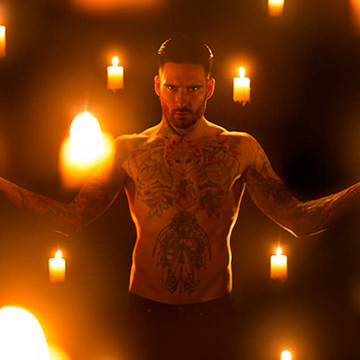
Master the fundamentals needed to create beautiful composite images in Photoshop while we provide tips for both the photoshoot and for post-processing. Learn to match perspective, lighting, luminosity, and work with frame and element composites.
Photoshop | Compositing | Medium | 7.25 hours
22 Sample Images | 1 Photoshop Brush | 1 Photoshop Action
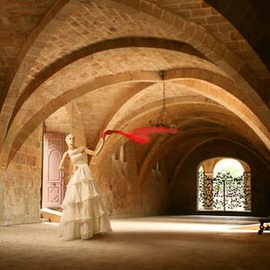
Explore the principles of compositing in this in-depth Photoshop tutorial. Learn how to match perspective, color, light, and shadow to create a seamless image.
Photoshop | Compositing | Medium | 2.75 hours
2 Sample Images | 1 Photoshop Brush | 1 Photoshop Action

Studio compositing is a balance between lighting, camera angles, and Photoshop. This tutorial teaches all three, explaining and simplifying the entire process, end to end.
Photoshop | Compositing | Medium | 4 hours
7 Sample Images
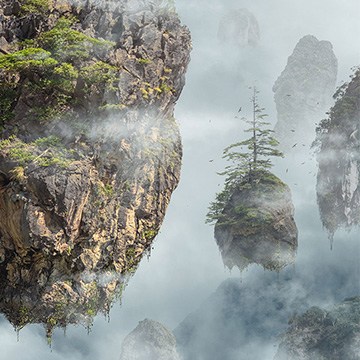
Learn advanced compositing techniques as Photoshop as we show you to transform free stock photos into an epic fantasy landscape!
Photoshop | Compositing | Advanced | 5 hours
19 Sample Images | 1 Sample PSD | 4 Photoshop Brushes
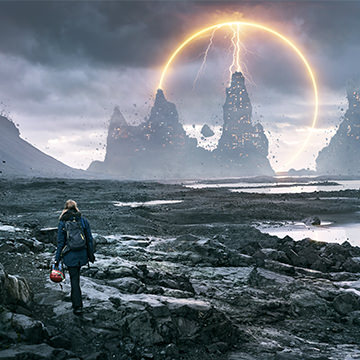
Follow along and create an epic fantasy scene using free stock image assets and some Photoshop savvy! Learn how to cut out and place objects in a new background, create lighting and disintegration effects, create fog and atmosphere, and much more!
Photoshop | Compositing | Advanced | 2.75 hours
8 Sample Images | 1 Sample PSD | 2 Photoshop Brushes