How to Tell If a Photo Is AI, and How to Prove Yours Is Real
A finalist in this year’s Hasselblad Masters turned out to be an AI image, and a crowd on Reddit spotted it before Hasselblad did. A few years ago that was easy. It’s getting harder every month, and I think in a couple of years it’ll be close to impossible. Here is what still works, what the detector apps get wrong, and how to make sure nobody ever has to ask whether your photo is real.
A few years ago, telling an AI image from a photograph was easy. The hands gave it away, or the eyes, or the lettering on a sign. It’s getting more and more difficult now, and I imagine that in just a couple of years even the most trained eye won’t be able to tell the difference. That’s the reality we’re living in, and it matters ethically, legally and artistically.
I don’t have a problem with AI-generated images, as long as they’re labeled as AI-generated images. We use them in this magazine, this article included, and in many cases it makes sense to. The tools are being developed at such a rapid rate because they’re extremely powerful and really useful. Where we get into trouble is when people try to pass off AI-generated work as their own photographs.
That’s what happened in April, when Hasselblad named 70 finalists for its Masters 2026 awards from more than 108,000 entries. Within hours, people on the r/photography forum were zooming into one of the street photographs and pointing at a Coca-Cola label that didn’t spell anything, a pupil that looked like a hole, and patterns that broke where they shouldn’t. Hasselblad quietly disqualified the entry in May and promoted the eleventh-place image.
The world is starving for media, every individual wants to become their own production house to one degree or another, and we’re going to see a lot more of this. This guide covers how to tell if a photo is AI with the methods that still work in October 2026, in the order you’d actually use them, and then the other half of the problem: how to prove that your own photographs came out of a camera.
Can You Tell If a Photo Is AI Just by Looking?
Sometimes, and less often than you’d think. In 2024 the University of Waterloo asked 260 people to sort 20 images into real and AI, and only 61% of them could tell the difference, well under the 85% the researchers had expected. Microsoft’s “Real or Not” quiz gathered about 287,000 judgments from 12,500 people in 2025 and landed at 62%, which its authors generously called slightly above chance. A market research firm that ran the same kind of test with images from Google’s newer Gemini model in September 2025 found people identifying the real photos 49% of the time.
How often people got it right, real or AI
The useful number comes from the biggest study of the lot. Researchers at Northwestern put 450 AI images and 149 photographs in front of 50,444 people and recorded nearly 750,000 answers. Accuracy climbed from 72% when people had one second to 77% at five seconds, and on the AI images it reached 82% when they had twenty. The single best detection tool is patience, because most of us decide in a glance, and a glance is exactly what these models are built to pass.
That study also sorted the giveaways into five kinds. Anatomy is the one everyone knows, meaning extra fingers, a neck too long for its body, two people whose arms merge, eyes that don’t quite agree on where they’re looking. It’s also the category the newer models have mostly fixed. In our own generating for this magazine, Midjourney, Google’s Nano Banana and OpenAI’s current image model draw hands fine most of the time, so a good hand no longer proves anything.
Style has lasted longer. The paper’s participants called these images waxy, glossy or shiny, which the authors say “often appear in plastic-like skin and excessively soft hair,” along with lighting that’s too cinematic for the scene and one part of a frame that’s sharper or grainier than the rest.
For me it comes down to this: if an image is too good, most of the time you can tell it’s AI. A lot of AI images still lack a little bit of life. They’re almost too perfect. Either a very good technical photographer took this with everything exactly right, the model fantastic, the lighting perfect, the time of day amazing, everything sharp down to the hair, the wardrobe and the accessories, or it’s AI.
Coming from a background in photography, I can say that trying to stage everything perfectly is just about impossible.
Aaron Nace
It happens once in a blue moon that things come together just the way you want them. Most of the time, even if you try your best, your photo shoots come up a little short of what you were expecting. That’s why I got good at Photoshop in the first place: I wanted to make my photos better than they came out of the camera. With AI, things come out absolutely perfect at the touch of a button, and that perfection is one way we can still tell.
Physics comes third: shadows pointing two ways, a reflection in a window that doesn’t match the room, perspective that bends, though a wide lens bends things too.
Function is the category people missed most often in the study, by a small margin, and it’s where the Hasselblad finalist was caught. Would this object actually work? A strap that vanishes into a jacket, a belt with no buckle, a staircase that goes nowhere, and above all lettering, because a model can draw the shape of writing without ever writing. Kellogg Insight’s field guide adds overlapping teeth, pupils that aren’t round, fingers without nails, and the smudgy patch in a background where the model gave up on detail.
The fifth category, context, is the one nobody can read from the pixels: uniforms from the wrong decade, a street that couldn’t exist, a crowd where everyone is thirty.

Here’s an exercise that trains the eye faster than any list of tells. Take a photo of a person that you suspect, and look at how perfect it is. Then go scroll through a stock site like Unsplash, look through the free images, and notice that most of them don’t come out anywhere near perfect. Real photographs have a stray hair, a shadow in the wrong place, a background that didn’t cooperate. That’s a really good place to start.
How to Tell If a Photo Is AI in Sixty Seconds
When a client sends a reference image, or a picture lands in your feed that looks a little too good, this order gets the most out of a minute. The first two steps need nothing but your eyes.
Do AI Image Detectors Work?
The detector apps, where you upload a picture and get a percentage back, are the first thing most people reach for, and the research says to hold them loosely.
The best of them are genuinely good on clean files. A 2024 study from the University of Chicago tested five detectors on 280 human artworks and 350 AI images, and Hive caught 98% of the AI images and flagged none of the real ones. The same study found Illuminarty calling two in three real artworks AI. Out on the open web the picture is messier. In May 2026 NewsGuard gave five detectors 45 images, 15 real news photographs plus a lightly and a heavily AI-edited version of each, and found that they disagreed with each other on 35 of the 45. One of them called six of the fifteen untouched photos fake.
Compression is the weak spot. Bellingcat ran 100 Midjourney images through the AI or Not detector in 2023 and it caught all 100. Then they compressed ten of them to the size a social site would serve, and the detector called seven of the ten real. A screenshot does the same thing, and every photo that reaches you through Instagram or a messaging app has already been through that mill. So use a detector the way you’d use a second opinion from a stranger: if it agrees with your eyes and the metadata, fine, and if it’s your only evidence, you don’t have evidence.
62%
accuracy across 287,000 answers in Microsoft’s 2025 real-or-AI quiz
35 of 45
images on which five AI detectors disagreed in NewsGuard’s May 2026 test
6,000+
members of the Content Authenticity Initiative as of January 2026
What the Metadata Can and Can’t Tell You
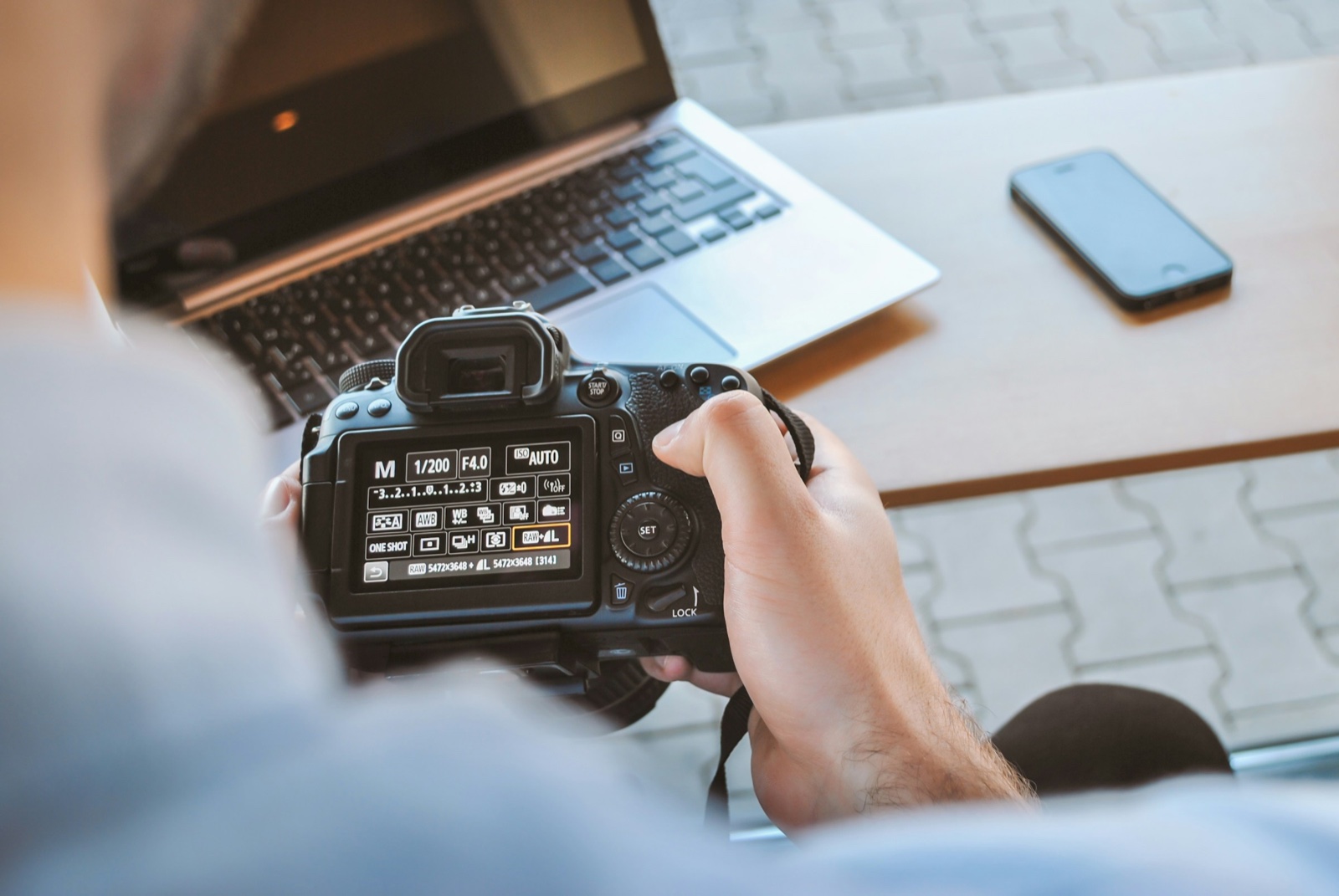
Every camera writes a record into the file, with the model, the lens, shutter speed, aperture, ISO, the time, and often the GPS position. That’s the EXIF data you see in Preview’s inspector or Lightroom’s Metadata panel, and it’s the quickest honest signal there is.
It has two problems: anyone can edit it, and most places strip it. Social platforms and messaging apps remove EXIF on upload, partly for privacy, so a photo without camera data isn’t suspicious on its own.
The generators, meanwhile, are starting to label their own output. The IPTC, the body that sets the standards for photo metadata, has a field called Digital Source Type whose values include trainedAlgorithmicMedia, meaning created by generative AI, and compositeWithTrainedAlgorithmicMedia, meaning edited with it. Midjourney committed to writing that field in 2023, and it does. When we read the metadata of the Midjourney file in the pair above, the Digital Source Type field said trainedAlgorithmicMedia, and there were no Content Credentials.
Adobe Firefly goes further and attaches full Content Credentials to anything it generates from scratch, and Google stamps its images with an invisible SynthID watermark. The label survives only as long as the metadata does, and a screenshot of a Midjourney image carries nothing.
What Are Content Credentials?
Content Credentials are the thing all of the above was missing, a record that can’t be quietly edited. The idea comes from the Content Authenticity Initiative, which Adobe started in 2019, and the technical standard, called C2PA, from a group that now includes the camera makers, Google, Microsoft and the BBC. The CAI passed 6,000 members, companies and individuals together, in January 2026, and the current version of the standard, 2.3, arrived in December 2025.
When a camera or an app that supports the standard saves a file, it writes a manifest into it describing what device or program made it, what was done to it, and which earlier files went into it. Then it signs that manifest with a private key, the same way a secure website proves it is who it says it is. Change a pixel afterwards and the signature no longer matches. Anyone can read the record with the free Verify tool, and websites that support it show a small “cr” pin in the corner of the image.
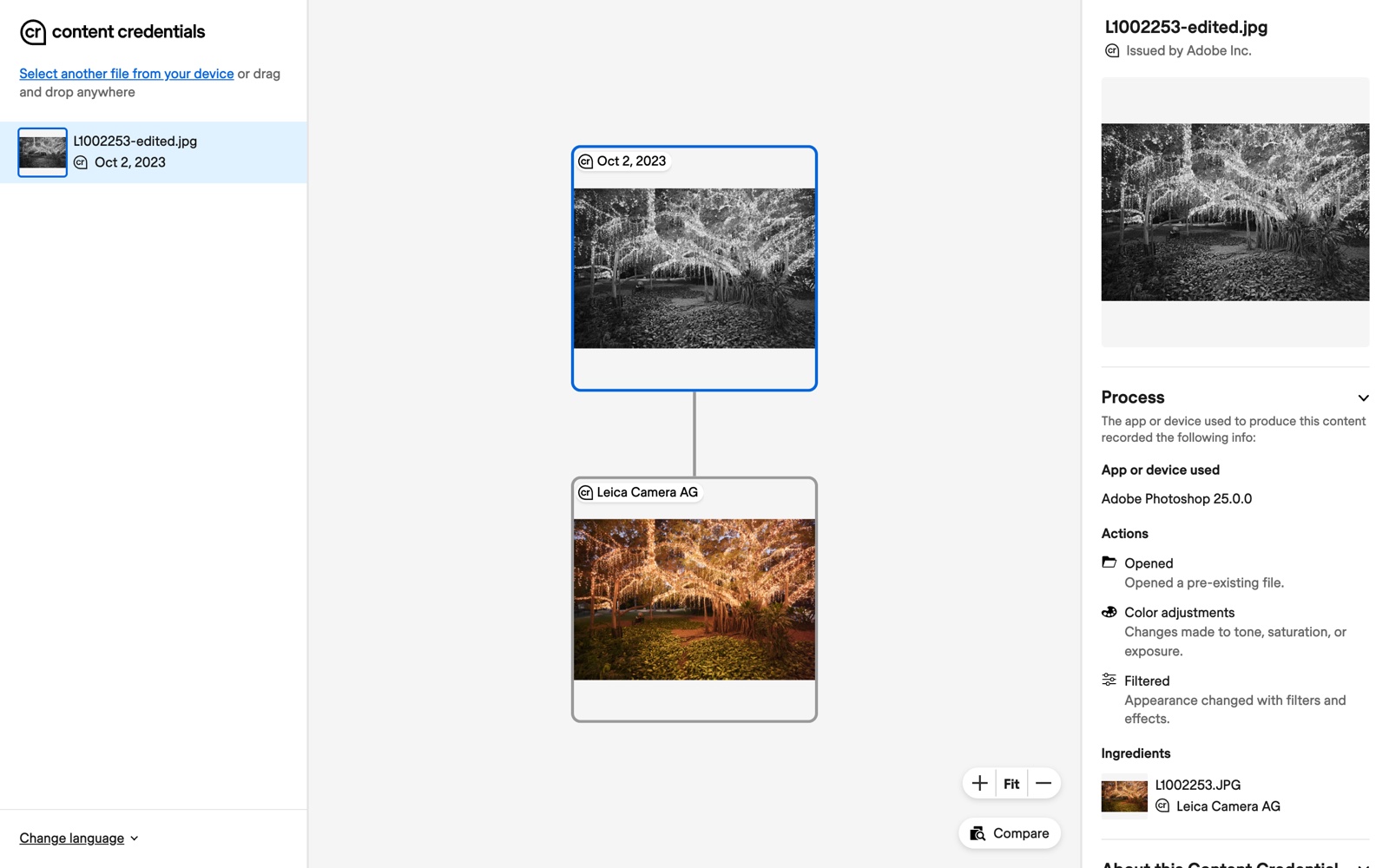
There are limits, and the standard’s own authors state them plainly. The C2PA security notes say the system offers no protection against someone removing the record entirely, and the explainer says the presence or absence of credentials should never on its own decide whether an image is trustworthy. The record also tells you what a file has been through, not what was in front of the lens, so a staged photograph with perfect credentials is still staged.
Adobe’s answer to the stripping problem is what it calls durable credentials, where the file also gets an invisible watermark and a fingerprint so the Verify tool can look the record up in the cloud when the metadata is gone. It’s optional, and it depends on the app that saved the file.
The trust side had a rough year as well. Nikon added C2PA signing to the Z6III in August 2025, then suspended the service within a month after a flaw let an unsigned image pass as signed, and invalidated every certificate it had issued. A credential is only as good as the company that signed it and the care they took.
How to Prove Your Photo Is Real
Now the other half. If you shoot for clients, enter contests or publish news, the goal is that nobody has to take your word for it. There are three layers, starting with the cheapest.
Keep the RAW file, always. It’s still the proof that contests and editors ask for. World Press Photo’s 2026 rules require every entrant still in the running to send the RAW frame, or a series of at least seven camera JPEGs, and failing to produce them eliminates the entry. The same rules ban generative fill and AI enlarging tools, including Adobe’s Super Resolution and Topaz, so if you upscale for print, keep the untouched original next to the upscale. A RAW file is hard to fake and easy to lose.
Turn on Content Credentials in the apps you already use. In Photoshop, open Window > Content Credentials (Beta) and click Enable Content Credentials. In the panel’s settings you choose what to include: your name, your connected accounts, and the edits and activity. Then, when you export with File > Export > Export As, the Content Credentials options at the bottom let you attach the record to the file or publish it to Adobe’s cloud so it can be recovered later, and Photoshop > Settings > History & Content Credentials (Edit > Preferences on Windows) sets the default for new documents.
Lightroom Classic has a Content Credentials section in the Export dialog where you choose the storage method, attach to files, publish to the cloud, or both, and it needs an internet connection to sign. Camera Raw and the cloud-based Lightroom have an Apply Content Credentials checkbox, still marked Beta. One detail from Photoshop’s own preferences text is worth knowing: anything made or edited with generative AI gets credentials whether you turn them on or not, which is how an honest edit history ends up in your file.
Buy a camera that signs at capture, if your work needs it. This is the layer that turns “I edited this in Photoshop” into “this came out of a camera at 4:12 pm.” The list is short but growing:
- Leica started it with the M11-P in October 2023 and now lists six cameras with the feature: the M11-P, M11-D, M EV1, SL3-S, SL3-P and Q3 Monochrom. It’s a menu toggle, and Leica is the only camera maker where that’s true on bodies you can buy today.
- Google’s Pixel 10 attaches credentials to every JPEG it takes, since September 2025, and Google Photos adds to the record when you edit. It’s the first phone line to do this for plain captures.
- Sony’s Camera Authenticity Solution covers the a1 II, a1, a9 III, a7S III and a7 IV, but it’s a paid licence sold to news organizations rather than a menu item.
- Canon announced the same kind of paid activation in May 2026 for the EOS R1 and EOS R5 Mark II, rolling out in Europe, the Middle East and Africa first.
- Nikon’s Z6III service is suspended, as above. Fujifilm joined the initiative in 2024 and promised the feature by firmware; we couldn’t find a Fujifilm firmware note that ships it.
Where you post matters too. LinkedIn shows the “cr” pin on signed images and lets readers open the record, and YouTube puts a “captured with a camera” note on video with unbroken credentials. Instagram and Facebook read the metadata to decide whether to label a post as AI, then, in practice, serve a copy with the metadata gone. Put the signed file on your own website, where you control what’s served.
Start With the File You Shot Today
I really do feel the models are going to keep improving, and improving very rapidly. The “too perfect” tell that works today will fade, and the detectors will keep chasing. What won’t fade is a signed file and a RAW frame in a second location.
Very soon it’s going to be almost impossible.
Aaron Nace
You don’t need a new camera to be on the right side of this. Tonight, find the RAW file of the last photo you were proud of and put a second copy somewhere that isn’t the card it came on. Then open Photoshop, turn on Content Credentials, export one JPEG with the record attached, and drop it on the Verify tool to see what a stranger would see.
For the other side of the same technology, our State of the Industry report on the future of photo editing covers what the AI tools inside Photoshop and Lightroom do well, and our generative upscale test shows what an upscaler invents at 100%.
In this article
Free with PHLEARN