PRO CartCart
PRO Vintage Fashion
Difficulty: Intermediate , Length: 1:45 HR
• Creating Depth
• Vintage Style Coloring
• Cutting Out Plants
• Skin Smoothing
• Adding Light
• Lightroom Editing

Fashion images often involve a lot of color subtlety, it is what sets them apart from editorial images. Most of the time, the highlight and shadow colors have been completely changed.

In this photoshop tutorial, you will learn how to to take a normal photo of a plant, cut it out of it's background, color it correctly, blur it, and add it to the foreground of another image.

$24.99
‹‹ View More PRO Photoshop Tutorials

Bundle and Save

+
Price for both: $34.99 $29.99
PRO Tutorial: Vintage Fashion
PRO Texture: Bokeh 100 Pack

PRO Photoshop Tutorial

If you are interested in shooting Vintage Fashion images like the ones you see gracing the pages of Vogue, Elle, V, and W Magazines, this tutorial will show you how to get from a snapshot to the final image. Learn every step along the way, going from Lightroom where we create a custom preset that is yours to keep, to Photoshop where you will learn how to identify and fix distracting elements.

Take a look at the Step-by-Step animation below and you will see that we start off with an image that is far from incredible and turn it into a work of art. You will now be able to do the same with your images.

Bonus: 2 Free Textures, 1 Brush, and 1 Lightroom Preset.

Learn From Start to Finish

Color and Light

Fashion images often involve a lot of color subtlety, it is what sets them apart from editorial images. Most of the time, the highlight and shadow colors have been completely changed. There are usually many colors mixing together to make the final image have that “Vintage Fashion” look.

You will learn how to work with color in a very easy way, including instructions in both Photoshop and Lightroom.

Adding Details

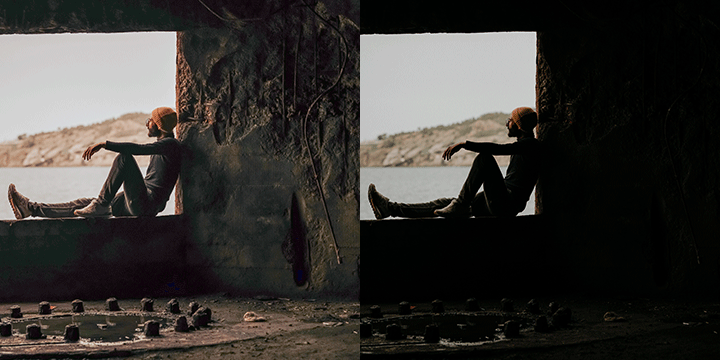
In this image we identify areas that are too light, some that are too dark, and others that don’t have enough detail. Then we go in and fix each of the problem areas Step-by-Step. In this example we copy the flowers from one part of the image to another, and transform them to make it look like they are originals.

Independently Color Objects

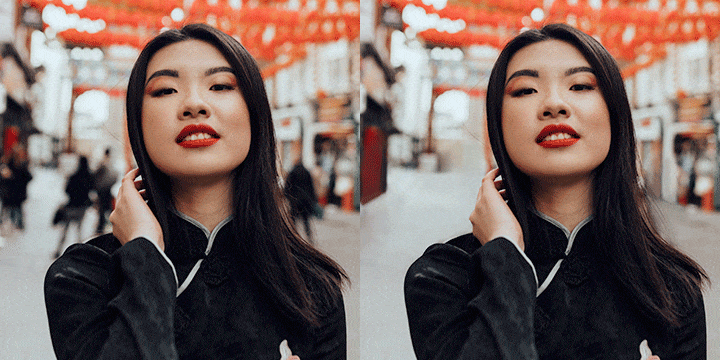
In this image we go through a great method for coloring complex objects such as hair. If you have ever tried to do this sort of thing you may notice that the end result can come out looking flat. That is because color does not change uniformly from highlight to shadow. You will learn how to properly color and avoid this problem all together!

Drawing Attention to Your Subject

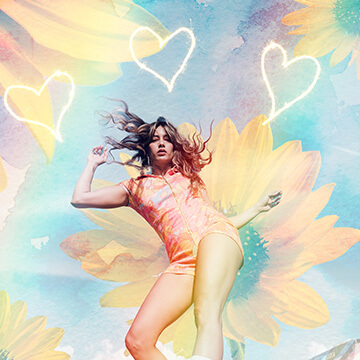
We include 2 Free Textures for you to add to the foreground of your images. In this photoshop tutorial, you will learn how to to take a normal photo of a plant, cut it out of it’s background, color it correctly, blur it, and add it to the foreground of another image. This will give the effect that the camera is shooting through leaves, and will add depth to the image.

You can also use this effect to draw attention away from a particular area of an image, so the viewer will focus where you want them to. In this image, we cover up part of her dress because it is so light that it is a little bit of a distraction from her face.

Add Soft Light

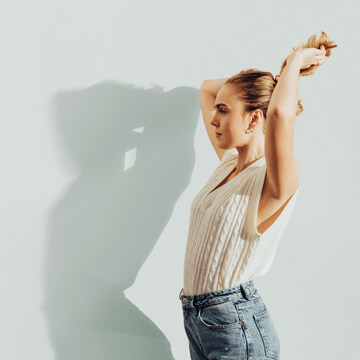
The light that is coming in from the right side of this photo is completely fake, it was done in Photoshop. The trick with adding light to an image is color matching it to the rest of the scene to make it believable. You will learn how to accurately judge color and how to pull this effect off every time.

Free Lightroom Preset + Brush

If you are a lightroom user, all you have to do is load the free preset on your images and it will transform their colors to give them a Vintage Fashion feel. We do cover all of the settings so you can apply them in Adobe Camera RAW in Photoshop if you prefer. We also include a great soft edged brush that is perfect for editing skin if you use a Wacom Tablet.

Skin Smoothing

When editing an image that is not a headshot, a lot of people look over skin retouching. Most of the time it is not the individual pores that need work, but the overall shapes. You will learn how to smooth skin in Photoshop for this type of image. It is quick and easy and makes a huge difference!

Free Plant Textures

These plants were photographed in the Phlearn Studio and are very high quality images. You may use them for what ever you see fit. Because they are photographed on a white background, they are very easy to cut out of their backgrounds and apply over other images. In this tutorial we use these plants in the foreground to add depth to the image. A slight blur and color change and it is as though they were there all along!

$24.99
«

Comments

Loading Disqus Comments ...
Loading Facebook Comments ...
What is Phlearn PRO?
Watch this short video that explains what Phlearn PRO is all about!
Included in your PRO
Video Tutorial
Each PRO Tutorial includes a full length video tutorial, most are over 2 hours long. Pause, rewind, and fast forward at your command.
Source Images
We provide you with all the images you will need to follow along with the tutorials. We even give you brushes and actions if necessary.
Download
All PRO Tutorials are available for download onto your computer. They don't expire, and you can take them wherever you go.
Delivery
After completing your payment securely via PayPal, Google Wallet, or Credit Card you will receive your download link instantly via e-mail.
Speed
Our Amazon S3 Servers are just waiting to send your tutorial. The best servers mean the fastest download speeds, getting you learning faster.
PRO Bestsellers
Testimonials

Kim Whittemore

I own 18 of the Phlearn Pro Tutorials, and each one has taught me something new. Aaron is such ...
More I own 18 of the Phlearn Pro Tutorials, and each one has taught me something new.

Aaron is such a great teacher, everything is explained in a way that I can understand. What I thought was once out of my reach in Photoshop is now at my fingertips. I have grown and expanded my knowledge to a point where my imagination and time are my only obstacles.

Thanks Phlearn!!

Mark Jones

Living and working in South Korea, it has been very difficult to learn photography and photosho...
More Living and working in South Korea, it has been very difficult to learn photography and photoshop. Without any friends, or photographers to talk to, I would spend hours browsing the internet, desperately trying to find any tidbit of information that would help me improve. All I could ever find were scraps, the odd tip, conflicting information everywhere, critique without advice, and it was as frustrating as it was confusing.

By chance I stumbled onto Phlearn one day, and was amazed at the idea of the Phlearn PRO's, jaw dropping, beautiful images that I could watch being created from start to finish. I bought one immediately and stayed up late watching it. I was blown away! I now own more than ten. Not only did I learn vast amounts of new techniques, I learned how to look at my own work with a more critical eye, I learned how to make my images believable, and I set a higher bar for myself. As a teacher myself, I really believe Aaron is a great instructor. He's always engaging, fun, infectiously enthusiastic and he holds nothing back, he makes mistakes, he corrects his mistakes, overcomes problems and he will show you what is possible if you keep trying and work hard at your craft.

Sure, other photographers offer 'tell-all' tutorials, but I have found these to have less information and a much higher price tag. Here we have a community. Wherever I am, I'm only a few clicks away from the best photoshop tutorials in the world, and I come back to them often. I'm not a professional photographer, but I love to create and Phlearn has given me the power to create images I am really proud of.

Jesse Gross

I am quite new to the Phlearn Phamily (only about 2 weeks), but since I found Phlearn I haven&#...
More I am quite new to the Phlearn Phamily (only about 2 weeks), but since I found Phlearn I haven't stopped. I've watched ever episode from the most current going back MONTHS and am still going. The wealth of knowledge within the free content has already lead me to purchases a couple Pro content just within the last week. The transparency of Phlearn coupled by the opportunity to free involved really does give this website/service a community feel.

Thanks for everything that the entire Phlearn team does and I'm happy to be a part of the Phamily.

Jesse

John Hill

PHLEARN is my go to place. I search endlessly trying to find information to help me edit my ima...
More PHLEARN is my go to place. I search endlessly trying to find information to help me edit my images and there are few willing to help. I give freely any knowledge I may have to anyone who asks, which is why I am a faithful patron of PHLEARN.

Thank you Aaron and all who assist you for the willingness to share so that the photographic community can grow. I have learned a great deal and that has made such a difference in my work which my customers are the beneficiaries. I have gained confidence knowing that my images are the best they can be from my perspective. Keep it up. I thing there is one or two more things for me to learn! :-)

Dan Hashemi

I started in photography about 2 years ago and decided to see where my imagination can take me....
More I started in photography about 2 years ago and decided to see where my imagination can take me. I quickly realized that I loved to edit my shots to create something that often the naked eye can't see. I heard a lot of chatter on different social networks regarding the use of Photoshop and how nothing in photography is real anymore...well, I couldn't disagree more. Photoshop is just the new painters canvas, and just like every major painter drew what their heart saw, we use Photoshop to bring to life what is in our minds.

I saw Aaron's work a while back on Flickr and was amazed by his level of creativity, the quality of his editing and of course his amazing photography in the first place. And this is where PHLEARN came into play for me. The first time I came across PHLEARN, I thought "Finally! Someone is providing and teaching the tools for those who want to express the images in their heads but didn't have the know how".

Just through the Free Episodes alone you can tremendously improve your skills and start to build images like never before, so just imagine what is possible with the PRO Tutorials. On top of all that, PHLEARN doesn't even ask for a lot of money for what they provide, which makes it the first honest and fair deal on the net with a serious return on investment.

Go through 3 Free Episodes and I promise you, you will be hooked on the entire PHLEARN package!

Carrie Tucci

I have been using Photoshop for a few years, but have just started my first 365 self-portraitur...
More I have been using Photoshop for a few years, but have just started my first 365 self-portraiture project. Wow, It takes a lot of work to make me look like I want to look. Once I found Phlearn, it was like an addiction. There is so much useful information on the site, and Aaron is truely talented and amazing (and a little crazy).

After watching hours and hours of free videos, I downloaded the retouching pack from the Pro Tutorials. There is so much information in there about what to look for, how to fix it, some truly amazing techniques made simple. Now, I just have to figure out how not to end up with a blue face, but artistically, I don't think Aaron can teach me that. Just practice. I am at the beginning of my photography journey, but learning by leaps and bounds, thank you Phlearn, and Phlearn Pro Tutorials.

Anna Irving

Shortly after I started photography, I found Flickr. I started looking at loads of photo’...
More Shortly after I started photography, I found Flickr. I started looking at loads of photo's from really talented photographers. The ones that really stood out for me, however, were the pieces created by the photographers who were experts at photoshop and incorperated into their work with an expertise that took my breath away on many an occasion.

So, I bought photoshop, installed it and experimented. It was like walking uphill, in knee high mud. I bought books and scoured the internet for the many free tutorials but they the books were too mainstream and the internet stuff too extreme... it took an awful lot of sifting through irrelevant information, to get anywhere I needed to go with my work. I think I was trying to learn for about a year before I found Phlearn. I've learnt so much in the last 6 month that my peers have suggested, on occasion, that I should be training people!

I've invested in most of the Pro tutorials and have learnt so much from them that I am now confident creating pretty much anything my imagination can come up with. The pro turorials are worth every penny (or cent) and the free content, on this site, is pretty invaluable too. Aaron's great teaching style takes all the hard work out of learning photoshop and makes it a real pleasure. I'm proud to be part of the PHamily!

Daniel Cook

Phlearn is one of those exceptionally rare places where you can learn from someone (Aaron Nace)...
More Phlearn is one of those exceptionally rare places where you can learn from someone (Aaron Nace) who is so good at what he does that he doesn't need to be teaching. But Aaron teaches because he loves to and he's a darn good teacher to boot.

The "PRO" tutorials on Phlearn over-deliver every time, sometimes reaching over 3 hours of pure content. These tutorials are vastly superior to anything available on any of the subscription learning sites or in any college.

The latest "PRO" tutorials have gotten scary good. It should be pointed out that only a hand full of people in the world can produce the level of work that Aaron does now. Naming these tutorials "PRO" is appropriate as he's a consummate pro at composite work rivaling photographers like Gary Land or Dave Hill.

Professionals like these aren't teaching their craft at any price. Yet through the Phlearn episodes, Aaron takes you by the hand and and gives you an education you can't get anywhere else (believe me I've looked).

Jack Temple

I can’t say enough about Phlearn. It’s the single most important resource for the d...
More I can't say enough about Phlearn.

It's the single most important resource for the development of my photography. But it doesn't stop there. Aaron has taught me not only how to take a good photo, but he's taught me a new way of viewing art, and the world for that matter. Anybody can explain the nuances of aperture, shutter speed, and iso, but it takes a special person to infuse creativity, change the perspective of others, and build a community.

Aaron's achieved this is the last two years, and I cannot wait to see what he has in store for the future! Thanks for the invaluable gifts of art and PHamily!

Xanath Mirell

Muchas veces pasaba por mi mente el deseo de encontrar una página en la que pudiera encontrar ...
More Muchas veces pasaba por mi mente el deseo de encontrar una página en la que pudiera encontrar tutoriales distintos, fáciles pero de gran ayuda... necesitaba que alguien me dijera: "Abre photoshop sin miedo, eres capaz de crear todo eso que imaginas" y entonces encontré Phlearn, el lugar que brinda todo tipo de conocimientos sin ninguna restricción, un libro abierto con todos los tips necesarios para crecer en el arte digital junto con miles de personas más.

He seguido a Phlearn desde entonces y debo admitir que gracias a los tutoriales he mejorado no sólo mis habilidades en photoshop sino que también he ampliado mis conocimientos como fotógrafa. Aaron hace cada tutorial algo interesante y algo personal, puedes sentir que te está hablando a ti, que realmente estás ahí en vivo aprendiendo paso a paso con él sin importar de qué país vengas o en qué lugar estés siempre y cuando tengas las ganas de materializar lo que imaginas en fotografías.

Phlearn me ayudó a pensar libremente frente a la computadora, aprendí que no hay límites para editar o retocar alguna fotografía y a no tenerle miedo a Photoshop.

Ahora puedo hacer que mi hermana vuele, que las modelos respiren bajo el agua, que lluevan dulces o que la piel de cualquiera luzca como de súper modelo... es como saber hacer magia.
Random Tips

You can quickly see the color of the Split toning in Lightroom by holding down alt or option and click the HUE you want to see.