Design, Text & Graphic Effects
Typography, mockups, and graphic effects are their own skill set inside Photoshop. This free playlist covers 8 tutorials on the design side of the app, from matching a font and wrapping text around a subject to building a realistic product mockup.
What You’ll Learn
- Typography and text effects — matching fonts from a reference image, wrapping type around a subject with the Dynamic Text tool, and building a dimensional 3D text effect with layering and shadows.
- Graphic integration — scaling and color-matching graphics onto portraits with AI Super Scaling, and adding dynamic, multi-layer drop shadows that ground any element convincingly.
- Stylized graphic effects — building a geometric portrait slice effect and a pixel stretch effect, two graphic treatments built entirely from layer masks and Free Transform.
- Client-ready deliverables — mocking up a design onto a product so a client can see it before you commit to printing or production.
Who This Series Is For
This path is for anyone who uses Photoshop for design work as much as photo editing — social graphics, album art, posters, product mockups, or text-driven compositions. If you’ve mostly used Photoshop for retouching or color work, this is the playlist that covers the other half of what the app does.
No design background is required. Each tutorial builds a specific, reusable technique — matching a font, wrapping text, adding a shadow, mocking up a product — that you can drop into your own work immediately.
How Long It Takes
All 8 tutorials run about 2.5 hours combined. Each one is a self-contained lesson, so you can work through the whole path or jump straight to the technique you need.
Frequently Asked Questions
Do I need PHLEARN PRO to watch these?
No. Every tutorial in this playlist is completely free, including the downloadable sample images and project files.
Do I need any design experience to follow along?
No. These tutorials assume basic Photoshop comfort (layers, masks, Free Transform) but no formal design background. Each one walks through the technique from scratch.
How is this different from the Compositing & Visual Effects playlist?
Compositing focuses on blending photographic elements into a single realistic scene. This playlist focuses on graphic design work — typography, mockups, and stylized effects built for their own visual impact rather than photorealism.
Where to Go Next
- Compositing & Visual Effects — for blending elements into realistic scenes
- Color Grading & Correction — for finishing a design with a cohesive color palette
- Photoshop & Lightroom Fundamentals — for the core tools this playlist builds on
In This Playlist
- How to Match Fonts From Images in Photoshop
- How to Create Dynamic Drop Shadows in Photoshop
- AI Super Scaling: A Game-Changer for Graphic Integration in Portraits
- How to Create a 3D Text Effect in Photoshop
- Photoshop 2026: Exploring the Dynamic Text Tool
- How to Create a Portrait Slice Effect in Photoshop
- How to Create a Pixel Stretch Effect in Photoshop
- How to Create a Mockup in Photoshop
Want to Go Further?
PHLEARN PRO gives you unlimited access to every course on the site, including in-depth design, compositing, and retouching learning paths.

Learn to create a beautiful Photoshop slice effect using “step and repeat”. In this tutorial we’ll show you how to build custom vertical bars and apply layer masks to transform your images into something unique.
Photoshop | Photo Editing | Medium | 15 mins | 1 video
2 Sample Images | 2 Sample PSDs

Learn how to wrap 3D text around any subject in Photoshop without AI, creating dynamic depth using non-destructive warping tools, smart layering, and realistic shadows.
Photoshop | Photo Editing | Medium | 30 mins | 1 video
1 Sample Image | 1 Sample PSD

Create a dynamic pixel stretch effect in Photoshop 2026! Learn how to use the single column marquee tool, warp for fluid motion, and gradients for a seamless fade.
Photoshop | Photo Editing | Medium | 15 mins | 1 video
3 Sample Images | 3 Sample PSDs

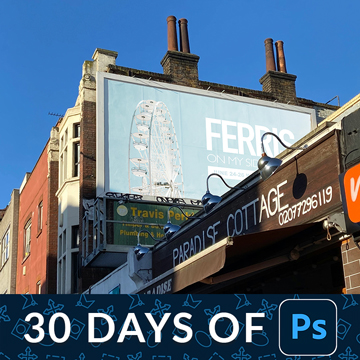
Learn to create a realistic Photoshop mockup using the Remove Tool, Smart Objects for perspective, and adding highlights and shadows for a lifelike image.
Photoshop | Photo Editing | Advanced | 15 mins | 1 video
2 Sample Images | 1 Sample PSD
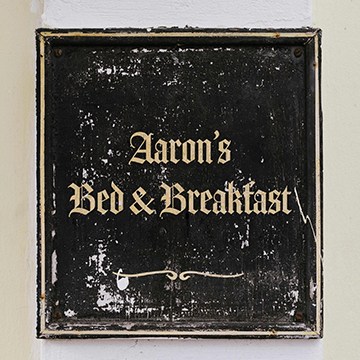
Learn to accurately identify fonts and recreate text that blends seamlessly with any visual environment.
Photoshop | Graphics & Text | Easy | 15 mins | 1 video
1 Sample Image | 1 PSD File
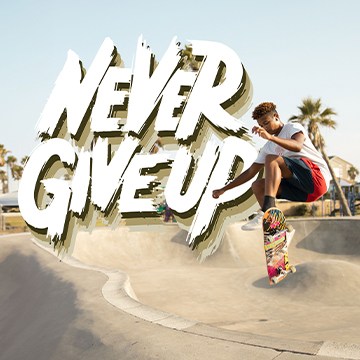
Learn how to add depth and dimension to your text with this easy-to-follow tutorial on creating a text effect with multiple drop shadows.
Photoshop | Graphics & Text | Easy | 15 mins | 1 video
1 Sample Image | 2 Sample PSDs
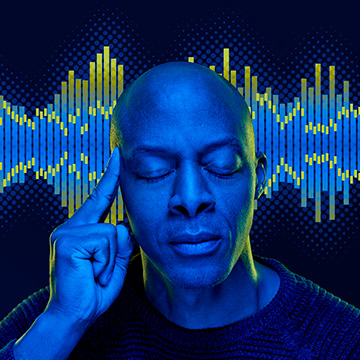
Learn how to blend graphics and portraits seamlessly. Upscale graphics with Super Zoom, color match with Gradient Maps, and isolate subjects with Select tools.
Photoshop | Compositing | Easy | 1 video
Stock Image Links Included