Compositing & Visual Effects
Blend elements into a believable scene, then push past realism into stylized effects. This free playlist covers 13 tutorials on compositing technique and visual effects, from matching shadows and reflections to building glows, flares, and motion.
What You’ll Learn
- Realistic compositing — matching shadows, highlights, and reflections between elements, replacing a background convincingly, and building a full composite scene from scratch.
- Blending techniques — using Blend If to combine images by brightness alone, no masking required, for skies, clouds, and creative color work.
- Light-based visual effects — building glows, motion blur, lens flares, and an aura effect using Path Blur, Screen mode, and non-destructive layering.
- Color and mood effects — a dream-like color treatment and a realistic sky replacement for stylized, editorial-looking results.
Who This Series Is For
This path is for anyone moving past single-image edits into combining elements, or adding effects that go beyond a straightforward color grade. If you’ve mastered the basics of layers and masks, this is where you start building more ambitious images.
Each tutorial is a self-contained technique — a specific blend, a specific effect — so you can build real compositing instincts one tutorial at a time.
How Long It Takes
All 13 tutorials run about 3.5 hours combined. Each one is a self-contained lesson, so you can work through the whole path or jump straight to the technique you need.
Frequently Asked Questions
Do I need PHLEARN PRO to watch these?
No. Every tutorial in this playlist is completely free, including the downloadable sample images and project files.
What’s the difference between compositing and a visual effect?
Compositing blends separate images into one believable scene — matching light, shadow, and perspective so the seams disappear. A visual effect, like a glow or a lens flare, is added on top for stylistic impact rather than realism. This playlist covers both, since they use many of the same tools.
How is this different from the Design, Text & Graphic Effects playlist?
Design, Text & Graphic Effects focuses on typography, mockups, and graphic elements built for their own visual impact. This playlist focuses on photographic compositing and light-based effects — blending images and light rather than designing graphics.
Where to Go Next
- Design, Text & Graphic Effects — for typography, mockups, and graphic design work
- Color Grading & Correction — for finishing a composite with a cohesive color palette
- Photoshop & Lightroom Fundamentals — for the core tools this playlist builds on
In This Playlist
- Compositing Highlights, Shadows & Reflections in Photoshop
- Three Ways to Use Blend If in Photoshop
- How to Change Background Using AI in Photoshop
- How to Add Realistic Clouds with Photoshop’s Blend If
- How to Create a Composite in Photoshop
- How to Create a Light Effect in Photoshop
- How to Create a Glow Motion Effect in Photoshop
- How to Create an Aura Effect in Photoshop
- How to Use Lens Blur in Photoshop
- How to Create a Speed Effect in Photoshop
- How to Create a Lens Flare Effect in Photoshop
- How to Create a Dream-Like Color Effect in Photoshop
- Realistic Sky Replacement in Photoshop
Want to Go Further?
PHLEARN PRO gives you unlimited access to every course on the site, including in-depth compositing, design, and retouching learning paths.

Create a high-end light blur effect using Path Blur and Smart Objects. Add motion and texture to your portraits while keeping everything non-destructive.
Photoshop | Visual Effects | Medium | 15 mins | 1 video
3 Sample Images | 1 Sample PSD
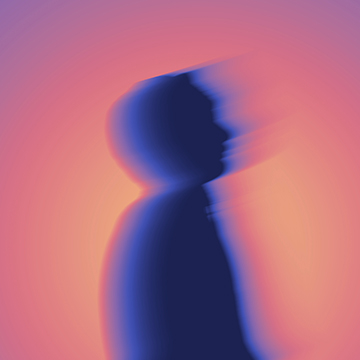
Learn how to create a vibrant and stylized glow effect in Photoshop! Master professional techniques for adding artistic motion, custom gradients, and cinematic color to your work.
Photoshop | Visual Effects | Medium | 15 mins | 1 video
2 Sample Images | 1 Sample PSD
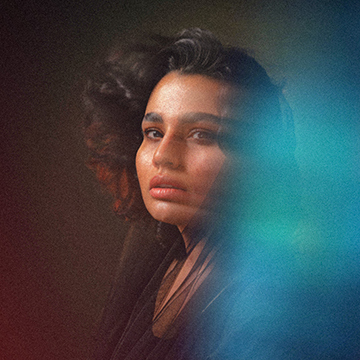
Learn how to create a stunning, colorful aura effect in Photoshop! Master vibrant glows, professional motion blurs, and texture blending to turn your portraits into beautiful edits.
Photoshop | Visual Effects | Medium | 15 mins | 1 video
8 Sample Images | 1 Sample PSD
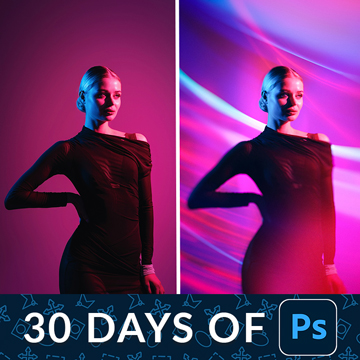
Welcome to the final episode of our series! Today we’ll show you how to use blending modes and smart objects to create dynamic, artistic light effects that look in-camera.
Photoshop | Compositing | Advanced | 30 mins | 1 video
7 Sample Images | 1 Sample PSD

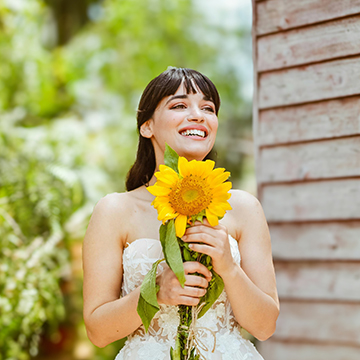
Use the AI-powered Lens Blur tool inside Photoshop’s Camera Raw Filter to blur a background. Set the focal point by hand, refine it with brushes, and fix the hard edge AI leaves around hair.
Photoshop | Visual Effects | Medium | 15 mins | 1 video
1 Sample Image | 1 Sample PSD


Add a touch of cinematic magic to your photos! In this tutorial we’ll show you how to create captivating speed effect in Photoshop.
Photoshop | Visual Effects | Medium | 15 mins | 1 video
2 Sample Images | 2 PSD Files

Use Photoshop’s Remove Background and Generate Background tools to replace a background in two clicks, then keep the real floor your subject is standing on by masking it back in and generating only what sits behind.
Photoshop | Compositing | Easy | 15 mins | 1 video
1 Sample Image | 1 PSD File
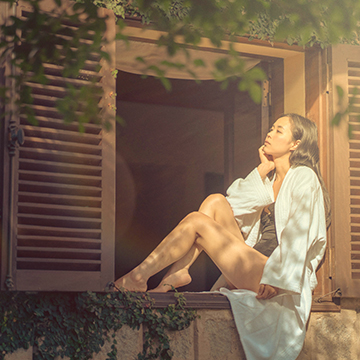
Build a warm summer look in Photoshop: drop in a real lens flare on Screen, warm it in Camera Raw, add light haze with radial gradient masks, then tie it together with a Gradient Map at low opacity.
Photoshop | Visual Effects | Easy | 15 mins | 1 video
2 Sample Images | 1 PSD File

Borrow the coloring from a photo you love: drop it over your subject on Screen, blur away the detail, then add a gradient map and a motion blur set to Lighten for a soft dream-like finish.
Photoshop | Visual Effects | Medium | 15 mins | 1 video
2 Sample Images | 1 PSD File
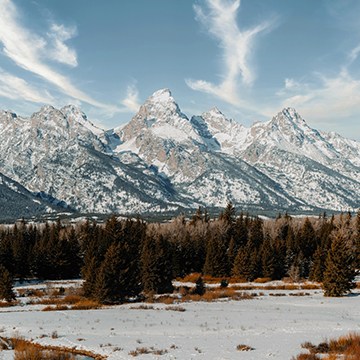

Learn how to extract and incorporate shadows, highlights, and reflections for a realistic result in Photoshop.
Photoshop | Compositing | Medium | 15 mins | 1 video
2 Sample Images | 1 Sample PSD