Photography & Photo Editing Learning Path
Seven tutorials on taking and editing better photos, in order. Learn your camera, composition and light, a fast editing workflow, studio lighting, product and food photography, and landscape editing start to finish.
Free tutorials
Keep practicing, free
Four short free tutorials on editing real photos. Watch them any time, no membership needed.
Edit Food Photos in Lightroom Classic
Free tutorial · 7 min
Edit Wedding Photos in Lightroom Classic
Free tutorial · 8 min
Free tutorial · 10 min
Shoot Products and Retouch the Background
Free tutorial · 23 min
What You’ll Learn
The Photography & Photo Editing Learning Path is seven tutorials on the whole process, from camera settings to a finished image. It starts with how cameras work and how to see composition and light, adds a fast editing workflow, then follows real shoots (athletes, products, food) and ends with landscape editing.
- 1. Learn photography Cameras, lenses, settings and gear, and the art and business of photography, in 76 lessons.
- 2. See composition and light Rule of thirds, the golden ratio, balance and light, taught on landscapes in Photoshop.
- 3. Edit fast Batch-editing a series, quick sky replacement and other speed techniques across Lightroom and Photoshop.
- 4. Light a studio shoot Studio lighting setups, camera settings and retouching on real athlete shoots.
- 5. Photograph products Lighting, cameras and client work for product photography.
- 6. Photograph food Styling, focus stacking, multiple angles and retouching on a full food project.
- 7. Edit landscapes start to finish Six raw landscapes with AI sky, mountain and water masks, sky replacement and exposure recovery.
Who This Path Is For
New photographers who want to understand their camera, and hobbyists ready to take on paid work. The middle steps follow real client-style shoots.
No experience is assumed. If you already shoot well, start at step two.
What You Need
- A camera Any camera with manual settings; a phone works for the composition lessons.
- Lightroom and Photoshop For the editing tutorials.
- Sample files Included raw files for the editing steps.
- Lighting Optional until the studio tutorial.
Gear matters less than you think; Photography 101 covers cameras and gear before you spend money.
How Long It Takes
Seven tutorials and 170 lessons, about 37 hours of video. Photography 101 is the longest at over fourteen hours. At a few hours a week, plan on six to eight weeks.
Shoot between tutorials. Photography is learned behind the camera; the videos only tell you what to try.
Frequently Asked Questions
Do I need a PHLEARN PRO membership?
Yes. This is a PRO Learning Path, so all seven tutorials and their sample files are included with a membership.
What camera do I need?
Any camera with manual exposure. Photography 101 explains what matters when you buy one.
Is this about shooting or editing?
Both: shooting in the first half and real shoots in the middle, with editing throughout and at the end.
Do I have to follow the order?
It is built to be followed in order, from camera basics to finished images.
Can I skip Photography 101?
If you already shoot in manual and understand exposure, yes. Start at step two.
Where to Go Next
Start the Path
Start with Photography 101. Already shoot in manual? Start at step two, composition and light.
PHLEARN PRO
Every tutorial in this path, with sample and RAW files, plus the full PRO library.

The most in-depth introductory photography course out there! Learn all about lenses and the fundamentals of exposure. See over 20 locations and photoshoots where we fuse techincal theory and practice.
Photography & Lighting | Easy | 14.75 hours
50+ Sample Images
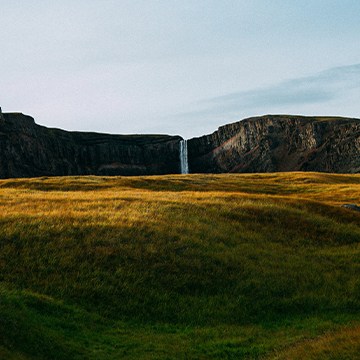
Master the fundamentals of Lighting and Composition! In this tutorial, we’ll use Photoshop and Camera Raw across nine scenarios to master highlight sculpting, dynamic framing, border cleanup, and much more!.
Photoshop | Photo Editing | Medium | 3 hours
8 Sample Images (JPEG Files) | 1 Sample Image (RAW File) | 9 Sample PSDs
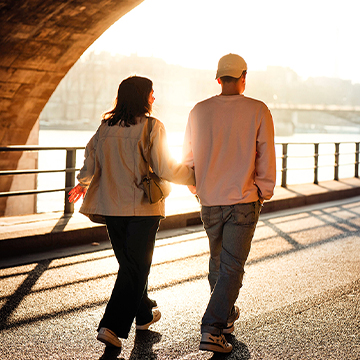
Discover the fastest Photoshop and Lightroom techniques for dramatic improvements: batch processing, dramatic sky replacements, captivating subject highlighting, flawless color correction, AI object insertion, and more!
Photoshop, Lightroom | Workflow & Productivity | Medium | 1.5 hours
21 Sample Images | 4 Sample PSDs

Join us as we demonstrate how to work with clients and shoot in a professional studio environment . Afterwards, we take you through Lightroom and Photoshop where you’ll learn retouching techniques like dodging and burning and blemish removal.
Photoshop | Photography & Lighting | Medium | 7.25 hours
9 Sample Images | 1 Photoshop Action | 1 Photoshop Brush | 1 Photoshop Gradient

Join guest instructor Ross Floyd as he breaks down the theory and fundamentals of lighting objects, how to accurately represent products in an image, and the business side of building and maintaining strong client relationships.
Photography & Lighting | Medium | 3 hours
15 Sample Images
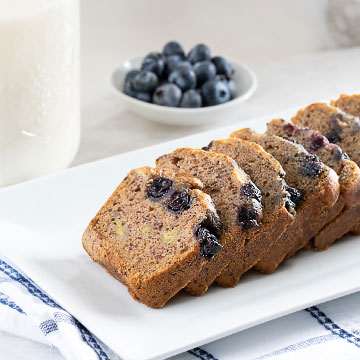
From websites, to Grubhub, to Instagram, food photography is everywhere. Learn how to work with a client, how to photograph food using lighting and styling techniques, and how to bring it all together with retouching in Photoshop.
Lightroom, Photoshop | Photography & Lighting | Medium | 4.75 hours
45 Sample Images | 1 Photoshop Action
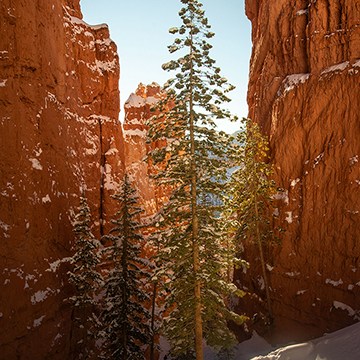
Master advanced landscape editing in Photoshop and Adobe Camera RAW. Learn Aaron’s must-do adjustments, advanced Sky Replacement, color grading, and more! This tutorial includes RAW files so you can follow along.
Photoshop | Photo Editing | Advanced | 3.75 hours
6 Sample Images (RAW Files) | 6 Sample Images (JPEG Files) | 5 Sample PSDs