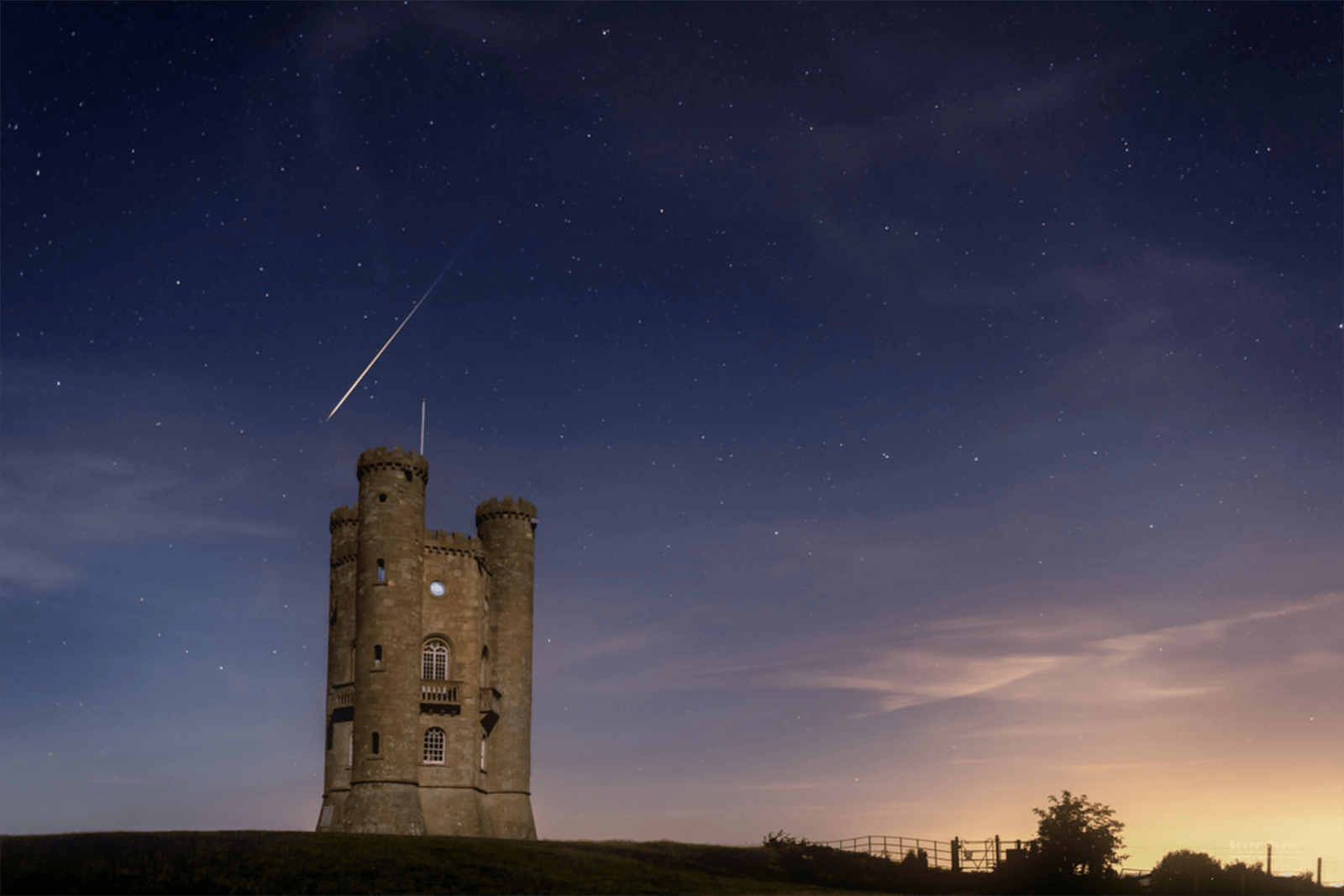
What Is Bokeh? How to Get Blurry Backgrounds (and Fake Them)
Bokeh is the look of the out-of-focus parts of a photo, and the blurry background most people mean by it comes from four things: your aperture, your focal length, and how far the subject sits from you and from what’s behind it. Here’s how to get it in camera, with any lens, and how to add it afterward.
Originally published October 26, 2018, by Maggie King. Updated October 17, 2026, by Aaron Nace: Aaron added what he’s learned from shooting wide open, when a shallow background is the wrong call, and his honest view of Lens Blur and phone portrait mode. The Lightroom and Camera Raw Lens Blur section is new, and the Photoshop section is rewritten for the 2026 tools.
You’ve seen it a thousand times. A face that’s sharp down to the eyelashes, and behind it a street or a string of lights melted into soft discs of color. It’s the look that makes a phone shooter want a real camera, and it’s the first thing most people chase once they have one.
The word for the soft part is bokeh. It’s a short word with a lot of arguments attached to it, so this guide starts by settling what bokeh is, then gets practical: the four things that decide how blurry a background gets, which lenses and settings make the most of them, why highlights come out round, oval or heart-shaped, and how Lightroom and Photoshop add the blur when the shot didn’t have it. The 2018 version ended with an older Photoshop method; this one covers the Lens Blur tools that have arrived since, because that’s where a lot of the blur in 2026 photos actually comes from.
What Is Bokeh?
Bokeh is the way a lens renders the parts of a photo that are out of focus. The word comes from the Japanese boke, meaning blur or haze. English-speaking photographers had been using it since the mid-1990s, and in 1997 Mike Johnston, editor of Photo Techniques magazine, added the h in three of its articles so readers would say both syllables: bo as in bone, ke as in Kenneth, equal stress on each. Harold Merklinger’s 1997 article for the same magazine, “A Technical View of Boke”, kept the old spelling in its title, and the h stuck anyway.
The useful thing to hold onto is that bokeh describes quality, not quantity. How much of the background is blurred is depth of field. How that blur looks, whether points of light turn into smooth discs or hard-edged rings, whether the blur melts or looks nervous, is bokeh. Two lenses can give you the same amount of blur and very different bokeh, and that difference, which comes down to how each lens is built, is why photographers argue about “good” and “bad” bokeh at all.

What Makes a Background Blurry
Four things decide how far out of focus the background goes, and only one of them costs money.
Start with the free one, which is also the one people forget: how far the subject stands from the background. Blur grows with distance from the plane you focused on, so a person leaning against a wall will have a perfectly readable wall behind them at almost any aperture. Walk them ten steps away from it and the same lens at the same setting turns the wall soft. Aaron describes it the same way: “if the background is really close to the subject, it’s still going to be relatively in focus,” and “if you want the most amount of separation, you still want to move the subject pretty far from the background.”
Your own distance to the subject works in the other direction. The closer you focus, the shallower the depth of field, which is why a face that fills the frame drops the background away far more quickly than a full-length shot from across the room, and why macro lenses blur backgrounds almost accidentally.
Focal length is the third lever. A longer lens at the same f-number and the same framing blurs the background more. Portrait photographers reach for 85mm and 135mm lenses partly for that reason, and a 200mm zoom at f/4 can soften a background that a 35mm at f/4 leaves readable.
Aperture is the lever everyone knows: the wider the opening and the smaller the f-number, the shallower the depth of field. Some numbers make it concrete. At f/1.4 an 85mm lens focused on a face two meters away keeps only about four and a half centimeters in sharp focus, roughly the depth from the tip of a nose to the eyes. At f/2.8 that doubles to about nine centimeters, and at f/5.6 it’s about eighteen. The background softens at every one of those settings. What changes is how much of the subject stays sharp with it. (Those figures come from the standard depth-of-field formula for a full-frame sensor; our guide to aperture and the exposure triangle explains the f-stop scale.)
Sensor size isn’t on the list, and that genuinely surprises people. A bigger sensor doesn’t blur more by itself. It makes you use a longer lens, or stand closer, to get the same framing, and that’s what shallows the depth of field. For the same framing at the same f-number, an APS-C camera keeps roughly one stop more in focus than full frame; our full frame vs APS-C guide shows the arithmetic.

You don’t have to always push it to extremes.
Aaron Nace
Which Lens and Settings Give the Best Bokeh
If you want to buy one lens for this, buy a fast prime. A 50mm f/1.8 is one of the cheapest lenses Canon and Sony sell and it changes what your photos look like overnight. A 50mm f/1.4 is the classic next step, and an 85mm f/1.8 or f/1.4 is the portrait photographer’s favorite because the longer focal length and the wide aperture stack. Beyond that sit the 85mm f/1.2 and 135mm f/1.8 lenses that cost as much as a camera body, and their bokeh is the reason people pay it.
You don’t need any of that to start, though. Here’s what to do with an 18–55mm kit lens, in Aaron’s words: “shoot at 55 millimeters, separate your subject very far from the background, and shoot with the most wide open aperture you can. Even if it’s f/4, you’re still going to be able to get a good separation of your subject from the background, provided your subject is far from the background.” At 55mm the kit lens usually opens to f/5.6. Stand three or four meters from the person, put the background twenty meters or more behind them, zoom to 55mm so they fill most of the frame, and the background will go soft. Not f/1.4 soft, but soft.
Whatever lens you have, set the camera to aperture priority (A or Av) so you pick the f-number, turn on eye autofocus if the body has it, and resist the widest setting as a reflex: a third or two-thirds of a stop down from wide open, most lenses get sharper while the background stays nearly as soft.
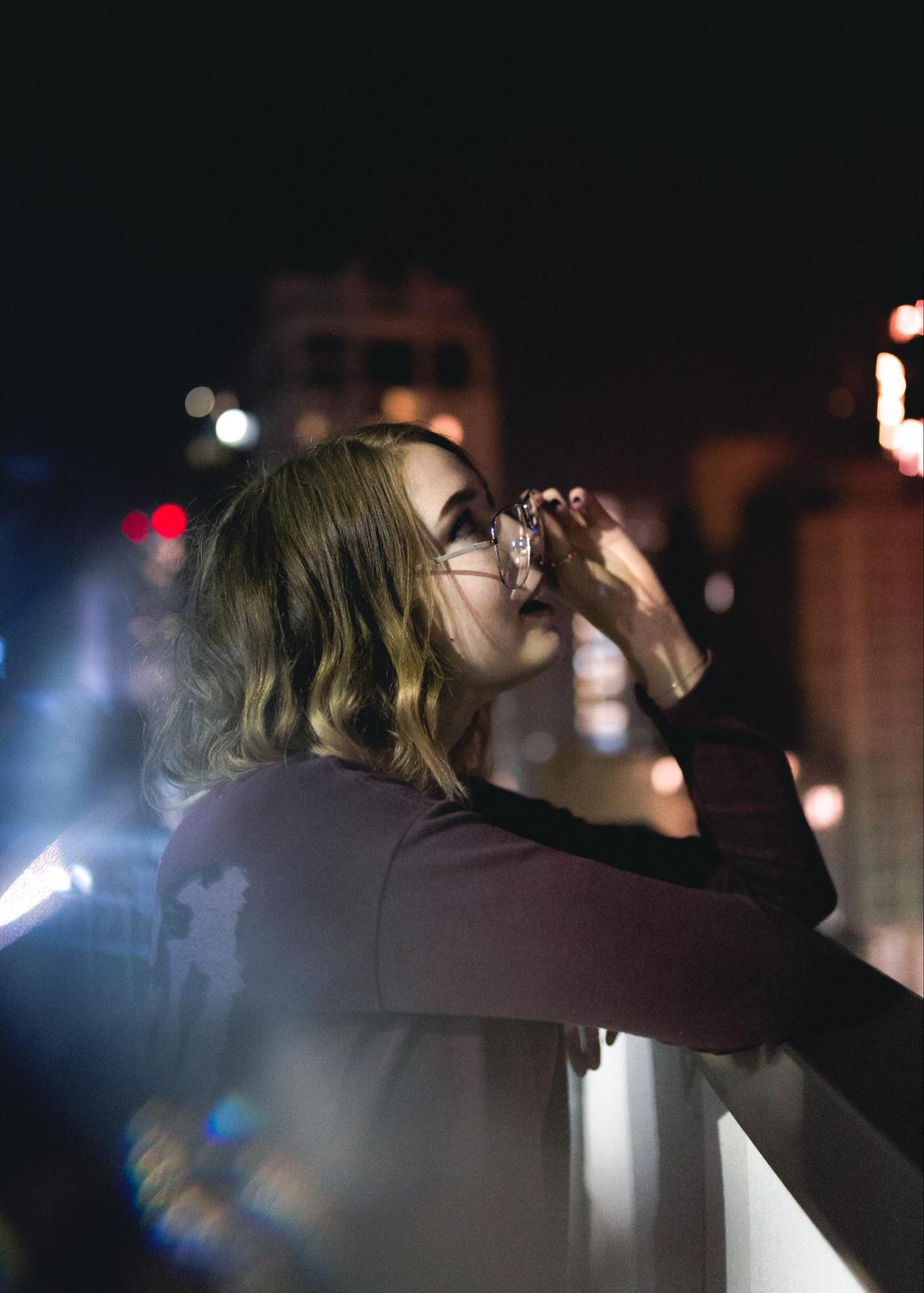
Bokeh Shapes: Why Highlights Come Out Round, Oval or Heart-Shaped
Each out-of-focus point of light takes the shape of the lens’s aperture opening. Wide open, that opening is round on nearly every lens, so the discs are round. Stop down and the aperture blades close into a polygon, so a lens with seven straight blades draws heptagons and a lens with nine curved blades keeps drawing something close to a circle. Lens makers advertise “rounded blades” for this reason.
Toward the edges of the frame the discs often squash into lemon or cat’s-eye shapes, because the lens barrel clips light coming in at an angle; some lenses turn that clipping into a swirl around the subject, and stopping down a stop or two makes the cat’s eyes round again. Discs with concentric rings inside, the “onion ring” look, come from the moulding marks of aspherical elements. Discs with a bright rim, the “soap bubble” look, are the signature of old triplet designs like the Meyer Trioplan, brought back in 2015 for exactly that effect. All of these are what lens reviews mean by bokeh, and none of them has anything to do with how much blur there is.
You can also draw your own. Cut a small shape, about a centimeter across, in the center of a piece of black card, tape it over the front of a fast lens and shoot a dark scene with point lights behind the subject. Every light takes the shape of the hole, which is how the hearts and stars below were made. Use a 50mm or longer lens at f/2 or wider, because the hole becomes the new aperture and has to be smaller than the real one.


How to Add Bokeh in Lightroom and Photoshop
Since 2023, Lightroom, Lightroom Classic and Camera Raw have had a Lens Blur panel that does what this whole article is about after the fact. It builds a depth map of the photo, decides what’s near and far, and blurs everything by its distance from the plane you choose, in front of it as well as behind, which is how a real lens behaves. It uses AI for the depth map and no generative credits, because it isn’t generating anything, just blurring what’s there.
In Lightroom Classic, open the Develop module, find the Lens Blur panel and tick Apply. The program picks the subject and blurs the rest at a default Blur Amount of 50, and from there you have the real controls. Blur Amount sets how strong the blur is, and lower is usually right. Bokeh picks the shape of the out-of-focus highlights, with presets named for what real lenses do: Circle, Bubble, 5-blade, Ring (the doughnut of a mirror lens) and Anamorphic (the oval of a cinema lens), plus a Cat Eye slider that squashes the discs toward the edges and a Boost slider that brightens the out-of-focus lights.
Focus Range sets where the sharp zone sits; the Subject Focus icon finds it automatically, or you drag a box on the photo to set a point or an area yourself, and the Visualize Depth checkbox shows the map the program built, in warm and cool tones. Finally there’s Brush Refinement, which paints Focus or Blur back in wherever the depth map got it wrong: a hand on a railing, hair against sky, a second person. If you’d rather not touch any of it, the Adaptive: Blur Background preset in the Presets panel applies the whole thing with one click and a strength slider.
Lightroom (the cloud version, on desktop, mobile and web) has the same panel with nearly the same labels, Bokeh Boost and Refinement where Lightroom Classic says Boost and Brush Refinement. In Photoshop, the route is Filter > Camera Raw Filter on a layer you’ve first converted to a Smart Object, then the same Lens Blur panel inside Camera Raw. Lens Blur needs Process Version 3 or later, so a very old edit may ask you to update first.
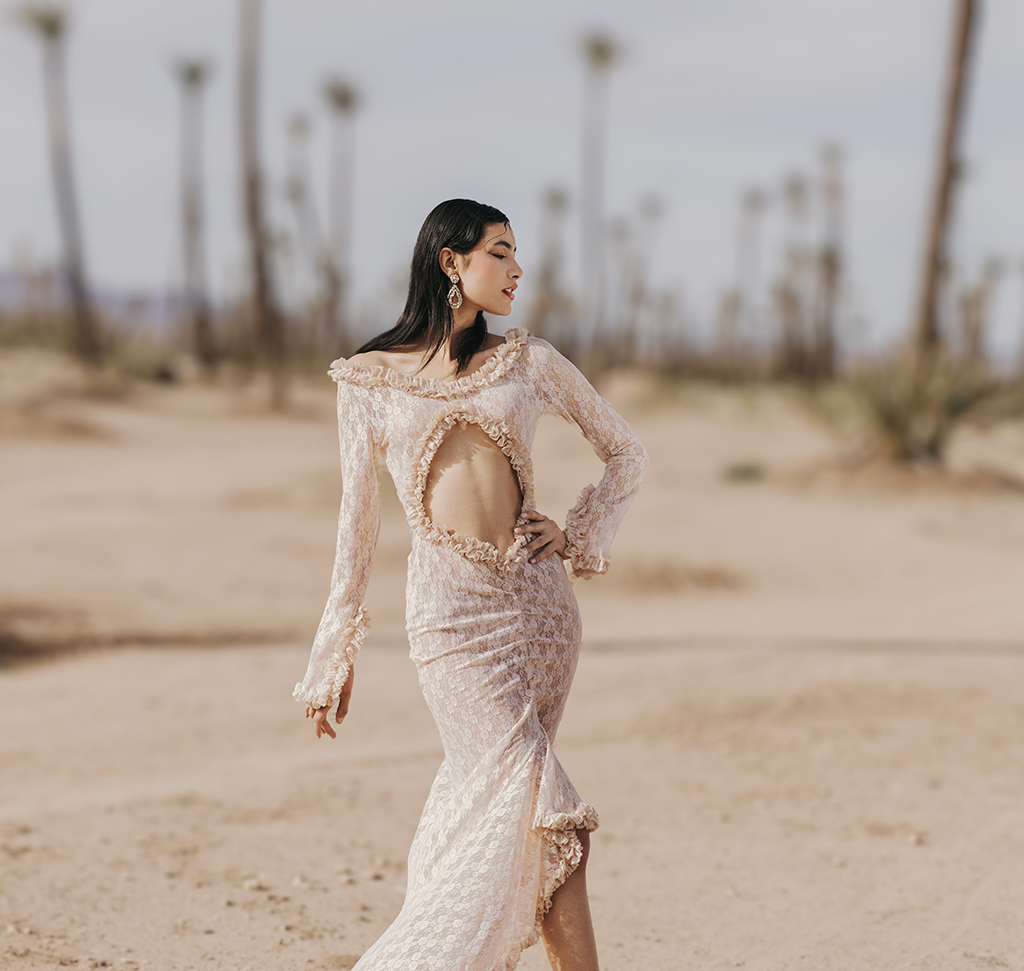
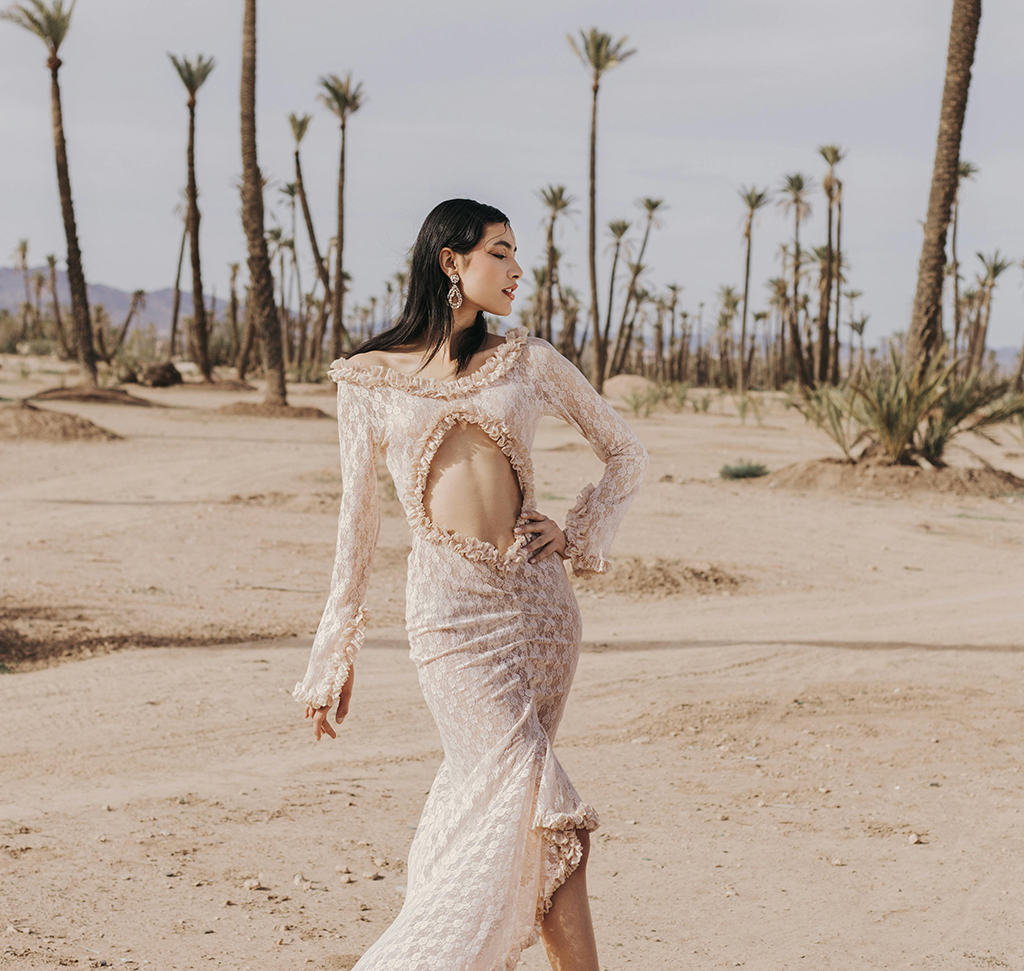
Photoshop’s own blur filters are still there for when you want to build the blur by hand. Filter > Blur Gallery > Iris Blur puts a sharp ellipse where you drag it and blurs outward from it, with Light Bokeh, Bokeh Color and Light Range sliders that turn bright points into discs. Filter > Blur > Lens Blur is the older, more exact tool: you give it a depth map as a layer mask, choose the iris shape and blade curvature, and set how much the highlights bloom. It takes longer, and it lets you say exactly which plane is sharp.
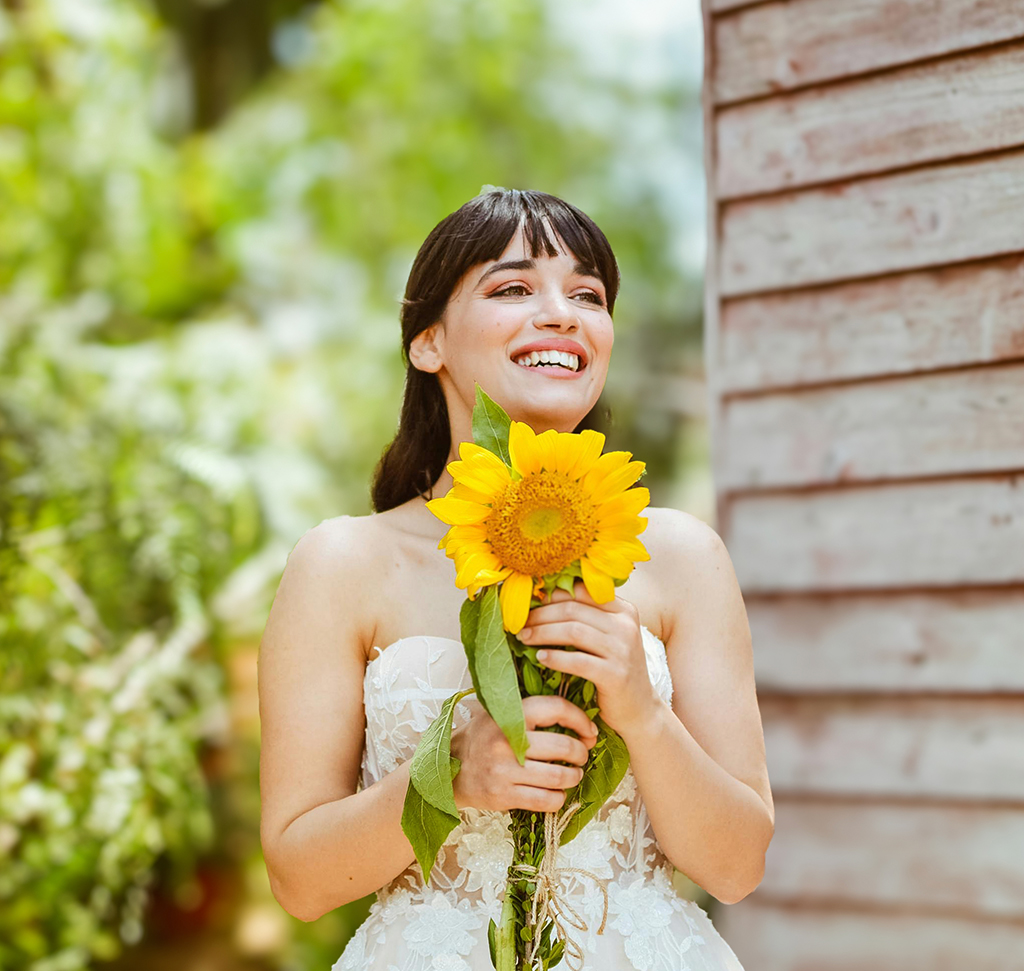

It’s a post-production technique, so it’s never going to be as good as the original photo.
Aaron Nace
Where it shows is the edge. Aaron’s view: “usually you can see where the subject was cut out. Generally, it’s not going to be a perfect transition between an in-focus subject and an out-of-focus background.” Fine hair, the gap between an arm and a body, a glass, a railing that runs from near to far: those are the places to check at 100 percent, and the places the refinement brush exists for. Keep Blur Amount modest and the seams mostly vanish. Push it until it looks like f/1.2 and the photo starts to look like a cut-out.
Phone portrait mode works the same way, with the same limits. The camera computes a depth-of-field effect (Apple’s words) from two lenses or machine learning, and since 2018’s iPhone XS you can change how strong it is after the shot by editing the photo and dragging the Depth Control slider. Aaron’s take: “it’s a post-production hack. It’s going to artificially blur the background, which can be cool, especially if you keep it really subtle. But it’s never going to look the same as a true optical shallow depth of field.”
Our free tutorials go deeper on each tool: Lens Blur in Lightroom Classic covers tricky hair edges and two subjects, Lens Blur in Photoshop does the Camera Raw Filter route step by step, and AI Depth Masking in Photoshop uses the same depth map to separate a subject from its background for more than blur.
Shallow Depth of Field Mistakes
Making it too shallow. A mistake Aaron sees constantly, and the one most people make first. A background that’s a little soft can be more beautiful than one that’s gone to mush, and it keeps the place the photo was taken. If the location is part of the story, let some of it read.
Soft eyes. At f/1.4 on an 85mm the sharp zone is a few centimeters deep. Focus on the near eye, use eye autofocus, and if both eyes need to be sharp, or two people do, stop down to f/2.8 or f/4. Check at 100 percent before the subject leaves.
Busy backgrounds. Bokeh is only as calm as what’s behind the subject. Sun through leaves, chrome and lit signs turn into a wall of discs and outlines that pull the eye from the face. Move a step sideways until the background is plainer.
Expecting the sensor to do it. Switching from APS-C to full frame won’t blur a background on its own. Standing closer, using a longer lens and opening up will, on either camera.
Faking it on the subject’s plane. When blur is added in software, everything at the subject’s distance has to stay sharp together: a hand on a shoulder, the chair, the flowers they’re holding. If those go soft while the face stays sharp, the depth map is wrong, and it’s the first thing a photographer notices.
Common Questions About Bokeh
What is the bokeh effect? It’s the soft, out-of-focus rendering of a photo’s background (or foreground), most visible where points of light turn into discs. Strictly, bokeh is the quality of that blur; the amount of blur is depth of field.
What aperture is best for bokeh? The widest your lens has gives the most blur, but f/2 to f/2.8 is the sweet spot for a single face: the background is soft and most lenses are sharper than they are wide open. For both eyes, or two people, f/2.8 to f/4. Shooting at f/1.2 or f/1.4 is a look, not a rule.
Can you get bokeh with a kit lens? Yes. Zoom to the long end (55mm), use the widest aperture available there (usually f/5.6), fill the frame with the subject and put as much distance as you can between them and the background. The blur will be gentle, and it will be there.
Is Lens Blur in Lightroom as good as a fast lens? It’s good, and getting better, and it costs nothing extra. It can’t recreate what a lens does with light that was never out of focus, so the result is at its best when the blur is kept modest and the edges are checked at 100 percent.
Try It Tonight
You don’t need a shoot to practise this. Put a string of lights or a few candles three or four meters behind a mug, a book or a willing person, set the camera to aperture priority at its widest f-number, get close, and focus on the subject. Then move the subject a meter closer to the lights and shoot again, then a meter farther, then stop down to f/5.6 and repeat. Four frames will teach you more about where blur comes from than any chart, and you’ll know, before you spend anything on a lens, which of the four levers you actually need. It’s usually the free one.
In this article
Free with PHLEARN