Beauty & Fashion Retouching Learning Path
Seven tutorials on retouching for beauty, fashion and editorial work, in order. An introduction to retouching, a full soft retouch, the eye area, clothing and fabric, three fashion images, the forty-lesson retouching reference and a professional beauty workflow start to finish.
Free tutorials
Keep practicing, free
Four short free tutorials with more ways to polish skin, clothing and faces. Watch them any time, no membership needed.
Use the New Blemish Removal Tool
Free tutorial · 10 min
Advanced Skin Retouching in Photoshop
Free tutorial · 13 min
Free tutorial · 22 min
Change Facial Features in Photoshop
Free tutorial · 7 min
What You’ll Learn
Beauty and fashion retouching is portrait retouching with the stakes raised: skin that is flawless but still skin, eyes that read from across a room, clothes that hang the way the stylist intended. The Beauty & Fashion Retouching Learning Path is seven tutorials that build to that standard. It starts with the tools and a complete gentle retouch, narrows in on eyes and fabric, works through three real fashion shoots, then puts the whole method in two reference courses, one broad and one professional.
- 1. Learn the retouching tools Camera Raw basics, then the healing tools, dodge and burn, liquify and color correction, on a series of real examples.
- 2. Do a full soft retouch A complete portrait from a real shoot: raw processing, liquify, distractions removed, skin softened without losing texture.
- 3. Retouch the eyes Frequency separation under the eyes, sharpening the iris, brightening the whites, lashes and catchlights.
- 4. Fix clothing and fabric Undergarment lines, wrinkles and texture in fabric, and recoloring garments to match a brief.
- 5. Retouch three fashion images Three shoots in three locations: distractions, skin, color and finishing for editorial use.
- 6. Master every retouching technique The forty-lesson Ultimate Guide to Retouching: the complete reference on skin, hair, eyes, teeth, dodge and burn and color.
- 7. Follow a professional beauty workflow One beauty image start to finish: raw import, markup, combining exposures, skin, hair, makeup and the final color.
Who This Path Is For
Fashion, beauty and editorial photographers and retouchers, portrait photographers whose clients expect magazine finish, and makeup artists and stylists who retouch their own portfolio work.
You should know layers and layer masks. Every retouching technique is taught here, from the first blemish.
What You Need
- Photoshop Any recent version. The tools used here have not changed in years.
- Sample files Included for every tutorial, including the raw files for the full retouches.
- Layers and masks Assumed knowledge. If not, start with the Getting Started in Photoshop & Lightroom.
- A tablet Strongly recommended. Dodge and burn and skin work are far easier with pressure.
For the core techniques on their own, frequency separation, dodge and burn and hair, see the Retouching Learning Path.
How Long It Takes
Seven tutorials and 117 lessons, about 36 hours of video. This is one of the longest paths: the Ultimate Guide to Retouching alone is over nine hours and the introduction is over eight. At a few hours a week, plan on two to three months, and treat steps one and six as references to return to.
Retouch one of your own portraits after each step. Compare it with your first attempt at the end of the path.
Frequently Asked Questions
Do I need a PHLEARN PRO membership?
Yes. This is a PRO Learning Path, so all seven tutorials and their sample files are included with a membership.
Beauty & Fashion Retouching or the Retouching Learning Path?
Retouching teaches the core techniques one at a time: frequency separation, dodge and burn, hair, fabric. This path applies them to beauty and fashion work with full start-to-finish retouches. Many people take both.
Is this about making people look fake?
No. Every tutorial here keeps skin texture and the person’s features. The goal is the finish a client expects, not a different face.
Do I have to follow the order?
It is built to be followed in order, from the tools to full professional retouches. If you already retouch regularly, start at step three.
Are the older tutorials still accurate?
Yes. Retouching is done with the healing tools, Curves and dodge and burn, none of which have changed. The AI tools can speed up the first pass, but the method is the same.
Where to Go Next
- Retouching Learning Path
- Portraits Learning Path
- Coloring Learning Path
- Photography & Photo Editing Learning Path
Start the Path
Start with Intro to Retouching. It is long, so take it a chapter at a time while you work through the shorter steps.
PHLEARN PRO
Every tutorial in this path, with sample files, plus the full PRO library.

Professional retouching is a valuable skill and a great way to improve any photo. Learn how to remove skin blemishes, smooth skin tones, clean up flyway hairs, fix exposure, and make subtle adjustments for an all-natural look.
Photoshop | Retouching | Easy | 8.75 hours
21 Sample Images | 1 Photoshop Brush | 1 Photoshop Action
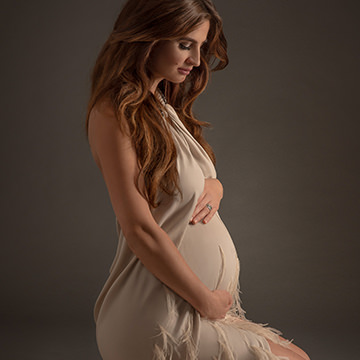
Learn how to create beautiful, soft portraits in Photoshop! Join us as we walk you through a maternity photoshoot before diving into the post-production, covering dodging and burning, frequency separation, and more!
Photoshop | Retouching | Medium | 5.5 hours
2 RAW Sample Images | 2 Photoshop Actions
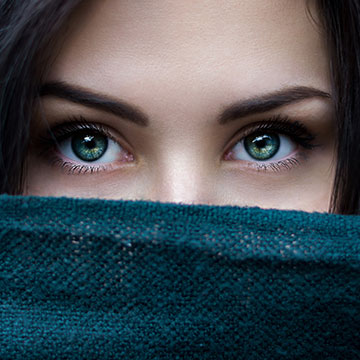
Learn a professional approach to retouching eyes in Photoshop. Brighten up dark eyes, change iris color, enhance the details with dodge and burn, and more. Picture-perfect peepers, every time!
Photoshop | Retouching | Medium | 3 hours
7 Sample Images | 2 Photoshop Brushes | 2 Photoshop Actions

Learn how to make clothing and fabric look amazing in Photoshop. Remove wrinkles, change color, recover details, add shape and definition, and much more!
Photoshop | Retouching | Medium | 2.5 hours
13 Sample Images | 1 Sample PSD | 1 Photoshop Action
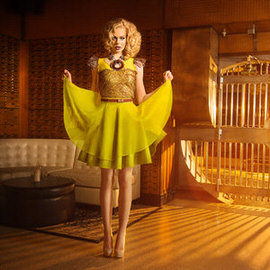
This tutorial takes you step-by-step through the high-fashion retouch editing. Each look uses different lighting and calls for a different approach. We guide you through everything from object removal, to skin smoothing, to color and lighting.
Photoshop | Retouching | Medium | 3.75 hours
3 Sample Images | 1 Photoshop Brush | 1 Lighting Breakdown Video

Learn the art of retouching or brush up on your skills! This tutorial will teach you how the pros work to remove blemishes, smooth skin, dodge and burn, apply makeup, and sharpen images. See our exclusive PHLEARN workflow and tools in action.
Lightroom, Photoshop | Retouching | Medium | 9.75 hours
26 Sample Images | 5 Photoshop Brushes | 1 Photoshop Action
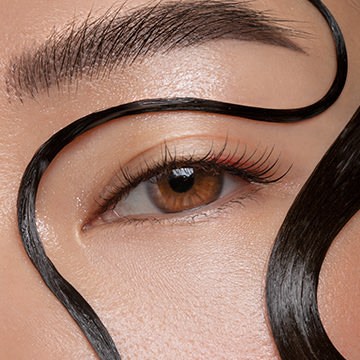
Master the art of professional beauty retouching in Photoshop! Learn advanced skills like dodging and burning, frequency separation, and sharpening–all for creating beautiful portraits with commercial appeal.
Photoshop | Retouching | Advanced | 4 hours
4 RAW Sample Images | 1 Sample PSD | 2 Photoshop Actions | 1 Photoshop Brush